
In my spare time. I tend to comb the web archive of a fallen website (Freewarefiles.com), ran by the late (Ronald Winborne). Who fell ill and passed away in November of 2021. After his passing. The website took many forms. Last time I checked. It was turned into a gambling site. For shame! Continue reading
Category: Freeware (Page 1 of 8)
اليوم نشهد عودة فقرة لعبة الأسبوع، وهذه المرة حول لعبة Warning Forever 1.8
هذه اللعبة من تطوير استوديو Hikware الياباني. بدأ تطويرها في العام 2003، وتوقف التطوير كليًا في العام 2012.
مميزات هذه اللعبة
- حجم تحميل صغير جدا، أقل من 1 ميغا بايت!
- تصميم تجريدي مميز، ورسوميات واضحة.
- تعمل على كل أنواع العتاد.
- مجانية.
- مستوى صعوبة متصاعد، وتحدي كبير في المستويات الأخيرة.
- يمكن لعبها بالكيبورد أو عصا التحكم.

كيفية اللعب
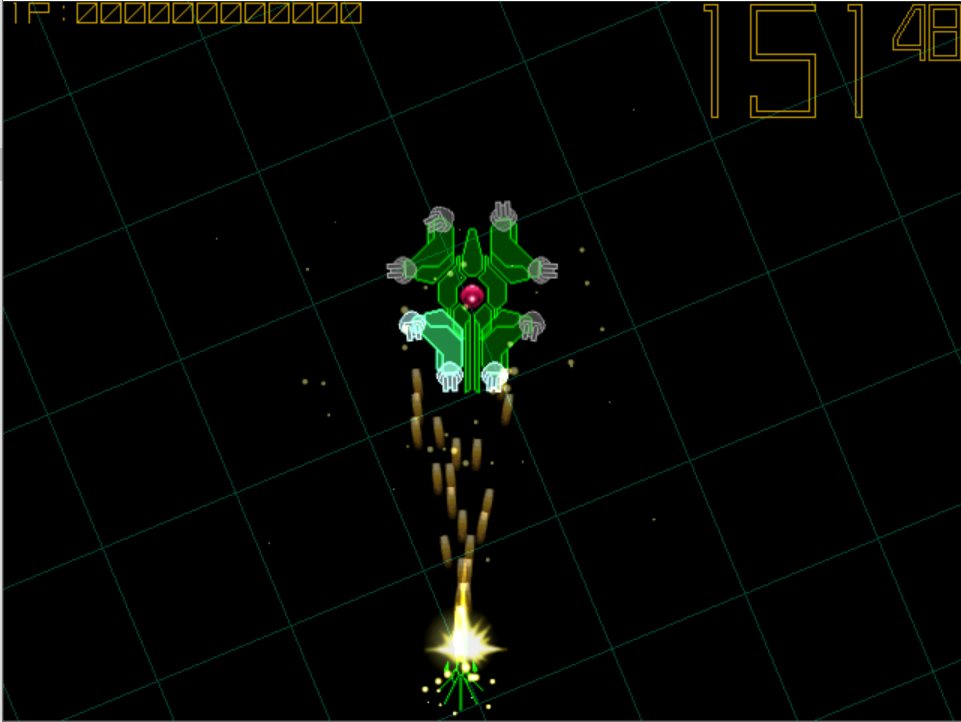
فكرة اللعب مبسطة للغاية. أنت تتحكم بطائرة تطلق النار. وهدفك هزيمة عدو أضخم منك يطلق النار بكثافة خلال وقت معين. يمكنك تحويل اتجاه المدفع للضرب من زوايا متعددة. ويجب عليك مراوغة سيل النار القادم، لأن كل ضربة ستكلفك محاولة.
نفس الاستوديو عمل على عدة ألعاب من نفس النوع، إن كانت تروق لك ألعاب الطائرات وإطلاق النار فستجد هنا ضالتك.
اللعبة مجانية ويمكن تحميلها مباشرة من موقع المطور.
في الختام
هذه اللعبة هي تجسيد للأسلوب الياباني لتطوير الألعاب خلال فترة نهاية الثمانينات وأول التسعينات. ألعاب أحبها وترعرعت معها على جهاز سيقا ميقا درايف. جرعة لازمة من الحنين من حين لأخر.

اليوم وبينما كنت أتصفح الإنترنت. قررت زيارة موقع أزوره دائمًا، لرؤية الجديد من البرامج، والألعاب. وربما تحميل بعض منها. لكن الموقع لم يعمل. الأمر شديد الغرابة! فعلى مر أكثر من عقد من الزمان، كان الموقع دائمًا يعمل، وبكفاءة.

Back when I was using Linux, gaming was kind of an issue. I had to resort to all sorts of tricks and tools to make the experience somewhat doable (and to a great extent it was). Thanks to one tool called Lutris.
Sadly tho upon using a different computer and leaving Linux behind in favor of Windows 10.
Lutris was sorely missed. No other tools comes anywhere close to collecting a random collection of games.
I tried many solutions to replace Lutris that is until the date of this writing a Linux only software.

The only solution that I felt served the purpose of a game collection software that’s free and open source is called: Pegasus.
The state of my game collection.
My game collection as it stands is filled with all sorts of games: Abandonware DOS games, games that I’ve bought or won, freeware games, open source games, etc. There is no one platform that can contain this library – much like the school library that I’ve organized using Goodreads -. Heck there are games that I’ve made – plug in shameless self promotion in here for Zanga Man -.
What is Pegasus and what does it do?
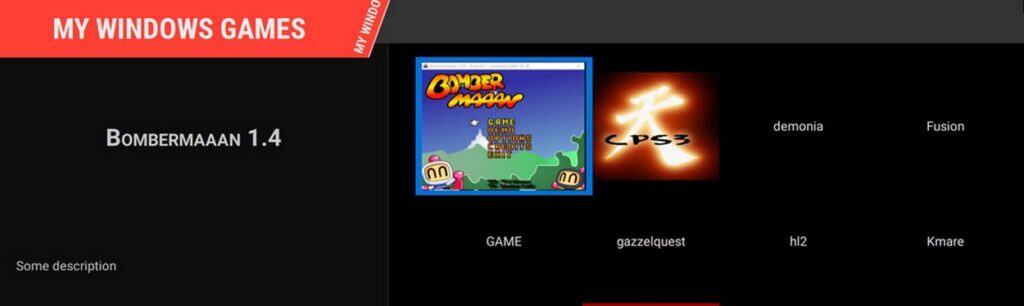
Pegasus is a free and open source software that acts as a front end for game collection. You can add your games to the collection manually and have them displayed in console – like interface.
Can you add games automatically like Lutris?
There is a way displayed on the website. Which includes scrapping for assets and downloading tools that I really didn’t feel comfortable using. I much rather prefer adding the games one by one.
How do you add games?
There is a file called “metadata.pegasus”. Place this file in your game directory and add the folders of games to the text file.
You can also add the picture (or art) that would be displayed once you load the Front end.
Download
To download pegasus please click here.
Final words
Do you use a game collection tool? What’s the tool you are using? Let me know in the comments section below.
أنا الفائز بجائزة المدون المنتظم لعام 2025 من موقع مرجع التدوين
