Category: download (Page 15 of 19)

Ubuntu 15.04 Vivid Vervet is out

Hey there you guys. I hope you are having a good day

As this comes nearly a week late. I am sorry. I had been waiting to write about it for months, but when it came I couldn’t get access to publish it (third world problems)

Anyway. Let’s talk about Ubuntu 15.04, shall we?

It’s a standard release. Which means you get 9 months of security and maintenance updates. (For all flavors) And it ships with LibreOffice 4.4 out of the box. It’s called Vivid vervet.


I dare you to say it three times without stuttering!! 😉 It’s built on the latest 3.19 Ubuntu core. And features desktop improvements and over all application updates. It also features Ubuntu Make. A development studio for many platforms (15 in total).

Release notes

Checkout the total list of changes from here Download Ubuntu 15.04 from here. I hope you liked it. Please comment below. Have a nice day 🙂

Atom text editor review

Hey there you guys!

How are you today? I hope you are doing good

Today we are going to look at an amazing text editor. Free and open source, Atom.
GitHub presented it’s text editor and made it open source under the MIT license in mid 2014. Available for Linux and Windows. “A Hackable text editor for the 21st century!”

It’s made by GitHub. The biggest code repository online.

Lets take a look at the awesome features of Atom.

1. It looks amazing!


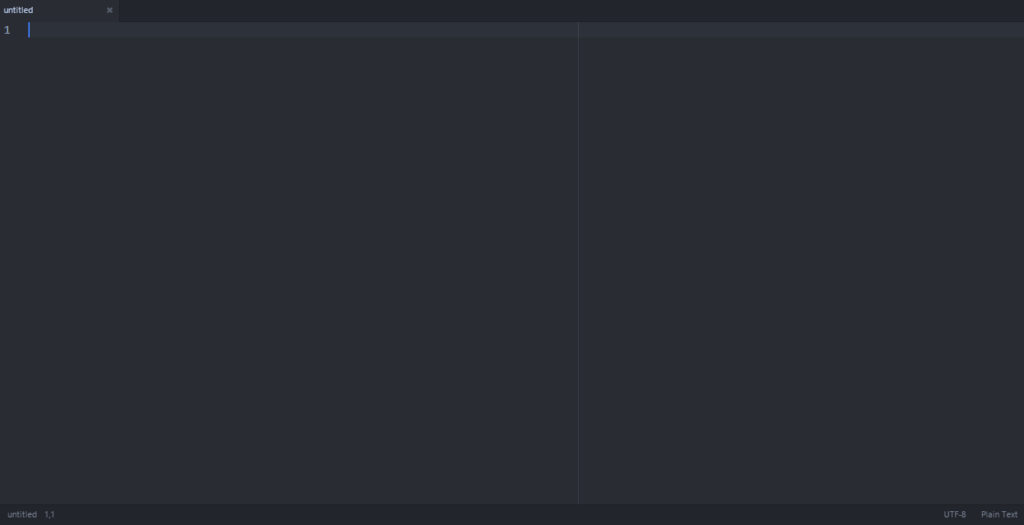
Atom’s main interface. Two panes

No more black text on a white background. (Unless you are into that thing. There is a white theme 😛 ) it has the look and feel that made Sublime text the favorite text editor of many developers. It’s divided into panes for ease of use.

2. It has many plug-ins for you to choose from.

It comes preloaded out of the box with many plug-ins and the syntax support of many languages, and you can add as many as you like and need!

3. Great community support

As it is being developed by GitHub you are bound to receive great support and many plug ins and themes to your liking.

4. Cross – Platform

It’s available for Linux (Ubuntu / RedHat). Windows and OS X 10.8 and later. I must note that the version for Windows and Mac checks for Auto update. While in Linux you need to check for it manually!

5. If you didn’t find it. Make it yourself!

You can customize Atoms to your liking and needs by “Hacking it”. That’s right! You can edit parts of the interface and look using your knowledge of CSS & html.

As everything else there are some draw backs to it, let’s check them out:

1. Resource consuming

It’s takes around 200 MB more less. Separated into background services and the program itself (which is 20 MB). In comparison it takes a LOT more than Sublime text.( Same load on Xubuntu)

2. It takes a long time to load

It takes around 19 seconds to load. Compared to Sublime text which takes seconds to load. While when I installed it on Linux Xubuntu. It loaded in 2-3 seconds!!

3.File size restriction of 2 Mega byte file size 

I’ve read around the web that you can’t open files larger than 2 mega bytes. I am yet to test that. I’ll update this section when possible. *Update: Crashed with a 1.5MB .js file on Windows & Linux!

Download

The download page detects your system type and gives a timely link. So go check it out from here.
Also checkout the flight manual which gives you all the information you need to know like Keybindings.

Final words

I think it’s unfair to compare Atom to industry giants like Vim and Sublime Text. Simply it wasn’t around for as long. And it has room for improvement and plenty of potential!  It’s highly customizable, has a great interface and 100% free. Totally worth a try!

How did you like this post? Did you find it useful? Please comment below and let me hear what you have in mind.

Please give Kudos! Comment and share.

LibreOffice 4.4.2.2 is out. Fixes base issue. More!

Hey there you guys!

I hope you are having a good weekend!

I just downloaded the Fresh LibreOffice 4.4.2.2, I have to say it’s looking good!
What I noticed that the install size is still the same at 213.93 MB.

With some improvements.

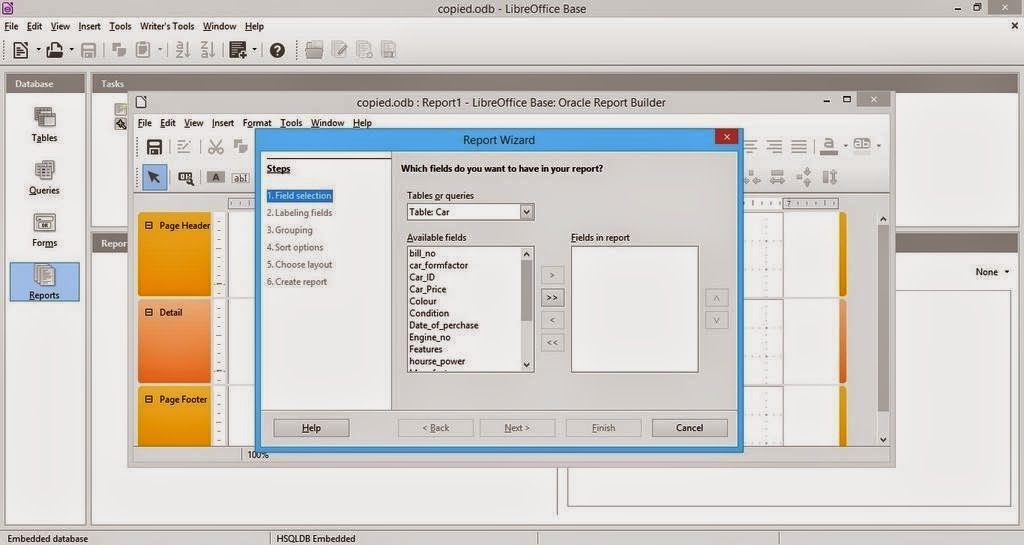
1.I noticed I was able to run reports on data bases after it used to crash the program on 4.4.0, I haven’t changed a thing in my settings. The boys did it <3
And yes. That’s the database from the conversion post that has mainstream attention.

2. I wasn’t able to create a web page via wizard. But the program didn’t crash. So I guess it’s an improvement, I think it will be fixed in a later update. And I’ll report about it (God willing).

So with these improvements I urge you to take a look at the great work done on LibreOffice. And view it as a serious productivity suit with plenty of potential and hidden power rather than an MS-Office clone ( Which is not!!).

Will a clone run from a browser? Does Office do that? That’s right!! LibreOffice done it again!! Check the wiki for more!

Finally. I’d like to thank the guys at @LibreOffice for re-tweeting me.
Consider donating to keep the project going. It’s an amazing movement and it can’t continue for free you know.. The download page has the donation in it. Make sure to leave something there 🙂

I hope you liked my post. Please leave a comment and let me know what you think. Have a nice one!!

Viber 2.1.512 .sis for E6 Dierct download ( Not from Nokia Store ) Update

Hey there you guys!

I hope you all doing OK
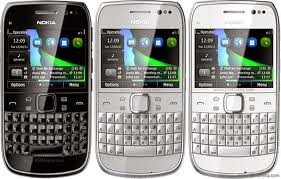
I have a confession to make: I love QWERTY phones! And I think the best phone is the Nokia E6. It has a clean operating system. (Symbian Anna) And the dual input makes it so awesome! It has boosted my blogging so much!


Viber no longer supported

Anyway, since Nokia has killed off the Nokia store there is no way to get softwares like Viber, even the Viber website redirects to the store!
It should be mentioned that the opera store offers apps ( I couldn’t find Viber among them)

So I took matters into my own hands and got it from another site (obsolete version) and updated it from an official channel. And uploaded it here for you guys!
It should work on many S60 phones too! Latest update was 2.1.512

**Update: The Opera store took the Nokia store place. You can download it from there for E6.

Checkout the device list and see if your phone supports it 😀

Nokia s60v3

Nokia 3250, 5500, 5700, 6110, 6120, 6290, E50, E60, E61, E61i, E62, E65, E70, E90, N71, N73, N75, N76, N77, N80, N91, N92, N93, N93i, N95 Samsung i400, i520 | LG KS10 n73 n96 n85 8gb n95 e66 e90 e71 e63 e51 n82 n81 6290 6120 5700 N86 Samsung GT-i8510


Nokia s60v5

Nokia 5228, Nokia 5230, Nokia 5233, Nokia 5235, Nokia 5250, Nokia 5530 XpressMusic, Nokia 5800 XpressMusic, Nokia 5800 Navigation Edition, Nokia C5-03, Nokia C6-00, Nokia N97, Nokia N97 mini, Nokia X6, Samsung i8910 Omnia HD,[57] Sony Ericsson Satio, Sony Ericsson Vivaz, Sony Ericsson Vivaz Pro.Pro


Nokia S^1 S^3 Anna Belle

Nokia N8, Nokia C6-01, Nokia C7-00, Nokia E7-00, Nokia E6, Nokia X7, Nokia 500, Nokia 603, Nokia 700, Nokia 701
I do have an Android phone too! The E6 is still my favorite. PS: Viber for E6 doesn’t support calls. Just texts.

**Update: This would be the last version of Viber for Symbain :'(

Download Here

I hope you enjoyed this Retro post! Please let me know in the comments section!

« Older posts Newer posts »