How are you today? I hope you are doing well.
We had a 12 hour power cut in here. from 7:30 AM and until 20:00. Talk about a decent day! And it was hot!
Anyway. We are here to talk about Xbox live. It’s more of an opinion piece than it being an actual tutorial or a tip to anything. So here goes:
After a while of playing the offline mode. I decided to try the Xbox live gaming network. I had everything I needed. Or thought so. The gold card. A game I want to download (They give a free game or two every month for gold subscribers).
Redeeming the card took four tries?! And every time I get a different result! In the end the card was redeemed! But for what use?
I couldn’t choose a payment method. (Libya has no credit card system. No paypal. no debut card, yeah. Read above, 12 hour blackouts!).
So the card was useless. And to make things worse. The game I wanted to download, Child of Light. Was for the Xbox one. And what I have in hand now, is an Xbox 360.
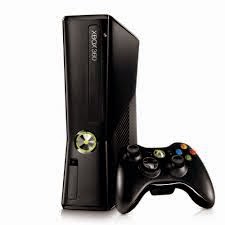
And to make things worse. The console was bought from Germany, meaning the Xbox live was German, with no way to change it. I can’t read German! So ..
Till here the experience ends. And the rant begins!
How much does a game really cost?
- You buy the console. You buy the game for 30 ~ 50$ + Shipping (DLC not included) and I’m expected to download and update every two weeks?
- I’m on a metered connection. Where you pay per Gigabyte. (A Gigabyte of Internet is more expensive than a gallon of gas?!) and pay for subscription?!
- OK. I’m a die hard gamer who is willing to throw his money at you like that. Would you make these options a tad easier?
- Not to mention some games are simply huge. Could take days to download in “perfect conditions”. So it’s all a real pain!
I miss the simpler days of gaming. 16 bit cartridges were an addiction to me. Pop in and play. Blow it if it didn’t work. Works every single time *sigh <3
What’s wrong with indy and free games?
This goes out to all the people who criticize great titles like Tuxcart or Mario Forever 2012 . Both games featured in the blog as games of the week. Free. Simple and amazing. No drama!!
I’m not saying modern gaming is bad. I’m saying it’s not for me. At least now!!
I hope you liked this post. If anyone who has an Xbox 360 and likes to chime in some help. I’m more than happy to receive!!
Leave a comment below. And remember to give kudos. G+, Tweet and share!!


