Category: Productivity (Page 12 of 13)

Tomboy notes great note taking software

HI guys what’s up?

Tomboy is an open source note taking software that is small, light, and easy to use, I’d give it 4 out of 5 stars rating, worth trying and downloading.

Here is the official about:


About Tomboy

Tomboy is a desktop note-taking application for Linux, Unix, Windows, and Mac OS X. Simple and easy to use, but with potential to help you organize the ideas and information you deal with every day.

Have you ever felt the frustration at not being able to locate a website you wanted to check out, or find an email you found interesting, or remember an idea about the direction of the political landscape in post-industrial Australia? Or are you one of those desperate souls with home-made, buggy, or not-quite-perfect notes systems?

Time for Tomboy. We bet you’ll be surprised at how well a little application can make life less cluttered and run more smoothly.”

You can read more from here or download it full from here for windows

It needs Gtk Sharp Version 2.12.0 or higher, it’s 24MB download, if you like you can download it from here, It will not install if you don’t have this Library.

please subscribe to my feeds and follow the blog itself, and comment as often as possible, you don’t even have to Login to anything, i made it possible for anonymous people to comment on my blog, you are welcome anytime.

Best free way to organize your files and folders in windows

Hey guys, checkout this awesome little known software:


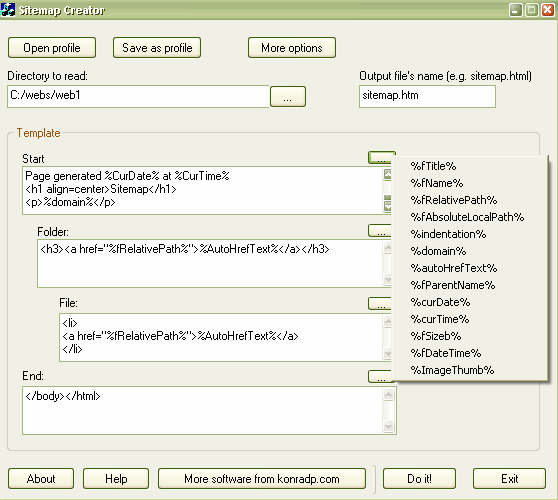
“This application simply reads the given directory and it’s sub directories, and produces .htm file basing on a given template. The result file can be used to print out the contents
of the folder, or as a sitemap of your website.


Note: this program can’t read your website online, it also doesn’t understand external URLs, like: https://muaad.com.ly//, it only reads and exports a folder.


Also, this application was created for myself, then I only added this help doc. and a few other things, and published. This means it is not very strongly tested, but it worked for me fine, so I assume it will work for you too.


So, there are two ways you can use this program: creating sitemaps (for websites) and simply getting a contents of a folder.”


Very handy for creating label disks or organizing huge collections of software for example
Download

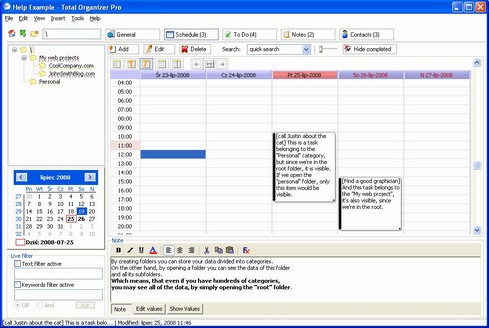
Total Organizer 2.43 Review

I feel this blog is gaining rep, with all the posts and views and stuff, so I want to share my IT experience with you guys, still on the topic of productivity.


Today we take a look at Total Organizer 2.43 by Konard Papala
In my modest opinion this is one of the best software in this category, it has many pros
which I will list

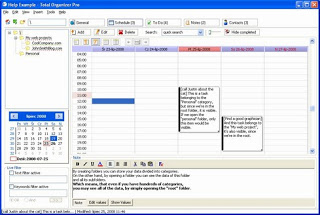
Screenshot of Total Organizer 2.43

Let’s look at the pros of downloading and using Total Organizer 2.43

  1. Small memory foot print
  2. Simple interface
  3. Very easy to use
  4. Small size  
  5.  It’s a very nice software to keep up with your fast-paced life, if you are interested you can download the free version here or you can go pro.

    Sadly the developer site is down, I added a new download link from Freewarefiles.com

    Boost your productivity with these softwares

    Hey guys, how are you doing today?
    Today I want to talk to you about making your day more productive, and getting more done in a simpler way, we start with the first software:


    RSS Feeds

    You know how much time checking your favorite blogs take, and that loading time is just not what you need right now, if you feel this way then i suggest that you start looking for RSS feeds and you will see how will you master all of your favorite blogs and site all in one place!

    E-mails manager

    The second software is even more important and productive, it helps you with your scattered emails across the web, if you have several emails on multiple domains you might find it useful to round up the day using Thunderbird.

    Pester application

    As a free lancer it maybe hard to focus and getting things done, and often you fail in meeting deadlines, instead of working you are Facebooking or watching an old episode from The Simpsons on Hulu! For that I recommend this little fellow !
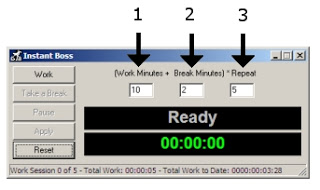
    Working hard or hardly working? This guy will tell you the scoop 🙂
    The perfect method to stop slacking and getting to work seriously.

    Total Organizer

    And to master everything and stay on top of all your daily needs I recommend this software as a PIM manager that is light and easy.

    The awesome combo

    You can’t be productive on Windows without having Executor and Everything search play side-by-side!

    While Executor automates almost every aspect of your computer, Everything search makes sure that every file and folder on your drive is accessible within seconds of searching it! Check out the full post from here.

    I hope these softwares can help make your day more productive , all free and down-loadable with no issue, if you have any comment or like to add to the list.

    I’d be more than happy 😀

    « Older posts Newer posts »