It’s been a couple of weeks since Ubuntu 16.04 was out! I decided to take my time and give the new distribution some time before making a review, I think two weeks are enough time, so let’s take a look at Ubuntu Gnome 16.04!!
 |
| Ubuntu Gnome 16.04 new logo |
The distribution
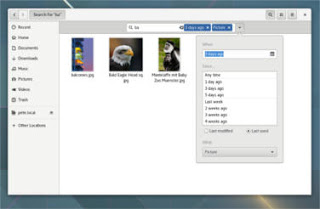
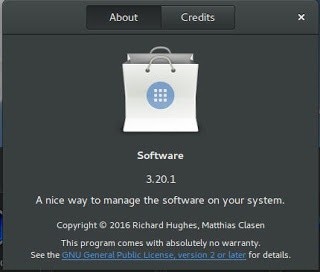
Ubuntu Gnome 16.04 became an official Ubuntu flavor, making use of the Gnome interface, unlike the official Ubuntu that uses Unity as interface, it comes with Gnome software and isn’t a clone of Ubuntu, there are some minor differences in apps, Basero is the default disk burn utility for example, and gnome software is at 3.20 out of the box.
 |
| Ubuntu Gnome 16.04 Screenshot |
Please note that some of the tools in the screenshot aren’t installed natively, such as Zim-wiki and Sublime text.
Download and Install
I’ve downloaded Ubuntu Gnome via torrent because I read it’s better for the servers, and come to think of it since the electricity goes out very often here, it’s better to download Ubuntu via torrent to save myself the trouble of downloading it all over again! It was downloaded eventually after 6 hours.
Checkout the download link from here.
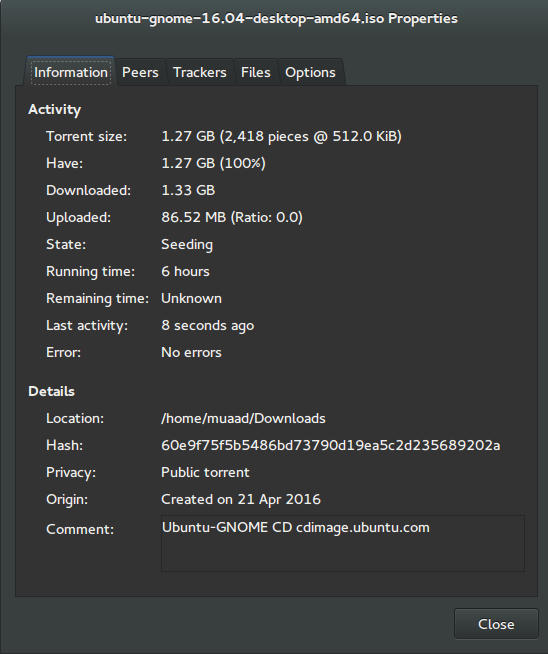 |
| Torrent download information |
I put it on a USB and began installing, pretty much the same since Ubuntu 10.10.
This version has 3 years of LTS support, why not five years? I’m not sure.
Steps to take after installing Ubuntu Gnome 16.04
- Configuring wireless and Bluetooth, which is really easy to do but very important.
- Installing the extras, the restricted extras needed to view media files and flash, and some fonts.
- Installing my softwares, the usual package of stuff: VLC, Inkscape, Gimp, Xmind and Zimwiki
- Installing extensions: Clipboard indicator and OpenWeather.
- Editing input sources to make it change between languages by pressing alt + shift, you can find how to do it from this link.
- Restore the bookmarks and data (notes), Firefox is pretty easy to restore, and so is Zimwiki! All you have to do is to put the note folder in Home.
- Customize LibreOffice. To make it more compatible with Arabic.
- Disable apport, more details in the defects section.
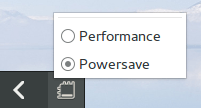
- Installing powertop for more power save and CPU Frequency to reduce fan noise!
- Pomodro timer works beautifully with Ubuntu Gnome 16.04 and you have to install it, it’s the best timer app for Ubuntu to date! Read my review about it from here.
- Disable tracker-store as shown in this askubuntu link.
- Disable evolution safely without uninstalling it. Saving nearly 170 MB of RAM.
- I also decided to skip the Grub menu since I only use Ubuntu 16.04, to do that you need to download and install Grub Customizer with these commands:
sudo add-apt-repository ppa:danielrichter2007/grub-customizer
sudo apt-get update && sudo apt-get install grub-customizerAfter that go to Grub customizer and enter your password, go to settings and uncheck: show menu and look for other operating systems. This way you will get rid of Grub and boot to Ubuntu right away, don’t do this if you dual boot!!< red;”
- Install gnome extension TopIcons Plus to move the status icons to the top bar rather than having them on the side abstracting the view!
Features and improvements
- I do appreciate the Gnome 3.18 interface! A huge jump from the 3.10 that Ubuntu 14.04.4 ships with, as it has many improvements and tweaks and fixes for annoying bugs in Gnome 3.10 (LTS to LTS upgraders will relate!).
- The notifications style has changed completely, it’s now displayed in a drop-down menu under the clock.
- The annoying bottom bar was removed completely, a feature I will never miss! It’s replaced with a neat arrow that’s docked on the bottom left corner of the screen.
- The new boot logo is so much better than the old one! That looks like a foot! This is more sleek and streamlined, reminds me of SEGA’s logo somehow!
Issues and defects
- So far the performance is OK and there are few crashes, pretty much the same as Ubuntu 14.04.4 which is pretty stable by the way.
- I’ve noticed that the network icon sometimes disappears, hopefully an update will fix this, my only fix is to reboot.
- I would recommend that you disable apport as it will bring up a message every time you reboot.
- Software isn’t as clear as it should, I can’t tell how big are the softwares and updates, so I use Synaptic on a daily basis to get things done!
- When disconnecting the wireless network with the hardware key it’s not recognized anymore until several reboots, it’s a known bug but with no fix afaik! The only info I could find was this terminal command: sudo service network-manager restart This command will restart the network manager and allow it to connect without the need to restart several times.
- The fan noise was too much at times, even when the computer was idle, I thought upgrading from Ubuntu Gnome 14.04.4 to Ubuntu Gnome 16.04 would fix this but it didn’t, until I installed CPU Frequency!
- Nautilus 3.14 could use an update and we don’t have to wait till 16.10 to get one! I managed to follow a rather risky tutorial to update it to 3.20 and it’s so much better!
- If you are using an SSD you might want to look at this post to avoid the /dev/sd1 :Recovering Journal issue.
- Starting up without a user interface at times, and my only cure was to restart the computer, I found a fix that suggests to clear the packages config from Synaptic.
- Sometimes shutdown can be slow, I found the steps in here worked like a charm!
“Software”
Ubuntu Gnome 16.04 ships with Gnome software 3.20. Which is the software that is supposed to replace Ubuntu Software center, I find them both buggy and unusable, as I use Synaptic to do my package work.
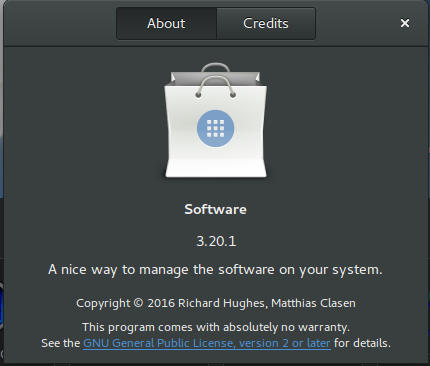
I do believe it needs more work to become a reliable software center, it stays in the background and behaves oddly, it doesn’t show the download progress on software being downloaded too, which seems odd!
I winded up un-installing software and reinstalling the good’ol Ubuntu software center!
Final words
Ubuntu Gnome is a great choice for anyone who wants to enjoy Gnome without having to leave the Ubuntu universe to Fedora or OpenSuse, it provides the purist Gnome experience possible for Ubuntu, and it preformed better than regular Ubuntu installed on older machines (with proper tweaking mentioned here).
The more I use it the more I could tell that this is the distro for me, great job indeed by the team, and I rate it as a must have!
I hope you enjoyed this post, please let me know what you think in the comments section below, and remember: Sharing is caring!!