Hey you guys 😀 How are you today?
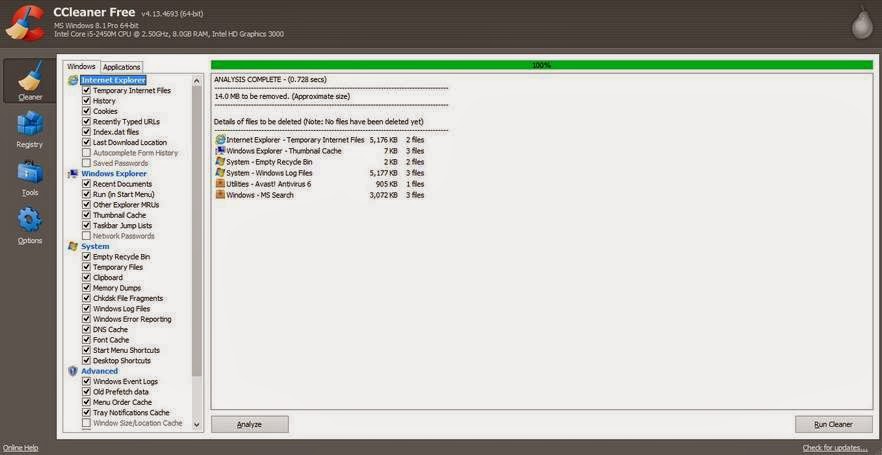
Today we are going to discuss the easiest way to do an image backup on Windows 8.1
This way applies to Windows 7 and Windows 8.0 too!
Category: Windows 7 (Page 5 of 7)
Hey there 🙂 And welcome to a new post 🙂

A huge part of being a geek is being the first to go to / call when computers fail! I don’t know why!
This time it’s not related to Linux, not directly at least!
For this particular issue this laptop was an e-machines running windows 7 home edition. It was a bit old and the battery was depleted. The same laptop from this post actually!

What’s wrong with it?
It had to be connected all the time or it would power off attempting to save the session, if it failed doing so it would refuse to power up again! When I press the power button after connecting it to power it shows the boot logo then it powers off right away!!
Many people would assume that the system is gone! And they need to reinstall it.
The first thing to do is to check the drive using a Linux CD or a Bootable USB. You will see that the system drive is intact. Then what is the problem?
The repeated power failures ruin the boot files located in the hidden boot partition, and the only way to fix them is by repairing the boot!
The fix is pretty simple!
1. Enter the windows installation disk or USB installer, it has to be the same version as the windows installed!: e.g Professional, home premium etc. In this case we need home premium. (Fell free to test with another version and tell me what you got 😉 )
2. At the install Windows window , choose the language and keyboard (As your system settings ).
3. Select advanced options ( You will find it below the installation options to the left of the screen)
4. From there you will find four options, pick repair boot (First option) and hit OK.
After a reboot your computer will be OK!
As simple as that! Sorry I have no pictures. It’s because the setup menu has no print-screen functions (AFAIK).
P.S: I have made this fix a couple times! I noticed at some extreme cases the boot screen won’t even show! Go to bios menu and make sure the F12 menu is enabled. Then boot from boot disk or USB 😉
Hey guys, how are you doing today?
We will be putting the Linux / Open source topic aside for now. As this feels like a more pressing matter 🙂
Hey guys, how are you doing today?
Today I want to talk to you about making your day more productive, and getting more done in a simpler way, we start with the first software:
RSS Feeds
 You know how much time checking your favorite blogs take, and that loading time is just not what you need right now, if you feel this way then i suggest that you start looking for RSS feeds and you will see how will you master all of your favorite blogs and site all in one place!
E-mails manager

The second software is even more important and productive, it helps you with your scattered emails across the web, if you have several emails on multiple domains you might find it useful to round up the day using Thunderbird.
Pester application
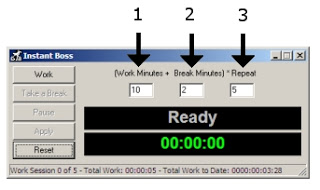
As a free lancer it maybe hard to focus and getting things done, and often you fail in meeting deadlines, instead of working you are Facebooking or watching an old episode from The Simpsons on Hulu! For that I recommend this little fellow !
Working hard or hardly working? This guy will tell you the scoop 🙂

The perfect method to stop slacking and getting to work seriously.
Total Organizer
And to master everything and stay on top of all your daily needs I recommend this software as a PIM manager that is light and easy.
The awesome combo
 You can’t be productive on Windows without having Executor and Everything search play side-by-side!
While Executor automates almost every aspect of your computer, Everything search makes sure that every file and folder on your drive is accessible within seconds of searching it! Check out the full post from here.

I hope these softwares can help make your day more productive , all free and down-loadable with no issue, if you have any comment or like to add to the list.
I’d be more than happy 😀
أنا الفائز بجائزة المدون المنتظم لعام 2025 من موقع مرجع التدوين
