مرحبًا بك عزيزي القارئ، إلى عدد جديد من أعداد حديث الأربعاء. أتجول فيه معك في أروقة حياتي، وزوايا عقلي. لأشاركك بعض الأفكار والخواطر. وبعضًا مما يجوب في فكري. لذا، وبدون مقدمات أخرى، فلنطالع معًا مفردات هذا الحديث الجديد.
Category: Windows 8.1 64 bit
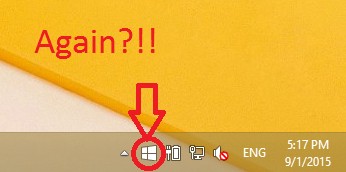
As I was updating my newly installed Windows 8.1 Pro. I came across a familiar icon! It was the Get Windows 10 icon sitting on my taskbar! I wouldn’t have thought that I’m eligible for another download after I downloaded Windows 10, upgraded to it, clean installed it , and finally remove it and get back to Windows 8.1 !!
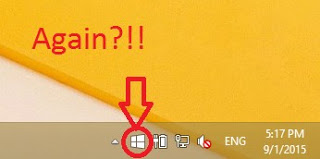 |
| You can see the date and time to know it’s today! |
Well that was a rich reading material wasn’t it?!
I took my time experimenting with Windows 10 on my personal computer, installing and uninstalling again and again, I didn’t even use a virtual machine. NOOOO! I used my everyday computer to do these experiments!
For obvious reasons I’m not falling for that upgrade offer once again! And I have some other reasons to add to that list. So checkout that post!
I think I’ve had enough install/uninstall action for the rest of my life! Let alone the countless updates, the time wasted and the data charges I’m paying for all of this mess.
I’m finishing my updates and that’s that. No more upgrades on this device for me. And I don’t recommend anyone to upgrade to Windows 10!

Going back I felt that the posts weren’t really coherent and didn’t have that much information to be a guide to anyone!!
So I decided to rewrite it with greater detail and a lot of references.
I will code name it dual boot saga instead!
And instead of three parts this saga is composed of four parts. I’ll be linking them here for easy reference.
I will publish it sometime later so Stay tuned!
Hey there guys 🙂
This is a good week for open source apparently! We had the pleasure of receiving two major updates!
The first was LibreOffice 4.4 (Which I’m using to write this article) and Inkscape 0.91!
Inkscape is a free and open source vector graphics editor for Linux, Mac, and Windows. Similar to to Adobe Illustrator, Corel Draw, Freehand, or Xara X. What sets Inkscape apart is its use of Scalable Vector Graphics (SVG), an open XML-based W3C standard, as the native format.
It has been in version 0.48 for quite a while ( I downloaded it in August of 2010) and it had it’s 0.48 released a while ago, what’s special about this update that it’s nearing the 1.0 milestone, the developers haven’t said when the version 1.00 will arrive. But it’s coming “if the development continues steadily”
What’s new in this release?
- It’s been renamed from 0.49 to 0.91
- Over 700 bug fixes!!
New features which include:
Images are no longer recompressed when embedding or exporting them.
- Relative image paths are no longer stored as absolute.
- Many rendering glitches were fixed.
- The rendering of the stroke on transformed objects now matches the SVG specification.
- Values entered in the numeric input boxes for the selector tool (X/Y/width/height) are much more accurately applied.
- Adobe Illustrator SVG files can be opened, even if they use entities.
I did notice that the program delays on open! It opened after 3 minutes and then opened again ( I clicked twice! ) I’m using the x64 version on Windows 8.1
For the full list checkout the Release Notes for 0.91
As a user I didn’t feel estranged from the software, that’s a good thing really. And the features list makes me happy 🙂 Only time will tell if we can depend on this version waiting for the 1.0 milestone or should we revert back to 0.48!
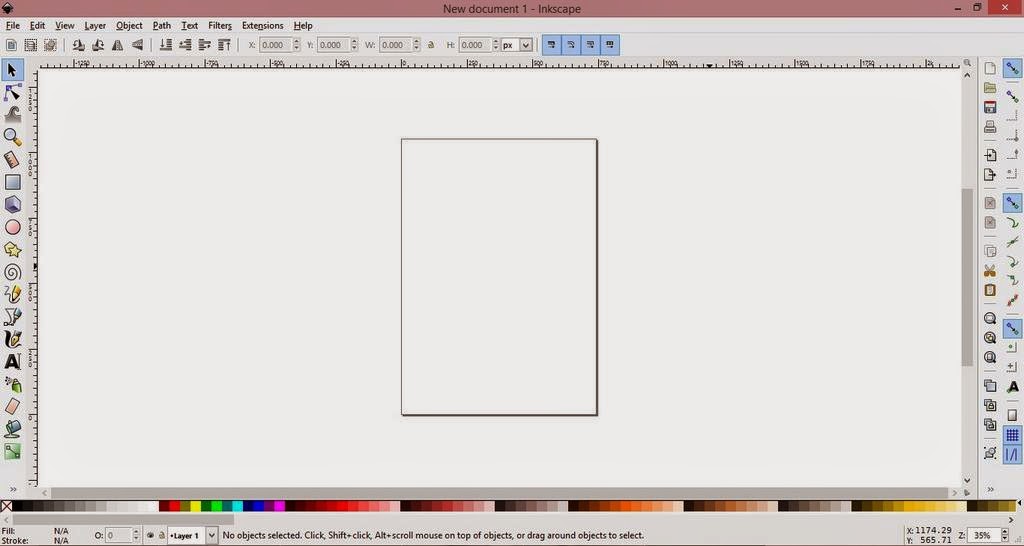
It’s been an awesome week for open source, with two of the powerhouse software releasing major updates!
While we wait for this awesome project to develop! Checkout the awesome redesigned website of Inkscape. Where you will find download links, tutorials, and much more ..
This was my recap of the Inkscape release! I hope you find it useful. Please leave a comment on my post 🙂
Have a nice day 🙂
أنا الفائز بجائزة المدون المنتظم لعام 2025 من موقع مرجع التدوين
