Month: January 2019

Living in a haze!

Here we are, the last day of the first month of 2019.

 What was I doing?

How did I spend this month? Work, work and you’ve guessed it! More work! Sigh.. Will I ever learn my lesson?
I didn’t get a chance to do the things I like and enjoy, like playing games even when I bought a gaming keyboard! or reading as much as I want to. I found that I spend my resting time aimlessly browsing social media, and even Reddit! That’s not how time should be spent. 
So I did a social media detox, the problem is with my sleep cycle, not with social media. 
My sleep is a mess, having to wake up early to go to work in order to beat the traffic, and sleep early to wake up in the middle of the night to work when there is some power..

The electricity situation continues

Sadly the electricity is still on and off, making work more difficult.
Hopefully in the coming month I am able to make more balance happen.
Blogging wise, I haven’t posted much, and to be perfectly honest: This post is for me not to end the month without making a post, it’s been a while since I’ve actually published anything. 

Blogging achievements

Could this be a monthly thing?

I don’t think so, I’d rather for the blog to be slightly impulsive and unpredictable with a touch of consistency. And it could be a card that I pull out of my sleeve whenever I’m stranded or lost for words on the blog. I’ll let you to guess dear reader. 

Final words

It was an important month, and I am glad that I took a few minutes today to do something that makes me feel happy and fulfilled, blogging!

Have a good day.

ما أختار مشاركته مع القراء

لشخص انطوائي بالمجمل من الصعب الحديث عن مجريات حياتي وما يحدث فيها، خاصة مع القراء الذين يشكل الغرباء منهم السواد الأعظم، كيف أحقق التوازن بين المحافظة على خصوصية الحياة – أكبر انتقاداتي لوسائل التواصل الاجتماعي -، وبين الاختزال المخل بأمانة النقل؟

لطالما كان مأخذي الكبير على وسائل التواصل أنها هتكت الحجب وكشفت المستور.. أصبحت الخصوصية حلمًا بعيد المنال! من العادي جدًا أن تطالع الصفحة الرئيسية لترى وجبة إفطار أحدهم، وصورة سيلفي مشوهة بعشرين فلتر وثمانية “إيموجيات” على اﻷقل، و”هاشتاقات” أقل ما يقال عنها أنها تلوث بصري. غير طوفان من اﻷفكار الغير مصفاة والتي قد توقع صاحبها في ورطة (هنا تحضرني قصة الفتاة التي أخذت أجازة مرضية ثم شاركت صورتها على البحر على فيسبوك ليطردها مديرها بتعليق!).

  لذلك قد تبدو مشاركة أحداث خاصة من حياتي تناقضًا مع هذا الموقف..

من حقي أن أناقض نفسي، أليس كذلك؟

اﻵراء ووجهات النظر تتغير بمرور الوقت، أنا نفسي تغيرت بشكل يخيفني ويربكني. فلماذا لا تتغير قوالب تفكيري ووجهات نظري حول بعض المسائل كذلك؟

كلمة تناقض بالانجليزية تنحدر من القصة المرسومة أعلاه

تجارب تعليمية ودروس

من المهم تدوين الدروس الحياتية للاستفادة منها، ولعدم تكرار اﻷخطاء. أدون هذه الدروس حتى لا يرتكب القراء نفس اﻷخطاء التي ارتكبتها، أو لأنني أريد مشاركة الفائدة مع القراء. وهذا سبب إنشائي لمدونة شخصية: إضافة شيء لحياة القراء..

السرد القصصي ليس دائما كما يبدو

بدلا من بث مباشر لكل وقائع حياتي، أتحكم في عامل الزمن بشكل كبير، بعض القصص مر عليها أكثر من عشر سنوات. والبعض اﻷخر أقل لكن الشخصيات مبهمة وتبدو خارج اللحظة الراهنة، وأنا من يسلط عليها بقعة الضوء حسب ما يناسب النص. واﻷهم: القراء لا يعرفون إلا ما أريد لهم أن يعرفوا! بينما اﻷخوة على وسائل التواصل يعبرون بدون قيود وفي نفس اللحظة. أحب أن أشبه تدويناتي بالخبز، فلكي تحصل على خبز طازج يجب أن تترك العجين ليختمر قليلًا، أليس كذلك؟

أنا أجلس في كرسي القيادة

أشارك قصصي وحياتي بمزاجي، أكتب ما أشاء وأخفي ما أشاء بين أضلاعي، لا أحد يستطيع إجباري على أن أكتب شيئًا.  ورغم أن قصصي واضحة وسردها سلس (حسب ما يقول القراء اﻷعزاء طبعًا) فأنا لا أزال أتمتع بقدر كبير من السرية والغموض، ولم يحدث سوى مرة واحدة أن تعرف عليّ أحد من تدويناتي (وذلك بسبب محادثة قريبة من موضوع إحدى التدوينات).

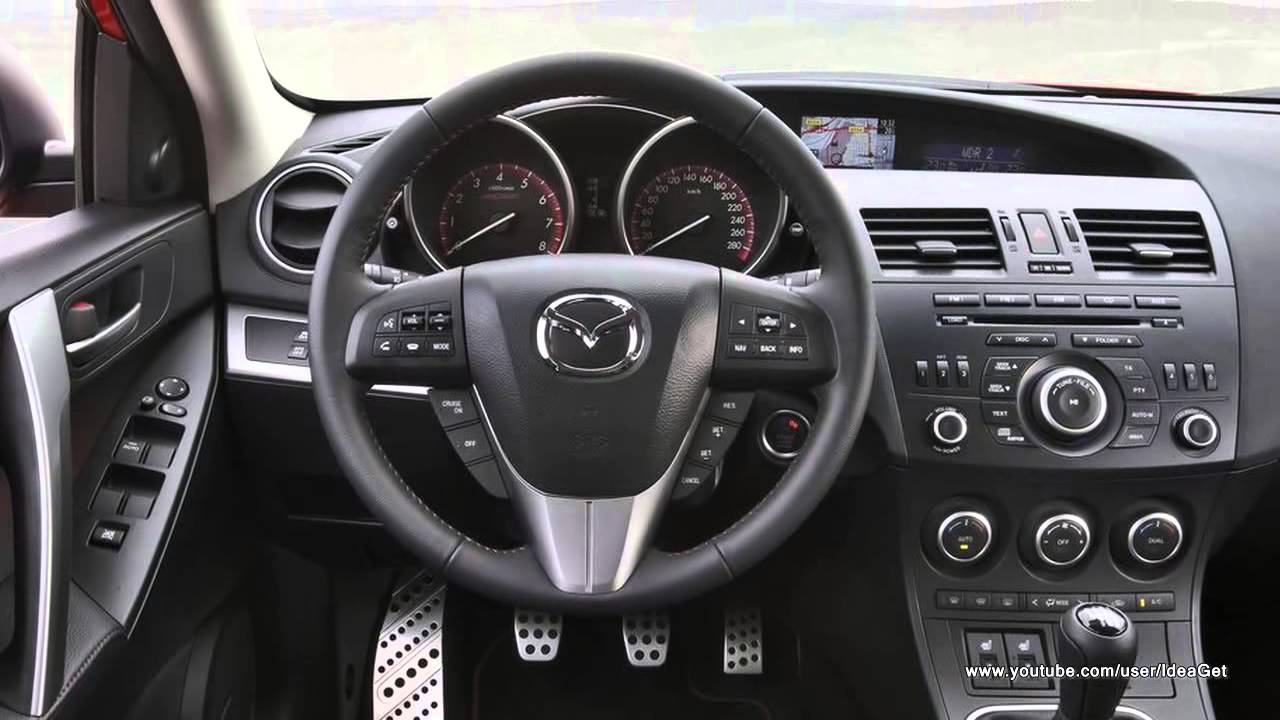
كرسي قيادة سيارة أحلامي - Mazda RX-8
كرسي قيادة سيارة أحلامي – Mazda RX-8

لا يمكنك معرفة شخص من خلال كتاباته على الإنترنت

الكتابة هي حالة انفعالية يمر بها الكاتب، ليست هاجسًا يصحو به ويمسي! لا تتوقع من الكاتب أن يكون عميقًا طول الوقت، فلربما تلتقي بكاتبك المفضل وهو يزدرد شطيرة بالتونة!

أحيانا تظل المسودة حبيسة الأدراج لستة أشهر قبل أن أقرر نشرها أخيرًا، وربما تعجبك تدوينة كتبتها منذ ثلاث سنوات بينما أنا اﻵن شخص مختلف تمامًا!

 لذلك أقول للجميع: إن كنت تعتقد أنك تعرفني فقط من خلال قراءة تدويناتي، لدي أخبار سيئة لك!
أنا والمدونة كقمة جبل الجليد، والجبل نفسه، ربما أنشر مراحل أو صفحات من حياتي. لكن عمق الجبل يختفي تحت السطح.
ربما في المستقبل أشعر بالاستقرار أو بأمان أكثر يمكنني من الكتابة بصفاء وشفافية أكبر، وبقدر أقل من التجريد. لكن بالنظر لكل شيء يحدث اﻵن لا أظن أن هذا المستقبل سيأتي عن قريب.

في الخاتمة

أتمنى أن تكون كتاباتي قد أفادت أي أحد، وألهمته لأن يفعل شيئًا أفضل بحياته.. أي تغيير ولو بسيط يدفع نحو اﻷفضل. مثل هذه الفكرة تشعرني بالهدوء 
وتبعد عني شبح اﻷفكار المظلمة حول قلة الفائدة والعبثية.

هل تعبر عن أفكارك بسهولة على الإنترنت؟ هل تجد فكرة قراءة غرباء لأفكارك الداخلية تحت أسمك الحقيقي أمرًا سهل التصور؟ شاركني برأيك في قسم التعليقات..

Enable LED light on JINDIAO K8 Multimedia LED Keyboard in Linux!

LED keyboards are awesome! They make night working and gaming so much easier -especially if you live somewhere where electricity goes off very often– And they look great!
Some affordable models like the Jeway Phantom K7 Keyboard and JINDIAO K8 Multimedia LED Keyboard won’t work with Linux right away, but with some clever hacking you can make your affordable keyboard into a fully functional, Linux friendly hardware. 


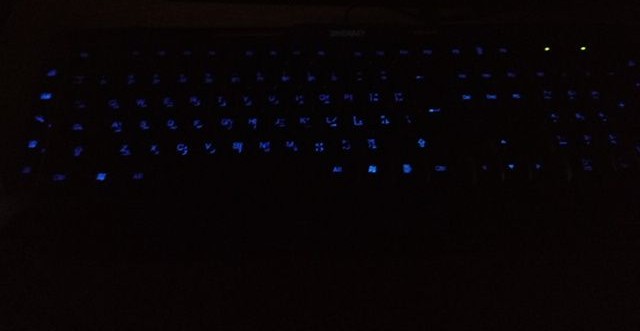
A picture of the keyboard led on


An issue with support

Sadly these products don’t have websites and the companies don’t provide any kind of support, let alone for Linux! But that’s where this post comes in handy.

The case

When you turn on the computer and press the LED switch, it works during boot. But as soon as the Linux kernel loads it turns off and stays off. You might even notice new lines when booting similar to the Comm reset issue, but don’t worry, Xset is our friend!

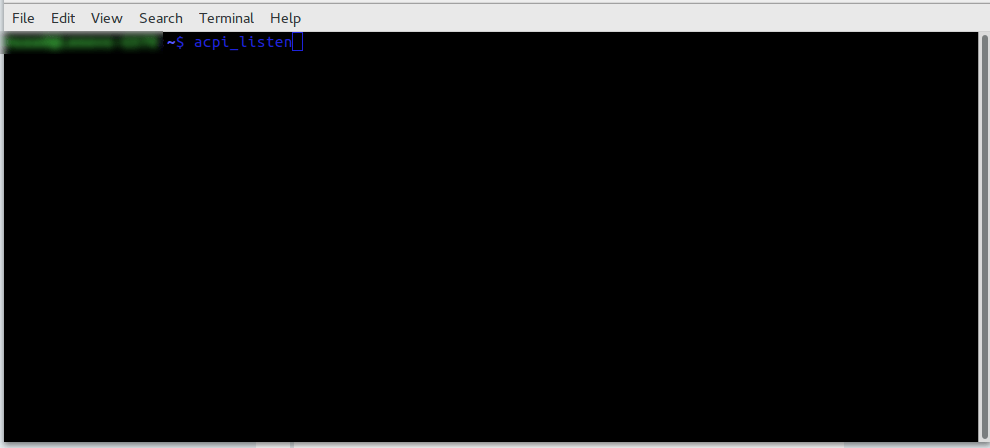
Testing the button with acpi_listen 

The button that enables the led light isn’t recognized by Linux, you can make sure by typing in the command acpi_listen and testing it for yourself. It won’t be recognized and won’t give out a code, unlike other multimedia keys.  

Enable the keyboard light

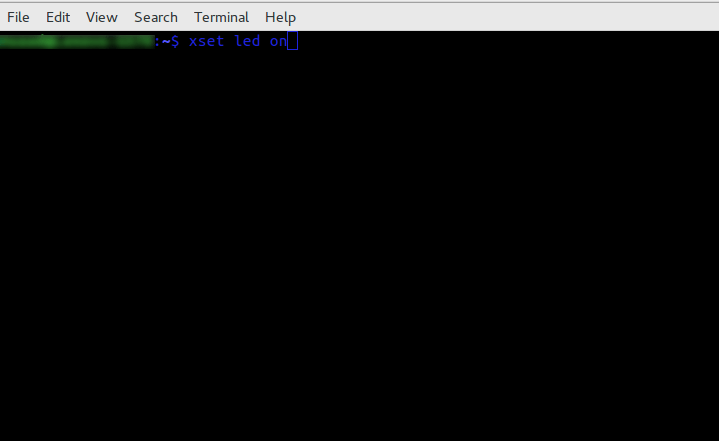
To enable the keyboard light, all you have to do is to open a terminal window and type in the command
for the light on the keyboard to work:

xset led on 


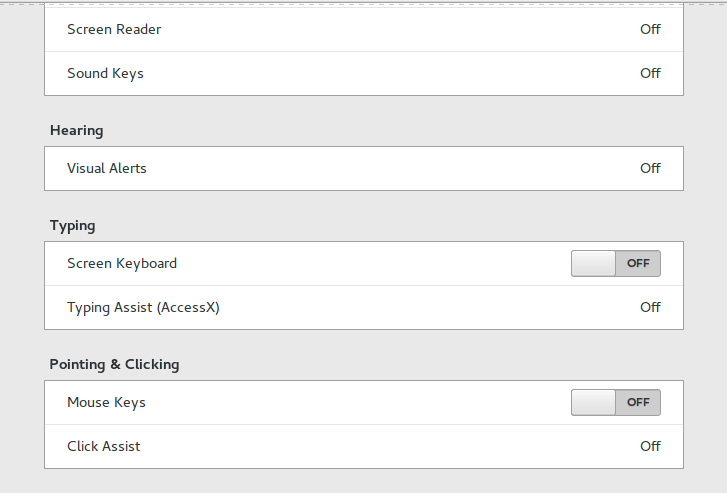
Yes it’s as simple as that, but that command is incomplete! When I tried it on my computer it enabled the mouse keys, an old bug dating back to 10 years ago in Xorg that didn’t get fixed. I made sure the two were related (the LED being on and mouse keys). 


Having to go into accessibility every time and disable the mouse keys by hand every time the computer was out of sleep was frustrating, no where near a fix!

But luckily, the terminal has a fix..

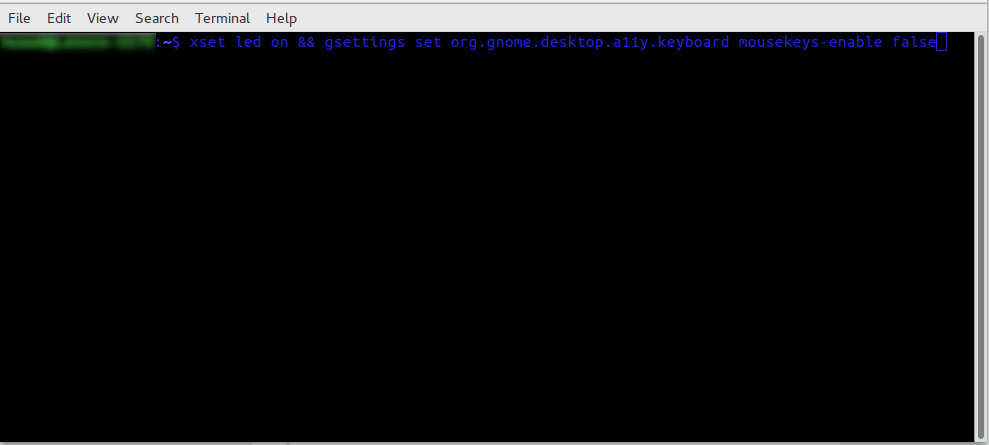
To enable the LEDs and maintain regular Number pad functionality use this command in the terminal

xset led on && gsettings set org.gnome.desktop.a11y.keyboard mousekeys-enable false

This will enable the led light and keep the number pad acting the way it should. 

You will have to enter this command every time you turn off your computer, if I managed to turn it into a bash script and make it start with the system, I will update this post.

Final words

You don’t have to break the bank to get a decent looking keyboard, and using Linux doesn’t mean you need to sacrifice functionality or have to dual boot windows just for a keyboard to function normally!

Let me know how the code worked for you. And have a good one.  

P.S: If you shutdown or unplug the keyboard, you will have to enter into the terminal the script again.