Author: Muaad Elsharif (Page 271 of 324)

The first thing you should do each morning!

Having a plan is essential for daily success. Planning your day carefully can make you a lot more productive..

Make a to do list first thing you wake up in the morning, or better yet before you sleep! And make it happen!

Check the task list first thing in the morning rather than your timeline! I mean it!

 Here are some to-do list guide lines

  • The first two items have to be super easy, to build confidence and gain the sense of achievement.
  • Don’t plan too big, then it becomes hard to achieve the item, and you wouldn’t know to mark done or not.
  • Divide the big tasks into smaller tasks so its easier to mark done.
  • If it was achieved partly. Have an icon for that and migrate it to tomorrow.

Timing is everything, you can’t have one task taking up all of your day! Set a timer! I suggest Instant Boss for Windows users, and Pomodro for Linux users.

Using software and apps make it much easier,

I reviewed several ones and you can pick whatever you like! But I find writing it on paper much more satisfying! If I have to recommend one it would be Zim-Wiki.

What are your secret productivity tips? Share them here with us!
Sharing is caring, share this with your friends!

An Arabic version can be read here.

How to fix the mixed numbers on Android issue?

You got your new Android phone, you pop in the SIM card and expect everything to work like it should, but it doesn’t!

The issue

Your numbers are mixed, you don’t remember any of them and every call is a guess!


How to fix this annoying bug?

Will to begin with you need to transfer your numbers from the old phone to the new one properly, putting the new SIM in won’t just fix it!

Step to repair

  • You need to get the SIM out, delete all the numbers on the phone and slide the SIM in again.
  • It will work and all of the contacts will be sorted, and even across apps like Whatsapp and Viber.
  • That’s all there is to it!

I know it’s really simple and barley counts as a fix, but it worked for me! And I didn’t find it on line (I looked and found no solution!) so I had to post, maybe someone in my place does a little research on line and finds it.

If that didn’t work (although in my case that was more than enough to fix it) I suggest you look into a transfer wizard depending on your phone type, and consulting the dealer is always good especially if the phone is under warranty.

I hope you find it useful, please leave your comments below.

If you liked this post, share it with your friends and family. Sharing is caring you know 😉

اليوم العالمي للغة العربية

في مثل هذا اليوم من كل عام يحتفل العالم باليوم العالمي للغة العربية، هذا اليوم هو ذكرى دخول اللغة العربية ضمن اللغات الرسمية ولغات العمل بالأمم المتحدة، واخترت هذا اليوم بالذات للحديث عن أمر يضايقني بشدة حول اللغة العربية.

 هذا اليوم نتذكر فيه وبحسرة ضياع لغتنا الجميلة، ضاعت لأننا لم نهتم بها ولم نصنها كما يجب..

كمية الأخطاء المهولة التي يرتكبها أهل بلدي بحق اللغة كتابة ونطقًا، فيرفعون المنصوب ويجرون المرفوع، أما الكتابة فحدث ولا حرج، لا تخلو من أخطاء رهيبة يندى لها الجبين وتطأطأ لها الرؤوس.

من خلال الشبكات الاجتماعية بدا لي مقدار الخطأ وحجم المصيبة التي أبتلينا بها !

ولم تسلم من هذه الأخطاء لا الجهات العامة الممثلة للحكومة ولا الأعمال الخاصة، فضلا عن المواطنين بمختلف شرائحهم إلا من رحم الله!

الكثيرون ممن يدعون الثقافة والأدب لا يجيدون الكتابة بالعربية، وتشوه نصوصهم أخطاء نحوية وإملائية فاحشة، لا يقع فيها إلا جاهل باللغة متجاهل لقدرها، بل تجد بعضه يسخر من اللغة ويستهزئ بالناطقين بها، معوضًا نقصه وقصوره بهذه السخرية التي لا تزيد اللغة إلا قدرًا ولا تحط إلا من قدره هو.

وتجدهم السباقين في تعلم اللغات الأجنبية والرطن بها متناسين أصلهم وجوهرهم وهويتهم.

من المقالات التي اطلعت عليها مؤخرا تدوينة انتحار الإملاء، تشكو فيها الكاتبة سوء الحال!

أيضا من الصفحات التي لفت نظري إليها بعض الأصدقاء هي صفحة “بهائم اللغة” على الفيسبوك، رغم اعتراضي على التسمية بطبيعة الحال، إلا أن بعض المنشورات (إن كانت حقيقية) تعذر صاحب الصفحة في اختيار اللفظ!! (تم غلق الصفحة!).

من خلال هذه التدوينة، أعلن أنني سأقوم بشئ تجاه اللغة العربية قبل نهاية هذه السنة بمشيئة الله تعالى، أعلم أنه ليس بالشيئ الكثير، لكني أمل أن يحذو حذوي كثيرون لنترقى بلغتنا إلى مصاف اللغات الحية التي يرعاها أبناؤها.

لن تعلو العربية إلا بسواعد وعزيمة أبنائها، بإخلاصهم لها والتفافهم حولها وتمسكهم كل التمسك بها.

CodeLobsterPHP Edition 5.8 is out, supports Arabic!

CodeLobsterPHP Edition continues it’s active development cycle by launching version 5.8 which brings many improvements to the  IDE, most notably an improvement long anticipated by Arab developers, Arabic support.

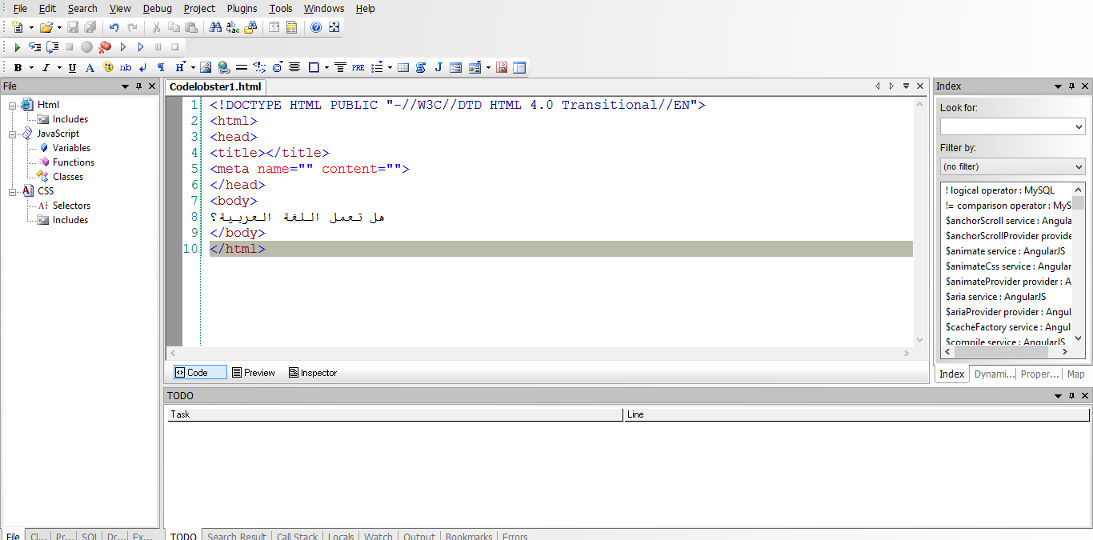
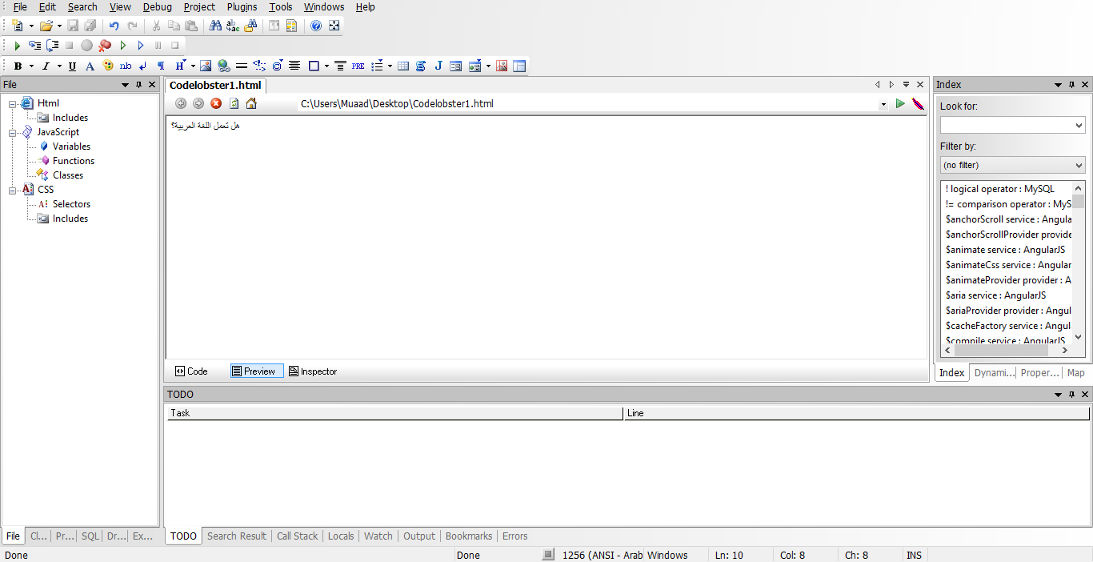
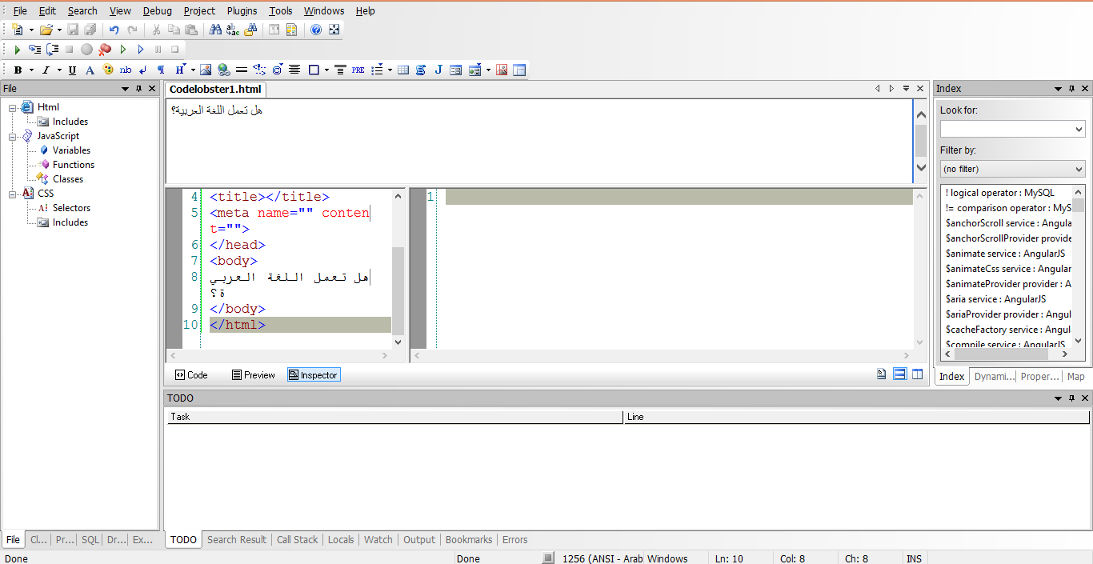
In my review of CodeLobsterPHP IDE I listed not supporting Arabic as a con of this software, now I can proudly say that it supports Arabic, and I was asked by the company to test for Arabic support, here are the results:


Arabic language working on the code pane


Arabic language working on the preview pane


Arabic language working on the inspector pane

For a complete list of features and bug fixes on version 5.8 click here.

Many Arab developers like this IDE and they are interested in purchasing a license, the only thing stopping them is that CodeLobsterPHP Edition doesn’t support Arabic. Starting of version 5.8 that’s a thing of the past!

I listed in my review of CodeLobsterPHP Edition that it has a friendly and responsive community, check the request I posted asking for Arabic language support, they are as good as I said they were!

So here you have it!  It supports Arabic now!
As an Arab developer, is having Arabic support in the tools a problem? How do you feel when Arabic is supported on such an amazing IDE? Would you try it? It has a free version you know 😉
Let me here what you have to say, and expect an Arabic post about CodeLobsterPHP Edition soon!


« Older posts Newer posts »