
بالأمس مرت بنا الذكرى الثامنة والعشرون لصدور واجهة غنوم لأول مرة. وهذه الذكرى أعادتني لذكريات قديمة، ولحماسة شعرت بها قبل عقد من الزمان. حيث كنت على وشك تنصيب أبونتو غنوم 16.04، ومن شدة حماستي، اشتريت قرص SSD لضمان أفضل أداء ممكن!
Category: Interface
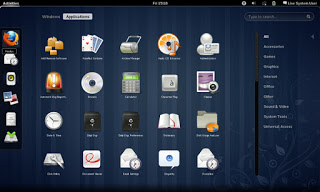
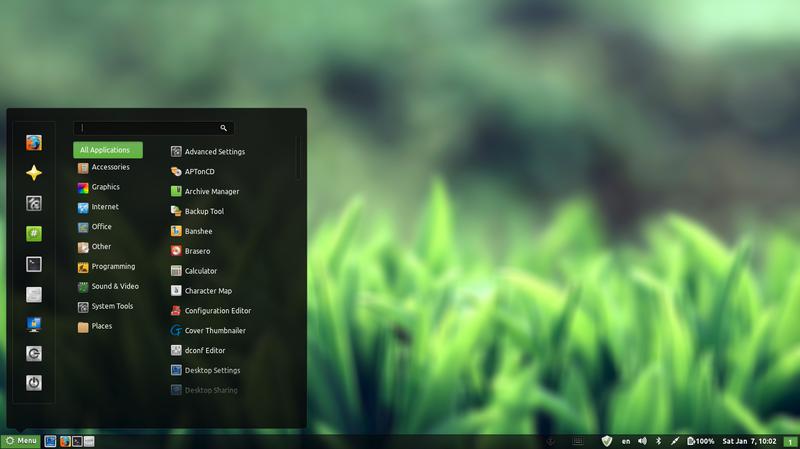
In my effort to make some change into my daily work flow, I decided to install a new interface, and then found myself hopping between interfaces, now I had Cinammon running alone on my computer but..
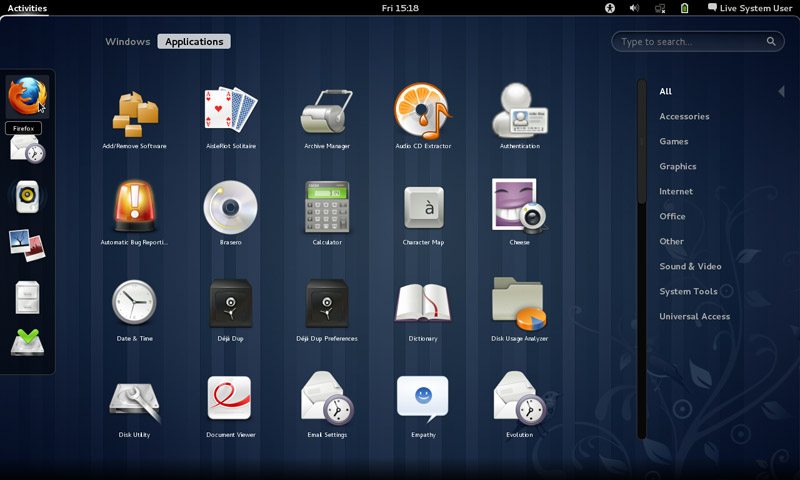
Since I had a thing for Gnome, I decided to install it on my system.
Gnome was Ubuntu’s default interface until 2011, where it was replaces with Unity, if you go to Ubuntu.com and download it, you will be getting Unity, there is a fork of Ubuntu (alternative version) that runs the Gnome interface called Ubuntu Gnome.
Gnome has a loyal following and many people prefer it over Unity, turns out I do too! (Cinammon is built on Gnome 2).
Installing it was very easy as it was in the software center!
After adding the packages from the software center, I was able to login to Gnome 3.12.2 (last version supported by Ubuntu 14.04).
Visually I wasn’t disappointed at all! It was so good I dropped Docky and Kupfer to enjoy the native features it has!
So good I uninstalled Cinnamon the next day! Now I was running gnome alone on my computer, which isn’t bad at all. I noticed that Gnome classic didn’t load any interface items what so ever, but I’ll update this section as soon as I figure it out. Hopefully.
I have a ton more games now (all were added with Gnome):
- AisleRiot Solitaire
- Chess
- Five or more
- Four-in-a-Row
- Lango
- Klotski
- Lights off
- Mahjongg
- Mines
- Nibbles
- Quadrpassel
- Robots
- Sudoku
- Swell Foop
- Tali
- Tetravex
- Xboard
The only thing I didn’t like was the message tray, it looked big and annoying ( it responds to every mouse gesture no matter how small) and even the extension that is supposed to make it less sensitive resets on reboot.
It’s also very big in size, it took 5GB more than XFCE took, even with cleaners like Bleachbit, I was running low on space. (Had a really creative fix for that one 😉
Resetting the interface could fix it. But it will erase any customizations I made.
I decided to remove cinnamon on the biases of being buggy, so I used the command:
sudo apt-get remove cinnamon
Then ran the command:
sudo apt-get autoremove
To get rid of the unneeded packages and save some disk space.
Alternatively you can use Synaptic and search the word “Cinnamon” and remove any package installed.
I managed to clean the system from cruft using Bleachbit, over 2GB were reclaimed!!
So I had Gnome running on my computer, and you have to wait till the next post to see how I discovered it!
Let me know what you think in the commentst section below.
7 things you need to know about Linux
- Linux has some visually stunning interfaces, it’s not a command line monster like most people think!!
- You can edit the source code and develop your own software, with proper license of course.
- You can distribute the software free of any legal issues in most cases.
- It has Steam support now and there is a new distribution named Steam OS just released, which solves Linux’s issue of having no professional quality games.
- It has a Windows emulator that enables you to run most of your Windows software on it.
- Much more secure than Windows, much harder to hack than other operating systems.
- Many of the softwaresyou use everyday and cannot get enough of are open source such as: Firefox, VLC, and most distributions come loaded with software packages by default, such as Ubuntu, The most popular distribution of all time.
- So it’s a free system with many free software for you to try that has a low learning curve, you have to try it for yourself.
Thank you for reading my post, please like and share on Google +
أنا الفائز بجائزة المدون المنتظم لعام 2025 من موقع مرجع التدوين
