Category: Open source (Page 11 of 20)

Minimalism is the new efficiency

The year 2017 is coming to an end, here I have some updates to share, small changes in my productivity flow that might prove to be a game changer in the near future!

Bye bye Xmind!

I’ve been using Xmind as a mind map manager for over 4 years now, I’ve even blogged about it and boasted it’s features. Only to realize that it’s bloated! I don’t use half the features it has and most of the “good stuff” are locked away with a commercial license.

Most posts start out like that.

I’m back to using Freemind V 1.0.1 and I couldn’t be happier.
Just opening Xmind 3.5.2 sent my laptop fan on a frenzy, spinning like I’m rendering an HD video, as I’m writing this Freemind is sitting in the background like it doesn’t exist! Brilliant!

Even tho there is a way to make mind maps in Libreoffice, it’s can’t beat the quality of Freemind.

Why the change?

Freemind is smaller in size, consumes less resources, and while it may not look as pretty or well finished as Xmind it gets the job done completely free of charge.
It’s all about simplicity and achieving productivity.
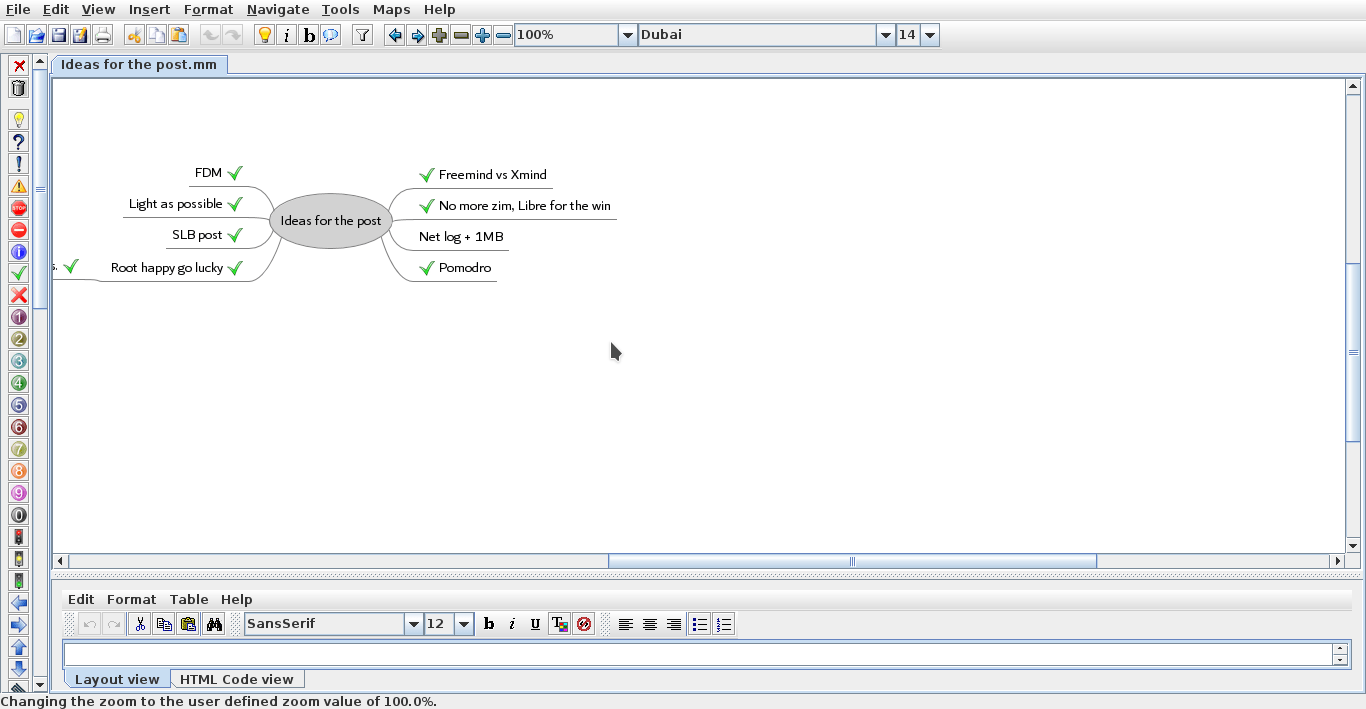
 

Freemind 1.0.1 interface


Going back to Pomodro

Since moving to Kubuntu I haven’t had a decent timer for my system, I tried out several ones but none of them was as good as pomodro timer, I installed it and the Gnome app works perfectly on KDE, it’s one of my most viewed posts for a reason!

No more Zim?!

Yes Zim-Wiki is the best personal wiki I came across, and while it’s functional I find having to change from it and to LibreOffice quite irritating, so I had to clear out the clutter and stick to one productivity suit, LibreOffice is packed with features and so much I don’t feel like I miss anything.
I had to install tasque again, but I removed it because I like managing my tasks in a graphical way using a mind map.

Phone Tweaks

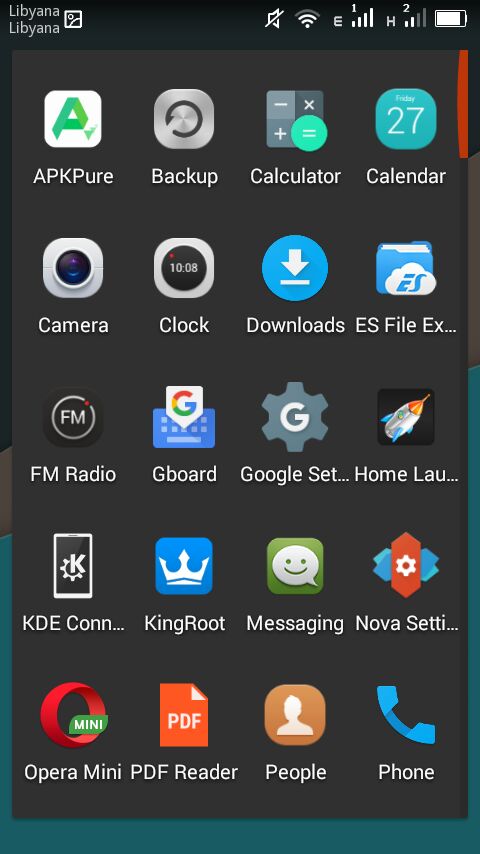
I’ve blogged about customizing and rooting my phone in Arabic (follow at your own risk), and I’ve rendered my phone useless before by removing an essential system app using root privilege, now after everything went back to normal I decided to remove some apps that I felt like I no longer need.

I installed ES file explorer, from back when it was ad free, and since it does so many functions I took the liberty to remove the file manager, the music player, video player, photo gallery. ES file explorer does all that and more!
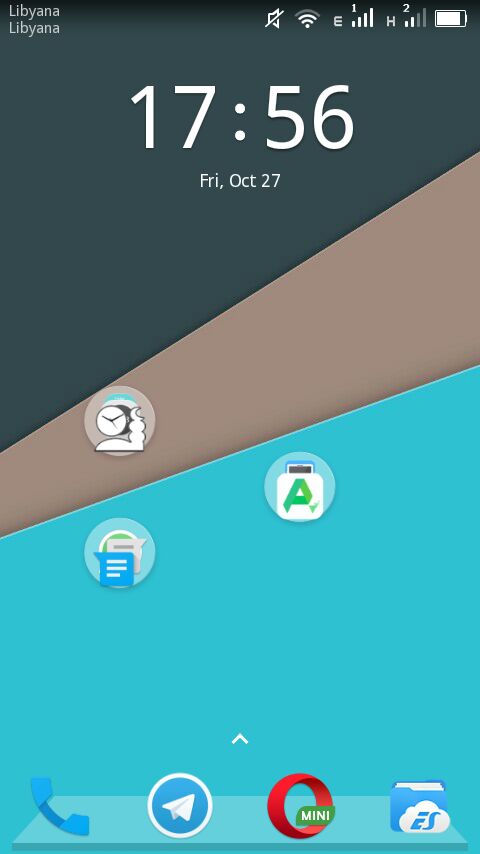
 I’ve also removed all the moving backgrounds. I’ve also removed Apex and installed Nova launcher, which is working great!


Phone’s interface with Nova


The app drawer

I don’t use a note keeping app because I send the notes to myself via Telegram, and I removed maps because I never got anywhere using it!

Before I had the default android keyboard disabled, now I deleted it all together. I use Gboard as the default keyboard, and using ES file explorer and root privlages I tweaked the keyboard sounds (I need a life).

I’d remove Google play store if I could, but sadly it cannot be done, it doesn’t even work for me and it was the root cause of all my of issues, I use APK pure and I haven’t had an issue with it yet!

I’ve replaced the prayer time app with a lighter one and the feature packed Adobe with a simple PDF reader.

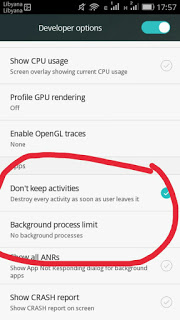
To save more battery power I changed the developer options to kill unused apps, there is some improvement, but again you’re advised to try any of these tricks at your own risk. Gotta keep it charged and happy because you never know..
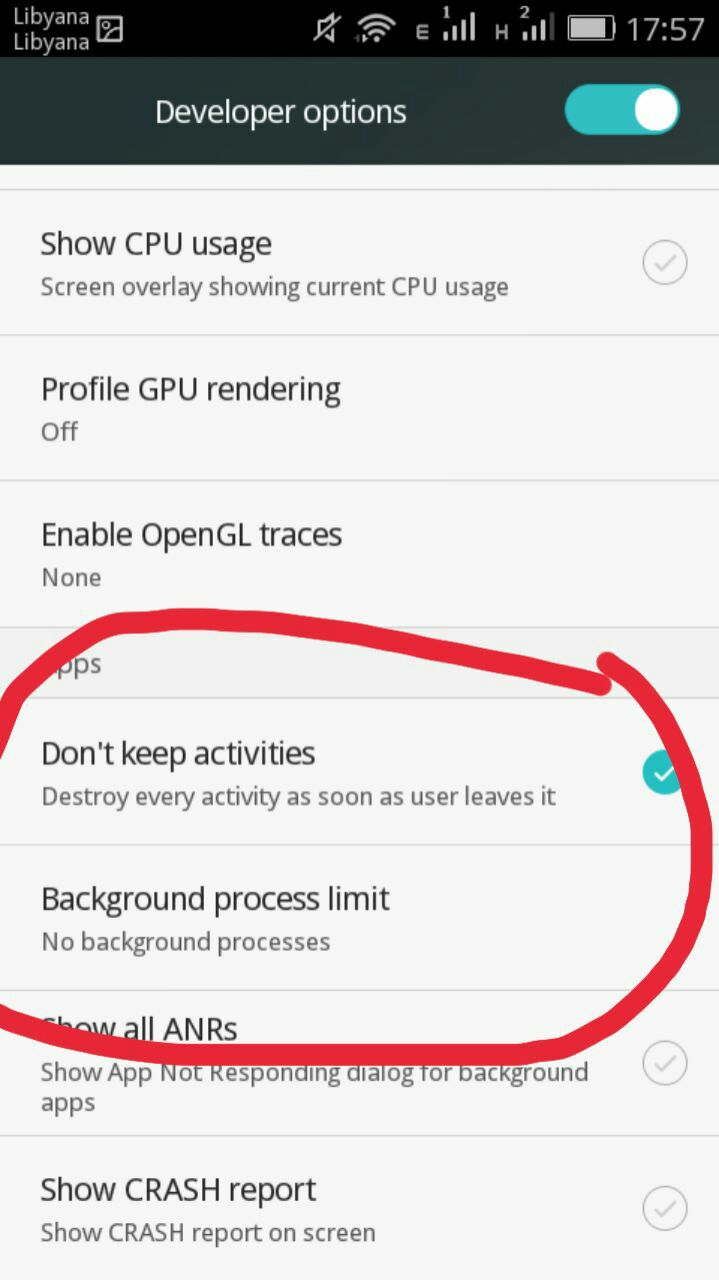
Tweaking developer options
And since the system didn’t fall apart yet, I think it was a success, I do keep a stock ROM just in case the phone fails, and I advice you to do so too if your phone manufacturer
provides them.

Software for work

What I’m trying to do is creating a productive work flow, that’s minimal and efficient, while moving to Linux was a great first step, I feel more needs to be done, and since I downloaded several gigabytes worth of software for college work (all free and open source of course), I have to make budget cuts to keep the system going!

No more room for Sublime or Atom (god forbid), and since I downloaded Android studio and Netbeans, I decided that Kate (default text editor in Kubuntu) would suffice to write code, rather than the former two. All in favor of saving space and resources.

Kate can’t handle large text files, such as the blog backup for example.

Blogging ventures

I blogged on Itsfoss, one of the leading open source blogs to help draw attention to a Linux version of FDM, I blogged about it a while back but it wasn’t enough to tip the scale in favor of FDM Linux, after my post on itsfoss was published FDM Linux went from being 5th on the future feature vote with 840 votes to being the 1st post on the feature vote, with over 24% of the votes! Talk about domination!!

Now it’s the matter of getting the development team to start working on the long awaited Linux version, I’ve been waiting for over 4 years now!

SLB experience

I’ve blogged about the internship I had at Shlumberger a few years ago, and the support from the community was overwhelming, I should have written about it earlier. The post ranked in over 950 views in a week, I don’t get this kind of attention usually!


A blogging interview!

I was a guest on Ms. Malak Altaeb’s blog, she is doing a fantastic job and I suggest that you give her a follow.

LTT’s net

“Bykyfk” or pay as you go by LTT is cleaning my pockets dry, I have to charge in a new card daily, which is silly if you ask me considering that the internet is really slow, the only option at hand was to change the package from 2MB/s to 1MB/s. Reducing the line’s speed by half doesn’t mean it reduces the cost by half, but it’s a good start to save some money, since this stupid liquidity crisis isn’t going anywhere.

I’ve also made a net log to track when each card is recharged and how long did it last, I don’t have to keep cards till they finish!

I’ve blogged about Libyan internet back in 2015, little improvement (if any) happened since then.


Final words

This post is a break between the “job posts” I’m writing on my blog in Arabic, looking back; I’ve had some terrible jobs! Is my current job better? Slightly, but don’t tell my manager!!

I hope you enjoyed this technical update, have a lovely weekend and leave a comment below, it’s free!
LibreOffice Draw to design Mind maps! (Template inside)


LibreOffice Logo

There are many free and commercial tools to create mind maps, I for one prefer a bit of minimalism, and who can’t be a minimalist when the Document Foundation develops such an amazing software package such as LibreOffice! I use it personally to do many day to day tasks, and I just added one more thing to my list of uses!

Today’s post doesn’t require you to be a master LibreOffice Draw user (even when making the map is so easy!) all you have to do is to download the template and edit it to suit your needs! I’ve put the download link at the bottom of the post, so read on!


The Map

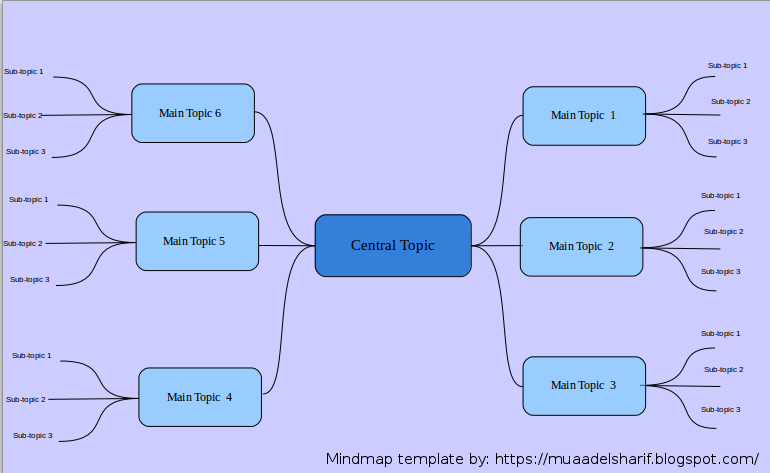
The template I prepared is a three level map with six main topics ordered in counterclockwise order, with each topic having three sub topics, you can increase them easily by copying and pasting then using the proper connector type from the tools.


Mindmap created with LibreOffice Draw

You can easily customize the colors of topics and font types to suit your needs, this is just a template after all! And feel free to remove the attribution I put -feel free to visit my blog tho ;)-

I’m sharing this template under creative commons CC BY you can use it freely as long as you mention I made it when asked so.


CC BY

I was going to make this post a detailed one on how to make this mind map, but I realized that it’s basic skills and no need to repeat them, especially that I’m sharing the mind map template itself so everyone can use it.

To download the mind map template, please click here.

So here you have it! We used the versatile LibreOffice to create a great looking mind map! Let me know what do you think in the comments section below, and remember to share with your friends and family.

Happy mind mapping with LibreOffice!

توزيعة جنو لينوكس أبونتو

كنت قد قطعت عهدًا على نفسي أن أساهم في نشر المصادرالحرة والتعريف بها. لذلك سأستكمل سلسلة التدوينات المبسطة حول بعض البرمجيات الحرة اﻷكثر شعبية ورواجًا، موضوعنا اليوم هو توزيعة جنو ليونكس أبونتو.

توزيعة أبونتو هي توزيعة مجانية و مفتوحة المصدر، مشتقة من توزيعة دبيان الشهيرة تطورها شركة كانوكيال، وظهرت للوجود لأول مرة في سنة 2004 .

كلمة أبونتو مشتقة من لغة أفريقية قديمة و تعني الإنسانية تجاه الآخرين، وشعار التوزيعة يمثل ثلاثة أشخاص ممسكين بأيدي بعض من الأعلى.

الإصدار

تطلق كانوكيال نسختين كل سنة، إحداهما في شهر أبريل والأخرى في شهر أكتوبر. وترقم كل نسخة بالسنة والشهر، مثلا التوزيعة الحالية هي أبونتو 16.04والتي أطلقت أواخر الشهر الماضي.

التسمية

كما تستخدم كانوكيال تميمة لكل نسخة من كلمتين، الأولى اسم حيوان مهدد بالانقراض  والثانية صفة تعبر عنه، والطريف أن الكلمتين دائما ما تبدأن بنفس الحرف الأول وتتبعان الترتيب الهجائي، مثلًا: توزيعة 16.04 أطلق عليها Xenial Xerus وتعني: “سنجاب اﻷرض اللطيف”! والتوزيعة التالية 16.10 اختير لها الرمز Yakkety Yak وتترجم إلى ثور الياك الثرثار!

شعار النسخة 16.04 من أبونتو سنجاب اﻷرض الظريف

الدعم

يدوم دعم كانوكيال لنسخة أبونتو عشرة أشهر ثم تحتاج للترقية للإصدار الجديد، باستثناء النسخة طويلة أمد الدعم Long Term فإن دعمها يدوم لخمس سنوات كاملة، هذه النسخة تأتي مرة كل سنتين ودائما ما تصدر في شهر أبريل، وللعلم فإن النسخة اﻷخيرة التي صدرت هي نسخة طويلة أمد الدعم ويستمر دعمها حتى سنة 2021 قبل أن تضطر للترقية لنسخة أخرى.

الانتشار

تعد أبونتو بواجهاتها المتعددة من أكثر توزيعات غنو ليونكس انتشارا نظرًا لسهولة استخدامها وجمالية شكلها. فهي مقصد للمبتدئين والمحترفين على حد سواء.

التنصيب

لم أتمكن من تنصيب أبونتو على جهاز الكمبيوتر الخاص بي في البداية نظرا لاعتمادي الكامل على برمجيات ميكروسوفت، والتي لم أظن أن هنالك برامج غيرها في السوق حتى قرأت سلسلة مقالات أ. مراد.


  • يمكن إقلاع توزيعة أبونتو مباشرة من القرص دون الحاجة إلى تنصيبها على جهازك، وقد استعملت توزيعة أبونتو بهذا الشكل لمدة لا بأس بها.
  • ومن الممكن تنصيبها كبرنامج تحت نظام ميكروسوفت ويندوز بحيث لا تؤثر على عمل النظام بينما تظهر مع خيارات إقلاع الجهاز ويمكن إلغاء تنصيبها كأي برنامج عادي!


بعد أن فهمت ثقافة البرامج البديلة تمكنت من إستبدال برامجي القديمة ببدائل مفتوحة المصدر تكافئ البرمجيات المحتكرة بل و تتفوق عليها في بعض الأحيان. وحان الوقت لإستبدال ميكروسوفت ويندوز بتوزيعة أبونتو.

التحول

قمت بتحول تدريجي حذر، حيث استخدمت خاصية الإقلاع من القرص الحي لفترة طويلة قبل أن أقوم بحذف ميكروسوفت ويندوز من جهازي. وأنصح أي شخص مقبل على التحول أن يجرب النظام بشكل كاف سواء من القرص الحي أو من خلال ألة افتراضية كي لا يسبب الضرر لجهازه الرئيسي.

 مميزات توزيعة جنو ليونكس أبونتو


  • صغر حجم التحميل من الإنترنت
    حيث لا يتعدى 1 غيغا بايت بأي حال من الأحوال (نسخة 64 بت)، بينما تحتاج الى أضعاف ذلك لتحميل ميكروسوفت ويندوز، دون نسيان الترخيص، يعتبر 1 غيغا بايت هو السقف الذي تسمح به أبونتو حاليًا للمطورين عند تحزيم قرص التوزيعة، لكن هنالك توجه نحو زيادة هذا السقف مستقبليًا إلى 2 غيغا بايت لنسخة 64 بت.


  • مناعة ضد فيروسات ويندوز
    لن يصاب جهاز بفيروس التشغيل التلقائي بعد اليوم ولن تختفي مجلداتك و ملفاتك المهمة ثانية، غنو ليونكس عامة مضاد لفيروسات ويندوز و توزيعة أبونتو ليست باستثناء.


  • تنوع (النكهات)
    تتوافر توزيعة أبونتو بعدة “نكهات” تلبي احتياجات و أذواقا متعددة. تختلف عن بعضها البعض بالواجهة وبعض التطبيقات، فمن واجهة يونتي الرسمية. إلى واجهة غنوم دون أن ننسى XFCE و LXDE خفيفتا الوزن. وواجهة مينت المحببة لدى الكثيرين، وواجهة سينامون اللطيفة. والفارق بينها شكلي فقط لا غير!


  • جمال الشكل
    كل الواجهات الرسومية التي سبق ذكرها جميلة بطريقتها الخاصة وعليك أن تجد “نكهتك” المفضلة منها! هنا بعض صور الشاشة من نكهات جنو ليونكس ابونتو.


توزيعة جنو ليونكس اوبونتو غنوم (بواجهة غنوم 3) 16.04
توزيعة جنو ليونكس كوبونتو 16.04
توزيعة جنو ليونكس اوبونتو مينت 17.3 بواجهة سينامون
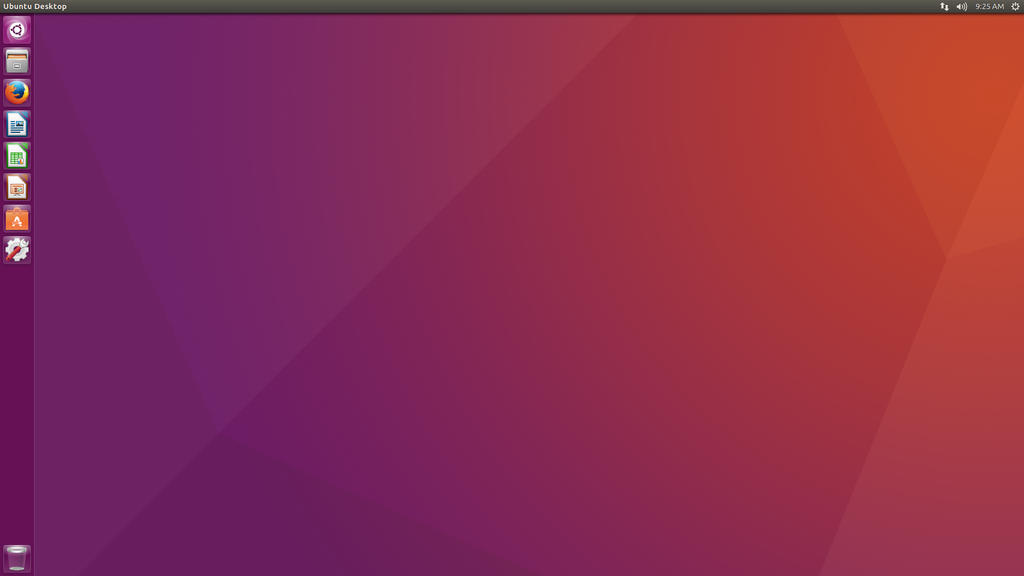
توزيعة جنو ليونكس اوبونتو (بواجهة يونتي 7) 16.04
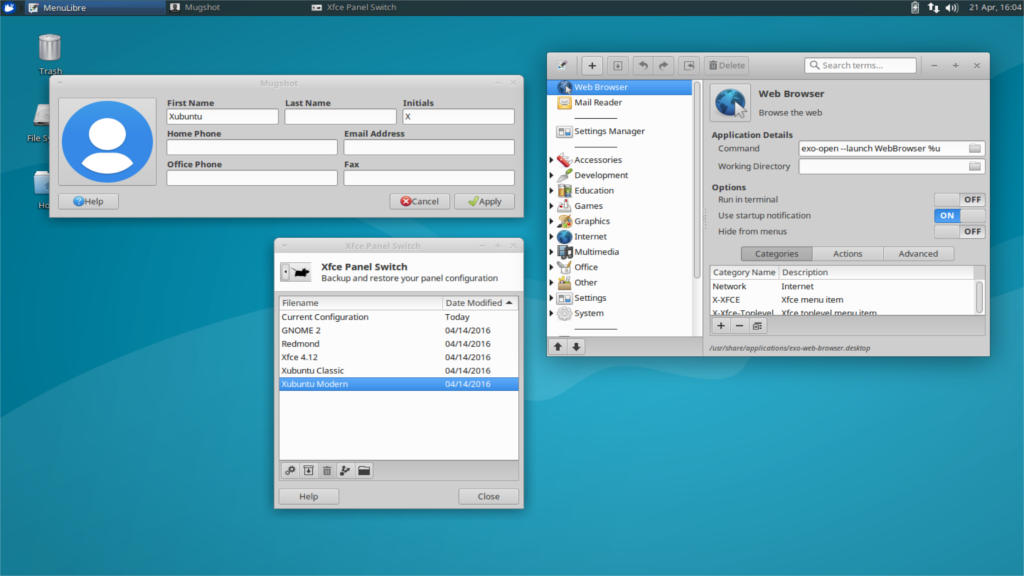
توزيعة جنو ليونكس زوبونتو  (بواجهة 4.12 XFCE ) 16.04


  • لا تحتاج مواصفات خارقة للتشغيل


لن تحتاج لإلقاء جهازك الذي لا يزال يعمل في القمامة وشراء جهاز حديث المواصفات. غالبا جهازك الحالي سيعمل بكفاءة، ومن الممكن أن تعيد إحياء بعض الأجهزة القديمة الملقاة لديك في الأرجاء باستخدام توزيعة مشتقة أبونتو خفيفة الوزن.
كما أن حجم التنصيب هو جزء بسيط جداً مما يتطلبه نظام ميكروسوفت ويندوز 7 (وما بعده من الأنظمة) الذي يتطلب من 16 – 20 غيغا بايت على الأقل للنظام فقط. بينما يمكن تنصيب أبونتو كاملة بمساحة تعادل 3 غيغا بايت فقط! 


  • سرعة التنصيب والإقلاع


ستفاجأ حين تجد مدة تنصيب التوزيعة (شاملة البرامج و التعريفات) أقل من ربع ساعة! الأمر الذي يستغرق ساعة على الأقل في نظام ميكروسوفت ويندوز، وواجهة التنصيب نفسها سهلة الاستعمال و تمكنك من التجول في النظام وتصفح الإنترنت كما لو كنت في جهازك بالفعل! كما أن سرعة الإقلاع عند بدء التشغيل ستسرك بكل تأكيد! فهي لا تتجاوز 30 ثانية لتصل إلى الواجهة وتبدأ بالعمل فعلًا!


  • هل ذكرت أنها مجانية؟!


ربما هذا لا يعني الكثير في بلد يستسهل قرصنة البرامج، لكن عالمياً يأخذون مسألة التراخيص بكل جدية، وقد يحكم على المخالفين ببضع سنوات من السجن و غرامة كبيرة! كما أن علماء الشريعة أفتو بإن استعمال البرامج المقرصنة هو سرقة ولا يجوز ذلك وينبغي شراؤها من مطوريها حتى ولم يكونوا مسلمين.
لذا سوف تقدر وجود نظام متكامل مجاني يكفل حقوقك كمستخدم ويوفر لك احتياجاتك التقنية بالكامل بالإضافة إلى دعم جيد ومجتمع نشط به حل كل مشكلة طرأت على التوزيعة تقريبًا.

عيوب توزيعة جنو ليونكس أبونتو

ما من شيء يخلو من العيوب، رغم مميزاتها العديدة فإن لدى توزيعة أوبنتو بعض العيوب سأوردها في النقاط اﻷتية

غياب البرامج الشهيرة


لن تجد نسخة من أدوب فوتوشوب متوافرة لابونتو مثلا، كما ان ميكروسوفت اوفيس غير مدعوم. وهذه مسؤلية الشركات أن تطلق نسخا من برامجها لتدعم أبونتو، فإن كانت طبيعة عملك تتطلب مثل هذه البرامج قد تضطر لتأجيل التحول (يمكن تنصيب ويندوز وأبونتو معًا ولكنها خيارات متقدمة قليلاً).


الألعاب دون المستوى

قد خصصت تدوينة كاملة للحديث عن هذا الموضوع، رجاءً اطلع على التدوينة من هنا. حتى مع دخول منصة ستيم الشهيرة الى ليونكس أبونتو تظل مقصورة على من لديه اتصال سريع بالإنترنت وحصة شهرية كبيرة أو غير محدودة (حاليا لا يتوفر الاثنان في ليبيا).


يعتبر البعض توزيعة أبونتو توزيعة مبتدئين ولا تصلح للمحترفين.


هذا ليس صحيحا تماما. توجد نسخة مخصصة للخوادم كما أن كانوكيال تعتمد على توزيعتها في مجال الحوسبة السحابية، وأوامر الطرفية التي تعد القوة الحقيقية لنظام غنو ليونكس موجودة بتوزيعة أبونتو.


  • استهلاك البطارية يزيد قليلًا عن ويندوز


سوف تلاحظ انخفاضا في أداء البطارية بين ويندوز وأبونتو حين تجربه وهي نقطة سلبية خاصة إن كانت البلاد تعاني أزمة كهرباء وتحتاج للعمل بشحن البطارية، هنالك طرق لتوفير البطارية لكنها تخفى عن المستخدم المبتدئ، أحد أشهر هذه اﻷمثلة هو برنامج Powertop من شركة إنتل، الذي يقوم بتوفير استهلاك الطاقة في الجهاز إلى حد كبير، وقد قمت بالتدوين عنه من قبل على هذا الرابط.

مصادر للتعلم

مثل كل تدوينة، يجب أن أورد مصادرًا للتعلم باللغة العربية لتسهيل التحول على القارئ الكريم 🙂


  • أحد أبسط وأروع المصادر هو كتاب أبونتو ببساطة للأستاذ أحمد أبو زيد، الذي يشرح بأسلوب رائع ومشوق نظام أبونتو من اﻷلف إلى الياء، كتابه مجاني وتحت رخصة المشاع الإبداعي ويمكن تحميله من هذا الرابط.
  • كما أن مقالات أ. مراد بلال في مجلة ليبيا للاتصالات والتقنية كانت دافعًا لي لتجربة النظام، اﻷعداد نشرت بين سنة 2007 – 2008).
  • يوتيوب يحتوي العديد من المقاطع باللغة العربية يمكن الإطلاع عليها.


انطباعي حول توزيعة جنو ليونكس أبونتو

هذا الجزء هو رد على تدوينة تحربتي مع نظام ويندوز 10 من مدونة خربشات وسام، وللأمانة فإن فكرة هذه التدوينة كانت من حديثي مع السيد وسام الذي طلب انطباعي حول توزيعة جنو ليونكس أبونتو.
لاحظت نقصان المشاكل بالجهاز الى حد كبير، خاصة الإصابات الفيروسية، كما أن عدد مرات إعادة التنصيب (الفورمات) تضاءلت بشكل ملحوظ مقارنة بنظام ويندوز وعامة تجربتي إيجابية جدًا وأنصح أي شخص بالتحول لأبونتو دون قلق أو خوف.

خاتمة

أتمنى أن تكون هذه التدوينة قد نالت إعجابكم، وأن تكون قد أوصلت فكرة مختصرة حول توزيعة جنو ليونكس أبونتو بشكل ممتع يحفز على تجربة التوزيعة! أثروا تدوينتي بتعليقاتكم وتفاعلاتكم رجاء!


« Older posts Newer posts »