
Category: Open source (Page 10 of 20)

How to compile the latest version of Wesnoth on Ubuntu and integrate it with Lutris?

Wesnoth is a wonderful game available for free for Linux, however lately it has been falling out of favor with packagers; currently stuck at 1.14.5 while the latest version is 1.14.7 as of this writing! This tutorial will show you how to compile the source code of the game and integrate it with Lutris, and even add a custom icon so it can be searched easily across the system and docked on launchers.

Compiling Wesnoth from source on Ubuntu 16.04

While this method is not recommended and it’s only advised for advanced users only, it could be the only way to have the latest version of Wesnoth on Ubuntu.

1. Download the source code from the game’s site, always go for the latest version. and make sure to checksum the source code prior to doing anything, the value of the checksum is provided on the download page and you can easily check it using the terminal.


2. In the terminal, install scons using: sudo apt install scons
I’ve  decided to compile the source using scons rather than cmake because it’s much easier, however the compiling process happens in the same directory as the game, so make sure to copy the game to the target directory first, I’m going with /opt/wesnoth-1.14.7/wesnoth for the rest of the tutorial.

3. Download all the missing dependencies:
sudo apt install libsdl2-dev libsdl2-image-dev libsdl2-mixer-dev libsdl2-ttf-dev 


libboost-all-dev libvorbis-dev libcairo2-dev libpango1.0-dev l


ibssl-dev libreadline-dev cmake make scons pkgconf

4. Go into the game directory, for example /opt/wesnoth-1.14.7/wesnoth and install with the command scon.
Please note that the process is long and resource extensive, so please be patient.

More instructions and options can be found here on the official wiki.

And that’s it, now the game works fine!

Note: If you played an earlier version of Wesnoth, please be sure to copy your save games and preferences so you don’t start from scratch.

Integrate with Lutris

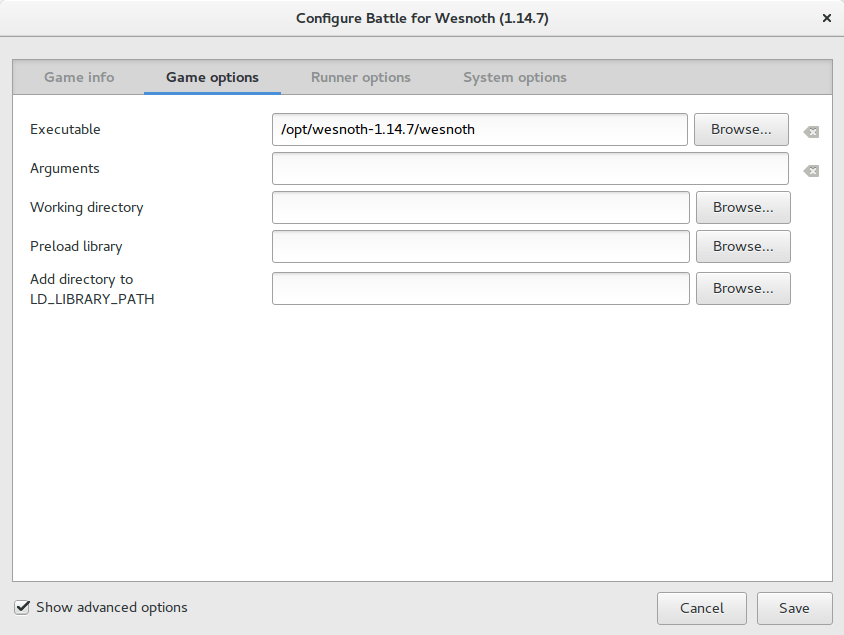
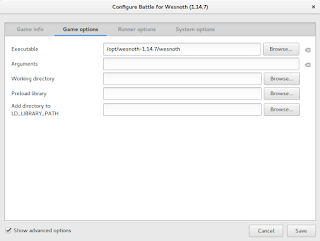
After compiling from source, Wesnoth can be easily configured to work with Lutris, simply by changing the path of Wesnoth from the default to wherever you installed it, I happened to install in /opt/wesnoth-1.14.7

Lutris icon


A screenshot from Lutris showing how the directory is changed


Adding an icon so you can dock it and be able to see it in the dash

Compiling Wesnoth this way won’t allow you to be able to search it or add it to plank for example, you will have to add a custom icon for this to work.

1. Go to /usr/share/applications/ as root and create a new .desktop file using a text editor (with sudo privilege).
The contents of the file should be like so:
[Desktop Entry]
Name=wesnoth
wesnothComment=The Battle for Wesnoth
The Battle for WesnothEncoding=UTF-8
Exec=/opt/wesnoth-1.14.7/wesnoth
Icon=/usr/share/applications/wesnoth.png
Terminal=false
Type=Application
StartupNotify=false
Categories=Application;Game;

Feel free to copy this file to your computer as long as you have everything installed as mentioned here, if you change anything make sure this document reflect your changes.

2. Save the file and you are good to go! As soon as you loook up Wesnoth in your system you will be able to find it and dock it on launchers such as plank.

After doing all that, I’ve uninstalled the old 1.14.5 and removed the repositories from my system, from now on I’ll compile on my own!

I hope that you find this tutorial useful, if you have any questions please let me know in the comments section below.

Credit goes out to Reddit user TonicAndDjinn as he provided a lot of helpful tips on how to compile the game.
خمس سنوات مع جنو لينكس

مرت خمس سنوات منذ بدأت في استعمال لينكس على جهازي المحمول بشكل يومي، بهذه المناسبة أود الاحتفاء ببعض المحطات الفارقة في هذا المشوار، تمهيدا للخطوات التالية.

المحطات السابقة باللغة الانجليزية: أول ثلاثة أشهر، ومرور ثلاث سنوات، ومرور أربع سنوات.
سبب تدويني لهذه التجربة باللغة العربية هو إيصال المعلومة للقراء بالعربية و مشاركتهم لهذه العلامة الفارقة في حياتي، وأيضا نشر المعلومة حول لينكس والمصادر الحرة.

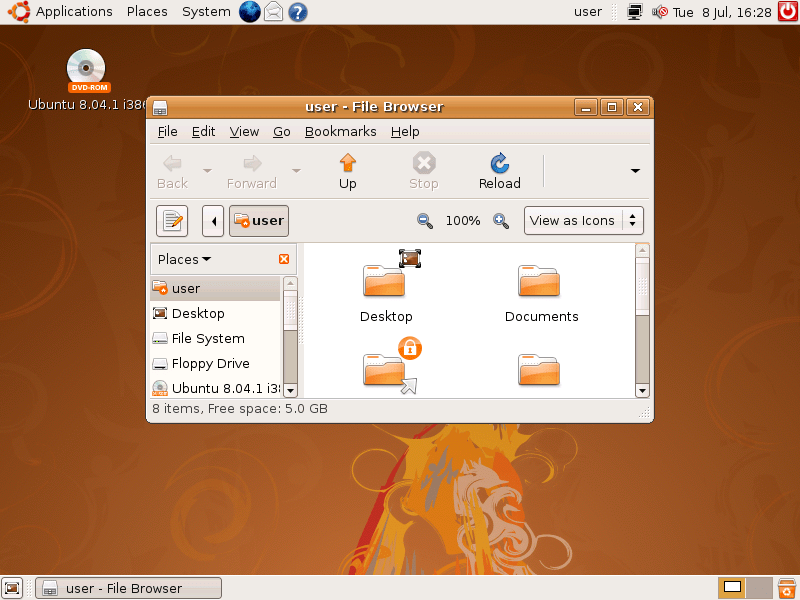
 بدأت القصة في عام 2007 مع أول عدد من مجلة ليبيا للاتصالات والتقنية، حيث رأيت ولأول مرة مقالا يتكلم عن توزيعة جنو لينكس أبونتو، صور الشاشة التي رأيتها كانت مبهرة بالنسبة لي (أنا الذي لم أستخدم شيئًا أحدث من ويندوز أكس بي)، ومجرد مطالعة تلك المقالة وسعت مداركي بفكرة مفادها: هناك شيء هناك غير نظام ويندوز العتيد – وأنا الذي لم أرى سوى نظام دوس في كتب البرمجة العتيقة – . أعدت قراءة العدد أكثر من مرة وشعرت بنفس الشعور كلما مررت بالمقالة (آفاق جديدة تفتح أمامي).


يوم أبونتو اﻷول – واﻷخير في ليبيا – عام 2009 كان يصادف اختبارًا هامًا، لذلك فضلت تفويت الاحتفالية للمذاكرة (توجد تغطية للحدث على مدونة وقفات) لكن شقيقي علاء أتاني بقرص أبونتو من الحفل وكنت سعيدًا جدا وقمت بتجربته على الفور على جهاز البيت!

التجربة اﻷولى

كان نظام أبونتو يتيح التنصيب تحت ويندوز كبرنامج عادي، ثم تعديل ملفات الإقلاع ليظهر كخيار عند فتح الجهاز، وبالفعل قمت بتنصيب النظام وتشغيله، وكنت مبهورا جدا بجمالية الواجهة وتكامل التجربة، كل شيء كان جاهزًا بانتظاري عند الإقلاع: التعريفات والبرامج، حتى الخلفيات وإعدادات اللغة. الشيء الوحيد الناقص كان وجود اتصال بالإنترنت لتحميل باقي تعاريف الفيديو والصوت التي لا تأتي مدمجة مع النظام لأسباب قانونية.

على مر سنوات بعدها استقر نظام أبونتو على الفلاش الخاص بي وكان طريقتي لتنظيف اﻷجهزة من الفيروسات (ساعدني كثيرًا جدًا في عملي بجامعة طرابلس كمهندس صيانة) ولإنقاذ الملفات من اﻷقراص قبل الفورمات وإعادة تنصيب الانظمة.

لماذا لم أنصب لينكس على جهازي؟

معظم البرمجيات التي درستها كانت لنظام ويندوز، لذلك كان من الضروري أن يكون نظام التشغيل متوافقًا مع المنهج، عبر السنوات حاولت حلولًا تلفيقية مثل Wine والالات الافتراضية، لكن مواصفات جهازي المتواضعة في حينه منعتني من تنصيب أي من هذه البرامج، ومحاولتي الوحيدة لتنصيب النظامين معًا انتهت بكارثة أتت على كل ملفاتي (لحسن الحظ كانت لدي نسخة احتياطية!)..
حتى مشروع تخرجي – الذي كان لعبة تفاعلية بالمناسبة– استخدمت له برنامجًا مقيدًا ببيئة ويندوز، لذلك بمجرد تخرجي من المعهد تنفست الصعداء وتمكنت من تنصيب ما أشاء على جهازي.

التحول

كان تحولي إلى لينكس بطيئًا، كنت أريد أن أتأكد أن كل البرامج التي أستخدمها متوفرة على لينكس أو لها بدائل على اﻷقل، وبمجرد استكمال النصاب كنت مستعدًا لتنصيب أول توزيعة على جهازي – راجع مقالة أبونتو لينكس للمزيد حول التوزيعات.

البداية: زورين

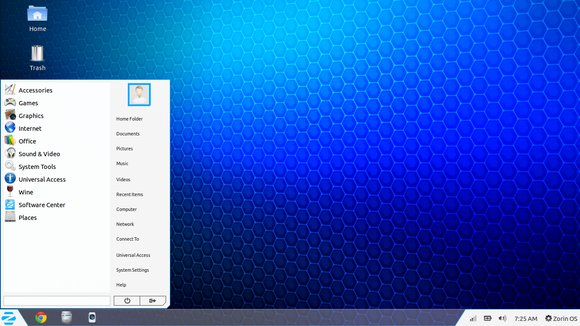
توزيعة زورين موجهة نحو المبتدئين الذين ليس لديهم خبرة مع لينكس، تشبه واجهتها ويندوز 7 كثيرًا، كما أنها تأتي بدعم كامل للتعاريف حتى التي لا يدعمها أبونتو (الذي بنيت زورين عليه)، مع دعم لمكتبة Wine التي تتيح تشغيل برامج ويندوز على لينكس من خلال لغة Mono

لم تدم تجربتي طويلا مع زورين وسرعان ما انتقلت إلى أبونتو واستقررت مع أبونتو 14 لفترة طويلة نسبيًا (سنتين تقريبًا) مع تجربة عدد من الواجهات الممتعة والجميلة في آن واحد، ثم حان الوقت للانتقال!

أبونتو 16.04

أبونتو 16 هي توزيعة أكثر نضجًا (أعني بذلك أن واجهاتها منقحة أكثر وبرامجها أفضل)، ولا أزال أستخدمها حتى اليوم بواجهة Gnome التي أضحت الواجهة الرسمية لأبونتو بعد غياب 7 سنوات، مع تجربة قصيرة لأبونتو 18 لم تدم طويلا.

غوص أكثر في العمق

القوة الحقيقية لنظام لينكس تكمن في صدفة اﻷوامر، فهي التي تحتوي على أوامر تبدو معقدة في البداية لكنها تسهل عمل المستخدم وتزيد من إنتاجيته كثيرًا، وقد درّست القسم العملي لأحد المواد على هذا النظام وكانت تجربة مرضية إلى حد كبير زادت من معرفتي بالنظام، خاصة أن مرجعي التدريسي كان أحد الكتب اﻷساسية في عالم لينكس (سطر أوامر لينكس).

المستقبل مع لينكس؟

لينكس يشعرني بالرضا، انه نظام تشغيل آمن ومتفوق، وخفيف الوزن، ويشتغل على أي عتاد تقريبًا، كما أنه مجاني ومفتوح المصدر. مع واجهات فائقة الجمال، أستطيع أن أستعمله لعشر سنوات إضافية دون أن أشعر بأي نقص، خاصة مع التغييرات الجذرية التي تقوم بها مايكروسوفت على نظامها ويندوز 10، وأنني لن أشتري جهاز أبل على المدى المنظور لأقوم بتجربة ذلك النظام.

ما أريد فعله هو دراسة إحدى شهادات لينكس هذه السنة بمشيئة الله (ليس من الضروري أن أتقدم للامتحان) لكي أعمَق معرفتي بهذا النظام العريق وأزيد من قدرتي في استخدام الحاسوب.

ماذا عنك عزيزي القارئ؟ هل جربت نظام لينكس من قبل؟ هل ترغب في تجربته ولكنك لا تعرف من أين تبدأ؟ هل ترغب في أخذ دورة تدريبية على هذا النظام؟ شاركني بأفكارك في قسم التعليقات باﻷسفل، وشكرا لك على القراءة,

I’m back to using Atom Editor

Not a fan of the green icon.

Life is all about discovery, learning and not being afraid of making mistakes, with that being said, I say that I’m back to using Atom after a rocky relationship, of love and hate!

Why I am bothering to give Atom a second chance, the reasons are detailed below.


1. The only “free” editor of the bunch.

I’ve identified Sublime text as the best text editor for development purpose, let’s not forget that Sublime is not free, I know that they allowed using it for those who are under-privileged, but it’s still a Freemium that costs 70$ (free if you can handle the annoying pop up telling you to register every now and then), after changing the licensing plans in early 2018, I don’t know the current status of Sublime text and don’t care very much to be honest!
Atom editor is free and open source under the MIT license, and despite of Microsoft making a money grab for GitHub, Atom will remain free and open source for everyone to enjoy.

2. It’s down right beautiful!

Of all the text editors available on Linux (I use Linux on my everyday laptop), Atom the best looking of the bunch! Not just the color schemes and themes, everything in Atom is designed to look awesome, from user interface to the website, even the shirts and mugs look great (never got any but my birthday is coming up ;), and the user experience is great, even compared to Microsoft VS code (who is based on coffee script and javascript as well), despite my love for efficiency, I value a beautiful GUI. 

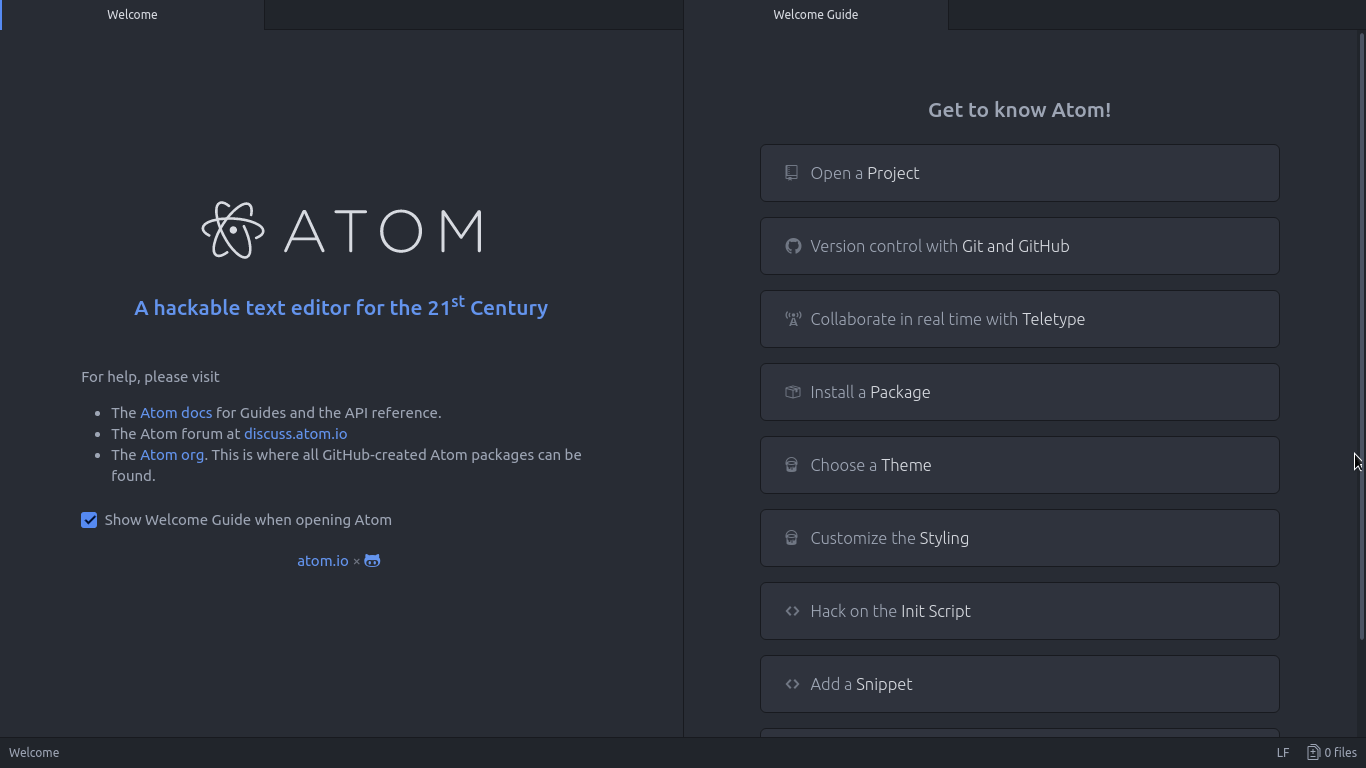
Atom Editor interface
Ain’t that a beauty?

3. Very customizable

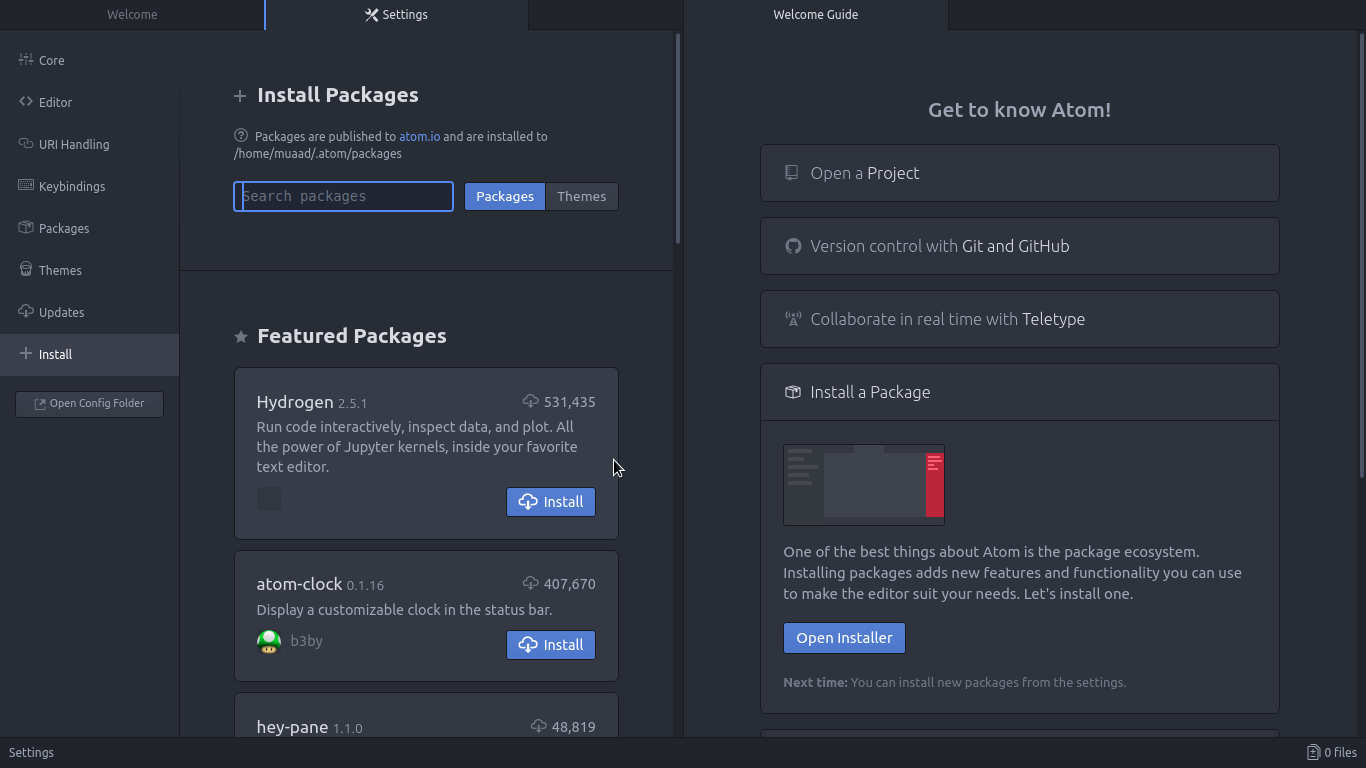
Atom has a ton of themes and packages available for download, which makes it more expandable and versatile, and with some knowledge you can develop your own themes and packages, all what you need to know is in the Atom flight manual (released in 2015 but still very informative). You can even change the key-map of Atom to whatever editor you migrated from and customize it as you like to decrease the learning curve.

Package installer interface

4. Ease of use

User experience should be always considered when evaluating software, and VIM for example despite being the most efficient and the most praised text editor in all of the Linux ecosystem, however it’s not easy to use at all, the learning curve is steep, I read the book titled “A byte of VIM“, but I still don’t see why or how can it be better than Atom or anything, as I don’t do anything “professional” with VIM. As a matter of fact, I’m not too keen on the whole terminal as a one tool for all.

5. Consumes more resource, so what?

Yes, Atom is heavier than Sublime or VIM, but does it really matter at this point? In the year 2018 laptops are getting faster and RAM is getting bigger, a few hundred megabytes almost seem like nothing when considering all the reasons mentioned above, it might not be the most resource efficient, but it’s the most usable editor of the bunch.
A well tweaked laptop (both hardware and software) can handle Atom like a breeze, and it’s getting better as time goes by. Speed won’t be an issue if you use an SSD (although using an SSD in itself can be an issue at times!), you could say it’s the price of enjoying a beautiful interface and ease of use.
Besides, converting to a less consuming Linux distro has spared some memory to spend (I’ll blog about it later and link back).

6. The devil you know!

I’ve been using Atom (On and Off) for the past three years, I’ve read the Atom flight manual and even reviewed it on my blog in a few posts (this is the fifth), so for the most part I’ll stick to Atom being the familiar editor that I’ve known and loved (sort of) for the past three years. I’m not alone, as it’s one of the most popular text editors on Alternativeto.

Have you ever used Atom before? What are your impressions about it? What do you use to edit prose and code, and if you use VIM, please take your rants to /r/VIM, because they would be appreciated better by fellow VIM zealots than me.

And yes, this post was written in Atom 1.28, so that you know!

When life gives you penguins, you make..?

It’s been a while since I last blogged, and to be honest this isn’t the post that I’ve been planning to publish, this is a lot more positive than the one I was planning to post!

The gifts under the tree

The open source community has been busy! A lot of major updates were pushed this week for no specific reason to be grouped together like that. And I’ve decided to hold them together to give myself that Christmas morning feeling (that I’ve never experienced that to be honest, but you get my drift).
Without no further delay, let’s look at the gifts:

Linux Kernel 4.14

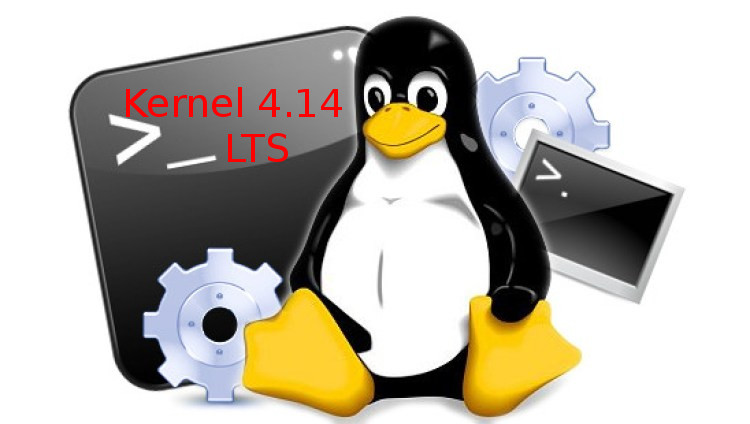
The first update is a bit hidden under the hood and cannot be seen in action, the charismatic father of the Linux operating system Linus Torvalds said it was a tough update to push (or something), and that it brings many improvements to the system’s overall performance, it’s not like I have the hardware for it, but it’s nice to feel current for once. This update is special because the kernel will be updated for 6 years rather than two, so let’s see how this works out!

Linux Kernel 4.14 LTS
Gotta love them penguins!!


It’s always advised to wait till your distro rolls out the update, but I’m not that kind of guy..

LibreOffice 5.4.3.2

Moving on to a more visible update: Other than the interesting build number, it’s not really a surprise getting a new version of LibreOffice knowing how consistent the document foundation is with delivering updates to users. I didn’t notice anything major since 5.3 (since it was running fine) but it’s nice to update the system every now and then, right?


Good old Libreoffice

Also, the mascot candidates look awesome, let’s hope they settle with something classy.

Now moving to the price pig, fox! Firefox 57

Firefox 57 Quantum

This update was hyped for months by Mozilla as the best Firefox yet, and I had to give it a try to see for myself, especially after reading several positive reviews, and I have to say that I’m impressed with how the new Firefox is working!

Firefox Quantum 57
New logo for a revamped browser

It’s lighter, faster and looks like a million bucks! It is very different yet the same. I feel like I’m using it  for the first time (I’ve been a user for 9 years).
Great job Mozilla.
Minor update: To learn how to fix the password issue after an update, click here.

A cheap jab

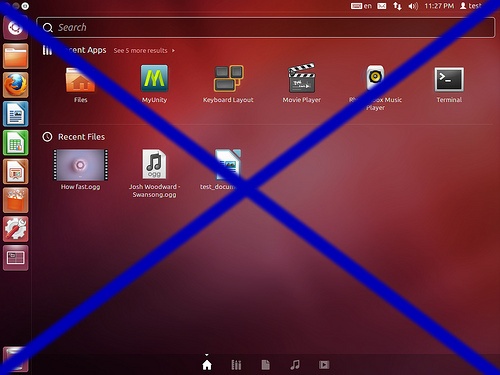
Since we are talking open source and that’s something I haven’t done in ages, I would like to say that unity is an ugly interface, and that I’m glad that Ubuntu dumped it and went back to Gnome, the interface that it should have stuck with for the past 7 years. I was gloating saying: “I told you so” to anyone who listened to the topic – not too many listeners in case you wondered-.
I won’t miss you, unity..

I’ll see you in hell, unity!

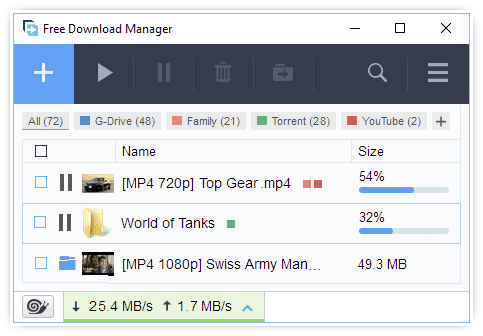
FDM’s crusade going nowhere?

After posting on itsfoss urging the open source community to vote for the favor of a Linux version of FDM (cool bunch of people by the way), and causing some havoc around the forum, I’ve got an e-mail from one of the admins saying that the “developers” learned of the result and that a Linux version of FDM is no being discussed, It’s been two weeks, maybe I should barge into the meeting with a six pack of beer?

FDM 5 logo
I don’t like how the new FDM looks to be honest.

Dear User!

Thank you for your interest. We have seen all your messages and let the developers know that the Linux version takes now the first position on the vote list. You have written a great article.
The previous week developers were busy adding Firefox support and fixing bugs.
At the moment, they need time to discuss the implementation of the Linux version.

Your FDM Support Center Team,
Regards,
Support Department


I know that this e-mail was just a way to buy some time against the heavy pressure I was applying, after all I did bring the big guns in order to force them to release the source code for Linux, will it work?

How awesome open source is!

And all this comes free of charge, can you believe it? If you can donate then please go and give these honest hard working people a well deserved donation. You can think of this as a public service announcement but I’ve never been good with that stuff anyway.

That is a bad ass looking penguin right there!!

Final words

I wish all my issues were as easy as the FDM thing, sadly I have other matters that need more immediate attention at hand, that I might blog about in a future post (the next one will be in Arabic as usual), so wish me luck there.

Thanks for reading this update, see you around.

« Older posts Newer posts »