
Category: Open source (Page 13 of 20)

Turn LibreOffice into the best book writing software out there

Recently I’ve came across some “book writing software” that is supposedly able to help me write a book and enhance my productivity, I gave that software a try and felt it was too complicated, If I need to take an advanced course just to learn how to use the software, that’s a serious problem and some major down time spent learning a new software while I have a productivity suit that does everything required with ease!

Ease of use

Ease of use should be factored in whenever evaluating a new software, and that particular software bombed! Not even mentioning the name because it’s not worth it, and the price tag is also discouraging!

I’m giving today a good way to use LibreOffice as a writing software that you can use for anything and really count on!

Why LibreOffice?

LibreOffice is a jack of all trades and can be used for many uses you never thought a word processing suit could do, checkout this very popular post of mine to see how capable LibreOffice is!

  • Let’s Face it, we

already have too much tools!

Type Writer

We use something to write code (Sublime or Notepad++), something to do the daily work (LibreOffice or Microsoft Office) and a “book writing software”?

  • Way to go being minimalist! Lets look at the price tag, shall we?

We bought Sublime for 70$, Got office for 200$ and that “book writing software” for 40$ and you use a Mac book of course, very neat! That’s 310$ worth of writing software alone!

That’s a lot of money, I’m not here to tell you how to live your life, but I think I have a more cost effective way of making this happen!
 

A minimalist dream!

You can’t write everything in one place, I wish that was possible, like Atom handling complex text layout or using LibreOffice to write code! It would be a dream come true! Some die hard programmers who think that memory foot print is everything and mostly prefer CLI over GUI would think this is a total waste, but I like to think I fall somewhere between a CLI nerd and an Apple fan!

Why LibreOffice? Because it’s simply awesome! I could write forever on how awesome LibreOffice is! You can find many posts in this blog that tell you exactly why it’s awesome and should be chosen over commercial and free software, you don’t have to learn new things, it’s the productivity suit you know and use daily! Just add the tips I’m about to tell you, and you are good to go!

1. Distraction free
Focus!An important tool for any writing software is to be able to eliminate all outside distractions and just focus on the piece of writing at hand, it’s a feature of LibreOffice that can be accessed from View Fullscreen, or by typing the shortcut Control + Shift + J. You will have the screen dimmed down to the horizontal ruler and the page only! (you can toggle the ruler by pressing Control + Shift + R) to have the document focused with nothing else on the screen.


2. Word count

Another important tool for writers is the word count, you need to know how much you have written and set daily goals for yourself, you can see that in the lower bar of LibreOffice and it’s updated as you write.

3. Writer’s Tools

Writer tools is a set of tools installed as a single extension for LibreOffice that adds a ton of functionality, so much it deserves a post on it’s own, once you install it, it adds an extra menu to the menu bar called Writer’s Tools, it adds a timer for how much time you spent on a document, a word count to see if you reached your goal (more advanced than the one at the bottom bar), a to do list, a data base to organize your text snippets. And many tools for backup, saving documents and many others. A total of 15!
It’s something you definitely need if you want to use LibreOffice as your main writing suit.

There is a fix for writer tools not working. You can find it here.

4. MultiDeff

This little extension gives you the ability to save in three different formats in one command, ODT, DOC and PDF.

With these tools you are good to go, my advice is yo implement a timer like  Instant boss if you are on Windows or Pomodro if you are on Ubuntu, to keep you healthy while writing the next best seller.


5. Master Document

I left the best for the last! Master pages are a great way to collect your individual documents into one, enabling you to control the style and position of each sub document based on the master document, creating a consistent document all around!
For more information check the detailed help document from here.
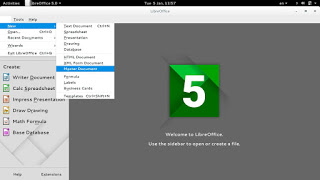
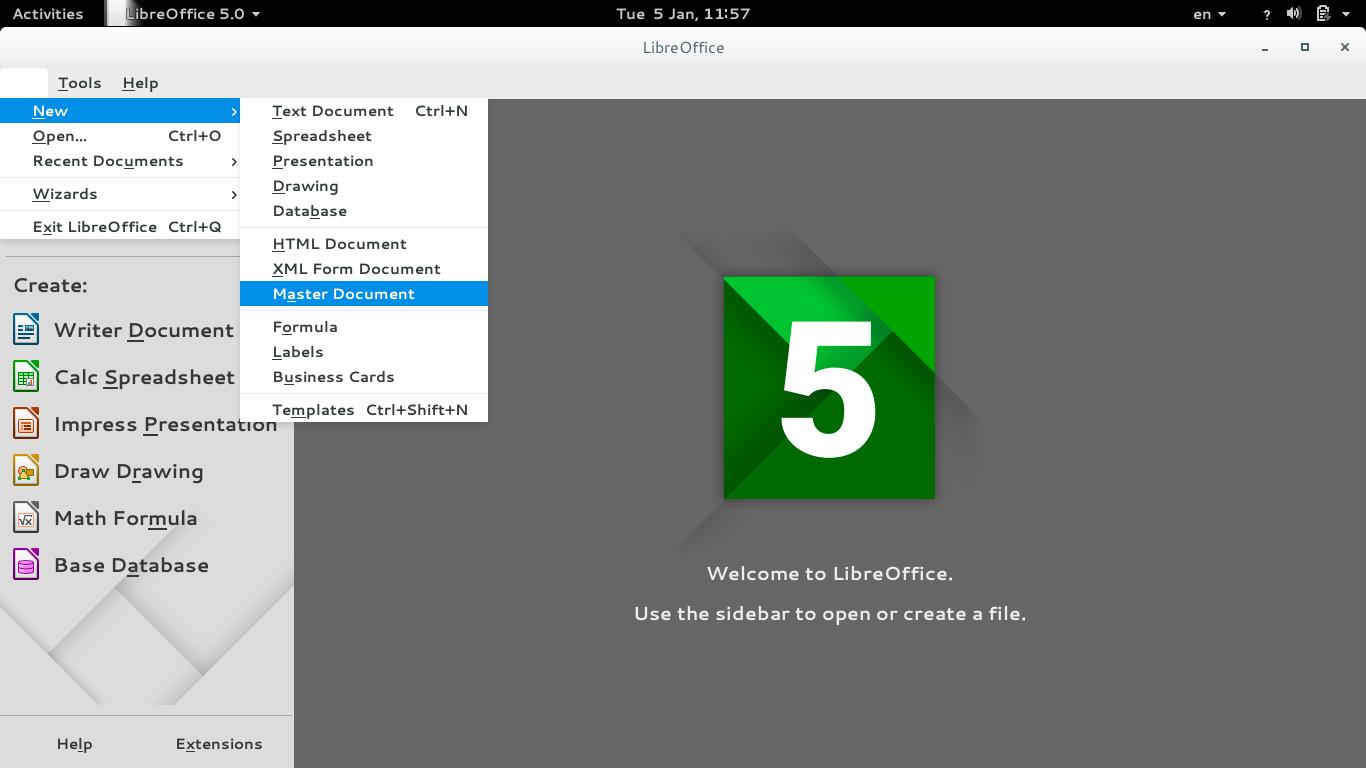
To create a master document, go to File New Master Document
How to create a master document
For complete help on working with master documents, check the

Libreoffice help section from here.

If you aren’t using the excellent native feature, then creating a book will be a problem for you! When you have a standard container for all of your chapters, you can control the style easily and be able to get a central view on all of your work!


Final words

If you aren’t a LibreOffice user already, go download it now! You can install it without changing your settings!

I hope you find this post useful! And I’d like to know what do you use for word flow!

If you are using LibreOffice then you don’t need much more!!
Do you have any other features to add? I’m waiting for your comments!
You like the post you just read? Then share it with your friends! Sharing is caring!
BlueGriffon 1.8 is out!

As a free lancer web developer / designer on Linux. I strive to find the tools that make my work easier and more fun! In terms of web development there aren’t many YSIWYG tools to use, with Nvu and Kompozer being discontinued and BlueGriffion’s seemingly end of life (marked as discontinued by Alternativeto.net), LibreOffice has shown some WYSIWYG potential and I noted that in a previous post.

It’s no where near Adobe DreamWaver or Muse – let’s not forget that LibreOffice is a word processing suit and not by any means a web design tool. The wizard technique crashes the whole program often too.
I use text editors like Atom to get my design done. And any decent designer needs to know his code inside out, I don’t mind a little help from a WSIWYG tool to help me see what I do and help arrange stuff a little bit.

I even emailed BlueGriffon asking them for an update, I didn’t get a response so I assumed the project died.

I then stumbled upon the latest update 1.8 I was so excited!! (nerd fit)!

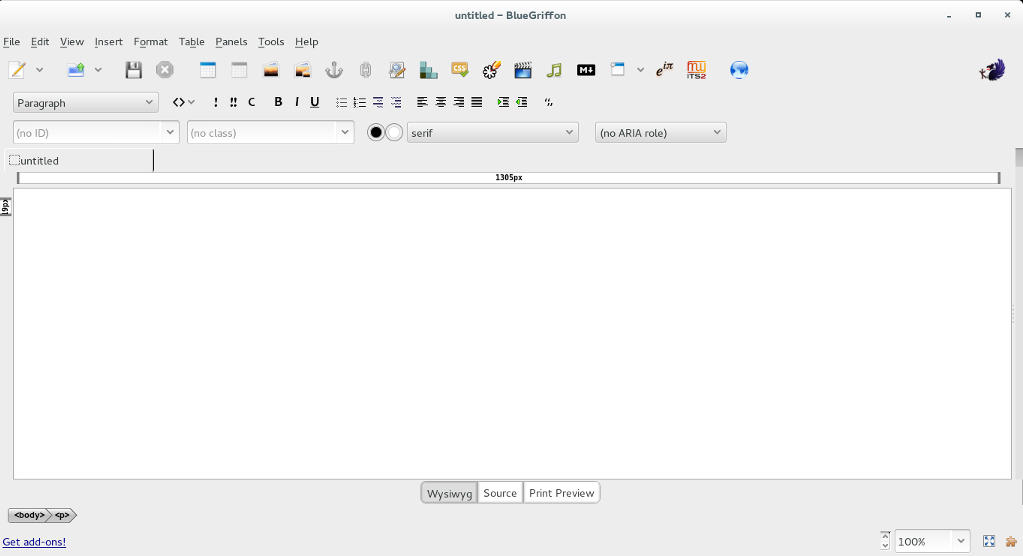
BlueGriffon's main interface

I downloaded it and gave it a quick run, it works well so far.

I was able to find a manual on-line which you can find here, it’s not for version 1.8 but it works fine (the GUI is exactly the same).

Working with BlueGriffon makes the job easier especially working with CSS attributes and values, it also makes the page web complaint by filing all the fields from the beginning.

To download BlueGriffon 1.8 go to this link.

Give it a try and see what you think.
Did you like this post? If you did share it with your friends, sharing is caring 🙂

GIMP 20 years of awesome!

Last November, GIMP celebrated it’s twentieth anniversary, becoming the official Open source image editing suit.

 GIMP stands for GNU Image Manipulation Program, and through out it’s age GIMP went through a lot of development and improvements, and drew it’s fair share of comparisons and controversy.
GIMP has many scripts and filters to enhance it’s productivity and it’s rage is simply amazing, it can be used for a wide range of work from basic editing to professional grade photography and everything in between. It became my to go-to suit that I use for everything! And this blog has many GIMP tagged posts. In fact my best viewed posts are usually about GIMP! Feel free to check these posts from this link.
GIMP is now at version 2.8.16 (the birthday version) and it’s better than ever, go download it from GIMP.org for your system, it’s cross platform.

It’s never too late to join the movement of open source, even if it’s been 20 years since the first GIMP build. It shows how much passion and experience behind this awesome project.
Besides code, GIMP has a great community that is our there to help and give support for new users and experienced users as well.
Also there is a ton of scripts out there that will make your life much easier, as one of my readers replied to the Obamicon post: “I love it, saved my a ton of work with Illustrator, thank you so much”.

Even if you are an Adobe master and can’t imagine using anything other than PS, download GIMP and give it a spin (even on a virtual machine) and see what all of these people are excited about, you will go back to using it. I guarantee it!

Did you download GIMP? What did you think? Let me know what you have in mind in the comments section below!

You liked this post? Share it with your friends! Sharing is caring.

Gdevelop, free game design software

If you are interested in making games, to learn how to program or simply for having fun. Then this is for you!

Gdevelop Logo

Gdevelop is cross platform, free and open source. And best of all: You don’t need to learn how to code!
Just go to the website. Download the version for you and get to go, you can make native games or HTML5 games.

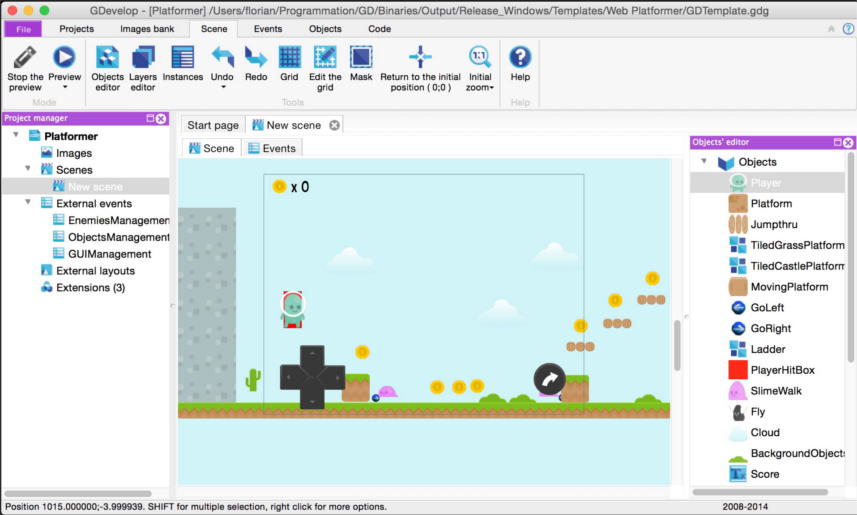
The main interface has the scenes, events, sprites. In short everything you would expect of a game design software.

There are many example games to play with and learn from. You can download games from the community as well!

The only draw back is it’s resource extensive especially when compiling games. But the rest should be really smooth!

I worked with game maker and jump craft and this is my absolute favorite, due to the active and friendly community and continued support.

Gdevelop's main interface

There is also a rich wiki with tutorials and videos for you to learn!

It’s less than 70 MB so go download it now! Make your own fun!

Did you ever make a game? What did you use? Tell us your experience!
Share this with your friends, sharing is caring 🙂

« Older posts Newer posts »