Category: Text editor (Page 1 of 2)

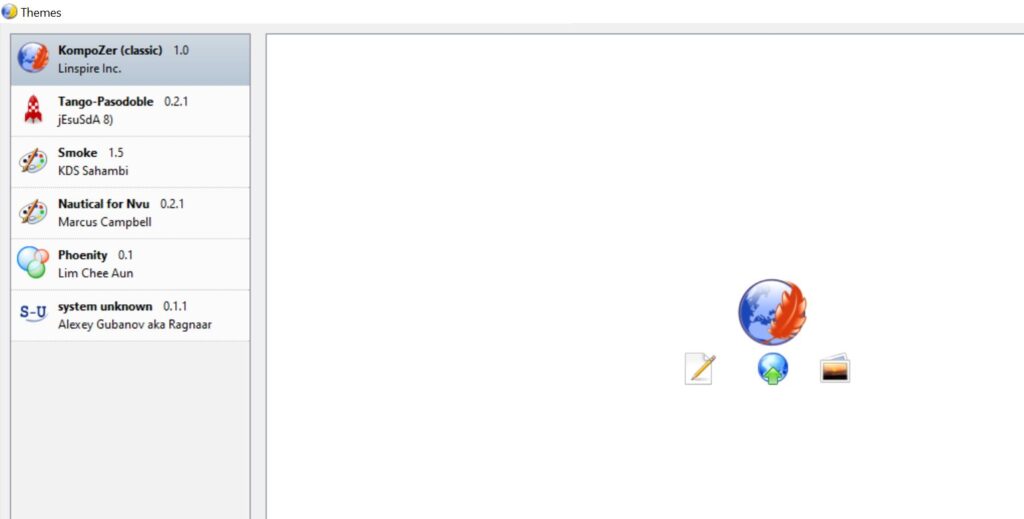
Nvu and Kompozer 0.7.10 Themes and addons download

Nvu and Kompozer are two discontinued open source projects that focus on WYSIWYG webdesign. The rise of HTML5 and Content management systems pretty much killed these tools and similar tools.

Despite this, Kompozer remains a popular tool for beginners, many tutorials are written around it.

Here I’ll provide a bundle of themes and add ons for both Nvu and Kompozer 0.7.10.

Important notice

This will not work on Kompozer 0.83B. There are no themes available for that version as far as I know.

Download

Click on the link to download the file. All themes and addons are tested with Nvu 1.0 and Kompozer 0.7.10

Most of these were scavenged from the web archive, and from obscure sites around the web.

Notes

DOM explorer will cause a start up crash in Kompozer. It runs normally afterwards but I uninstalled it to reduce the annoyance.

Some themes will replace the Kompozer logo with Nvu, that’s normal. Since Nvu themes are compatible with Kompozer 0.7.10.

If I manage to get any more add ons or themes, I’ll update the file and the post.

Update

I spoke to the lead developer on Twitter (Fabien Cazenave) asking for some help. He apologized saying that it has been a long time and he doesn’t know if they are valid themes for it.

I’m back to using Atom Editor

Not a fan of the green icon.

Life is all about discovery, learning and not being afraid of making mistakes, with that being said, I say that I’m back to using Atom after a rocky relationship, of love and hate!

Why I am bothering to give Atom a second chance, the reasons are detailed below.


1. The only “free” editor of the bunch.

I’ve identified Sublime text as the best text editor for development purpose, let’s not forget that Sublime is not free, I know that they allowed using it for those who are under-privileged, but it’s still a Freemium that costs 70$ (free if you can handle the annoying pop up telling you to register every now and then), after changing the licensing plans in early 2018, I don’t know the current status of Sublime text and don’t care very much to be honest!
Atom editor is free and open source under the MIT license, and despite of Microsoft making a money grab for GitHub, Atom will remain free and open source for everyone to enjoy.

2. It’s down right beautiful!

Of all the text editors available on Linux (I use Linux on my everyday laptop), Atom the best looking of the bunch! Not just the color schemes and themes, everything in Atom is designed to look awesome, from user interface to the website, even the shirts and mugs look great (never got any but my birthday is coming up ;), and the user experience is great, even compared to Microsoft VS code (who is based on coffee script and javascript as well), despite my love for efficiency, I value a beautiful GUI. 

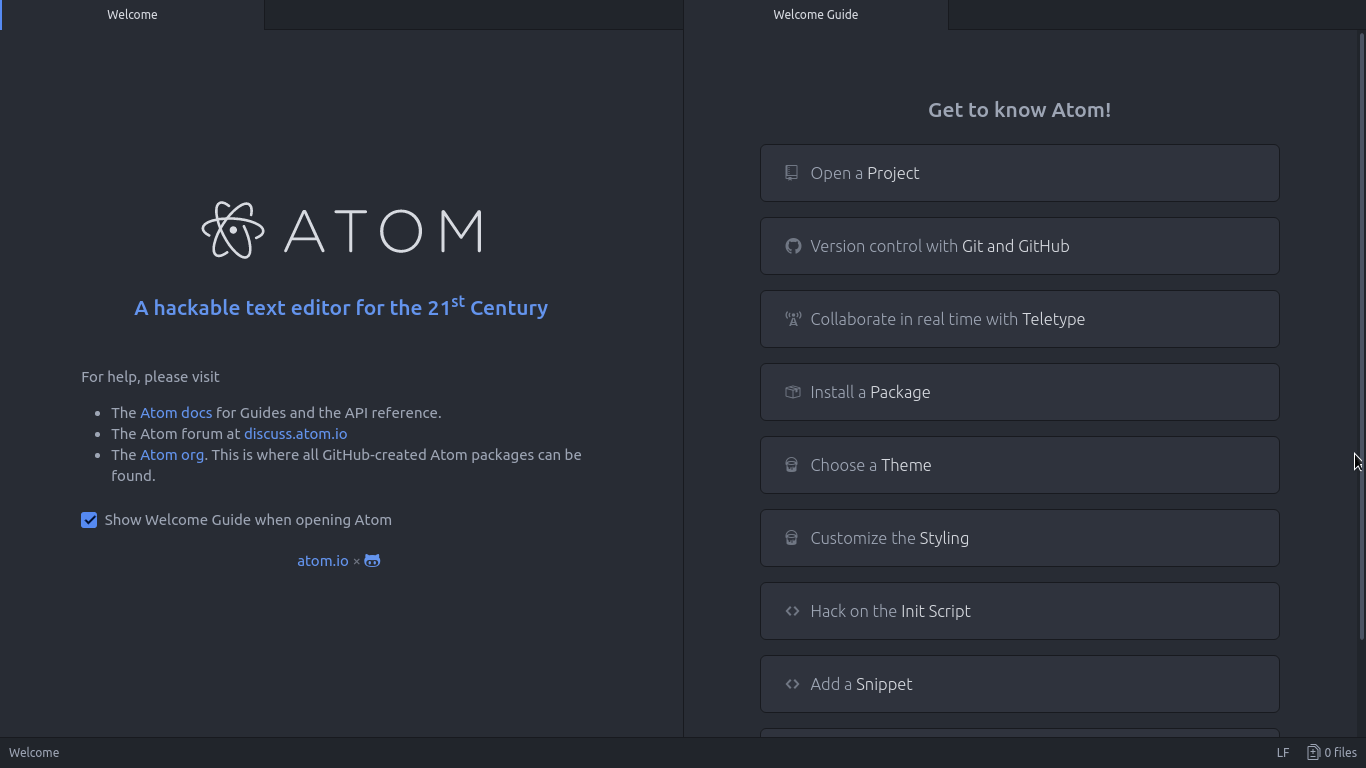
Atom Editor interface
Ain’t that a beauty?

3. Very customizable

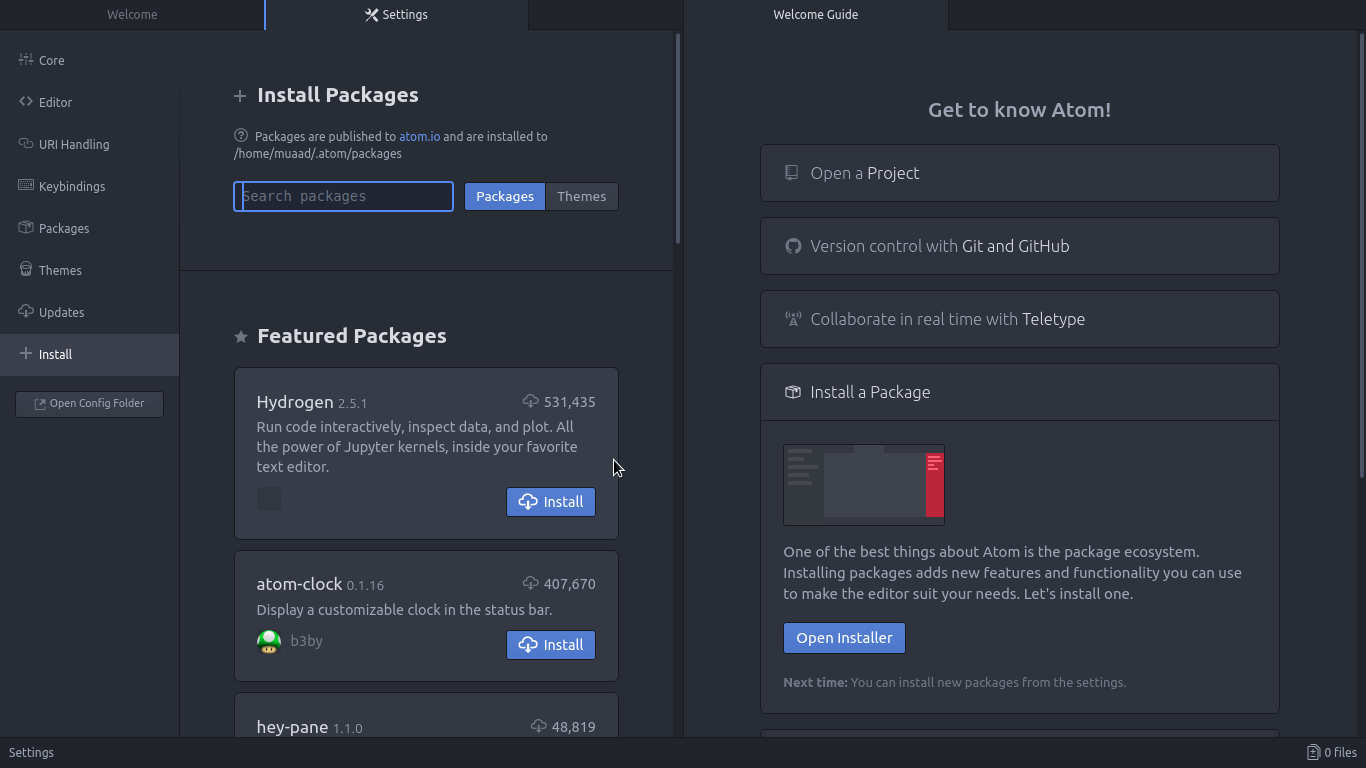
Atom has a ton of themes and packages available for download, which makes it more expandable and versatile, and with some knowledge you can develop your own themes and packages, all what you need to know is in the Atom flight manual (released in 2015 but still very informative). You can even change the key-map of Atom to whatever editor you migrated from and customize it as you like to decrease the learning curve.

Package installer interface

4. Ease of use

User experience should be always considered when evaluating software, and VIM for example despite being the most efficient and the most praised text editor in all of the Linux ecosystem, however it’s not easy to use at all, the learning curve is steep, I read the book titled “A byte of VIM“, but I still don’t see why or how can it be better than Atom or anything, as I don’t do anything “professional” with VIM. As a matter of fact, I’m not too keen on the whole terminal as a one tool for all.

5. Consumes more resource, so what?

Yes, Atom is heavier than Sublime or VIM, but does it really matter at this point? In the year 2018 laptops are getting faster and RAM is getting bigger, a few hundred megabytes almost seem like nothing when considering all the reasons mentioned above, it might not be the most resource efficient, but it’s the most usable editor of the bunch.
A well tweaked laptop (both hardware and software) can handle Atom like a breeze, and it’s getting better as time goes by. Speed won’t be an issue if you use an SSD (although using an SSD in itself can be an issue at times!), you could say it’s the price of enjoying a beautiful interface and ease of use.
Besides, converting to a less consuming Linux distro has spared some memory to spend (I’ll blog about it later and link back).

6. The devil you know!

I’ve been using Atom (On and Off) for the past three years, I’ve read the Atom flight manual and even reviewed it on my blog in a few posts (this is the fifth), so for the most part I’ll stick to Atom being the familiar editor that I’ve known and loved (sort of) for the past three years. I’m not alone, as it’s one of the most popular text editors on Alternativeto.

Have you ever used Atom before? What are your impressions about it? What do you use to edit prose and code, and if you use VIM, please take your rants to /r/VIM, because they would be appreciated better by fellow VIM zealots than me.

And yes, this post was written in Atom 1.28, so that you know!

Turn LibreOffice into the best book writing software out there

Recently I’ve came across some “book writing software” that is supposedly able to help me write a book and enhance my productivity, I gave that software a try and felt it was too complicated, If I need to take an advanced course just to learn how to use the software, that’s a serious problem and some major down time spent learning a new software while I have a productivity suit that does everything required with ease!

Ease of use

Ease of use should be factored in whenever evaluating a new software, and that particular software bombed! Not even mentioning the name because it’s not worth it, and the price tag is also discouraging!

I’m giving today a good way to use LibreOffice as a writing software that you can use for anything and really count on!

Why LibreOffice?

LibreOffice is a jack of all trades and can be used for many uses you never thought a word processing suit could do, checkout this very popular post of mine to see how capable LibreOffice is!

  • Let’s Face it, we

already have too much tools!

Type Writer

We use something to write code (Sublime or Notepad++), something to do the daily work (LibreOffice or Microsoft Office) and a “book writing software”?

  • Way to go being minimalist! Lets look at the price tag, shall we?

We bought Sublime for 70$, Got office for 200$ and that “book writing software” for 40$ and you use a Mac book of course, very neat! That’s 310$ worth of writing software alone!

That’s a lot of money, I’m not here to tell you how to live your life, but I think I have a more cost effective way of making this happen!


A minimalist dream!

You can’t write everything in one place, I wish that was possible, like Atom handling complex text layout or using LibreOffice to write code! It would be a dream come true! Some die hard programmers who think that memory foot print is everything and mostly prefer CLI over GUI would think this is a total waste, but I like to think I fall somewhere between a CLI nerd and an Apple fan!

Why LibreOffice? Because it’s simply awesome! I could write forever on how awesome LibreOffice is! You can find many posts in this blog that tell you exactly why it’s awesome and should be chosen over commercial and free software, you don’t have to learn new things, it’s the productivity suit you know and use daily! Just add the tips I’m about to tell you, and you are good to go!

1. Distraction free

Focus!An important tool for any writing software is to be able to eliminate all outside distractions and just focus on the piece of writing at hand, it’s a feature of LibreOffice that can be accessed from View Fullscreen, or by typing the shortcut Control + Shift + J. You will have the screen dimmed down to the horizontal ruler and the page only! (you can toggle the ruler by pressing Control + Shift + R) to have the document focused with nothing else on the screen.


2. Word count

Another important tool for writers is the word count, you need to know how much you have written and set daily goals for yourself, you can see that in the lower bar of LibreOffice and it’s updated as you write.

3. Writer’s Tools

Writer tools is a set of tools installed as a single extension for LibreOffice that adds a ton of functionality, so much it deserves a post on it’s own, once you install it, it adds an extra menu to the menu bar called Writer’s Tools, it adds a timer for how much time you spent on a document, a word count to see if you reached your goal (more advanced than the one at the bottom bar), a to do list, a data base to organize your text snippets. And many tools for backup, saving documents and many others. A total of 15!
It’s something you definitely need if you want to use LibreOffice as your main writing suit.

There is a fix for writer tools not working. You can find it here.

4. MultiDeff

This little extension gives you the ability to save in three different formats in one command, ODT, DOC and PDF.

With these tools you are good to go, my advice is yo implement a timer like  Instant boss if you are on Windows or Pomodro if you are on Ubuntu, to keep you healthy while writing the next best seller.


5. Master Document

I left the best for the last! Master pages are a great way to collect your individual documents into one, enabling you to control the style and position of each sub document based on the master document, creating a consistent document all around!

For more information check the detailed help document from here.
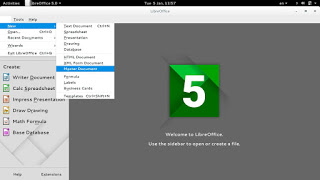
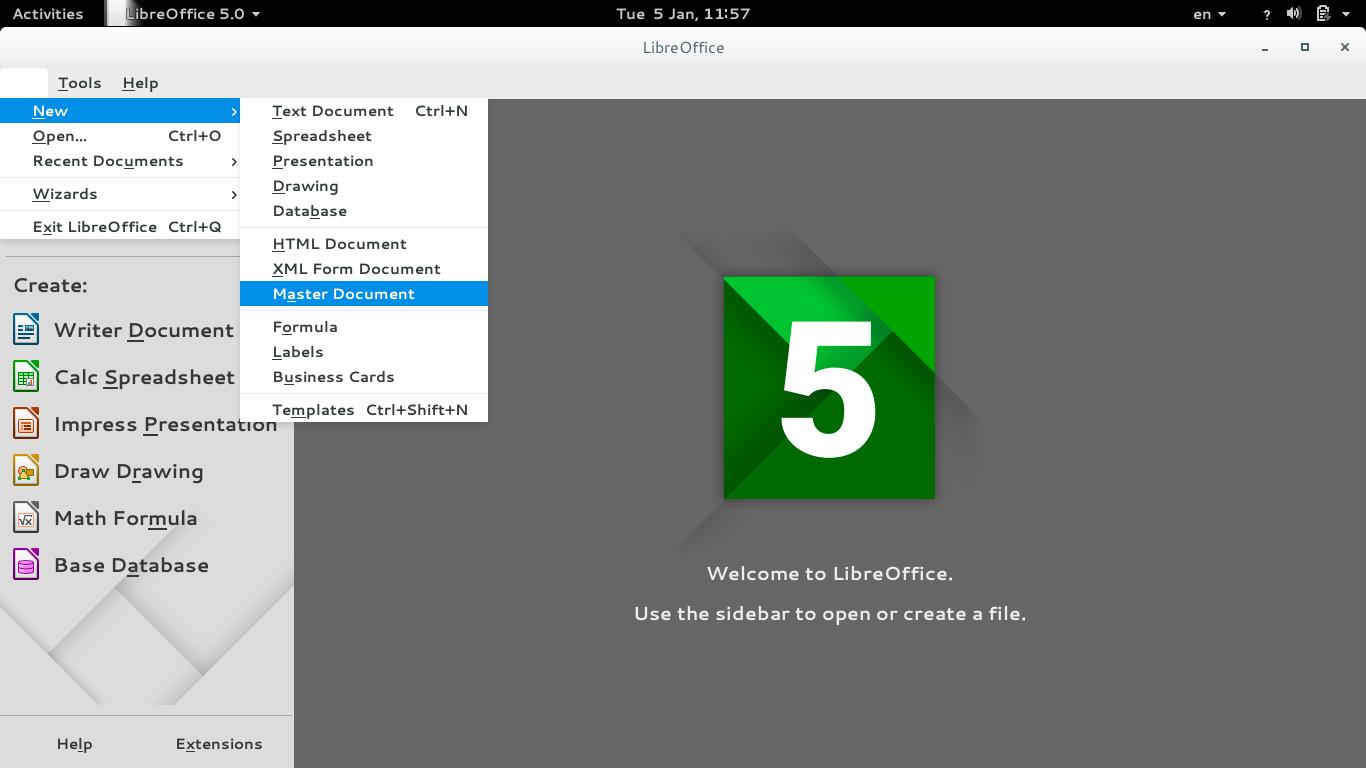
To create a master document, go to File New Master Document
How to create a master document
For complete help on working with master documents, check the

Libreoffice help section from here.

If you aren’t using the excellent native feature, then creating a book will be a problem for you! When you have a standard container for all of your chapters, you can control the style easily and be able to get a central view on all of your work!


Final words

If you aren’t a LibreOffice user already, go download it now! You can install it without changing your settings!

I hope you find this post useful! And I’d like to know what do you use for word flow!

If you are using LibreOffice then you don’t need much more!!
Do you have any other features to add? I’m waiting for your comments!
You like the post you just read? Then share it with your friends! Sharing is caring!

Sublime Text. The text editor you have been looking for

The reason why I didn’t use Sublime Text is really really simple, I thought it was commercial and cannot be used for free, read on to find out what changed my mind.. Build 3083These are the reasons that make Sublime text one of the best text editors out there

Lightning fast

Opens up in less in a second! Compared to “other” text editors I reviewed on this blog.

Great look

It turns your dull code into a work of art! It’s really easier to write code when the syntax is highlighted so you know what you are doing!


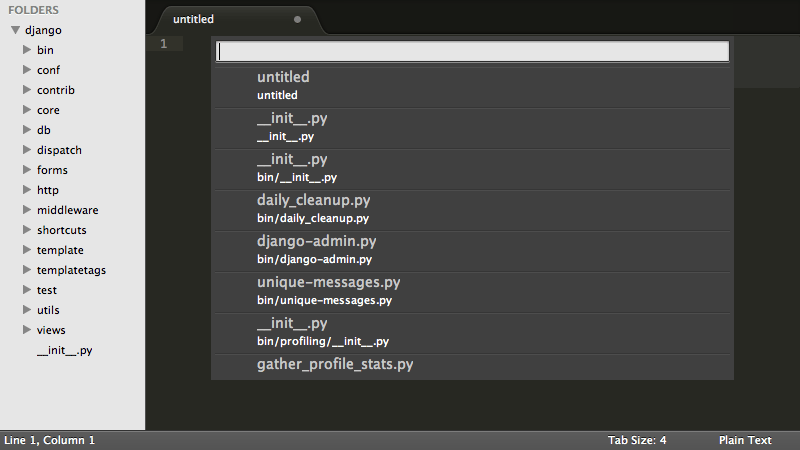
Sublime text interface

Rich language support

Many programming languages and scripts are supported (over 40 in total) and has the ability to write prose as well.

Steady development

Currently at Version 3 (beta) and moving forward. It’s been around long enough and it’s stable enough to be used by many developers.

There is also a final version of Sublime 2.0.2 but it lacks the functionality that v3 has

Cross platform

No matter what OS are you on. Sublime is there for you and has your back all the way!

Did you know that the license works on all of your machines? Linux Mac and Windows??

Light weight

Compared to other editors, it’s a breeze! It takes around 10-50 MB in the system memory in one process. That’s nothing compared to the resource hog Atom!

Nothing is too big for Sublime!

Can open huge files in less than a minute without haste! No crashing on 1MB .js in here!

Free. Almost

That’s the reason I didn’t want to use it because of! I thought it wasn’t free! The word unregistered version is what sent me packing. It’s not like I don’t want to pay. I can’t (my country doesn’t support Paypal! And get this: I don’t have a visa!!)

I sent them an e-mail and this is what they have sent me:


”Hi Muaad,

Thanks for your email.

The trial period is indefinite; you can use it for free for as long as you like. The reason we offer it as unlimited is primarily so students and users in developing countries can use Sublime without the burden of paying for it. If you like Sublime and can afford a license, we ask that you buy one to support us.

Cheers

Sales Team

Sublime HQ PTY LTD
www.sublimetext.com


That is so awesome!!

I will pay for it as soon I get my e-commerce ready!

Nothing is perfect

My only con is that Sublime doesn’t support Arabic by default. So I had to install a third party plug in. Other than that. Truly the best text editor out there!

Give it a try and I urge you to buy it if you can!


« Older posts