Category: Linux (Page 16 of 33)

uGet downloader

A download manager is a must have tool for any computer user, and there are many options to choose from, my favorite is FDM that only exists on Windows (was recently ported to Mac and soon to Ubuntu). But until FDM is available for Ubuntu, let’s take a look at another popular option, that’s uGet, I chose it over the rest of the bunch for many reasons.


uGet logo

Uget is a light weight fully featured download manager available for many operating systems, Linux (Arch, Debian, elementary OS, Fedora, Gentoo, Linux Mint, Mageia, openSUSE, Semplice, Slackware Sparky, Ubuntu), Windows (XP – 10), BSD, Mac OSX And Android. 


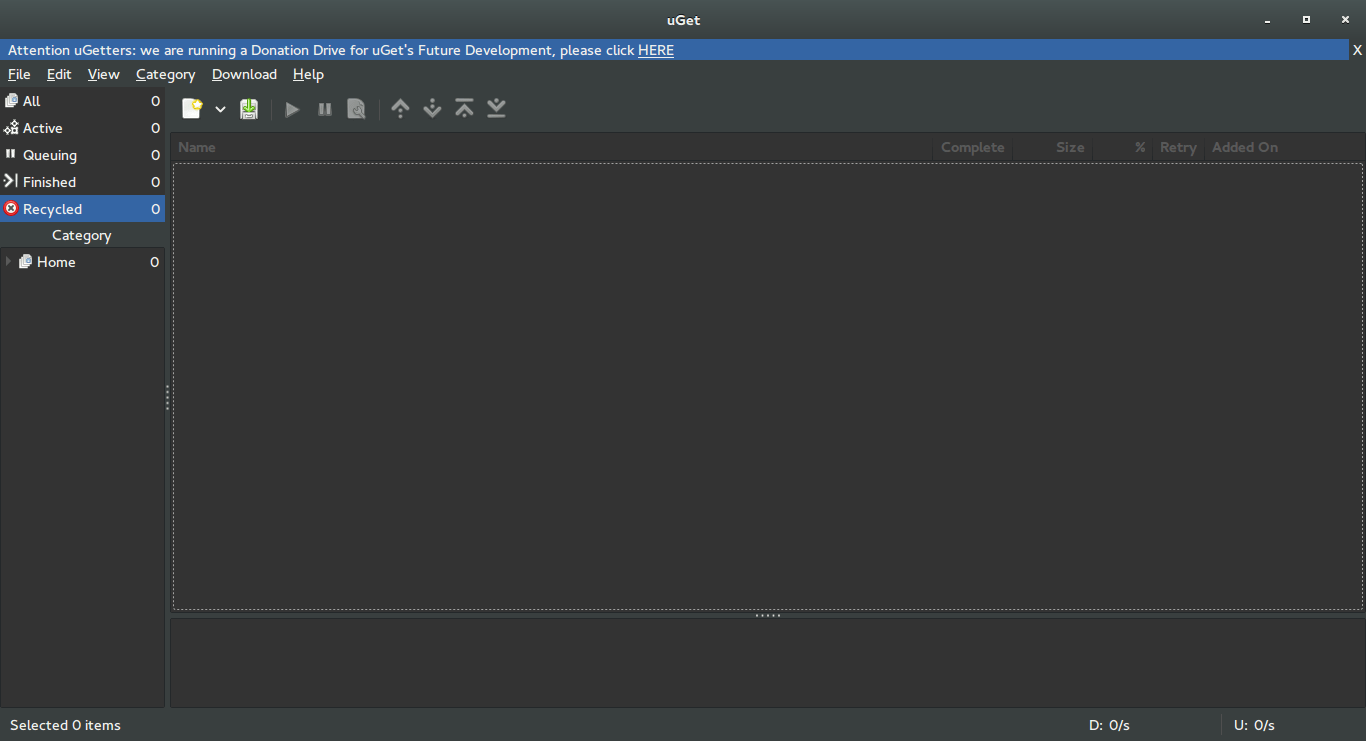
uGet interface


Uget is free and open source and available in 29 languages. It has many features like: Mutil mirrors, Pause/Resume, Speed Limits, Clipboard Monitor, and many other features you can check from here.


Despite being a powerful downloader, Uget is very light weight, here I quote from the feature page as it goes: “Uget is a VERY Powerful download manager application with a large inventory of features but is still very light-weight and low on resources, so don’t let the impressive list of features scare you into thinking that it ”might be too powerful” because remember power is good and lightweight power is Uget!”.

Download

Visit the download page and click on your operating system to get specific instructions on download and install.

I recommend using this download manager with Ubuntu, it’s a good one!

Did you like this post?  Would you consider downloading uGet? Let me know wha you think in the comments section below.

A Pomodoro Timer for GNOME

Using a timer is essential for productivity and fitness using a computer, as it helps you maintain focus and mental agility. Let alone preventing RSI which is a serious issue that affects computer users worldwide.

Timer apps on Linux

There aren’t many good timers for Ubuntu, but this one is clearly different!  
I tried many timers for my productivity use like the timer dockelt on Docky and world timer, I also tried RSI Timer,  but something always felt missing! 

Pomodro timer

Pomodro timer is the best of the bunch. 

Availability

This timer for Linux only as it supports several distros like: ArchLinux, Debian, Fedora, Gentoo, OpenSuse, Ubuntu and more.
It integrates with the interface and works nicely with the notifications. *Gnome only currently.

Work Flow

It’s a must have as it supports a whole work session without the need of manual interfering. It’s better than Gnome clocks which sets one Alarm and the program Alarm that needs a lot of configuration. It’s almost as good as instant boss. Supports productivity and efficiency. While keeping you aware of moving and taking frequent breaks. 
I’ve been able to work it into Ubuntu Gnome 16.04 and it’s been working like a charm, even making use of the notifications, very nice!

Download

It can be downloaded freely from the site for many Linux distributions (Linux only), to download go to the site and scroll down to download. 

It runs perfectly on Ubuntu Gnome 14.04.4 and Ubuntu Gnome 16.04 without a problem.

Did you like this timer? Will you be downloading it? Please let me know what you think in the comments section below.

Ubuntu 16.04 Beta 1 download

Today Ubuntu 16.04 Beta 1 is ready for download on all flavors of Ubuntu, that includes Lubuntu, Ubuntu Gnome, and Xubuntu. 


This is the first major milestone for many flavors as Alpha wasn’t available to many of them, while this version is far from complete, it gives you a clear idea on how will Ubuntu 16.04 will look and behave.

Now every flavor has it’s changes and improvements, but since I’m with Ubuntu Gnome now, here is a list of update and known bugs (Source):

Software Updates

  • GNOME Shell 3.18
  • Most of GNOME 3.18
  • GNOME Software has replaced Ubuntu Software Center
  • GNOME Calendar and GNOME Logs are installed by default
  • GNOME Builder (IDE) is now available in the archives
  • gnome-control-center sharing panel has been fixed
  • Experimental wayland session is now available. Install gnome-session-wayland and then select “GNOME on wayland” from login screen (Only works with OSS GPU drivers).

Known Problems

  • The prompt asking for media removal is not shown at the end of the installation (966480)
  • Shutdown/Restart of live session guest does not work in Virtualbox, and VMWare (1447038)
  • No auto login in Ubuntu GNOME Xenial (1547297)
  • Ubuntu installer says: The creation of swap space in partition failed (990744)
  • Ubuntu GNOME Xenial live image boots to tty1 (1548864)
  • It only shows installed apps, not available ones (1548933)

    The beta version isn’t ready for everyday use, but if you can and have a decent Internet connection, downloaded and give it a try even on a VM.
    I seriously can’t wait for Ubuntu 16.04. It’s going to be awesome!!

    Are you excited as I am? Let me know what you think in the comments section below?

After installing Gnome on Xubuntu 14.04: Reflection!

To end this series on my blog, I choose Gnome as interface, and went through some steps and issues to make it work properly. Now these are some notes and changes I made.


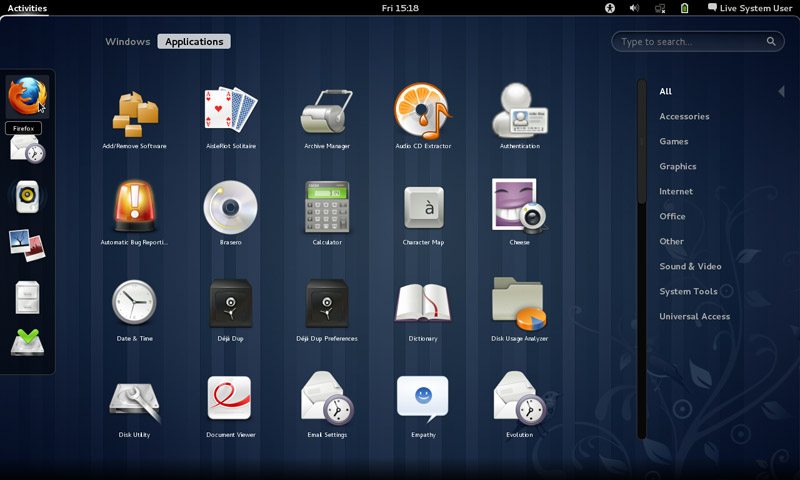
Gnome interface


I tried to use native apps as much as I could, with some exceptions of course!

That meant dropping Docky and Kupfer for the sake of the native launchers in Gnome.
I also merged the use of some apps and discarded some others to save space and for the sake of minimalism:
I added a clipboard extension manager and dropped Diodin.
Added a weather widget because it seemed convenient!
Merged the note keeping with the journal, that means rednotebook took the boot (Which really is really sad to me, but I need to move on!).

Had to replace RSSowl which I used for over 4 years on daily basis for QuiteRss to save space.

Uget replaced XDM downloader, that’s until FDM lands on Ubuntu!
I replaced Ubuntu tweak with Bleachbit.
Gnome Clocks , and pompodro timer does what Instant boss does exactly! Totally proved it’s worth as a timer app with great functionality!
uGet is better than XDM in terms of interface and development, as for video download the feature is missing some features like grabbing the name, so having Clipgrab is a good idea.
Gedit is by far the best editor I’ve seen in a very long time!! Better than atom and sublime (let’s not forget it’s native with Gnome).
I’m using Evolution for e-mail and calendar (task management), in place of the great (and huge) Thunderbird, and Tasque.

There were some native apps that I had to replace
Nothing is better than VLC to display media and stream, period!

Tomboy isn’t the best personal wiki, and it still can’t import and export notes properly, so my verdict with Zim desktop wiki stands! I found some bigtemp files in the /Root/Desktop folder (had to access as root to clean them), which won me back 4GB of free space! Here is a fair warning: If you are using Ubuntu 14.04, then the latest supported version of Gnome is 3.12.2 and don’t ever EVER try to update it, you will windup with a system that won’t boot. Also, don’t try it on Unity, it won’t work no matter what you try.

If you like the Gnome interface and would like to have the latest version, consider downloading distros that use it like Fedora or OpenSuse, if you want Ubuntu, there is a flavor called UbuntuGnome which supports the interface natively.

« Older posts Newer posts »