Category: Productivity (Page 8 of 13)

Setting the first line as the file name in LibreOffice

LibreOffice Logo

One of the few features I missed moving from Microsoft Office was the auto name upon save, where Word takes the first line of the text and uses it to name the text file. LibreOffice (and OpenOffice before that) don’t have this feature! It’s a small thing but over time it becomes a growing nuisance!

Luckily there is an easy fix for that! Which enables you to enjoy the luxury of easy naming of files and limit the Untitled flood over time!

We are going to use a feature known as macros. macros in office are a Visual Basic code that is used to preform a certain task over and over and is triggered by an event. In this post I’ll be showing how to create a macro that saves the file using the first line of text when pressing the key combination of CTRL + S (assigning the macro to save or save as will result in two files: untitled and the first line of text!) So at first, we are going to need our macro. I took this code as is from an OpenOffice form, it works fine without editing:


  Sub FirstLineFileName_Writer
    On Error goto EH
    oDoc = ThisComponent
    oVC = oDoc.CurrentController.getViewCursor
    Mark = oDoc.Text.CreateTextCursorByRange(oVC)'mark position of view cursor.
    oTC = oDoc.Text.CreateTextCursor 'created at the beginning of doc.
    While oTC.isEndOfParagraph 'skip empty paragraphs.
    oTC.gotoNextParagraph(false)
    Wend
    oVC.gotoRange(oTC,false) 'a text cursor can't go to the end of a line
    oVC.gotoEndOfLine(true)  'so we have to use the view cursor.
    filename = oVC.String
    url = ConvertToURL("C:\" & filename & ".odt")'Insert Your Desired Directory Path.
    oDoc.StoreAsURL(url,Array())
    oVC.gotoRange(Mark,false) 'return view cursor to original position.
    oDoc.Modified = false 'avoid Save being called if doc closed without further edits.
    End 'end normal execution.
    EH: 'error handler.
    MsgBox "You may have illegal file name characters in the first line." & Chr(13)_
    & Chr(13) & filename,,"AN ERROR OCCURRED"
    End Sub


This code is used to save the text file by taking the first line of text and setting it as the name. You can edit the directory of the save. Please note that it saves without conformation!


Tools > Macros > Organize > Macros >LibreOffice >Basic
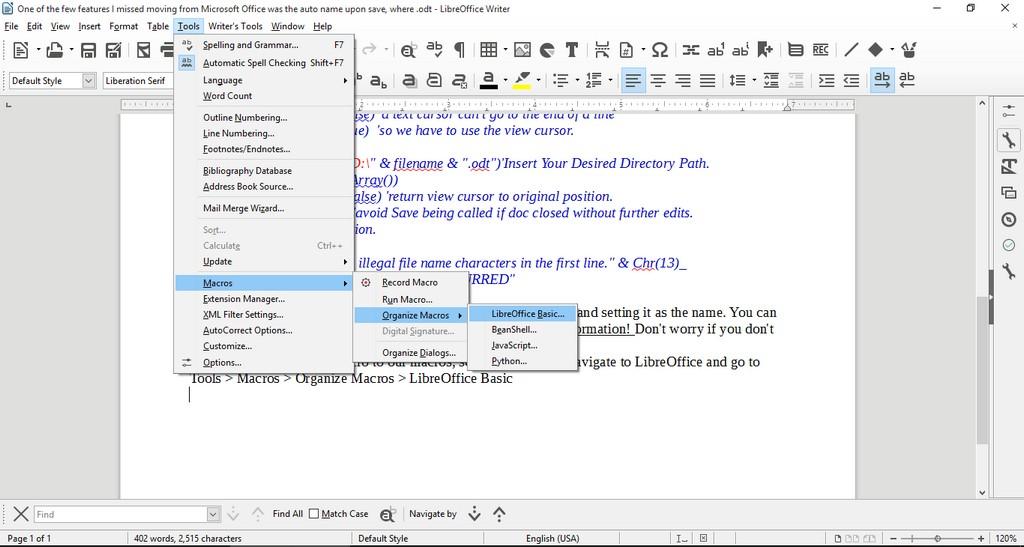
Opening the macro menu

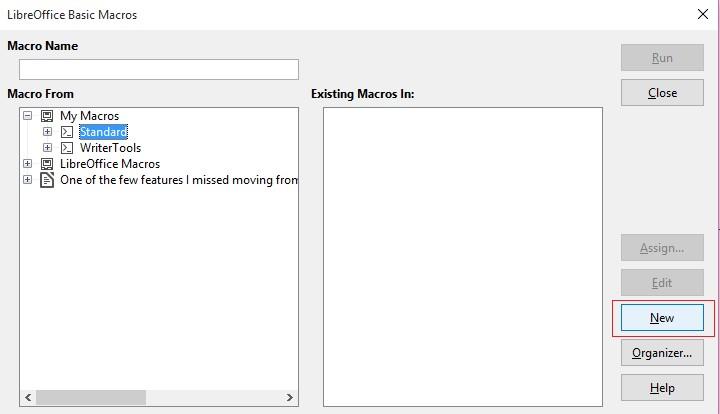
New to add a new macro.


Adding a new macro


Run Macro then choose the macro manually from the menu. But that’s not too handy, is it?
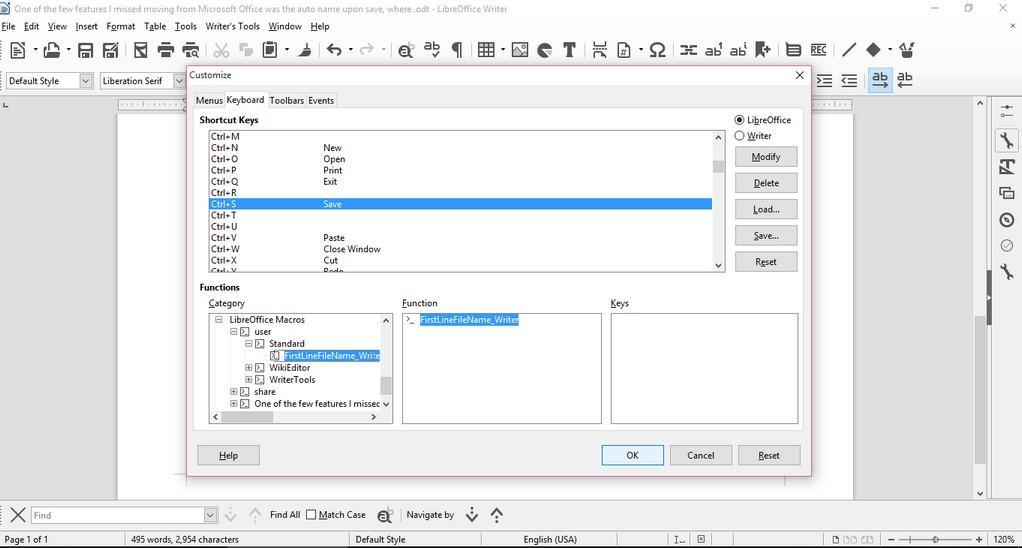
Customizing the key combination

Go to LibreOffice writer and navigate to the menu: Tools > Customize > Tab: Keyboard.

Delete whatever is on CTRL + S, and assign it to the new macro by looking for it, and if everything went according to plan. It should save the 1st line as a file name.

Checkout this for more information.

Important notice

If you get errors it’s because the directory isn’t correct. Libreoffice will default to C:\ and when it can’t save in it. It will crash the macro. I edited the code to: “D:\Documents\ but make sure to choose your own folder.


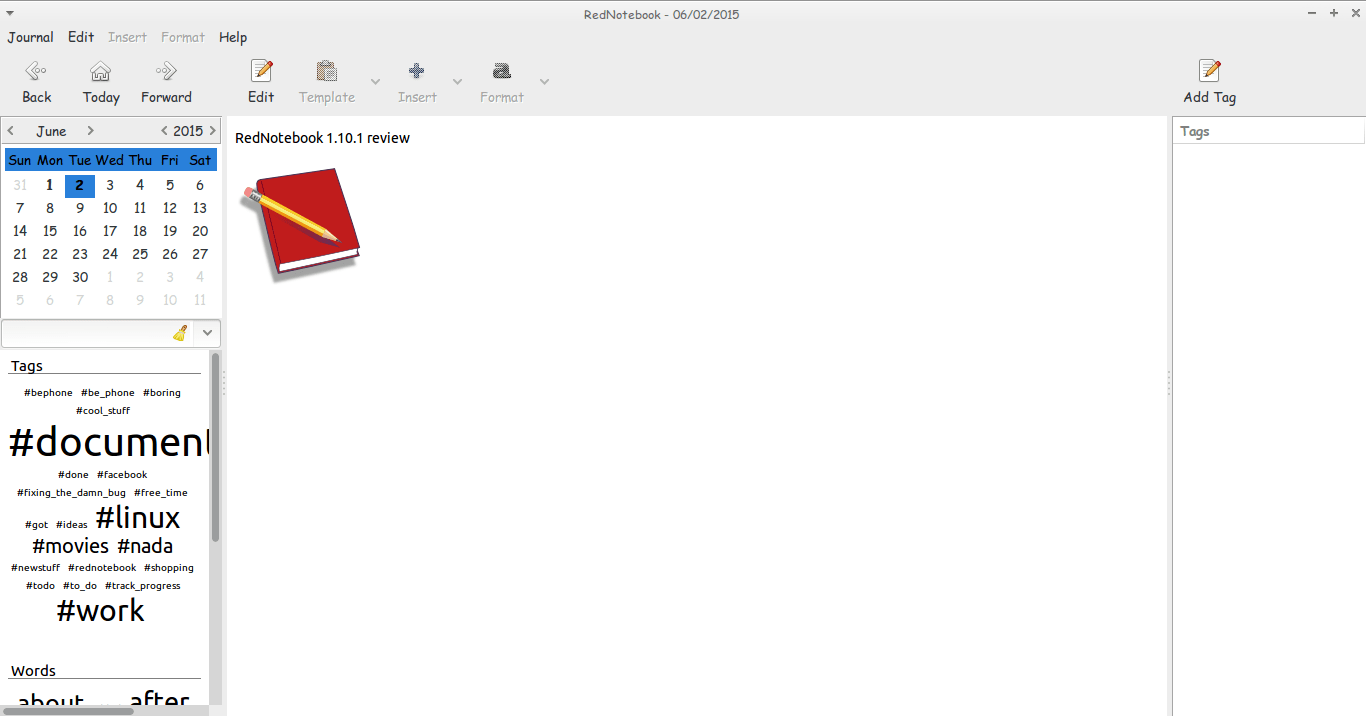
RedNotebook 1.10.1 review

Hey guys.
I hope you are having an awesome day =)

Today I’m looking at RedNotebook 1.10.1 which is the latest version of the cross-platform diary and journal .

The latest version brings many improvements and bug fixes. Feel free to check those in detail from RedNotebook’s website under the section news

I haven’t tried any version since the 1.5.0 which I reviewed in this post and I had a brief run with version 1.8.0 which failed on Ubuntu 13.04 for some reason. So it’s kind of a big jump for me.
I’m pleasantly surprised to see you can tag notes by simply using a hashtag “#” become a tag you can search and access all the notes tagged with #RedNotebook for example.
Also clicking the last day of a past month doesn’t crash the program losing all the notes you entered in that session! Ouch!!

The program is coming together nicely and it became irreplaceable to me!

If you haven’t downloaded and installed it yet I urge you to download it from the developer site. It’s definitely worth your time! !

And while you at it you have a look at my backup and restore guide. It’s a must have for RedNotebook users..!

I hope you liked this post, please comment below and let me know what’s on your mind!

Atom 1.0, you have let me down..

Hey there you guys

I’m about to breakdown my experience with Atom editor 1.0

Introduction

Atom 1.0 was released yesterday and for those who just joined me here are some basic facts about it.

It took me over an hour to download it for Linux & Windows. As it detects your platform, I had to reboot just to download it and install it!;
What I liked is that it remembered all my customization and even reopened some files I was working on! Also all the packages I downloaded were preserved!
In my initial review of Atom I had 3 major draw backs. So I won’t turn the thumbs up until I see some serious improvements!

1. Resource consuming

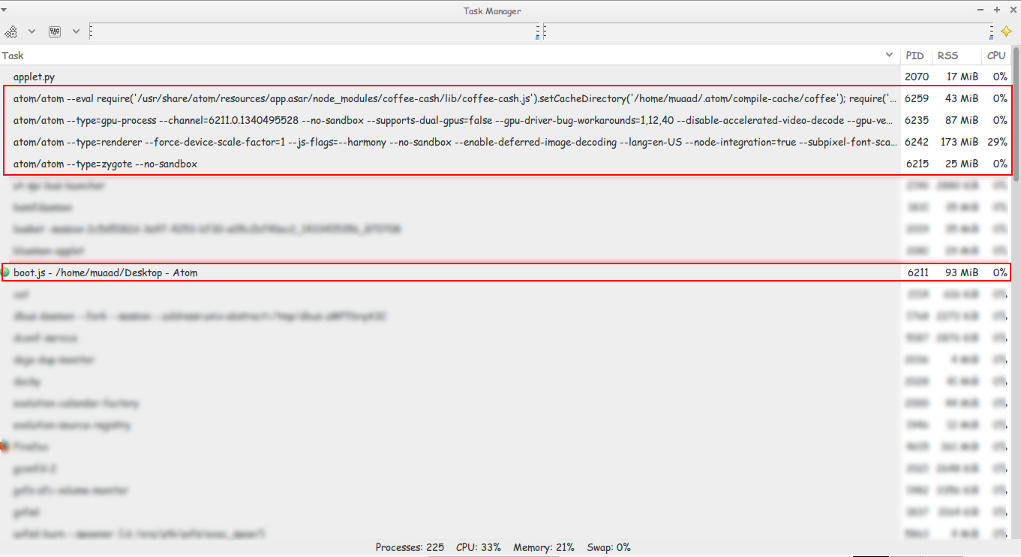
Still pretty much resource consuming!!

Look at those processes!
Screenshot of my system monitor


2. It takes a long time to load

It takes about 10 seconds to load on both Linux and Windows (no mac data so far!).


3.File size restriction of 2 Mega byte file size

It took several minutes to be responsive with a 2248 line .js file less than 2MB!!
I took sometime to test it. It took several minutes to render .JS files under 2MB, hung on and totally crashed with other scripts all less than 5MBs. And the computer was under so much stress I though I was gaming at 4K!
I tested on both (Linux and Windows) while Linux was slightly better. Windows was a catastrophe with Atom.
I tried opening some larger .jar archives, it didn’t have a huge issue with those. And a 39MB .sql file that killed it on Windows.
How can .JS files crash it if it’s made out of JavaScripts?

4. Doesn’t recognize Arabic by default!

Still doesn’t recognize Arabic ..**Arabic update: I managed to make Arabic work on Ubuntu by downloading language support and changing the fall back language in Firefox to Arabic. I’ll post more when I test on Windows.;
Also done on Windows.

So far.. It has let me down 🙁
PS: I used the same computer to test Atom now and then ..

Final verdict

Until they take it seriously. I’m not using Atom anymore! It has a nice look and some neat tricks. But I need something serious to work with..

Atom 1.0 is released!!!

 This just in: Atom 1.0 is released!!

Atom Editor, 7 years in the making! Hey there you guys! I’m surprised to see that Atom has released the 1.0!!! They moved from 0.211 to 1.0 so fast?!
 I had my doubts about the deadline! But they made it!!
As I was checking the releases page every hour or so.
So that was a really pleasant surprise!
One of the notable changes is that “Atom 1.0 has been released and Atom will be semantically versioned going forward.”
I’ll let you enjoy the introduction video while I dig into Atom 1.0
I’ll be posting more soon!!

So retro!!


« Older posts Newer posts »