Month: August 2015 (Page 2 of 4)

Updating to Windows 8.1 from the store (Dual Boot Saga)

Those were really busy days. But this step comes as the final step. Finally I can upgrade to Windows 8.1 from the store to get this over with. I’ll have the latest update in both Linux and Windows. If you followed the saga you would know that none of this came easily!!

 For those who just joined us. I decided to install Windows 8 pro on my computer side by side with Xubuntu 14.04.

I installed Windows 8 and activated it. Then repaired the boot issue where Xubuntu was overlooked in favor of Windows 8 pro, then it was a true odyssey trying to transfer the license to my computer.
Now we come to the finally step, installing 8.1


Downloading Windows 8.1

Microsoft provided the 8.1 upgrade for 8.0 users via the Windows store. You can upgrade your system for free (not sure if there is a time constrain).

I decided to make use of that offer that our ISP provided (free download from 2 AM till 10 AM for a few months) to download Windows 8.1 and install it.

t took me two days to download 3GB from the Windows store! (The download was resume-able). And after the download was complete the installation began!

Important note:  You need to update Windows 8 before installing Windows 8.1 The update size is over 1.2 GB, and that includes optional updates as well!!

Installing Windows 8.1

It was really easy and didn’t take much time either! In a few moments I had the system up and running with no problem at all! You can see the tutorial Microsoft provided from here and for the more visual oriented readers here is a video:


What happens to Windows 8 after the update?

Some of the files remain in a Windows.old folder, it will be deleted within 28 days or you can delete it through disk clean up (I just clicked it and pressed Shift + Delete!!)

feel free to read more about Windows.old from here

This concludes the Dual Boot Saga. Please note that every computer is different and that you need to backup either way! Consult your local IT personnel or your OEM provider, this might void warranty so be careful!
Fresh install Windows 10

After I was absolutely certain that Windows was unrecoverable. So I began the process to fresh install Windows 10. I really felt stuck but what can we do?

When I installed Windows 10 in July the promise was if you don’t like it you can rollback within a month of install. I didn’t like it since the first days and I had a long list of problems with it. I’ll post that later. But when attempting to rollback I couldn’t and I learned that the whole thing is just a sham!

I was in a hurry installing so I didn’t take any pictures. It’s exactly like installing Windows 7, 8 or 8.1 when it comes to choosing the partition to install on it.

Windows 10 Logo

I used the same disk I used for upgrade, but instead of running it from Windows, I booted to it by F12 then choosing the disk from the boot menu.

The only different part can be found in the Windows 10 upgrade post

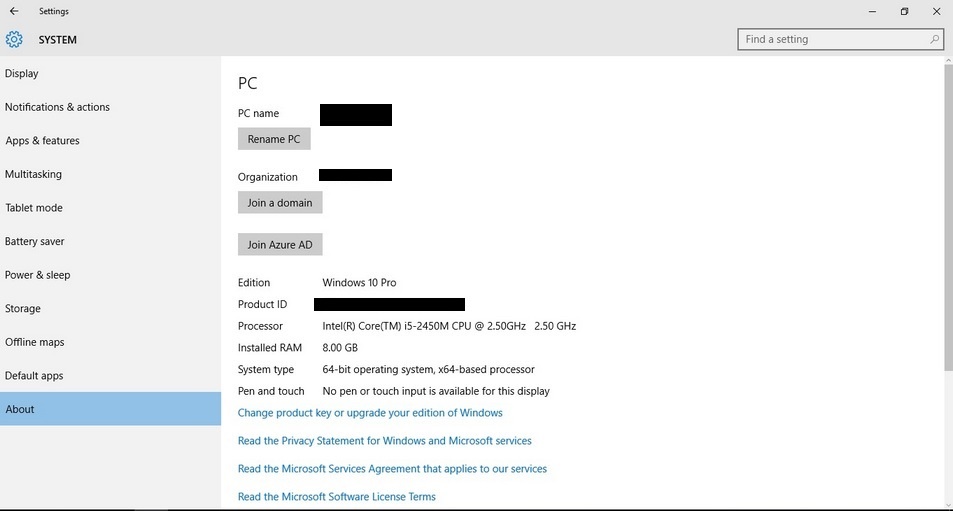
When installing Windows 10 for the second time after the upgrade ignore all and any prompt to enter your password. You can activate as soon as you get your desktop from System About. As long as you can see a Product ID you are good to go. You can find more info about clean install in Windows 10 FAQ.
Activate Windows 10

My notes on the installation process are

  • It was much faster than the upgrade process. Probably one of the fastest ever as I had Windows 7 and Windows 8 fresh installed on this computer.
  • The wireless driver wasn’t installed right away. And I had to do the update fix.
  • The Bluetooth wasn’t recognized properly and I had to uninstall it and reinstall it for it to work.
  • Many people said they had problems connecting the computer to a TV. I had them too, my fix was connecting it after boot so the system won’t “hang”. Well. For better or worse, I’m stuck with Windows 10..

Have a nice day 🙂

لماذا نستعمل الليونكس؟

لماذا نستعمل اللينكس؟

سؤالي اليوم هو لماذا نستعمل اللينكس؟ لماذا لانكتفي بما هو لدينا فقط؟ وفي أغلب اﻷحوال هذا يعني الويندوز.

الويندوز نظام تشغيل مستقر يستحق كل الإحترام، والإحترام هنا هو أن تدفع ثمن المنتج، لا أن تسرقه!


في بلادي الكثير من الناس يجهل أو يتجاهل حقيقة أن للتراخيص ثمن، مثل ثمن اﻷكل والشرب والملبس، بل ويسخر من من يدفع ثمنا للتراخيص، ويتفنن في شراء النسخ المقرصنة أو تحميلها من الإنترنت بطريقة غير مشروعة.

أنا شخصيا مقتنع بإن هذا سيتغير قريبا جدا..

من كان يتابع نسخ البرامج سيلاحظ أن أغلب الشركات بدأت تتجه للحوسبة السحابية، وهي موضوع يطول شرحه، لكن هذه التقنية فيما أظن ستصعب عملية سرقة البرامج لأن الدفع بنظام شهري وليس بنظام الترخيص التقليدي..

البرامج التي لا غنى للمستخدمين والشركات الصغيرة عنها لن يتمكنوا من الحصول عليها لا بطرق مشروعة ولا غير مشروعة!

الكثير منا لا يستطيع دفع 60 دولارا في السنة ترخيص لنسخة أوفيس 365 أو 50 دولارا ثمنا لسحابة أدوبي الإبداعية شهريا، ولن يستطيع عمل باتش أو كراك شهريا! إذن ما العمل؟

هنالك العديد من البرامج الرائعة التي تنتظر تجربتك لها، وبمنحنى تعلم بسيط يمكنك إتقان ليبر أوفيس الحزمة المكتبية المجانية، وجيمب حزمة تعديل الصور المجانية كذلك. أيضا نظام تشغيل متكامل يتنظرك أن تجربه. 

أشجعك على إحترام التراخيص، وعلى تجربة كل جديد أيضا، حمل لينكس على جهازك ولا تلقي بويندوز اﻷصلية التي لديك في سلة المهملات!

أما إن كانت مكركة .. فذلك حديث أخر 🙂

شكرا لقراءتك تدوينتي، رجاء تفاعل معي بالتعليقات.

Transfer Windows 8 licence to a new machine (Dual Boot Saga)

This is the third episode of the Dual Boot Saga. In the last two episodes we talked about installing Windows 8 and restoring the Grub menu so we can actually dual boot.
In this episode we will be covering the most important aspect of the whole saga, Transferring Windows license. 


What was the situation at the time?

I was informed that the key was installed on an another computer (Which is something I already know!) but the old HDD was “fried” and the laptop is thrown on some dusty shelve somewhere! How to let Microsoft know that? I was given an activation ID and was instructed to call my local Microsoft support number. No response.
I Googled half a dozen of local support numbers (Libyan) and none of them even replied. The last one said that the license cannot be transferred. And started giving me pricing and offers. I wasn’t going to give up just yet (Which is true if the license was OEM, mine was PRO which I got separately).


I wasn’t about to give up just yet!

I read on the Microsoft answers site that if you call the support center and provide the installation ID. (You will see it in the Activation settings when your Windows is not activated) They will give you an activation code you use to activate your Windows. I looked up the nearest support number and it was in Kuwait! And the minute prices were high! I couldn’t call them via any VoIP service  like Viber or Skype. And Windows was still not activated!

This is how the actual call went

I called a good friend of mine who worked in a call shop who said he can help me. I went to him and I was surprised he moved business. And took me to a shop across the street to a friend of his! The guy was so nice. He took the number and gave me a decent working phone (most of the phones were dirty and smashed) I called the number and it was an automated response. I navigated through the options until I reached the most important part. I entered the ID with shaking fingers on the phone. Then the machine dictated a number sequences. I entered that to the computer. And Windows was activated!! The guy won’t take a penny for a 10 minute call to Kuwait! God bless him!


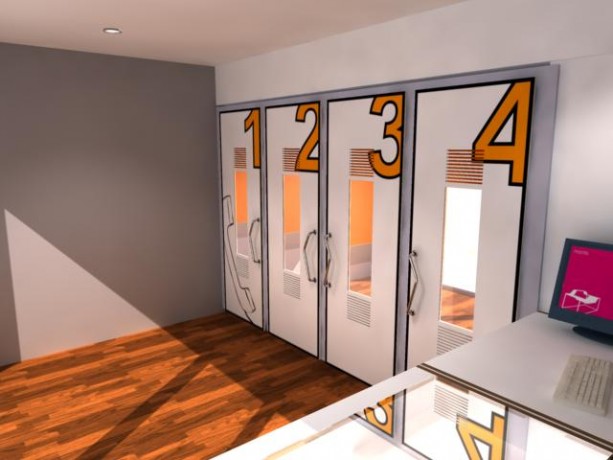
This is what a callshop looks like


Finally!!

I drove home so happy! I had activated Windows and proven the local salesmen wrong (the customer is always right? Not in Libya that is!!)
I had a good idea about the call process because I read this tutorial before going there, it would save you some time and money to do so!

Now that I had my Windows running side by side with Linux. I had one more thing to do before ending this saga, and that is to update Windows 8.1
But this will have to wait for the next episode of our Dual Boot Saga!!
How are you liking these posts so far? Let me know in the comments below!

« Older posts Newer posts »