Category: Get Windows 10 (Page 1 of 2)

You are getting Windows 10 Whether you like it or not!

I haven’t been using Windows very often lately!

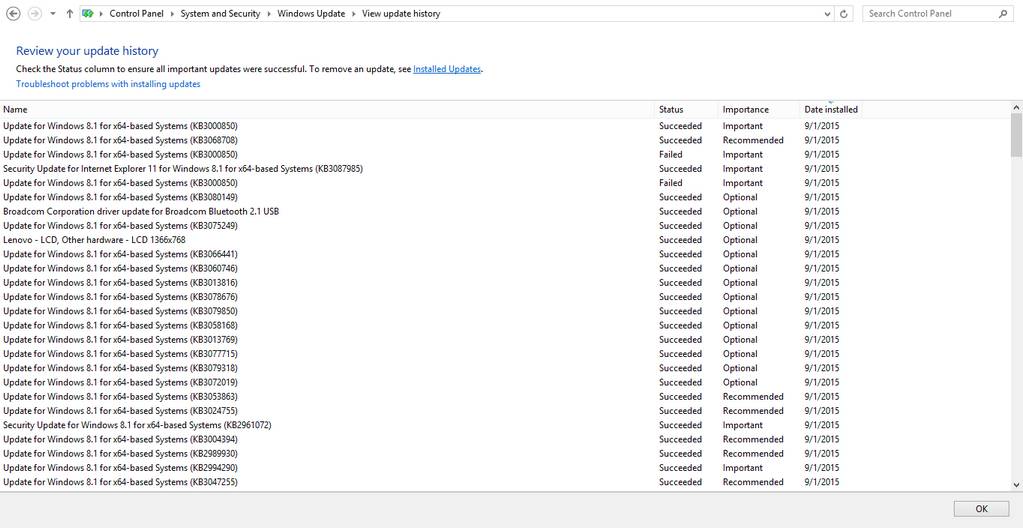
I am mostly on Xubuntu doing things light and easy. Today I logged in to defrag and checkout things. I also checked the updates, looking closely I found a bad surp
rise!

I was looking at the optional updates when an update number caught my attention. I had to look in the knowledge base to make sure, yes! It’s the notorious Get Windows 10!!
But.. I did my best to get rid of it! I even hid the update when presented with it!

I read some reports online that Microsoft are getting aggressive in terms of Windows 10 adaptation, they want you to install it and install it now!

My impressions so far

I didn’t think Microsoft would go that low! But here they are!
I tried it. Didn’t like it, uninstalled it and moved on! Why can’t you Microsoft?
There is no way on god’s green earth I’d go back to Windows 10. It’s just that bad!!
I have many reasons to stay away from Windows 10.  Being too pushy is now one of them.
Windows 10 is being shoved down our throats, I don’t want it, I don’t care for it. End of story..
Be careful and keep an open eye. They will not rest until you are using Windows 10, and that’s when the fun starts!!
If you installed the get Windows 10 by mistake. Check my tutorial on how to remove it and prevent it in the future!

Remove the Get Windows 10 once and for all

What is GWX? Get Windows 10 is the advert Microsoft slipped into the Windows updatemasked as a “recommended update” KB3035583, after you install it you have to restart the computer. After that it will stay until you upgrade to Windows 10. I was flattered at first, especially after my upgrade was reserved “on it’s own”, but after upgrading and going back I started to think of it as more of a Spyware than a flattery.


Think of it! It was installed on it’s own, there is no way of closing it, it starts with the computer. Totally sounds like a Spyware to me!

Now that we know what is it and where it came from. Let’s take a look at removing it all together. And removing it means you don’t get to upgrade to Windows 10 from the store (good riddance!) Ehm! Removing GWX will tackle the source of the problem, attempting to close the application GWX will only close it for now. And it will dock itself happily on the task bar the next time you boot.

Removing Get Windows 10

We will uninstall the update that installed GWX which is KB303586 (make sure you only uninstall that and nothing else) and after restart the problem should go away.

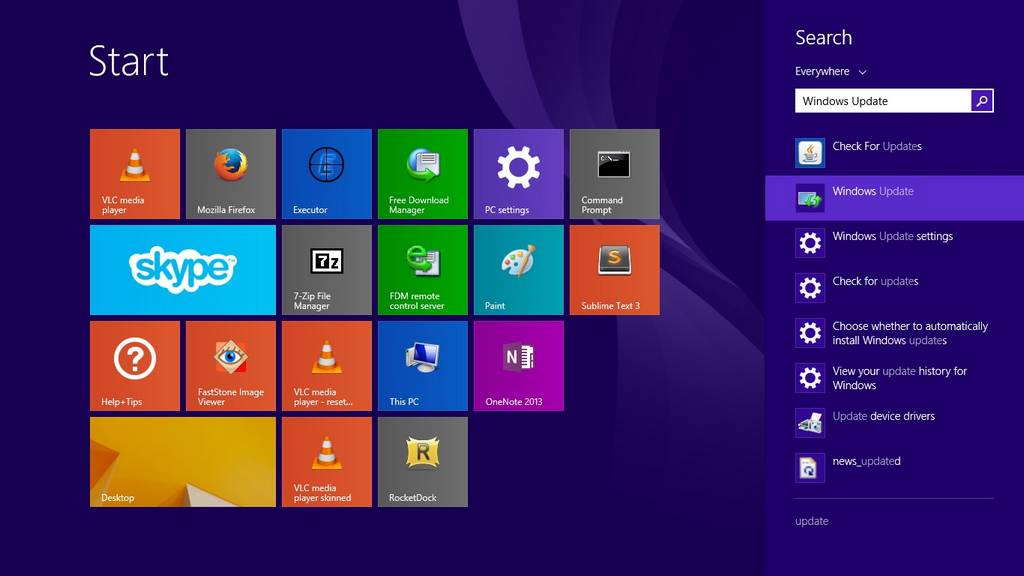
Go to the start menu and type in Update to go to the Windows update, alternatively you can right click the GWX icon to go to the update (make a use of it at least!).

Open Windows Update

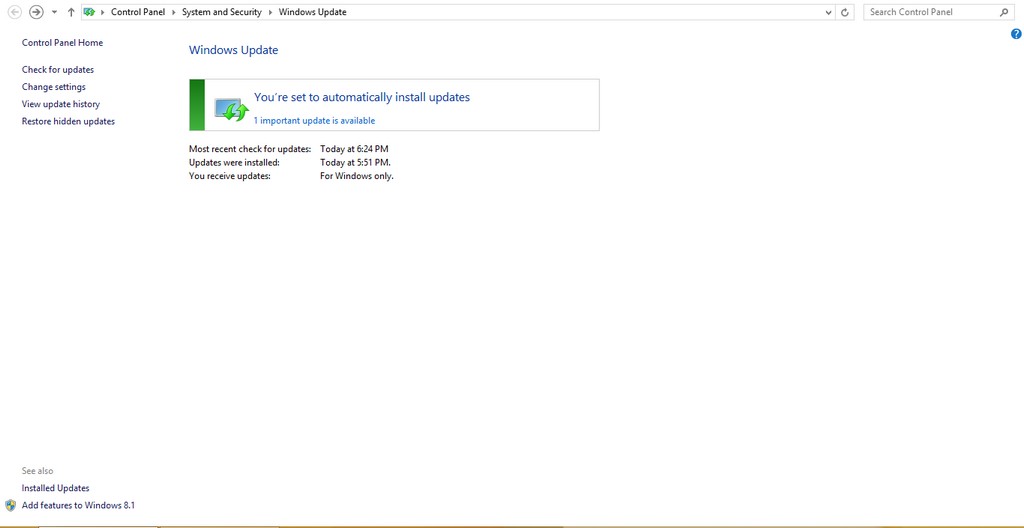
From there go to installed updates.


Go to installed updates

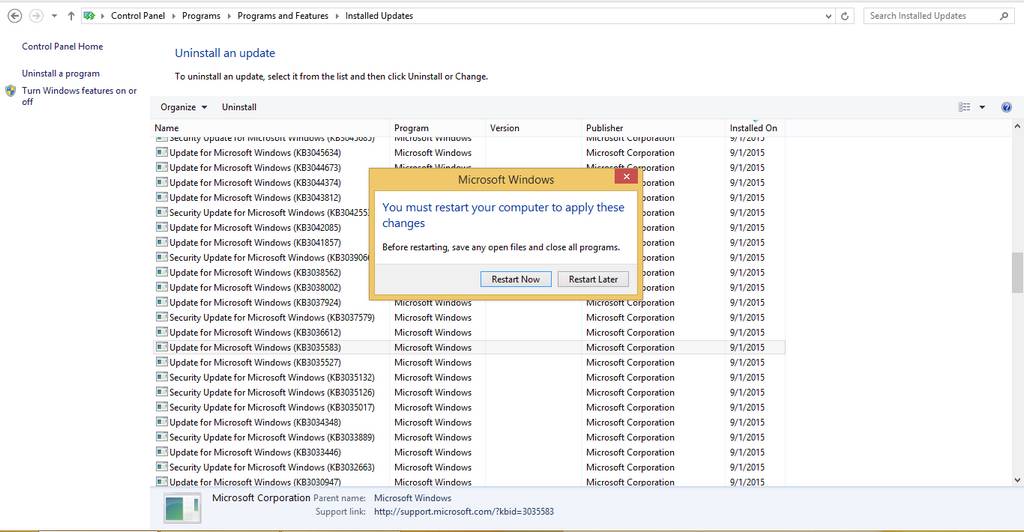
Scroll down until you find the culprit and uninstall it.

Click yes to uninstall it.

  Restart to continue


And once it’s done you need to restart to finish uninstalling

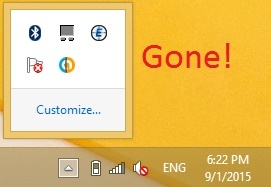
Do so and when you log in you won’t find it! Until you check again for updates! (remember how I underlined the should?).

GWX is gone!

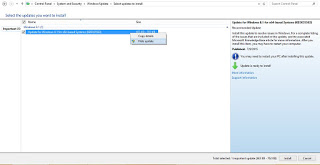
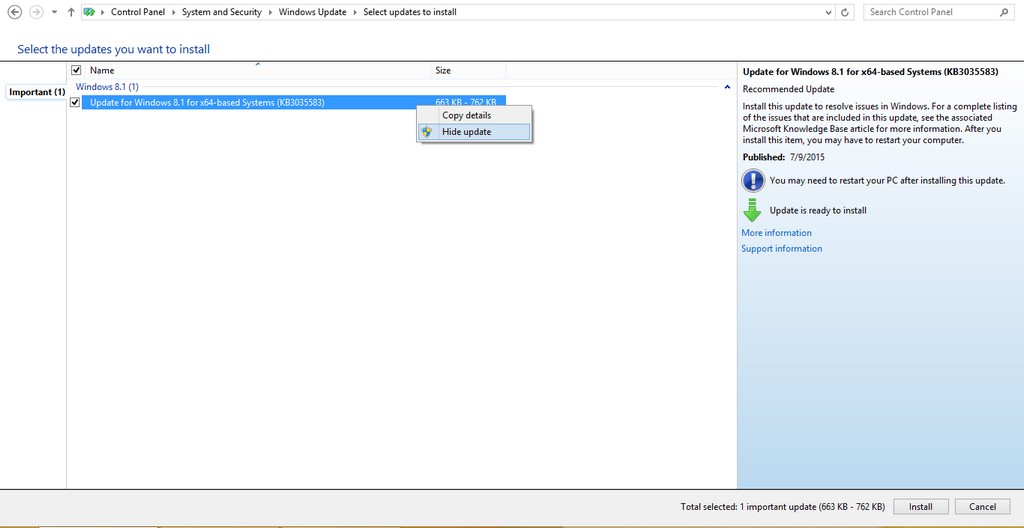
To make sure you don’t install it again. Go to show all updates and right click it and choose hide.

Hide the update to get rid of it.

It should disappear now! But what if it doesn’t?

  • If you happen to see GWX again open Run and type in Regedit
  • Navigate to HKEY_LOCAL_MACHINESOFTWAREPoliciesMicrosoftWindowsGwx
  • Inside GWX create a new 32-bit DWORD value on the right-hand side named DisableGwx, and give it a value of 1.
  • This should take care of it once and for all!

I must repeat! If you had the least interest in downloading or trying Windows 10 don’t try this method as it will disable the application and thus take away your Windows 10 upgrade (for shame!).

Another tip to seal the deal

To prevent Windows 10 from downloading all together set your connection to be metered. I’ll be showing you how to do it in Windows 8.1 but I really don’t know how to do it in Windows 7 (I don’t have Windows 7).

Go to the network icon on the bottom right corner of your screen.

Right click on the network you use to connect and choose set as a Metered connection.

Windows will understand that you actually pay money to access the Internet and will not download the 3.6 GB update to your system (how considerate of him!).

Get Windows 10?! Not again Microsoft!

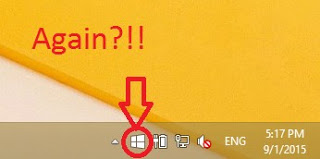
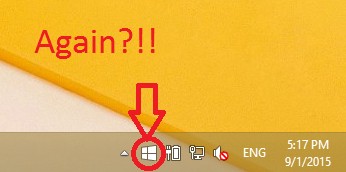
As I was updating my newly installed Windows 8.1 Pro. I came across a familiar icon! It was the Get Windows 10 icon sitting on my taskbar! I wouldn’t have thought that I’m eligible for another download after I downloaded Windows 10, upgraded to it, clean installed it , and finally remove it and get back to Windows 8.1 !!

You can see the date and time to know it’s today!

Well that was a rich reading material wasn’t it?!

I took my time experimenting with Windows 10 on my personal computer, installing and uninstalling again and again, I didn’t even use a virtual machine. NOOOO! I used my everyday computer to do these experiments!

For obvious reasons I’m not falling for that upgrade offer once again! And I have some other reasons to add to that list. So checkout that post!

I think I’ve had enough install/uninstall action for the rest of my life! Let alone the countless updates, the time wasted and the data charges I’m paying for all of this mess.
I’m finishing my updates and that’s that. No more upgrades on this device for me. And I don’t recommend anyone to upgrade to Windows 10!

10 reasons not to upgrade to Windows 10

I had my initial doubts about Microsoft giving out Windows 10 for free. Everyday I am convinced that my worries were sound! And it was much worse sadly!

For these reasons I am regretting the Windows 10 upgrade offer
I wrote this post prior to my upgrading, some of these fears aren’t exactly true (or proven wrong) but still they sound pretty reasonable don’t they?

Here are 10 reasons to skip the Windows 10 free update that expires July 29th.

 1. Too good to be true

How will Microsoft make money if it gave the system for free plus free updates? That’s doesn’t seem too profitable! Two years to get you hooked then bang!! 100$ per year..

2. Windows 8.1 is working fine!

Unless they change something or decide to kill it prematurely, it should be running smooth for eight more years (extended support officially ends in 2023). As the old saying goes: “If it’s not broken, don’t fix it”.

3. Windows 8 wasn’t free!

Yeah! It cost a lot of money! Plus the upgrade from Windows 8 and changing the license. All of that is money, then they wanna charge per year?

4. The upgrade will cost a lot

Data charges will apply, plus the amount of time to download and the down time I will be out of service to get it to run. let alone the fee I have to pay yearly after a while of service.
Update: This part is written after rolling back. Downloading Windows 10 + Updates + Downloading Windows 8.1 + Updates. That’s over 10 Gigabytes of data. All of which I paid for!

5. Cloud based / Internet based

My internet connection is really bad. I can’t afford to have all my data in the cloud! (same reason why I can’t download the upgrade with ease) I am not sure how will Windows as a service will affect my productivity or my daily flow, so I have to be careful.

6. Security concerns

Microsoft is collecting data to improve the system and is constantly improving it. Does that mean they constantly collect my data? Not feeling to good about that.

7.compatibility issues

Spite of all the promises Microsoft makes. I fear that something would go terribly wrong with the drivers and solving it would take months.. I can’t afford that simply.. What if it doesn’t support executor? That was my main concern coming from Windows 7!!
(Everything worked fine).

8. Is Windows 10 really all that?

I used 8.1 for a while now, it’s not that bad! Its good enough for my needs, what does Windows 10 bring more? Support for hardware I don’t own, and many services I don’t use. Even the whole start menu hype isn’t making me jump with joy (I never used it any way) I use executor for much of my daily work combined with Rocket Dock.

If it’s just the look there are transformation packs out there I can use to get the look and feel of Windows 10.
This part is written after rolling back. Windows 10 did nothing new to me, same old story, I still have my old hardware so it was nothing. Windows 8.2 for real!

9. License is tied to the device

I am upgrading from my old dusty laptop, trading a Windows 8.1 license for a Windows 10. Windows 10 is tied to my device ( the rusty old laptop) so if anything happens to my laptop, it’s over! I can’t transfer the license to a new computer (like I did in the dual boot saga) which means: New laptop, new Windows 10 license! -Unconfirmed worry!
This part is written after rolling back. I managed to remove Windows 10 and reinstall Windows 8.1 without a hitch!

10. No turning back!

If you upgrade to Windows 10 and stay there for a month, you lose the right to roll back to Windows 8.1 or Windows 7. So please take your time to think this over. (actually were were screwed long before that!).
: This part is written after rolling back.

In the end it’s a personal choice, it does not have to affect your needs or desire to upgrade, you have a whole year to upgrade, so think it through. I will try to get an eCommerce mean soon ?

If you are convinced that Windows 10 isn’t for you and you would like to go back, here is how! 

In the mean time, have a good time and enjoy working on whatever system you choose.
« Older posts