
Author: Muaad Elsharif (Page 279 of 325)

Telegram instant messaging application review, channel update

We have looked into several chat apps in this blog such as Whatsapp and Viber. Telegram focuses more on privacy and security more than these apps.

Telegram’s popularity exploded when Facebook announced it’s acquisition of Whatsapp in early 2014 raising security concerns among users, peaking 50 million downloads that day alone. Telegram is free and open source and has no advertisement what so ever!

Let’s take a look at the reasons to abandon whatever you become addicted to and switch to Telegram.

Who can you chat with in Telegram?

Much like Whatsapp and Viber, your contacts are your phone book contacts, and you can look users by user name as well.

You can talk to a single person or be a part of a group, and you can chat people using the secret chat feature.

Telegram features

Free and open source

When Whatsapp has been recently changed to become free, Telegram is free for life and has no ads what so ever (almost too good to be true!), while Viber has the sticker market which always wants you to buy the stickers.

Private

Telegram messages are heavily encrypted and can self-destruct, which is great for privacy (unless you are the parent of a teenager!) the most secure form of chatting you can have is provided by Telegram.

If the other person tries to take a screenshot of the secret chat, you will be notified! That’s amazing 🙂

Fast

Telegram delivers messages faster than any other application ( I still need to put this feature to the test), it tends to delay on SIM data but in general it’s fast!

Secure

Telegram keeps your messages safe from hacker attacks.

Powerful

Telegram has no limits on the size of your media and chats, while Viber and Whatsapp limit you to media files, you can send anything with Telegram! (Zip .MP3 .Doc) as big as you like!!

Cross platform / Cloud based

All of the popular platforms are supported, Windows, Linux, iOS, Android, and in case that wasn’t enough, there is a web version. And you can access your chats from an unlimited number of devices you have, and the web version is independent, you don’t have to prove to be online to chat on your PC!

Download

Click on the platform you have and it will take you to the official app in the store (you don’t want to download an unofficial app).

Download for Android

Download for iOS

Download for Windows Phone

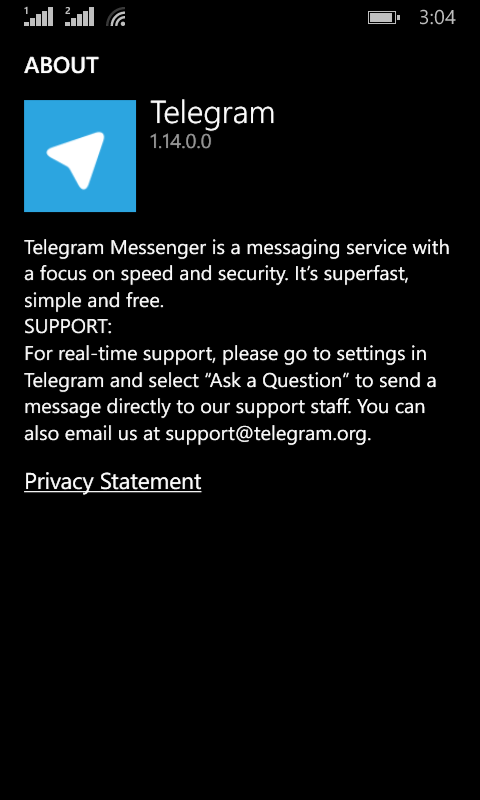
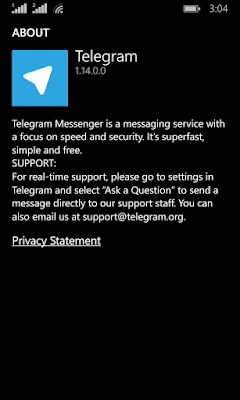
Telegram Screenshot

After we looked at the awesome features, lets take a look at some things Telegram has:

As of August 2014 Telegram delivers 10 BILLION telegrams each day!

You can create a bot to do whatever you want (if you have the skills to do so) and this bot will fetch your email, check the weather or even play chess! Read more about it here.
You can enjoy strong and private chats with your friends and co-workers, create groups to chat more efficiently or even subscribe to channels.


Channels

This is the latest features added on September the 22th 2015

Channels are the latest way to deliver messages to an unlimited number of subscribers, where they can catch up to the latest messages and read all the message history, each channel has a view count and a members count. and for a better understanding of it subscribe to Telegram’s channel, and you can create your own channels right away as the new Android / iOS version will have this feature with the latest update, others are coming soon.
And before you ask, no it doesn’t support voice/video calls!

It’s not a VOIP application, it’s not a video chat application. It’s a chat application that does! They might add the VOIP option later, I don’t think it’s going to be free. So enjoy the incredible feature set.

Conclusion

I am happy to find a chat app that Facebook hasn’t got it’s claws on yet! Those guys are all over the place! Telegram is safe, secure. Totally free and completely awesome!

The possibilities are endless, and the development is ongoing!

Do you use Telegram to chat with friends and family? Please tell me your experience with it in the comments section below.
CCleaner for Ubuntu?

Until the time of this writing Piriform hasn’t made it’s software available for Ubuntu. But there are other tools you can use to clean and optimize your computer.


One of these tools is Ubuntu Tweak. A suit of tools that is used to tweak and optimize Ubuntu and control some aspects that aren’t usually easily available.

About Ubuntu Tweak

To install Ubuntu Tweak click this link and download it to your computer then install it as you would do normally.

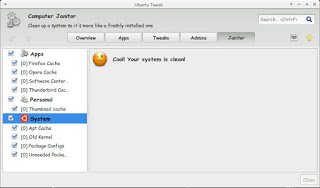
From the main menu navigate to janitor and click the stuff that need cleaning.

Ubuntu tweak Janitor

There are several categorizes: Apps, Personal and system.

You have to be careful when cleaning. If you don’t know what to do I suggest you avoid the system category.

Once checked press clean and enter your password to clean up the system as you see in the image!

It’s a good way of tracking disk space and keeping an eye on your system.

Please note that cleaning up the APT cache will delete the software installations you downloaded from the software center, and you should copy them first for backup and re installation if anything happens!

التقنية في حياتنا

ما دفعني لكتابة هذه التدوينة هو حضوري لمؤتمر تقني الفترة الماضية تحدث فيه 5 من المطورين ومتخصصي تقنية المعلومات الليبيين، ما شدني بالتحديد هو حديث مطوري التطبيقات ..


دائما ما أتساءل هل التقنية في بلادنا رفاهية لعدد محدود من الناس، أم أنها ضرورة لمواكبة العصر والالتحاق بركب الأمم المتقدمة؟

مما لاحظته وشاهدته أن نمط مستخدمي التقنية الليبيين يدور في فلك محدود، واي ماكس وأيفون و”جلاكسي” وكلها تصب في مصلحة موقع الفيس بوك سئ الذكر (إلا من رحم ربي).

والبعض مقتنع بفكرة أن الهاتف أو التابلت لا ينفع إذا صدرت النسخة التالية منه ويجب استبداله فورا!

هذه البضاعة ثمنها عملة صعبة، وهي وكماليتها تشكل عبء على الاقتصاد الليبي المنهار، فإنها إن لم تعد علينا بالنفع فهي تصبح عالة على المجتمع.

فلنعد لأول سؤال: هل التقنية رفاهية أم ضرورة؟

هل قدمت التقنية الحديثة حلولا لمشاكل الشعب المزمنة (الازدحام المروري، القمامة المتراكمة، البيروقراطية؟)

جواب مختصر، لا!

لم لا يقوم مطوروا التطبيقات الليبيون بعمل تطبيقات لمحاربة الازدحام المروري، أو تطبيق لمعرفة أماكن براميل النفايات، أو تطبيقات للجهات العامة توضح الإجراءات وتقلل من البيروقراطية وضياع الوقت والجهد؟ (السؤال موجه لي أنا أيضاً). رغم أن الكثير من الجهات العامة لديها مواقع وبعضها يستضيفها مجاناً إلا أنها عفا عنها الزمن ولا توفر أي معلومات للمواطنين إلا القليل النادر. ولن أتحدث عن مهزلة الجهات العامة التي تستعمل الفيس بوك للتواصل مع المواطن وكمية الصفحات المزورة و… إلخ.


أمل أن يرى الكل فائدة توصيل كل شئ معا، لنتمكن من تقديم خدمات أفضل للمجتمع


أمل أن يرى الكل فائدة توصيل كل شئ معا، لنتمكن من تقديم خدمات أفضل للمجتمع


العنونة البريدية

إلى يومنا هذا ما زالت الشوارع تفتقر إلى أسماء واضحة أو متعارف عليها وكل الاتجاهات تتضمن عددا مهولا من المثلثات والفتحات و”الأربع شوارع” وكمية من (يمين، يسار في يمين) لم لا تتم العنونة بشكل واضح؟ مادام الكل تقريبا يمتلك هاتفا ذكيا ويمكنه الإضافة لشوارع مدينته؟

يبدو لي نوعا من السخرية أن يجتاز المطور بسيارته زحاما شديدا (لأنه لا يعرف أفضل طريق) ويضيع أثناء المسير لأنه لا يمتلك الاتجاهات الصحيحة، وسبب الزحام أن يمين الطريق يستعمل كمكب للقمامة مثلا أو أن المخبز القريب لديه خبز اليوم! ليصل في نهاية المطاف متأخراً ويحكي للناس كم غوغل أو أبل عظيمة ولماذا الشركة الأخرى أسوأ!

أليس من السخف أن يتملك المرء هاتفا ذكيا خارق المواصفات لا يستفيد منه بتاتا سوى في ضياع الوقت؟ ألن يسأل عن هذا المال والوقت الذي ضيعه؟

كما أن البنية التحتية ضرورية، فإن البنية التحتية التقنية ضرورية لاستمرار الحياة وتقدم الإنسان.

وختاما، التقنية ليست مهربا من الحياة الواقعية كما يعتقد البعض، وموقع الفيس بوك هو موقع واحد فقط.

ما رأيك أنت عزيزي القارئ، هل نقوم بإساءة استخدام التقنية كليبيين؟ وما الحل في وجهة نظرك؟

Fix Raw USB or HDD on Toshiba HDD and other brands easily using Recuva

Here is a problem that is going to ruin your day. But it’s super easy to fix.
———————————————————————————————————————————–

Update February 2021

  • Run CMD as administrator.
  • Enter this command:
    chkdsk /f x:
    Where (x) is the name of your hard drive.
  • Let it work, and you’re good to go!
———————————————————————————————————————————–

I must note that the screenshots weren’t taken at the actual recovery job, but afterwards. And please check the disclaimer before continuing with this post.

When your drive is RAW and you think all your data is gone. The reason is because the partition is damaged but all of your data is intact..

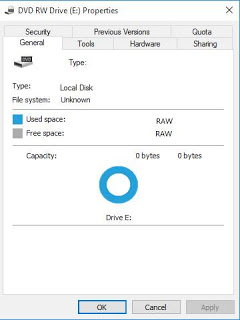
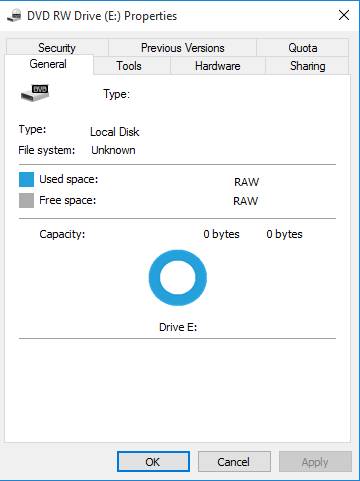
HDD is RAW


As long as the HDD isn’t clicking when connected and running normally. This fix applies to you. Disclaimer: (Attempt at your own risk) I’m not responsible of any data loss. Continue at your own risk..

I first tried with TestFisk 7.0 But after a day and a half (yes a day and a half!) and the data I recovered was jumbled and nameless (mostly there but scrambled) and totally out of place!

I attempted a fix the HDD with Gparted but it didn’t work and caused my system to freeze.

And I always recommend to have a backup of your data.

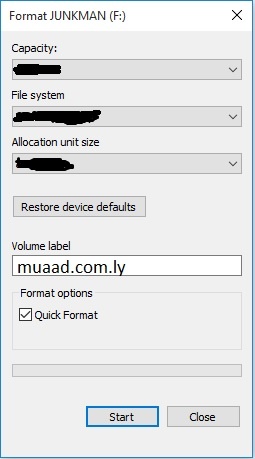
What I did was a simple format (after verifying that the data was there using TestDisk 7.0).

All you have to do is to is to format the drive (yes!!) and then preform a recovery on the drive to recover the data with the data structure intact.

Simple format dialog

Make sure you start the recovery immediately after the format to make sure no files are overwritten.

I used Recuva because it’s free, really easy to use and has a nice interface and it uses a wizard so it’s even more simpler. In case you are a first timer, I’ll post detailed steps 🙂

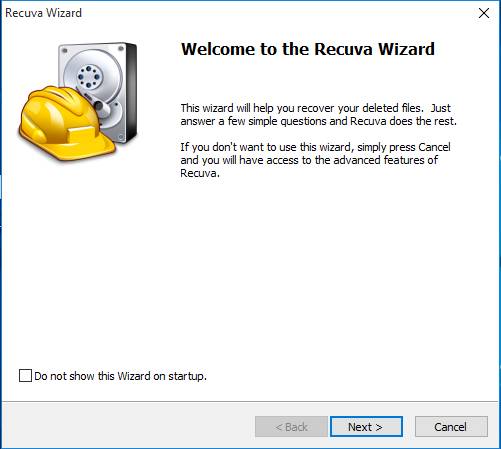
Download and install Recuva and start it to see this screen, and click Next.

Recuva startup wizard


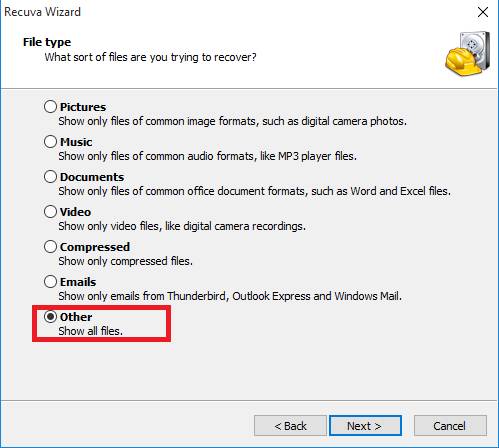
On the next step choose other to show all files

and click Next.

Choose data type. Other

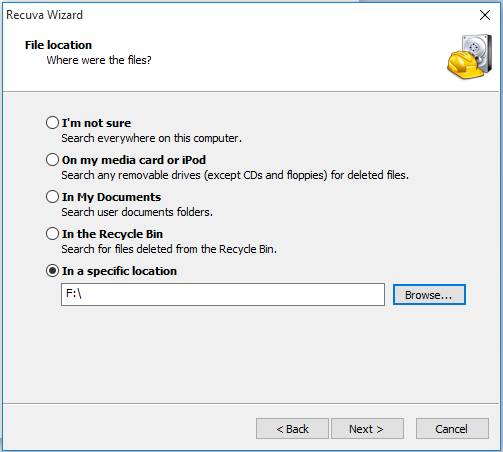
On the next screen we want to recover our lost data so we choose the newly formatted HDD and click Next.

Lost data location

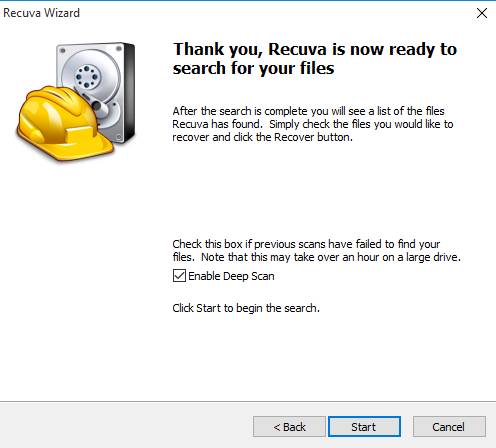
Now choose if you want to enable deep scan, this will take a long time depending on your drive size and data. Check it and click next.

Enable deep scan

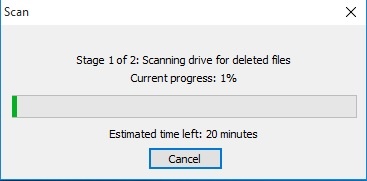
Let the setup run, this may take HOURS so keep in mind to plug in your laptop or to get a UPS. And the program will be minimized.

Scanning for data

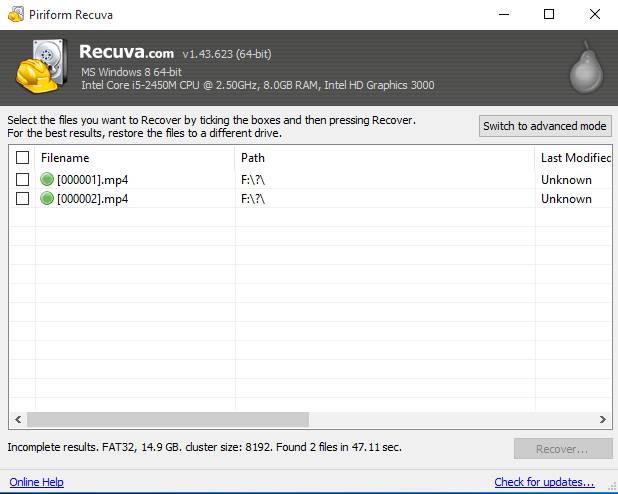
Once it’s done, you will see the results page.

Scan results

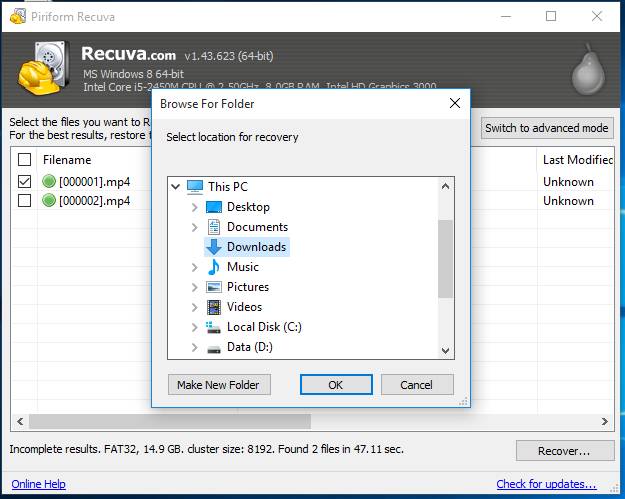
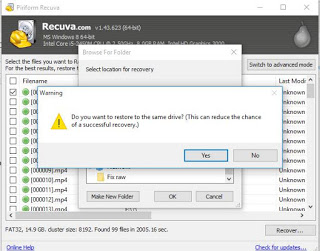
Now that the data is recovered, it’s time to save it on your computer. Don’t choose the drive you scanned as a recovery directory.

Browse for a recovery directory


Reduces the chance of file recovery

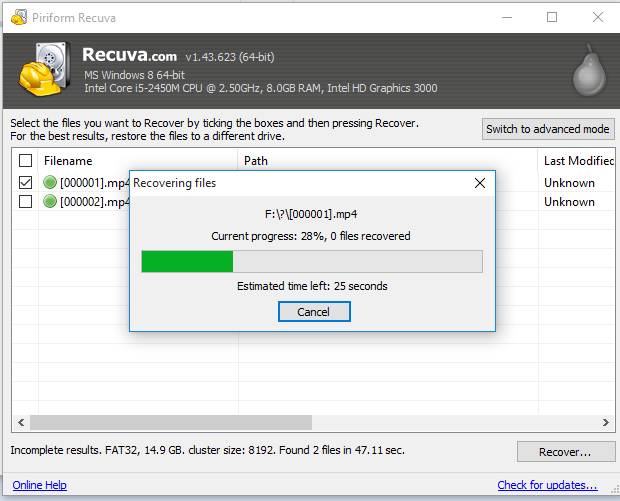
Wait for the recovery to end. if it’s a lot of files it will take a really long time!

Recovering the files

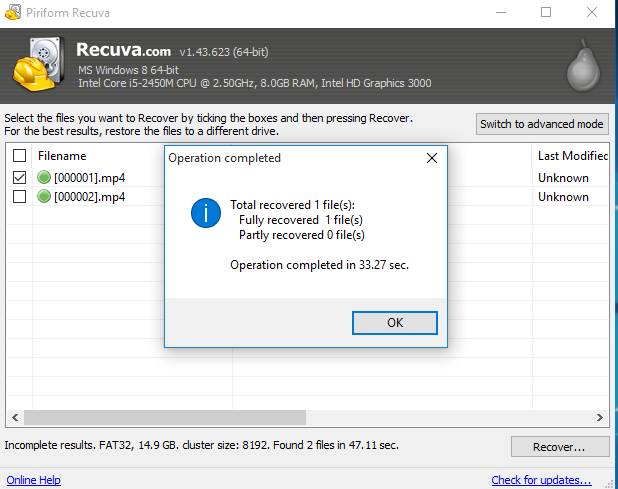
Once the recovery is done, you are shown the results page.

The results page

Click OK and we are done!!

How easy was that?

I hope you find this useful. And that it saves your day!

« Older posts Newer posts »