Category: English Post (Page 20 of 97)

Enable LED light on JINDIAO K8 Multimedia LED Keyboard in Linux!

LED keyboards are awesome! They make night working and gaming so much easier -especially if you live somewhere where electricity goes off very often– And they look great!
Some affordable models like the Jeway Phantom K7 Keyboard and JINDIAO K8 Multimedia LED Keyboard won’t work with Linux right away, but with some clever hacking you can make your affordable keyboard into a fully functional, Linux friendly hardware. 
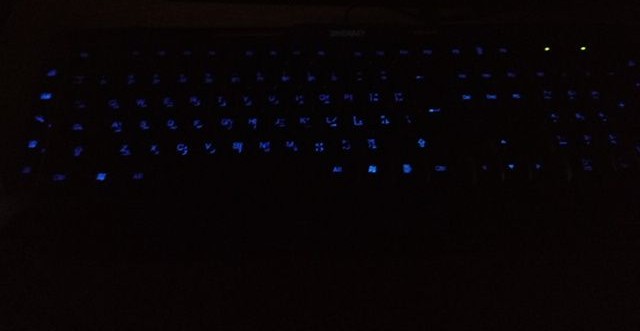
 

A picture of the keyboard led on


An issue with support

Sadly these products don’t have websites and the companies don’t provide any kind of support, let alone for Linux! But that’s where this post comes in handy.

The case

When you turn on the computer and press the LED switch, it works during boot. But as soon as the Linux kernel loads it turns off and stays off. You might even notice new lines when booting similar to the Comm reset issue, but don’t worry, Xset is our friend!

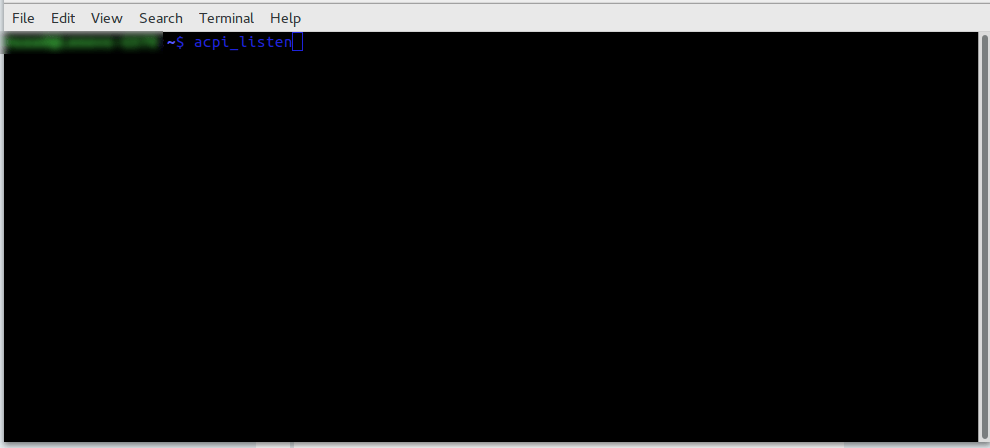
Testing the button with acpi_listen 

The button that enables the led light isn’t recognized by Linux, you can make sure by typing in the command acpi_listen and testing it for yourself. It won’t be recognized and won’t give out a code, unlike other multimedia keys.  
Enable the keyboard light

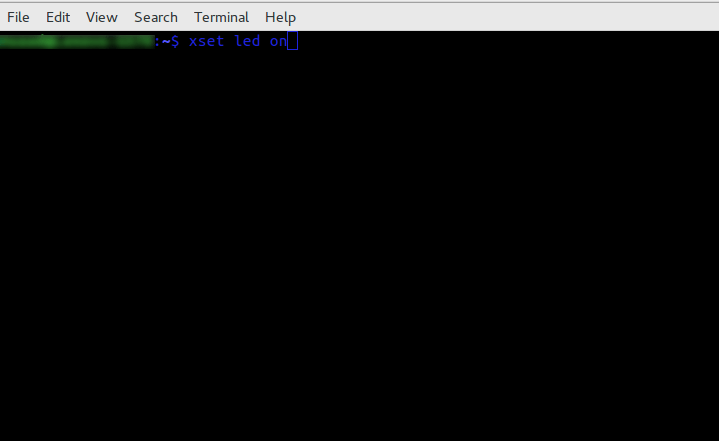
To enable the keyboard light, all you have to do is to open a terminal window and type in the command
for the light on the keyboard to work:

xset led on 

 
Yes it’s as simple as that, but that command is incomplete! When I tried it on my computer it enabled the mouse keys, an old bug dating back to 10 years ago in Xorg that didn’t get fixed. I made sure the two were related (the LED being on and mouse keys). 
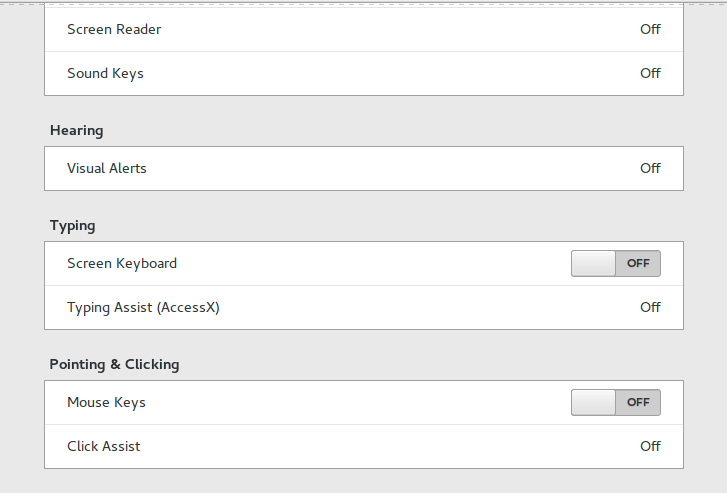
 

Having to go into accessibility every time and disable the mouse keys by hand every time the computer was out of sleep was frustrating, no where near a fix!

But luckily, the terminal has a fix..

To enable the LEDs and maintain regular Number pad functionality use this command in the terminal

xset led on && gsettings set org.gnome.desktop.a11y.keyboard mousekeys-enable false
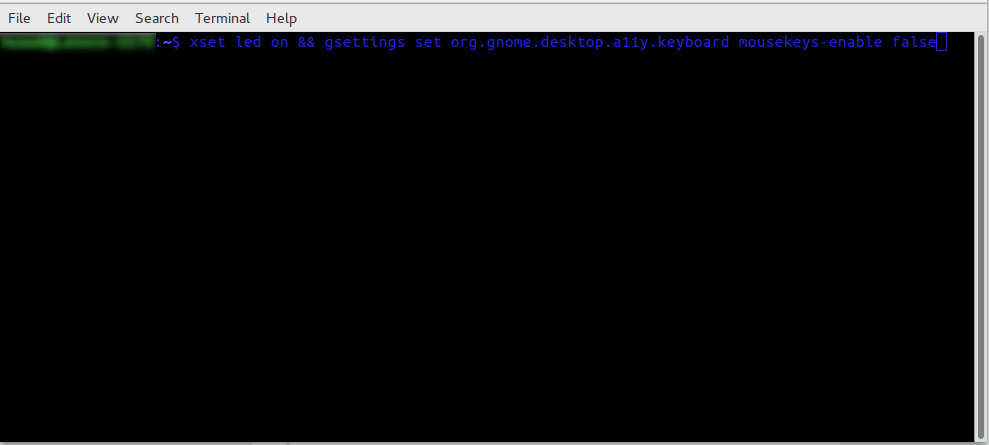
This will enable the led light and keep the number pad acting the way it should. 

You will have to enter this command every time you turn off your computer, if I managed to turn it into a bash script and make it start with the system, I will update this post.

Final words

You don’t have to break the bank to get a decent looking keyboard, and using Linux doesn’t mean you need to sacrifice functionality or have to dual boot windows just for a keyboard to function normally!

Let me know how the code worked for you. And have a good one.  

P.S: If you shutdown or unplug the keyboard, you will have to enter into the terminal the script again.


A Netbook in retrospective!

When I bought the Netbook I have now a few months ago, I feared that I might not have a practical use for it. I already have a laptop which has been laying around for years; I really like it and spend many hours each day using it. So, how will I fit the new thing into my daily workflow?
The answer is really simple: Work

Taking my Netbook to work

This little thing is a blessing! If fits in my bag effortlessly and I feel like I’m carrying nothing at all! While my fellow teachers carry tons of books and papers with them, I use my Netbook to read the material and give lessons, something I wouldn’t be able to do that easily, also making adjustments and documents on the fly is fantastic, I don’t have to wait in line to use the “teacher’s computer”.

But .. I can take my laptop to work too, can’t I?

Yes, and no!

My laptop is my “daily driver”, and like most people I have private information and things I’d prefer to keep as safe as possible, it’s always a fear of mine that it would be lost or stolen. Getting stopped at a check point and stolen at gunpoint is a common risk now days in Tripoli, so that’s something to think about..

Even forgetting the bag in a public place would be a catastrophe to me! Some losses even a backup can’t restore.
But with this little guy, things are okay, I only have the things I work on now, even if it’s lost, it didn’t cost that much and it doesn’t have any vital information. The best of both worlds!

There is one tiny problem tho..

Version control

In my series “Dual boot saga” I complained that having two laptops to work with was a confusing thing (which was), that statement is less valid now, but still has some sense.  

When I’m working on a document for example, let it be a weekly plan, an answer sheet or a monthly exam, sometimes I happen not to know which document is more recent if I copied it from one laptop to the other, or which one has the changes I need; these little annoyances waste a lot of time. 

More often than not I’d leave a document on one of the computers and have to get out of bed to get it (I never remember these things only until I turn off the lights and roll under the blanket), this in itself is torture!

I sometimes upload my documents to Telegram web, and then access the site on my laptop or phone and download the document, but that’s just too much work!

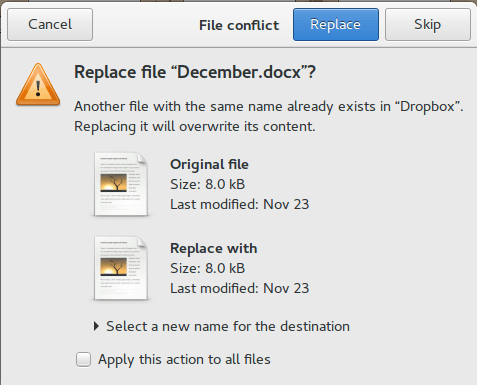
Dropbox

This solution was right there in front of me the whole time! I can upload the documents and access them from any device. It’s not complicated like Google drive and doesn’t have added frills like Telegram Web, and it works perfectly with Linux. 

All I have to do now is to finish the document and upload it to Dropbox, no more calling home asking for someone to unlock my laptop and send a file I forgot (happened to me very recently sadly, and yes it was a Wednesday!). 

And even if the free plan only gives 2 GB of free space, I don’t think I’ll ever fill that.

Final words

My Netbook is far from perfect, it’s slow and the screen is smacked, but for the purpose I use it for, it runs like a champ! And now that I’ve gotten around the Two laptop hurdle, I can safely say that my productivity will be through the roof.

Well, that if the electric company leaves us alone.

Until I learn my lesson!

Yet again I find myself in a difficult situation, so it’s time to sit quietly and reflect.

What seems to be the problem

I noticed a pattern going on, and from experience I could tell that solving problems needs looking at it differently. maybe the issue is not with a bad situation or a workplace attitude, maybe the issue is with me.

A bit of the same old

When a problem repeats itself over and over in different situations that means changing the environment didn’t solve it,  and perhaps my attitude towards the problem is the problem itself. 

The cycle will repeat itself until broken

I blogged about the vicious cycle that is life in Libya, and that it needs a permanent break  before it swallows us whole, two years later and things are pretty much the same, at least I must prevent the abusive patterns from appearing in my life. 

It’s okay not to be okay, it’s okay to ask for help

I’m reminding myself with these simple facts, having too much to do and a little time to rest or do the things I like doing is unhealthy, being overworked is unhealthy, and saying no when something seems too much is the right thing to do.

The right attitude

Looking out for number one is an important lesson I learned from a foreign principle I worked with, your health is your most valuable asset,  always stay healthy and keep yourself together. Nothing is worth losing your health for.

Those who don’t learn from history are doomed to repeat it

An important lesson I take from my working experience is : There is something as too much work. Being burnt is not okay, killing myself to meet deadlines and keep the wheel rolling is not okay, unnecessary sacrifices are not okay.  Everyone has limits!

A change of scenery isn’t always the solution

I learned that if you think and act the same, then no matter where you go, you will carry your problems with you; not only that! You will fall victim to the same patterns you were desperately trying to avoid!

Final words

It’s okay to make mistakes, it’s not okay to repeat them.
Okay ?  

P.S : This is my 450th post, I guess I’m back to this point before the cleanse!  
P.S.S : I’ve done several updates to my blog, perhaps I’ll address them all in a separate post!

Discovering Reddit

I take hiatuses from social media ever so often. It can get very depressing and frustrating to keep up with the never ending stream of news and social commentary,  for an introvert like me that can be very stimulating and a bit too much to handle.
So where do I go when social media is too much for me?

Reddit

A word short for “I read it on the internet”, one of my favorite websites; filled with Sub-reddits that cover almost every topic you can think of. No matter how quirky are your niches, there is a good chance there is already an active subreddit for it. 

Getting Started with Reddit

Using Reddit can be a bit confusing at first, but I found that using the site tour is very helpful and will get you going within minutes, from there it will feel like second nature! (I’m using the old look btw).
I’ve been on and off since 2015, and it helped me upgrade to Windows 10 before it’s release!

The comments section

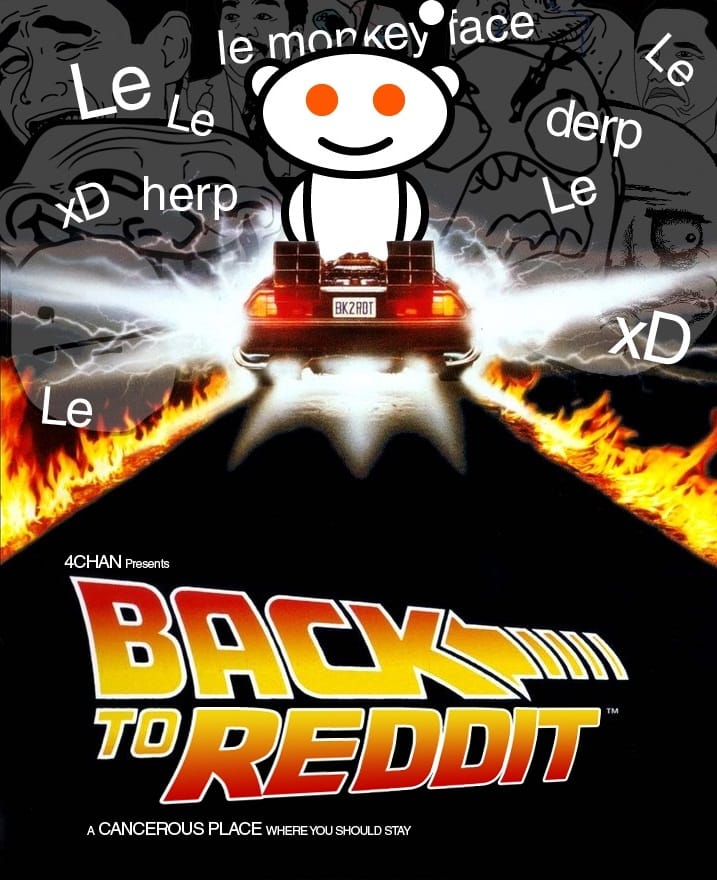
While the comments section on Facebook for example can be a cancerous place to checkout, Reddit has a great comment section filled with witty one liners and helpful information, people who genuinely want to help and offer their experience in life for people to learn.
Seriously the comments make me laugh so hard, I know that this is what I would like to spend my time on. 

It’s not social media, it’s not a forum

Reddit is rather unique, it’s not exactly considered social media but it’s more relaxed and laid back than conventional VB forums that died off anyway; but if you don’t follow the sub-reddit rules, moderators will chew your head off, so play nicely 😀 

You can be anyone, anyone..

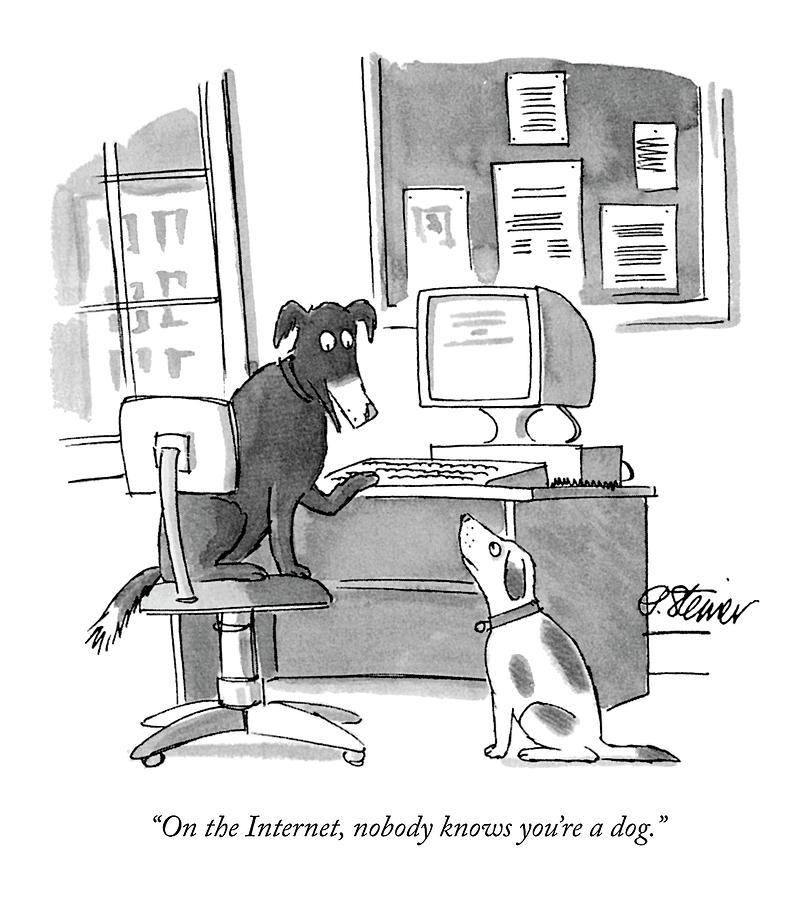
Reddit only requires a username and a password, you don’t have to register with your e-mail if you don’t want to, therefore you can use an anonymous name for login, making it perfect for those who like to remain unknown on the web, or for the dogs among us! 

Memes and more memes

I like seeing the fresh and creative memes people make, it’s sometimes too relatable to be real! A good laugh is always appreciated. 
I don’t care very much for Karma or gold, I just want to laugh and have a good time; and sometimes to make relatable comments and feel good about upvotes. 

Plays well with RSS

I’ve blogged about RSS readers in this blog before saying that it’s one of my favorite morning rituals, it so happens that you can export your favorite subreddits and read them on your RSS reader, that’s so old school!
I love it when a plan comes together! 

Finally

I recommend everyone who haven’t tried Reddit to give it a try, it’s a wonderful site! I use it usually now days, even when I’m “on social media“. 

And for those of you who did: What are your favorite subreddits? Care to share some?

« Older posts Newer posts »