Category: English Post (Page 19 of 97)

Antix Linux on my Netbook

Antix Linux is a free and open source operating system that focuses on a light weight desktop experience and ease of use, one of it’s main goals is to promote a “system-md” free approach to Linux.
Based on Debian, it provides both a rich repository of software, and a sense of reliability.
Debian origins

The fact it’s based on Debian is a huge plus, a lot of the software I use is in .deb form, and I fully understand how to work with repositories to add and remove software, it was a pleasant surprise to find that Synaptic was shipped by default with Antix.

Light weight

When it boots into GUI, it’s using less than 100 MB, that’s an impressive feat for a modern operating system.
  • Even lightweight flavors of Ubuntu (Xubuntu and Lubuntu) can’t reach that level of lightness.
  • Low minimum system requirements, needs about 256MB of RAM and a Pentium 3 processor to work.
That makes it perfect for older computers, and Netbooks.

Why Antix on my Netbook

I found that my Netbook had a performance issue, even when choosing a lighter interface i.e: XFCE. And trying to browse the web with an updated version of Firefox was impossible.
Ubuntu 14.04 is nearing End of Life, I’ve used it on and off since it’s release in 2014, but it’s time to say goodbye. 
Seeking a lightweight alternative that was both easy to use and somewhat familiar led me to using Antix.

Antix Linux Pros

  • Looks good, has a bottom bar and a menu similar to the start menu, not alien.
  • Download size was small, less than 700MB (for the base version), can be put easily on a CD, something Ubuntu can’t achieve anymore.
  • Low hardware requirements, would work on most computers old and new.

Antix Linux cons

  • It can be confusing at first, the window manager used is clumsy and like nothing I ever used. (You can toggle between them by pressing F1 on the login screen).
  • Customization isn’t easy,, won’t be everyone’s cup of tea.

An update

Updating the system changed the default file manager to Spaceman FM, which is more customizable and can access NTFS partitions with one command, a much welcomed update!  

I was able to add items to startup by editing the config file found under: Control Center Session User desktop session.  
Same goes for adding the terminal shortcut, it was under Control Center Desktop  
And from there I added the lxterminal to the key combination: Ctrl + Alt + t.

    Final words

    With a mix of lightweight performance and a sense of aesthetics, this unique distro made it’s way to my Netbook as the first non-Ubuntu distro I ever use. 
    For more feel free to visit the project’s website at https://antixlinux.com/
    Lutris, a game management software for Ubuntu

    I’ve been into gaming for as long as I could remember, and I’ve devoted a lot of posts on this blog to talk about games that I like. My taste varies between retro games and free / open source games. Sadly I can’t get much gaming done and my style is close to short random bursts followed by ever-long hiatuses. Well today I present a software that I think will have a pivotal role in my future gaming habits. Lutris..

    But before that, lets take a look at the origin of the issue

    I’ve slowly fallen out of favor with games, from being someone who played anywhere from 4 – 6 hours a day to someone who plays once every blue moon. I know that growing up and finding a steady job changes a person, however I don’t want to drop video games out of my life altogether, I hate to think of how my life would’ve been without video games!

    Failed attempts

    I’ve tried different things to rekindle my passion for gaming, buying a gaming keyboard was the latest attempt but so far to no avail. I still forget to play games even when I spend a long time on the computer. I blame social media and Reddit. They are too attractive!

    Trying to allocate a time for gaming and putting that on a To-Do list feels so forced and takes the joy out of something that used to be spontaneous and joyful.

    I think my problem is that I don’t know exactly what games I have, more specifically I forget my game progress and anything else done. In my previous attempts I tried making a folder and placing game shortcuts in it, or a dock like plank and putting game shortcuts on it, but that never worked.

    Linux not for gamers

    I love Linux, however it’s not a system for gamers, the games are little and not so good, beggars can’t be wishers I suppose.

    I’ve searched repeatedly for a software that could be a game hub, one place for all my games, and until yesterday I thought something like that cannot exist, until I met Lutris!

    Lutris, the game collection software

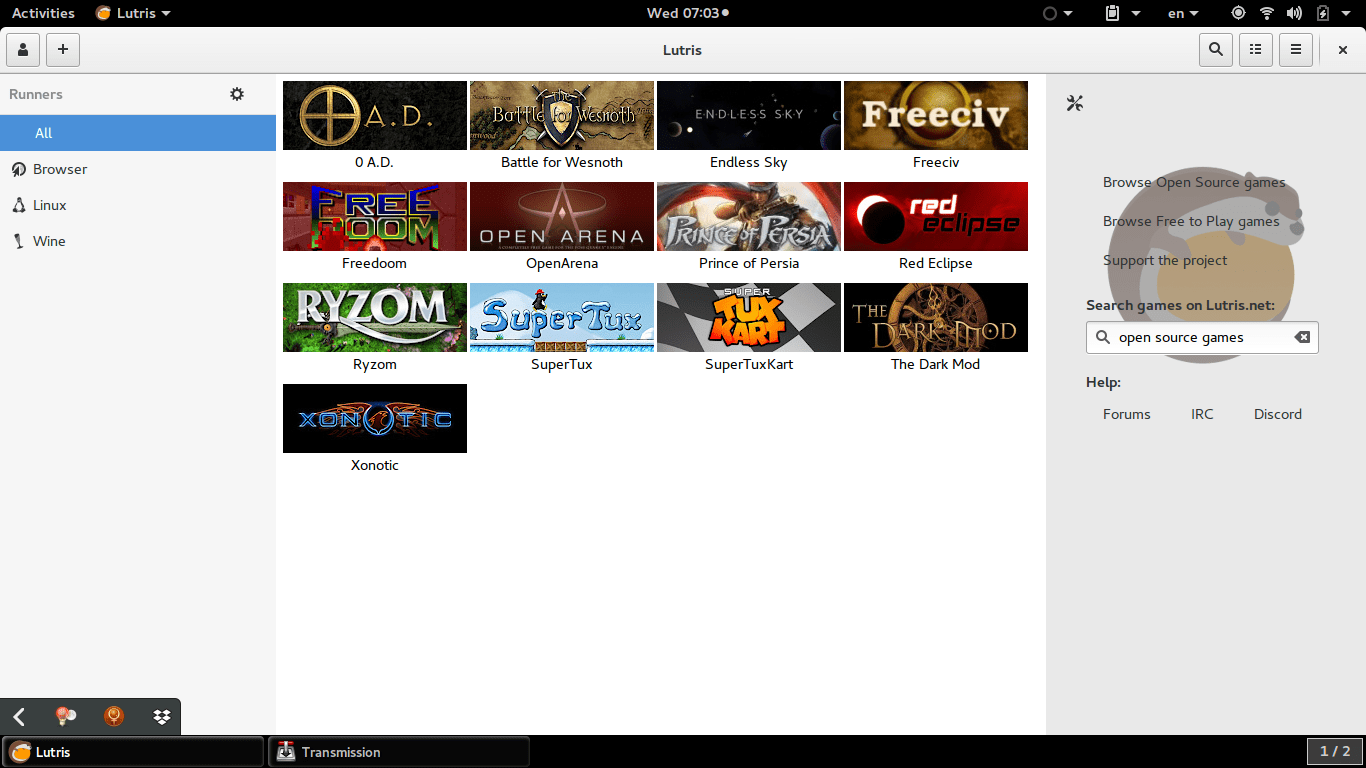
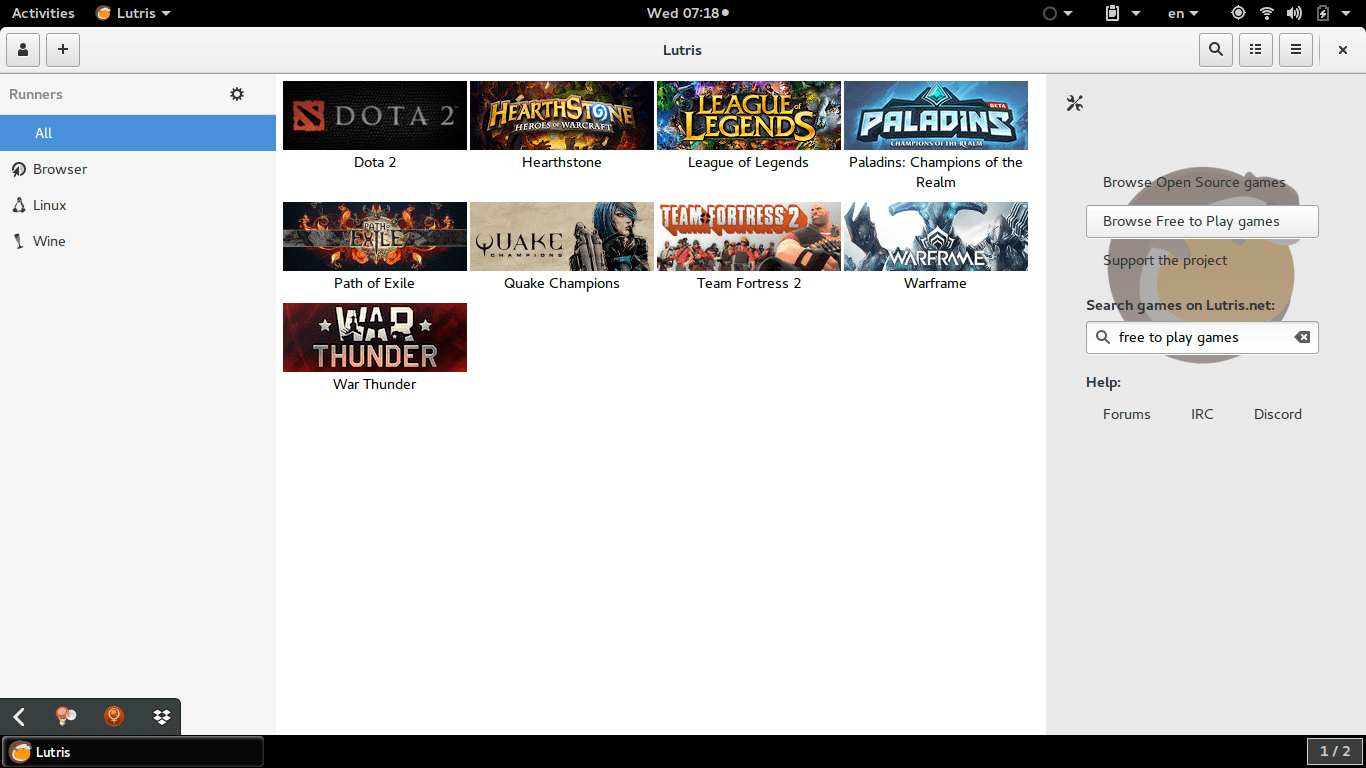
    Lutris is a free and open source game library that puts all your games in one place inside one interface, each game would have information and a picture that help you easily choose a game from the list.
    Lutris is very easy to use, and is incredibly useful. I managed to collect the games installed on the system, with the archives downloaded in tar.gz (making icons for these is a hassle in Linux), and even games from my old windows collection using wine. To me this is a dream come true.
    A sense of order in a rather chaotic collection, and for the first time Linux feels like a system that could do gaming. 


    Pros of Lutris

    • I really like the statistics in Lutris, tells you when did you play a game last, and how much time did you spend on that game.


    • I also appreciate the extensive settings it has, such as forcing the keyboard language to be English during playing, and setting the screen resolution back to original after closing a game. (Especially useful with Wine games).


    • Can easily import all of your installed games with one click. Be careful as importing games after that using this method will result in duplicates.


    • The settings are powerful and wonderful, give more control over the gaming experience as whole.


    Cons of Lutris

    • Lutris isn’t without faults, it hangs a lot (during game downloads mostly) and still in early releases judging by the performance.


    •  I also don’t like the icon very much, however if you design a tool this awesome, you get to choose whatever you want as a mascot.


    • I also wasn’t able to play any game I downloaded from the online collection, all had mistakes and I had to remove them. I don’t know what’s the problem and it’s not really an issue to me. I just want a place to gather my games.
    • having to add pictures manually to games rather than the default Lutris icon, which is super easy to use by the way, but can be a tedious process if you own a lot of games.


    • Importing the library over and over will result in duplicates, so you have to be careful when importing and deleting games, especially when you check the choice of removing the game from the system all together! (This was later fixed in version 0.5.2).


    How to install Lutris on Ubuntu

    Enter these commands one by one into a terminal, and after some time it will be installed on your system, download size around 118 MB


    sudo add-apt-repository ppa:lutris-team/lutris

    sudo apt-get update

    sudo apt-get install lutris


    D9VK

    D9kx frame work aiming to improve the Linux gaming experience using Lutris. Can be downloaded from GitHub and installed via this tutorial on YouTube.

    Final words

    I think Lutris is the best game library I’ve seen for Linux, it’s sleek and feature packed. I think I’ll do more gaming since installing Lutris, only time could tell.

    Reaching 400.000 views on my blog!

    What a journey, what a milestone! So much to talk about, so much to celebrate!
    I know, I know! I said I will only celebrate the most important milestones, etc: 500K, 1 million views and what not, but honestly who can wait that long?!

    I’ve been meaning to talk about something for a while, so now is a perfect time to address it.

    7 years in the making

    You may know that I’ve been blogging for nearly 7 years, a lot of people admire how consistent I am with writing, and some wonder: How on earth am I so persistent with writing?
    I’ve blogged about being a consistent blogger a few years back. But I myself don’t follow those tips to the bone. I could sit and draft ten posts in one super brainstorm session and then stop for a month (especially if I’m busy with work), and I sometimes post daily, I don’t have a regular flow.

    I am consistently quitting and falling, I’m just good at getting back up, rekindling the flame of passion and moving forward without anyone witnessing luckily, blogging to me isn’t a fad or a phase, it’s a second nature now. 


    Behind the scenes

    My readers have no idea how many times I came close to calling the whole thing off! I am ashamed to admit that I’ve went for months and for nearly for a whole year without publishing a single post.. For shame!
    And yet here I am, 400,000 views, 460 posts , and 7 years after it began. Somehow still going and still standing.

    I know that 400,000 views aren’t much, some blogs achieve that in a month, and bigger sites get that in a day, and you know what? I don’t care!

    A moment of gratitude

    I appreciate what I have, I’ve had a wild ride. I’m glad that everything I threw at the wall worked somehow and got me here now. I had my ups and downs, my moments of doubt where I didn’t know why I did what I did. So a post like this reminds me of why I started to blog to begin with.

    I’m grateful to be able to share a piece of my mind with the masses, connect with people from all over the world. Share knowledge and make a difference in people’s lives. If someone told me 10 years before that I’d be able to do that sitting at my desk I’d laugh at them! But here we are!

    What blogging has done for me

    Blogging has opened doors for me, given me advantage where I had none, I actually had people calling wanting to hire me, just because they liked what I write on the blog! How did I improve my writing? Via blogging, talk about organic reach!

    I can’t give up writing, I need writing! Writing is how I express myself.. I write to breath, I write to think, to fly and to dream.
    If I give up writing the world won’t lose much, but I would lose a whole lot!

    Thank you for being a part of my world, for sharing my ups and downs. For making this fantastic journey possible, it wasn’t easy; I’d call it bitter – sweet. And I wouldn’t have it any other way.

    Living in a haze!

    Here we are, the last day of the first month of 2019.

     What was I doing?

    How did I spend this month? Work, work and you’ve guessed it! More work! Sigh.. Will I ever learn my lesson?
    I didn’t get a chance to do the things I like and enjoy, like playing games even when I bought a gaming keyboard! or reading as much as I want to. I found that I spend my resting time aimlessly browsing social media, and even Reddit! That’s not how time should be spent. 
    So I did a social media detox, the problem is with my sleep cycle, not with social media. 

    My sleep is a mess, having to wake up early to go to work in order to beat the traffic, and sleep early to wake up in the middle of the night to work when there is some power..

    The electricity situation continues

    Sadly the electricity is still on and off, making work more difficult.
    Hopefully in the coming month I am able to make more balance happen.
    Blogging wise, I haven’t posted much, and to be perfectly honest: This post is for me not to end the month without making a post, it’s been a while since I’ve actually published anything. 

    Blogging achievements

    Could this be a monthly thing?

    I don’t think so, I’d rather for the blog to be slightly impulsive and unpredictable with a touch of consistency. And it could be a card that I pull out of my sleeve whenever I’m stranded or lost for words on the blog. I’ll let you to guess dear reader. 

    Final words

    It was an important month, and I am glad that I took a few minutes today to do something that makes me feel happy and fulfilled, blogging!

    Have a good day.

    « Older posts Newer posts »