Category: English Post (Page 44 of 97)

Ubuntu Tablet! Also a PC!

Ubuntu has been teasing a marketing campaign under the logo Reinvent, people have been speculating for days on what could it mean? Now we know there is a Tablet in the works, and it’s out very soon!

The tablet is made by Spanish carrier BQ much like Ubuntu Phone, BQ Aquaris M10 will be available all over Europe directly from the manufacturer, unlike Ubuntu phone which was sold in flash sales..
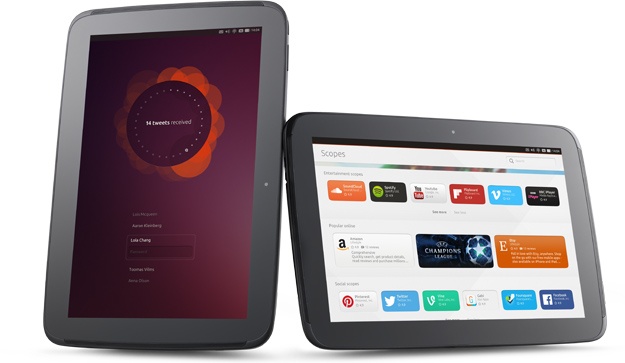


ubuntu tablet

The specifications of the Tablet are the following

  • 10.1 inch display.
  • 16GB internal memory plus MicroSD slot
  • Full HD video camera
  • 2GB RAM
  • 8 megapixel rear camera with autofocus and 5 megapixel front camera
  • Frontal speakers
  • Micro HDMI slot
  • Dimensions: 246 x 171 x 8.2mm
  • Lightweight at only 470g

Convergence

One of the killer features of this Tablet is convergence, the ability to turn it into a PC once connected to a wireless mouse and Keyboard, with the ability to work on the tablet at the same time for true multi-tasking! 
This also means that the apps developed for the tablet are the same as the desktop.
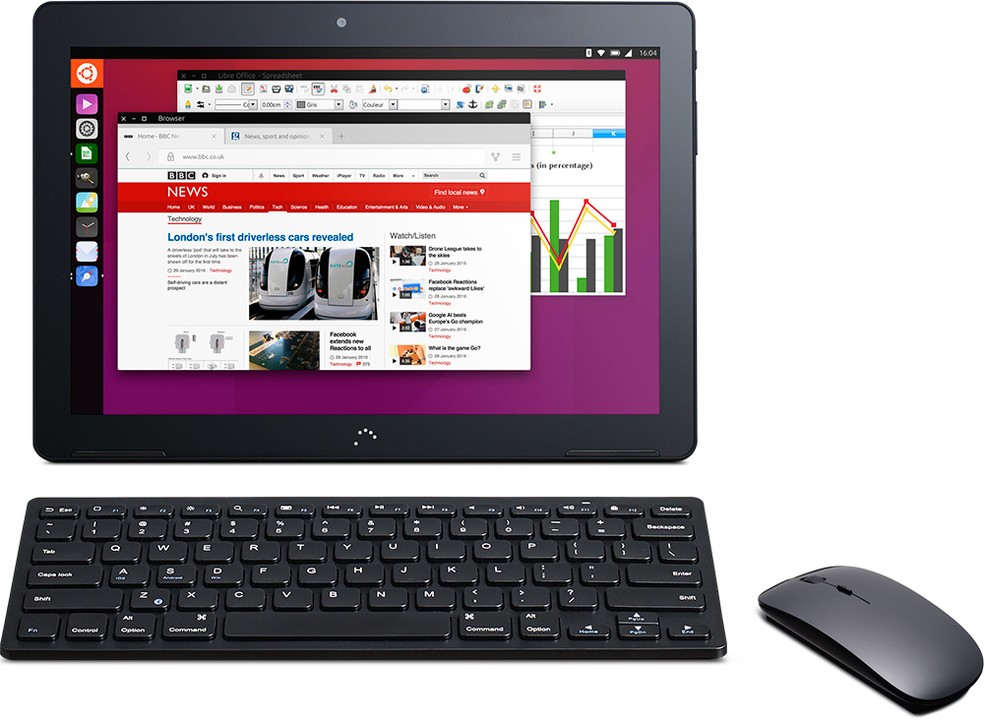
 Ubuntu tablet convergence

Ubuntu Scops

 It’s a new concept that allows you to get services without downloading apps on your tablet.

Final word

The Ubuntu tablet could be a true game changer, being the first ever to run the open source OS, with nice specifications and convergence, could it break into the mainstream market and attract attention outside the open source world? Only time will tell!

Android-X86 on PC!

If you want to have a version of Android running on your PC, you came to the right place!
Android is a very popular platform with hundreds of millions (if not billions) of devices running it world wide, today we take a look on how and why to have Android on your computer!


To be able to install Android on your computer you need to download Android-X86, which is a project to port Android into the PC architecture, then prepare it for installation on your computer since Android is Linux at heart.
In this post we shall install it in a Virtual machine so we can test it safely, and if you find it suits your needs you can install it directly on your PC.


Installing Android on PC is easy, with a couple of extra steps added to the usual installation, you can find the steps in here.

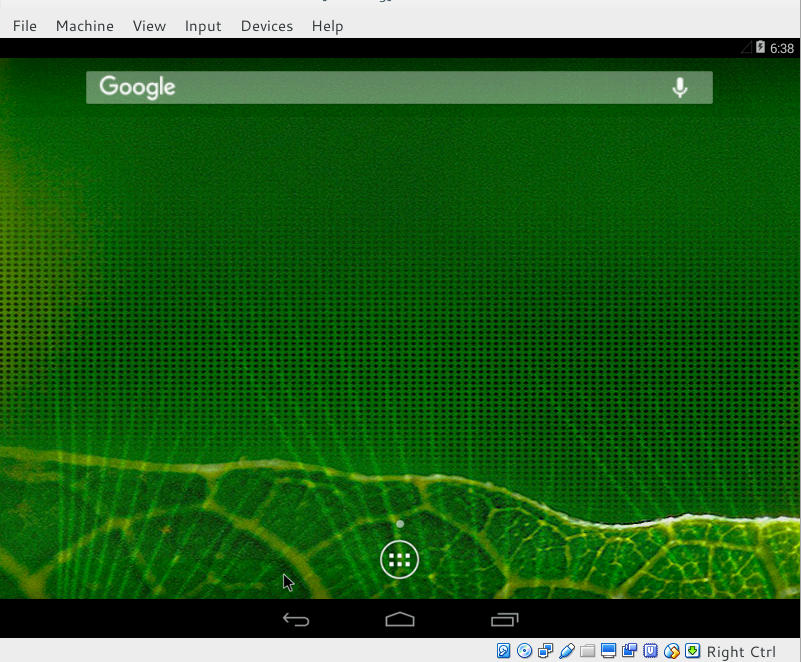
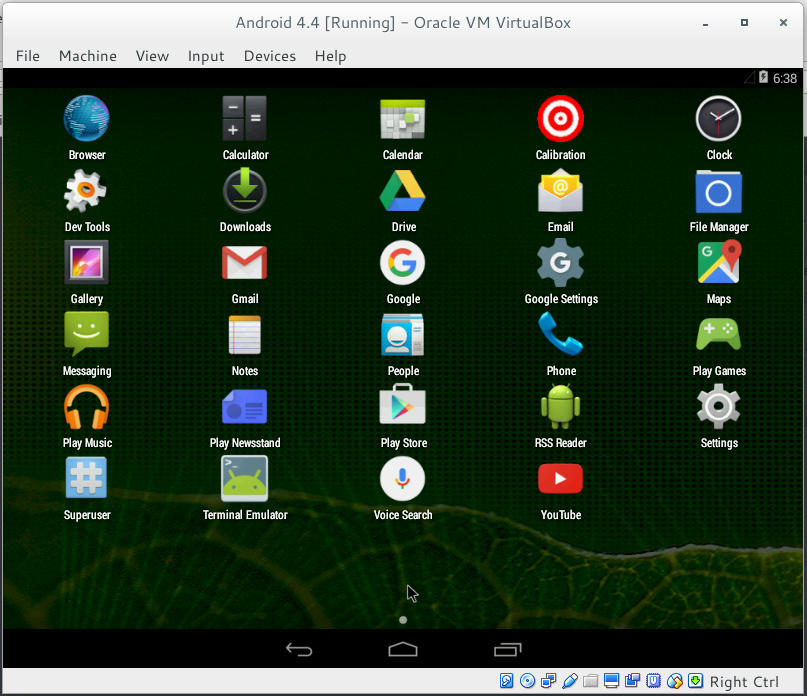
Once you install it, it looks something like this!


Remember to disable the mouse from input integration to be able to use the mouse as touch input!

now that we covered the how, let’s take a look at the why!

Why to use Android on PC

There are several reasons to use Android on PC: You could be a developer and want to test your applications in a safe environment, or you want to have another account on the VM other than your main account installed on your phone. Or you are like me, you don’t have an Android phone anymore but feel like messing with some applications 😛
It’s a fun project to try! Download the ISO and give it a test drive!
Would you install Android-X86 on an old PC of yours? You think it can be your everyday machine?

Continue reading

Telegram VS Whatsapp! Battle of the chat apps!! (2016)

WhatsApp is a popular texting message, and Telegram is an alternative of WhatsApp that has gained mainstream interest after the acquisition of WhatsApp by Facebook. While being really similar in features, I’ll be comparing them head to head so readers can have a decision!

Telegram VS WhatsApp

At the core, both applications are similar, they both serve the same purpose, chat apps!
There are some differences, let’s take a look at them!
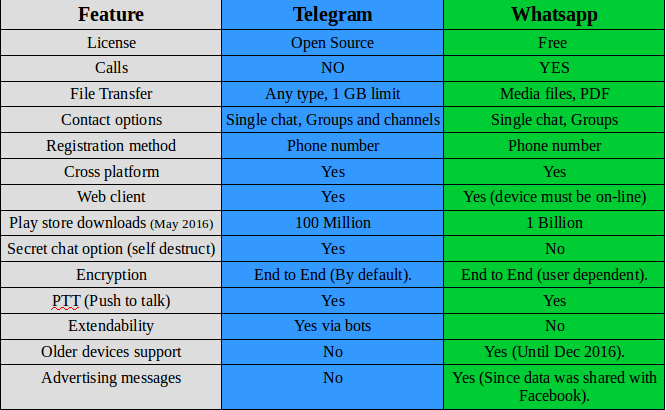
I made a table of comparison based on information available at the moment.


Telegram VS Whatsapp comparison

Key points

While being very similar, whatsapp‘s killer edge is having voice calls, the option that Telegram doesn’t have and doesn’t plan on adding them to it’s feature set.

WhatsApp is many times more popular than Telegram, so it has a wider user base, and the devices supported by WhatsApp are much more than Telegram! (supports older model Nokia Asha and Symbian but only until the end of 2016!).
It requires updating very often and it’s hard to manage on a limited internet connection.

And the call quality is terrible for the same reason! So in the few months I had Whatsapp, I didn’t make a single call!

Another major draw is privacy concerns, Whatsapp edited the privacy agreement and shared data with it’s parent company (Facebook) which will use the data for “targeted advertising”.


Whatsapp
has recently added Encryption, it’s not like the protection level that Telegram provides, but it’s a start (Telegram is an end to end application).

Telegramis focused on security and speed, it provides better security than WhasApp and the secret message option is something that WhatsApp doesn’t support!

File transfer is also a plus for Telegram, with 1 GB limit and any file type supported! Whatsapp is limited to media files (and pdfs).

Telegram
‘s bot feature increases the application’s functionality much more than Whatsapp, these bots do many things like instant translation from inside the application, and the possibilities are endless!! You can get nice gifs just by writing @gif in the chat bar.

I think WhatsApp‘s main con is that it’s owned by Facebook, and Facebook is known for not respecting user’s privacy!

Verdict: WhatsApp remains on top by a slight margin! With call support and wider user base, WhatsApp is a better choice for communicating your loved ones. But if security is a concern for you then you have to sacrifice voice calls and use Telegram!

Why not download Telegram too? It’s free and more secure! And in the end your needs determine the winner of this bout!!

I personally prefer Telegram, but I have to be subjective!

After the latest updates, I removed Whatsapp once and for all, Telegram is the way to go.

What do you use? And what do you recommend? Tell me your thoughts in the comments section below!


BlueGriffon 2.0 first preview

BlueGriffon is back to a steady path of development after being marked inactive by Alternativeto.net this time version 2.0 is in the works and recently a first preview version was posted on-line.


It released 1.8 in October and now 2.0 is under development!

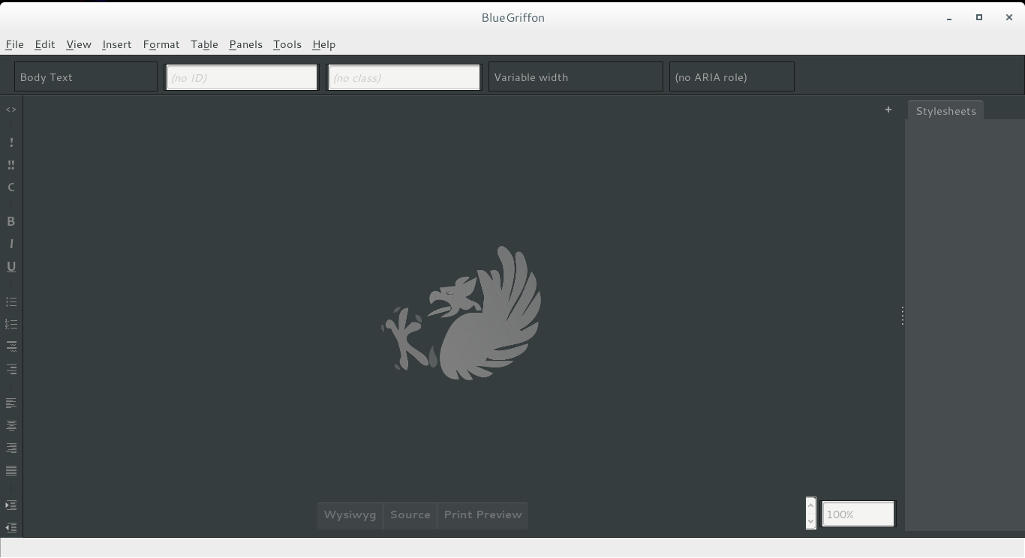
I’ve downloaded the version and tested it on Ubuntu, what I noticed immediately is hat the color scheme is different, and that the toolbar that has been carried along since the days of nVU (one of the earliest open source web author systems).


BlueGriffon 2.0 interface

It enhanced the way that panes are displayed, instead of being awkward pop-up windows now it implements tabs which make better use of the screen.

This version isn’t fully functional and far from complete, but I had to break in the good news!
What I really hope for (and I suggested this to the developers already) that a PPA would be used (personal package archive) that way BlueGriffon will be isntalled easily and updated with the system automatically, and catograized peroperly within the applications (it’s now a portable App that needs to be extracted to the root of your computer).

I think the version 2.0 will be the best one yet, and I hope it fixes all the bugs from 1.8

Will you download the test version? What do you think?

Update: Version 2.0 and 2.1 are released! Check the review from this link!!

« Older posts Newer posts »