Category: Free (Page 5 of 7)

CodeLobsterPHP Edition 5.8 is out, supports Arabic!

CodeLobsterPHP Edition continues it’s active development cycle by launching version 5.8 which brings many improvements to the  IDE, most notably an improvement long anticipated by Arab developers, Arabic support.

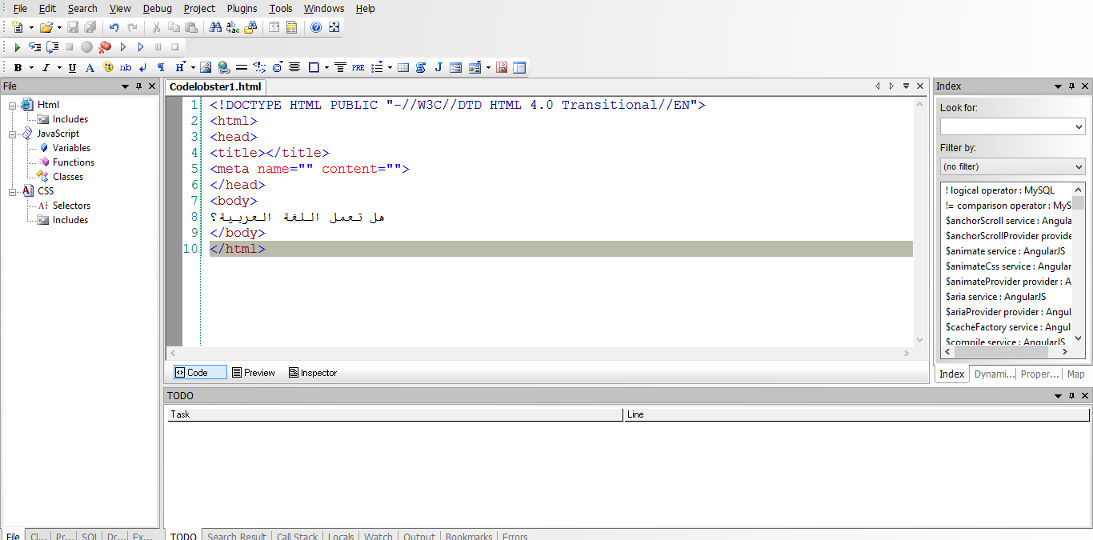
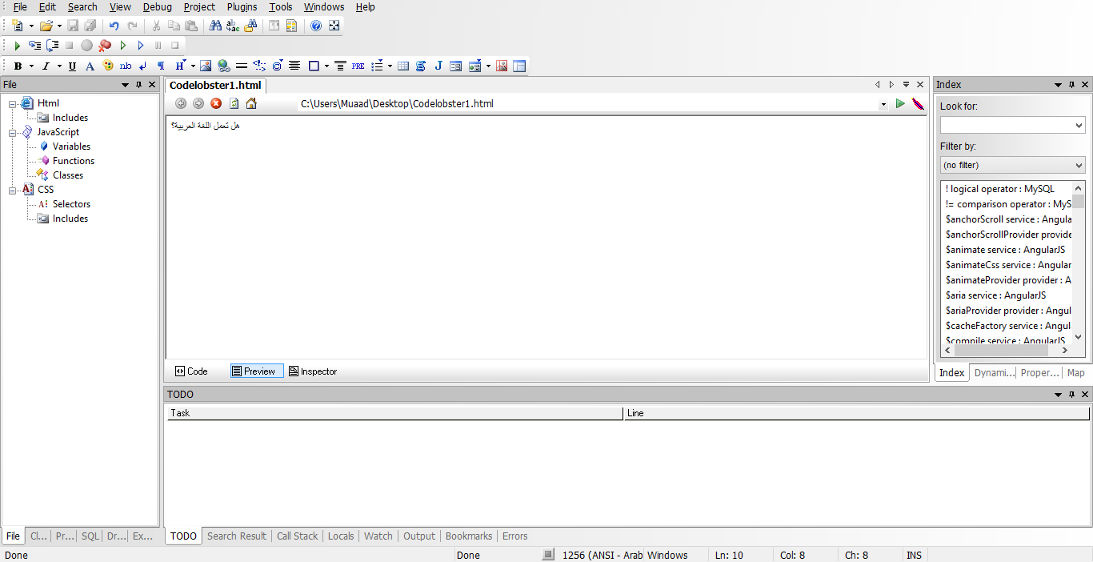
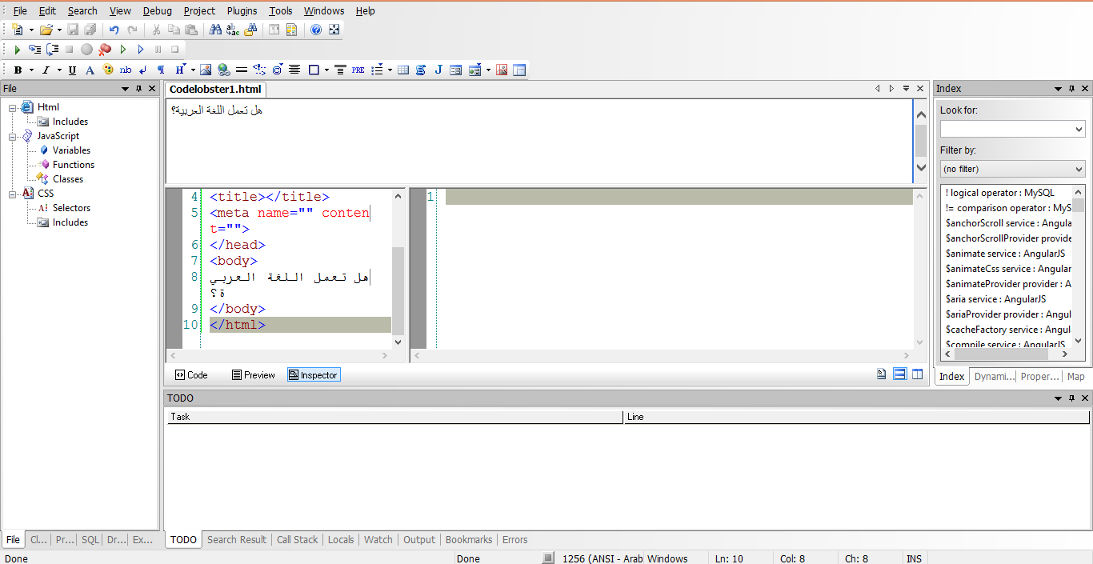
In my review of CodeLobsterPHP IDE I listed not supporting Arabic as a con of this software, now I can proudly say that it supports Arabic, and I was asked by the company to test for Arabic support, here are the results:


Arabic language working on the code pane


Arabic language working on the preview pane


Arabic language working on the inspector pane

For a complete list of features and bug fixes on version 5.8 click here.

Many Arab developers like this IDE and they are interested in purchasing a license, the only thing stopping them is that CodeLobsterPHP Edition doesn’t support Arabic. Starting of version 5.8 that’s a thing of the past!

I listed in my review of CodeLobsterPHP Edition that it has a friendly and responsive community, check the request I posted asking for Arabic language support, they are as good as I said they were!

So here you have it!  It supports Arabic now!
As an Arab developer, is having Arabic support in the tools a problem? How do you feel when Arabic is supported on such an amazing IDE? Would you try it? It has a free version you know 😉
Let me here what you have to say, and expect an Arabic post about CodeLobsterPHP Edition soon!


Telegram instant messaging application review, channel update

We have looked into several chat apps in this blog such as Whatsapp and Viber. Telegram focuses more on privacy and security more than these apps.

Telegram’s popularity exploded when Facebook announced it’s acquisition of Whatsapp in early 2014 raising security concerns among users, peaking 50 million downloads that day alone. Telegram is free and open source and has no advertisement what so ever!

Let’s take a look at the reasons to abandon whatever you become addicted to and switch to Telegram.

Who can you chat with in Telegram?

Much like Whatsapp and Viber, your contacts are your phone book contacts, and you can look users by user name as well.

You can talk to a single person or be a part of a group, and you can chat people using the secret chat feature.

Telegram features

Free and open source

When Whatsapp has been recently changed to become free, Telegram is free for life and has no ads what so ever (almost too good to be true!), while Viber has the sticker market which always wants you to buy the stickers.

Private

Telegram messages are heavily encrypted and can self-destruct, which is great for privacy (unless you are the parent of a teenager!) the most secure form of chatting you can have is provided by Telegram.

If the other person tries to take a screenshot of the secret chat, you will be notified! That’s amazing 🙂

Fast

Telegram delivers messages faster than any other application ( I still need to put this feature to the test), it tends to delay on SIM data but in general it’s fast!

Secure

Telegram keeps your messages safe from hacker attacks.

Powerful

Telegram has no limits on the size of your media and chats, while Viber and Whatsapp limit you to media files, you can send anything with Telegram! (Zip .MP3 .Doc) as big as you like!!

Cross platform / Cloud based

All of the popular platforms are supported, Windows, Linux, iOS, Android, and in case that wasn’t enough, there is a web version. And you can access your chats from an unlimited number of devices you have, and the web version is independent, you don’t have to prove to be online to chat on your PC!

Download

Click on the platform you have and it will take you to the official app in the store (you don’t want to download an unofficial app).

Download for Android

Download for iOS

Download for Windows Phone

Telegram Screenshot

After we looked at the awesome features, lets take a look at some things Telegram has:

As of August 2014 Telegram delivers 10 BILLION telegrams each day!

You can create a bot to do whatever you want (if you have the skills to do so) and this bot will fetch your email, check the weather or even play chess! Read more about it here.
You can enjoy strong and private chats with your friends and co-workers, create groups to chat more efficiently or even subscribe to channels.


Channels

This is the latest features added on September the 22th 2015

Channels are the latest way to deliver messages to an unlimited number of subscribers, where they can catch up to the latest messages and read all the message history, each channel has a view count and a members count. and for a better understanding of it subscribe to Telegram’s channel, and you can create your own channels right away as the new Android / iOS version will have this feature with the latest update, others are coming soon.
And before you ask, no it doesn’t support voice/video calls!

It’s not a VOIP application, it’s not a video chat application. It’s a chat application that does! They might add the VOIP option later, I don’t think it’s going to be free. So enjoy the incredible feature set.

Conclusion

I am happy to find a chat app that Facebook hasn’t got it’s claws on yet! Those guys are all over the place! Telegram is safe, secure. Totally free and completely awesome!

The possibilities are endless, and the development is ongoing!

Do you use Telegram to chat with friends and family? Please tell me your experience with it in the comments section below.


سبعة أمور لم تكن تعرفها عن لينكس

السلام عليكم

في هذه التدوينة سنناقش معا سبع حقائق ونصحح بعض المفاهيم الخاطئة في أذهان البعض منا عن اللينكس والمصادر الحرة.


  1. لدى لينكس واجهات رسومية مذهلة، لم تعد بحاجة الى شاشة الطرفية السوداء والبيضاء لأداء مهامك اليومية.
  2. بإمكانك التعديل في أي برنامج بالحصول على شفرته المصدرية، مع الالتزام بالتراخيص طبعاً.
  3. لست مضطرا للإتصال باﻷنترنت 24 ساعة للحصول على البرامج، يوجد طرق سهلة ومبسطة لفعل ذلك.
  4. لم يعد خاليا تماما من اﻷلعاب ذات المستوى العالي، مع دعم منصة STEAM الشهيرة وظهور Steam Machine المبني على اللينكس (سأخصص تدوينة كاملة لهذا الموضوع) ..
  5. من الممكن تشغيل معظم برامج ويندوز عليه بإستخدام برنامج Wine لذا لن تضطر للتخلص من برامجك المفضلة (مع العلم أن كل برنامج له بديل على اللينكس).
  6. أكثر أمانا بكثير من الويندوز، لن تحتاج إلى مضاد فيروسات، وإختراقه أصعب بكثير من اﻷنظمة العادية.
  7. الكثير من البرامج المفضلة لديك مفتوحة المصدر ومجانية مثل VLC الرائع و المتصفح الشهير Firefox وبعضها يأتي مضمنا مع كثير من التوزيعات مثل Ubuntu

كانت هذه حقائق عن لينوكس، شكرا لك لقرائتها، هل لديك المزيد لتضيفه؟ أرحب بذلك في التعليقات

شكرا لقرائتك تدوينتي


Atom 1.0, you have let me down..

Hey there you guys

I’m about to breakdown my experience with Atom editor 1.0

Introduction

Atom 1.0 was released yesterday and for those who just joined me here are some basic facts about it.

It took me over an hour to download it for Linux & Windows. As it detects your platform, I had to reboot just to download it and install it!;
What I liked is that it remembered all my customization and even reopened some files I was working on! Also all the packages I downloaded were preserved!
In my initial review of Atom I had 3 major draw backs. So I won’t turn the thumbs up until I see some serious improvements!

1. Resource consuming

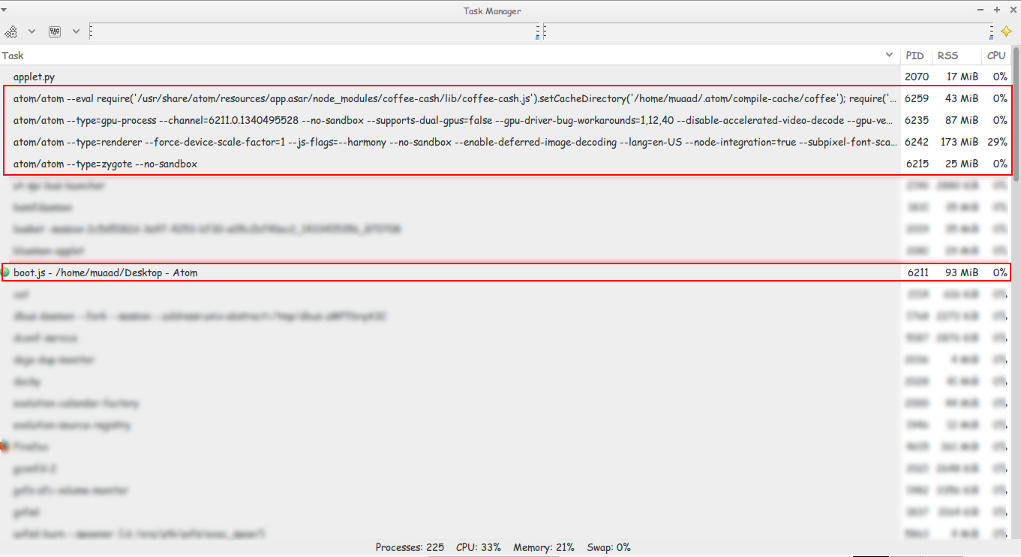
Still pretty much resource consuming!!

Look at those processes!
Screenshot of my system monitor


2. It takes a long time to load

It takes about 10 seconds to load on both Linux and Windows (no mac data so far!).


3.File size restriction of 2 Mega byte file size

It took several minutes to be responsive with a 2248 line .js file less than 2MB!!
I took sometime to test it. It took several minutes to render .JS files under 2MB, hung on and totally crashed with other scripts all less than 5MBs. And the computer was under so much stress I though I was gaming at 4K!
I tested on both (Linux and Windows) while Linux was slightly better. Windows was a catastrophe with Atom.
I tried opening some larger .jar archives, it didn’t have a huge issue with those. And a 39MB .sql file that killed it on Windows.
How can .JS files crash it if it’s made out of JavaScripts?

4. Doesn’t recognize Arabic by default!

Still doesn’t recognize Arabic ..**Arabic update: I managed to make Arabic work on Ubuntu by downloading language support and changing the fall back language in Firefox to Arabic. I’ll post more when I test on Windows.;
Also done on Windows.

So far.. It has let me down 🙁
PS: I used the same computer to test Atom now and then ..

Final verdict

Until they take it seriously. I’m not using Atom anymore! It has a nice look and some neat tricks. But I need something serious to work with..

« Older posts Newer posts »