Category: Android (Page 8 of 16)

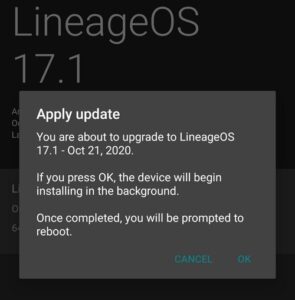
انطباعات حول نظام LineageOS 17.1 على هاتف Google Pixel XL

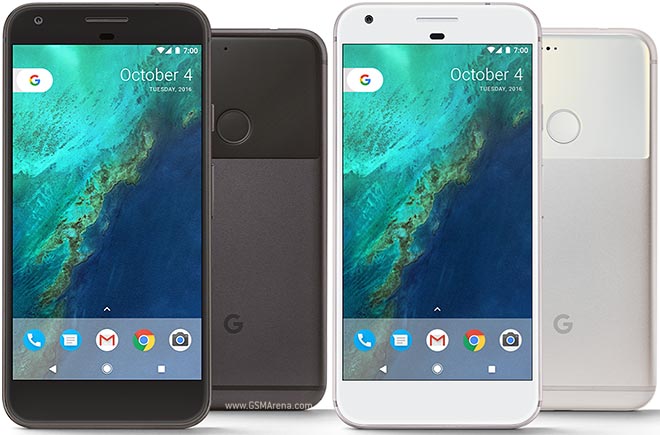
كنت قد دونت من قبل عن الأسباب التي تجعل اقتناء هاتف Google Pixel XL منطقيًا في العام 2020. فهو هاتف Flagship يمكن الحصول عليه بثمن زهيد مقارنة بالهواتف المشابهة له في المواصفات. وكما أن مزاياه لا تزال ملائمة حتى بعد مرور 4 سنوات على إطلاقه. إحدى هذه المزايا هي دعم نظام له. بالنسبة لي الأمر مهم لدرجة أني أعده أحد معايير اختيار هاتفي التالي.

وهذا هو موضوع تدوينة اليوم. حول تجربة مع نظام   على هاتف Google Pixel XL

تحذير واجب: تجربة هذه الطريقة على مسؤوليتك.. تفليش روم مخصص لهاتفك لا يخلو من مخاطرة. وقد يتحول هاتفك الثمين لثقالة ورق فخمة! كما أنه لو حاولت تفليش “روم مخصص” ليس لهاتفك.. فمبروك عليك ثقالة الورق الجديدة!!

أيضًا هذه التدوينة لن تدخل في كيفية التنصيب. فقط سأقوم بتضمين مقطع فيديو يحتوي على الطريقة كاملة. وهو نفس المقطع الذي اتبعته لتنصيب نظام التشغيل..
علما بأن تدوينتي حول هاتف الهواوي بها نفس الخطوات، فقط لجهاز مختلف.

انطباعات أولية

  • بعد تنصيب النظام بنسخته الأخيرة وحزمة تطبيقات Google Gapps لاحظت أن أداء البطارية تحسن مقارنة بروم غوغل السابق.
  • المساحة الخالية المتوفرة للمستخدم زادت بما يقارب 3 غيغا بايت (هذا الهاتف لا يقبل إضافة ذاكرة خارجية).
  • كل شيء يعمل كما هو متوقع منه. عادة تكون هناك تحذيرات حول إستقرار نظام التشغيل أو توافق العتاد (الكاميرا – المايكروفون مثلا) مع النظام الجديد. لكن هذا لم يحدث حتى الآن.
  • إمكانيات التخصيص زادت بشكل كبير جدا. مثل الأيقونات في الشريط العلوي. موضع الساعة وشكلها. اضافة الثواني للساعة. شكل الساعة على شاشة القفل.
  • تخصيص كل زر من الجهاز للقيام بوظائف إضافية. كما يمكن فتح وقفل الشاشة بالنقر عليها فقط (سابقا يمكن فتحها فقط بالنقر).
  • شكل الأيقونات وألوان المؤشر (سابقا كانت بيضاء فحسب). ومن الممكن تحميل حزم أيقونات لتغيير شكل الايقونات كاملة.
  • بالإمكان تخصيص لون ضوء الاشعارات حسب حالة الشحن والتطبيق المرسل. وعلى حد علمي لم تتوفر هذه الخاصية في روم المصنع.
  • وأهم من ذلك كله. توافر تحديثات أسبوعية للنظام. حيث أن Google أوقفت دعم الجهاز رسميا في ديسمبر من العام الماضي.
  • بمناسبة التحديثات.. بمجرد تنصيب الروم المخصص يمكن البحث عن التحديثات من الهاتف وتحميلها وتنصيبها دون الحاجة لخوض الخطوات المذكورة في الفيديو وتفليش كل تحديث عن طريق ADB.

خلاصة التجربة

الأمر فعلا يستحق فقد منح هذا النظام شكلَا جديدًا وأداءًا أفضل للهاتف. وأضاف إليه مميزات لم يعد من الممكن الحصول عليها من Google .

هل سبق لك تفليش روم مخصص على جهازك؟ هل كللت تجربتك بالنجاح أم بالفشل؟ سبق لي تفليش روم مخصص على هاتفي الهواوي Y560 وإعادته لروم المصنع بنجاح. ويمكنك الاطلاع على التجربة من هذا الرابط هنا.

ملاحظة: تطبيق الكاميرا ليس بنفس جودة كاميرا قوقل، عدت لاستخدامها بعد أن لاحظت أن جودة الصور أقل.

هناك تدوينة جديدة حول هذا الهاتف أنصح بمطالعتها من هنا.

10 Reasons why the Google Pixel XL is still relevant in 2020

The Google Pixel XL was released in October of 2016. A revolutionary phone that set the stage for a series of high end smartphones made by Google. Despite the fact that the Pixel XL 4 was released a few months ago (October 2019 to be specific), the first one is still pretty much relevant for the following reasons:

1. The build and design

I really like how the bezels and screen look on this phone. I am not a fan of notches or big screens that are close to edges. They somehow make me anxious. This is a matter of personal preference of course.
The backside of the phone is really beautiful. I really like the color scheme and even the naming of the colors used.


2. Google

The software is optimized to work with this hardware. The apps are downright stunning. You are getting “Pure Android” without any manufacturer user interface or bloatware (unless you are into that sort of thing).
While some Google apps are available for other Android devices such as the Google assistant. I’ve never been able to harness the full power of it except on this phone. Also apps like lens have made my life easier.
Lens for example is a Swiss knife of knowledge and interesting features.
One app in particular “Record”. A record app with a unique twist. Stands out and is only available for pixel devices.
It can recognize what kind of sound is being recorded and type out a transcript. Which it then uploads to Google drive for you to make use of. It’s currently only limited to English but I have to say: I am impressed.

3. Software updates

I’ve bought it with Android 7.1.1 installed on it. As soon as I had internet it notified me that 8.1 was available. And a few hours later I was upgraded to another version of Android.
3 Android versions in 36 hours.. Wow

4. Flagship level of quality

From the Gorilla glass protection on the screen to the glass finish on the back. All the way to the tactile power button. The phone really feels like a high end phone and has aged well.

5. The camera

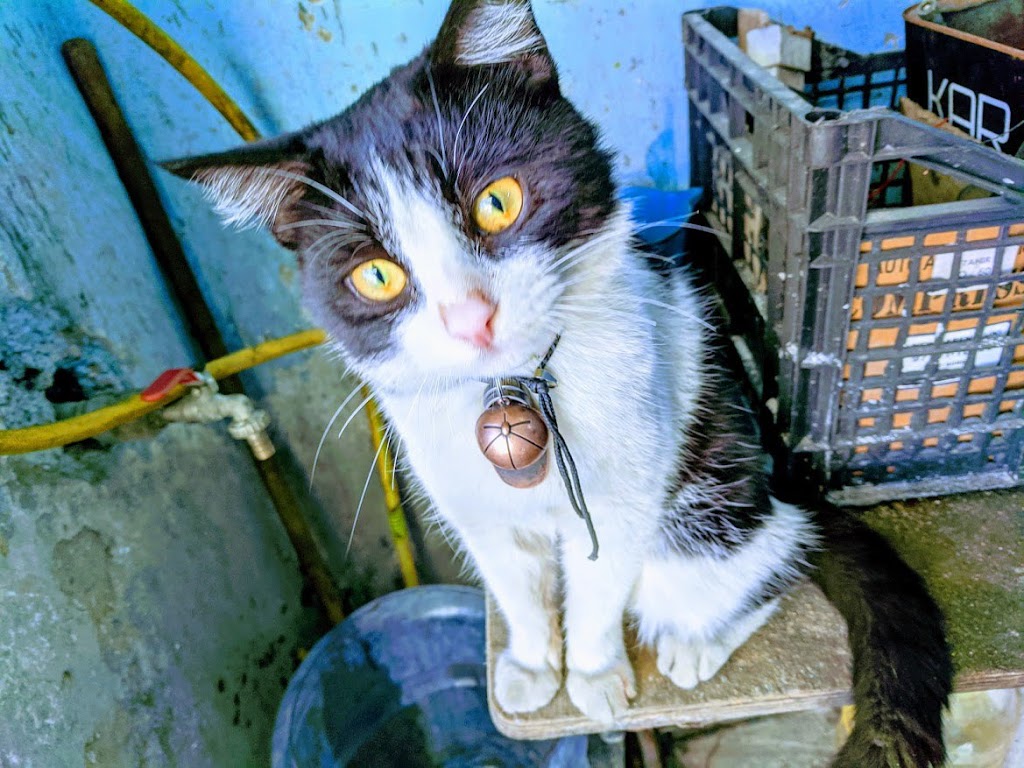
The quality of pictures is amazing. It doesn’t have the biggest megapixel count or the fastest shutter. But the colors are vibrant and all the elements are there. The result is an unplanned masterpiece! Here is an example I took that was edited by Google photos. Should I add photographer to my resume?

A picture of a cat I took sometime in December last year


6. Accessories are available

Covers and screen protectors are readily available for this phone, and since it’s old the prices are slashed and they can be found in clearance bins around stores. A good thing for someone on a budget. I picked up a premium cover for a fraction of the original price!
As for the charger, it uses a USB type C (Female) and a standard charger that is capable of 3A. That’s to make use of the fast charging feature.

7. Third party operating system

I know that the Google Pixel XL’s support was discontinued this December. But do you know what’s not discontinued? Linage OS! Once I get bored of Google’s OS, I’m jumping ship to Linage OS. Breathing even more life into this old phone!

8. It fits my standards

Sometimes it’s the little details: Like tapping the screen twice to unlock the phone. Or being able to update your system to a more recent version of Android (unlike many crappy mid range phones I owned). Or simply being able to flash a custom rom on the device and be able to experiment with it a bit more.

9. The price

Without burning a hole in my pocket I got this phone on the cheap. I got it used and with no accessories to be fair. But the initial price was too tempting. Less than any mid-range phone on the market, and far better than it by a far stretch!

10. Android 10

I’ve left the best to the very last. The biggest selling point of this phone to me was the ability to upgrade to Android 10. A feature many phones on the market don’t have and some high end phones are still lining up to get.  (This post was written in November of 2019)
I managed to upgrade to Android 10 from Android 8.1 without issues. Once the update was done I was faced with the best version of Android I’ve ever used. Everything is complete and organized.

Final words

To me this was a bargain. Being able to get a high quality phone on the cheap. I recommend to anyone who is looking for a phone to check the Pixel lineup of phones. Not necessarily this one; The Pixel XL 2 is an excellent choice and the more recent you get, the longer support you receive.

Do you own a Pixel? Ever thought of getting one? I hope this post helped you make the jump to the Pixel world.

It’s worth your time and money..

A retrospective review in Arabic is available from here.

How to choose your next Smartphone? My standards!

I’m a guy who had dozens of phones, tons of form factors and companies you haven’t even heard of, I’ve owned it, blogged about it and eventually sold it on OpenSooq for the highest bidder, with that being said, here are my requirements for the next smartphone.

1. Screen size

I’ve been very strict about this point, almost always going for 4.5‘ screen Smartphones, which was good and also limiting! Those phones are known as mini, usually come with one gigabyte of RAM and don’t preform as well as they should, but now I realize that 5′ is the least you should go for, and the more screen real estate, the better! Just don’t go for above 7′ screens, you would look like you are talking into a food tray!
Smartphone Screen
Smartphone Screen

2. Battery power

Who hates having more juice? The more the better, right? Well that’s exactly the case, with phones becoming faster and bigger, so does the need for bigger batteries to support all that high tech and some more, without having to sit by the charger all day, I would recommend to go for not less than 3000 mAh, and the more the better. Especially if you live somewhere with an electricity crisis.


3. Operating system

This is dedicated to Android of course, Windows Phone is dead, and I don’t have an iPhone, and probably never will, I recommend that you go for the highest version of Android you can get, and go for a company that has a good history of updating the phone, if you go for a Google phone for example, you will get the latest update always, amazing!
Android P logo
Android P logo

4. OTG support

This goes without saying for many modern day phones, but it’s good to check because this feature expands the capabilities of your phone with all sorts of peripherals, you can even connect a joystick and play games! If your battery is big enough you can turn it into a battery bank and help a friend in need.
Some companies like Huawei likes to skim on this feature on the mid-range smartphones, so you might want to double check if OTG is a selling point for you.


USB OTG Logo
USB OTG Logo


5. Accessories

Make sure the Smartphone has accessories in the market, even if it has the latest Gorilla glass technology, it will be scratched with time, and having a cover can take a bump or two and save you from a dreaded trip to the repair shop, will also improve resale value, a tip from a compulsive phone hopper!
Phone case
Phone case

These are my top requirements in a Smartphone, there are some optional ones which I will list down below

  •  Custom ROM

Having the ability to flash a custom ROM is a great idea – if done correctly – and it really expands options and gives a new refresh for the Smartphone, if not, don’t do it as it will ruin your Smartphone.

LineageOS logo
LineageOS logo

In case you got tired of your smartphone, sell it and get a new one, someone will think it’s good and make their lives a little better!

What are your standards for a new phone? What are you looking for? Please share these with me in the comments section below.

تفليش روم Cynogen Mod 11 4.4.4 على جهاز هواوي Y560-U02

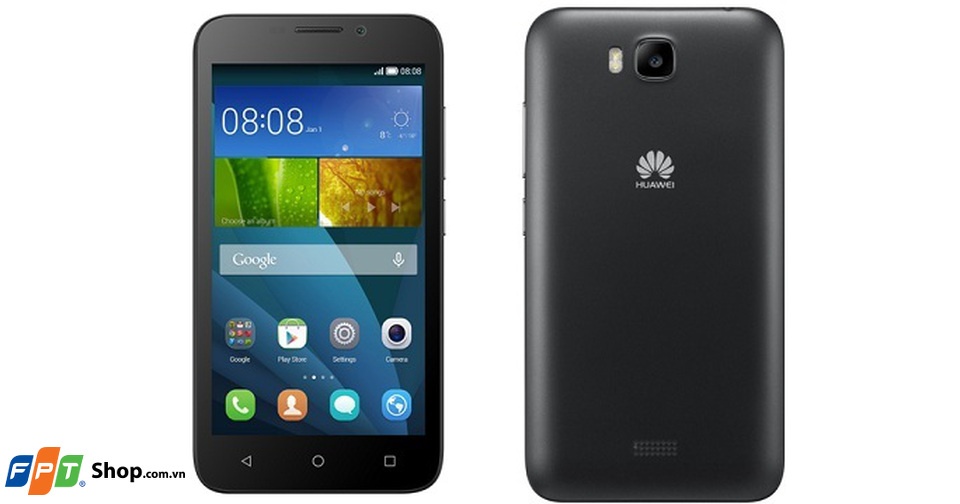
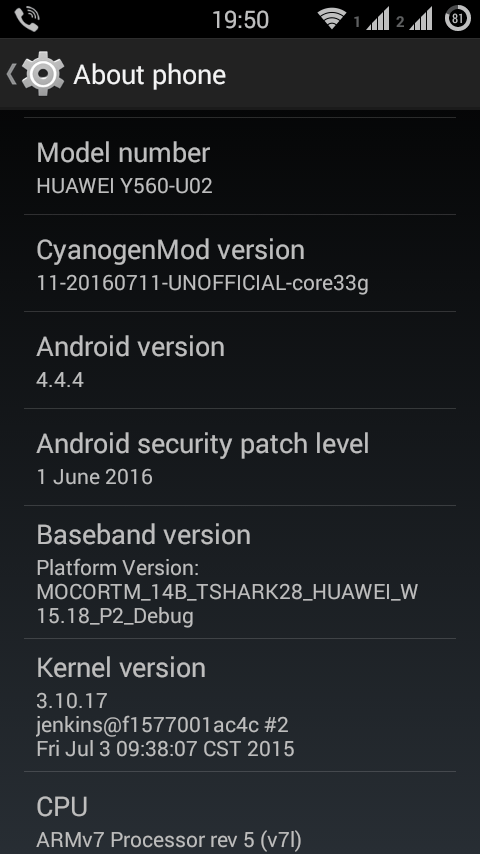
كنت قد دونت من قبل عن حصولي على هاتف أندرويد بسعر جيد، وكذلك عن التخصيصات والتعديلات التي أجريتها عليه منذ ذلك الحين. الآن سأدون عن موضوع أكثر جذرية وهو تفليش روم 11 Cynogen Mod على الهاتف Huawei

Y560 -U02

تعريف بالهاتف

هاتف هواوي U02  هو نسخة معدلة لمستخدمي الشرق الأوسط وأفريقيا بسعة بطارية أقل، ومعالج رسوميات أرخص، ولا يدعم شبكة الجيل الرابع، وكاميرا أكبر بالميغا بيكسل (لا أدري لماذا)، ونظام تشغيله أندرويد كيت كات 4.4.2 وليس لولي بوب 5.1 ما جعل العثور على روم مخصص له أمرًا أصعب، خاصة أن النسخة  (1.2.3)L و U23 تحصلت على دعم Linage OS حتى الإصدار 13 التي تكافئ أندرويد 7.1.2

رقم نسخة روم الهاتف الاصلي

HUAWEI_Y5_Firmware_Y560-U02_V100R001C328B106 وهذه يمكن تحميلها من موقع الشركة وتفليشها بسهولة دون اللجوء لكل الخطوات التالية.
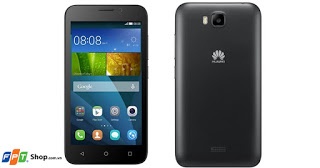
Y560 – U02

معلومات عن الروم

الروم هو نظام Cynogen Mod 11 وإصداره 4.4.4، ورغم أنه يزيد قليلًا عن نسخة الروم الأصلي 4.4.2 إلا أنه يظل أفضل منه في العديد من النواحي (وأقل في نواح أخرى). وهي مشتقة من روم لهاتف Samsung Galaxy Core Prime مع بعض التعديلات.

لماذا الترقية لروم مخصص؟

بعد مراسلتي لشركة هواوي المصنعة للهاتف، أجابوني بأن الهاتف يعمل بشكل جيد ولن يحصل على تحديثات إلا لو طرأت عليه مشكلة، الأمر الذي دفعني للتخلي عن الدعم الرسمي والذهاب لروم مخصص، خاصة أن مدة ضمان هاتفي قد انتهت (ومع شركة البديل لا توجد ضمانة حقيقية..)

  Hello ,

Thank you for contacting Huawei technical support team.

Regarding your concern, please note that:

Updates availability depends on two main factors.

First one is the update requirments and second one is the specification of the device.

Meaning, not all update versions are going to be available for all devices because the main reason for updates is enhancing phone performance.

If any updates not compatible with the device, it means that it will affect the phone performance badly.

That’s why we are not releasing any update unless we are sure 100% the update is secure and compatiable with the device.

Warm Regards,
Thank you for choosing Huawei.

نص الرسالة التي وصلتني من هواوي.

طريقة التفليش

هذه الطريقة متقدمة ولا ينصح بها للمستخدمين العاديين، كما أنني غير مسؤول عن أي ضرر يتسبب فيه هذا التحديث لجهازك، تابع على مسؤوليتك الخاصة أو توقف عن القراءة الآن..

الملفات التي ستحتاج إليها

1. ريكوفري مخصص للهاتف يمكن تحميله من هذا الرابط.

2. نظام التشغيل نفسه يمكن تحميله من هذا الرابط. مع ملاحظة أن الرابط كان بطيئًا جدًا.

3. تطبيقات غوغل أيضا يمكن تحميله من نفس الرابط.

4. اﻵداة Rom Manager  لعمل نسخة إحتياطية قبل التفليش وبعده.
5. الاحتفاظ بقيم IMEI ويمكن معرفتها من تحت بطارية الجهاز، أو من خلال *#06# لكلا الشفرتين (الخطين).

تنصيب ADB Android Debug Bridge

في البداية تحتاج إلى تنصيب ADB على حاسوبك، وهي أداة متقدمة تتيح للحاسوب إرسال تعليمات للجهاز بصلاحية الروت.

تنصيبها على أبونتو كان سهلًا، خاصة أنني أستعمل Android Studio للتطوير.

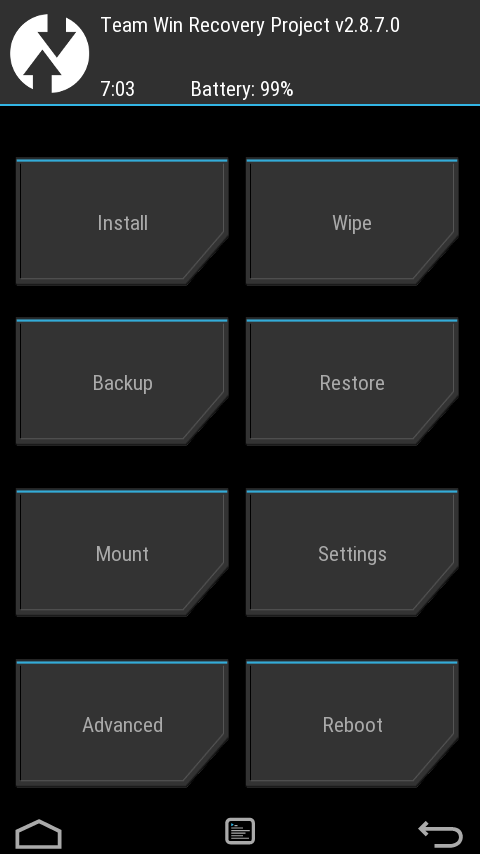
من داخل الطرفية قمت بتفعيل نمط الاقلاع السريع ثم أرسلت الريكوفري المخصص من انتاج TWRP لأنه لا يمكن إستعمال ريكوفري المصنع لتحميل روم مخصص، ثم قمت بإعادة تشغيل الجهاز.

cd Desktop

sudo adb start-server
adb get-state
adb reboot bootloader
fastboot flash recovery twrp-2.8.7.0.img هنا الرقم يتغير حسب نسخة الريكوفري

ثم اعادة تشغيل الهاتف مجددًا، لن يحدث أي تغيير لأن الريكوفري في قسم أخر من الذاكرة بعيد عن البيانات ونظام التشغيل.

دعم بيانات الهاتف من Rom Manager

الخطوة التالية هي عمل دعم لكل الهاتف بإستخدام ROM manager والاحتفاظ بها في حالة حصول مشاكل، مع ملاحظة الحاجة لتفليش الريكوفري القديم. ويمكن باستخدام TWRP الاحتفاظ بنسخة منه.

تفليش الروم

بعد وضع الروم على الذاكرة الخارجية قمت بفتح الجهاز في وضع الاسترجاع Recovery Mode بضغط زر التشغيل وزر تخفيض الصوت معًا والجهاز مقفل.

ثم ذهبت للخيار الثاني Wipe وقمت بعمل Factory Recovery و مسح Dvalik Cache و Cache و System

ثم ذهبت للخيار اﻷول Install قمت بتفليش الذاكرة وتطبيقات غوغل Gapps وكذلك أداة تدعى Cynogen Remover لتفادي بعض المشكلات في عملية الإقلاع، من مكانها في ذاكرة الهاتف. وفي غضون بضع دقائق كان التحديث قد اكتمل.

بعد إقلاع الهاتف تمثلت مشكلة Setup Wizard والتي أدت بي لتفليش الهاتف لروم المصنع في السابق، ولكنني عثرت على الحل في الرابط وتغلبت عليها ببعض الأوامر من ADB ليبدأ الجهاز بكل سلاسة. 

ربما تحتاج لنسخ رقم IMEI يدويا ووضعه في الملف الخاص به  من المسار device/efs/imei/imeino1
device/efs/imei/imeino2 من خلال برنامج ES File Explorer بصلاحية الروت وتعديله يدويًا.

مميزات النظام الجديد

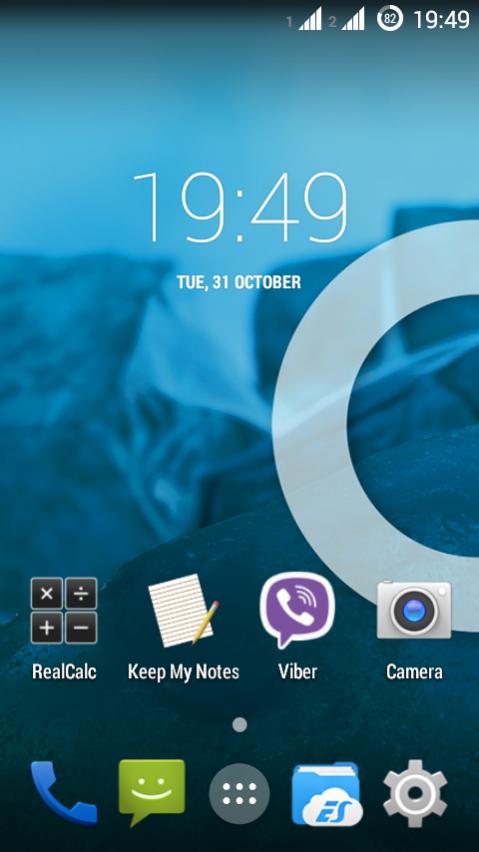
  • شكل النظام تغير كليا ليصبح Stock Android وهو جميل جدًا، يذكرني قليلًا بهاتفي القديم Be Elite
  • وجود مواضيع مخصصة يمكن تحميلها من المتجر بشكل مجاني.
  • الشحن أصبح يصمد ليوم كامل تقريبًا في وضع السكون بعد أن كنت أشحنه مرتين في اليوم، وهذا أمر جيد!
  • ظهور بعض الخيارات المتقدمة التي يدعمها أندرويد ولم تهتم هواوي بتضمينها في الهاتف: كأمر تشفير الجهاز بالكامل، والكثير من خيارات التخصيص.
  • الزر الأوسط يعمل كمدير للمهام، فهو يعرض التطبيقات المفتوحة وكذلك يرجع لسطح المكتب، وهذا أمر يأخذ بعض الوقت للاعتياد عليه رغم انه الوضع الطبيعي لأغلب أجهزة أندرويد.
  • الجهاز به خاصية الروت مباشرة من الروم، ما ينفي الحاجة لتطبيق King Root
  • أيضا الواجهة لا تحتاج لأي من برامج التخصيص لتبدو بشكلها الحالي.
  • ما يعني أن الجهاز يبدو أفضل ببرامج أقل!
  • من الإعدادات المضمنة خاصية حظر المكالمات، ما يعني أنه لا حاجة لتنصيب برامج بأذونات مبهمة لحظر المزعجين.
  • الصوت أعلى مما كان عليه في روم المصنع، يبدو أنه يغير بعض إعدادات الصوت كذلك!
  • فلاش الكاميرا أشد سطوعًا (أم أنها فقط مخيلتي؟).
  • برنامج TWRP يتيح تفليش نسخة كاملة من نظام التشغيل بكامل إعداداته وبرامجه، وإستخدمت برنامج Rom Manger  لدعم هذه النسخة إلى ذاكرة الجهاز. وهي خاصية لم يكن يتيحها حتى Titanium Backup

عيوب في النسخة الحالية من النظام

  • لم أتمكن من تفعيل شبكة الجيل الثالث حتى الآن، لكن الجهاز يعمل بشكل جيد في نمط الجيل الثاني.
  • أيضا شبكة Wifi hotspot لا تعمل، ما يعني أن الجهاز لا يستطيع مشاركة البيانات مع الأجهزة الأخرى عبر تطبيق ShareIt (الذي امتلأ بالإعلانات المزعجة على فكرة).
  •  القائمة المسحوبة لا تحتوي على خيار الفلاش، وهو أمر مفيد لمن يعاني من انقطاعات كهرباء دائمة. تغلبت على هذه المشكلة بعمل Widget من تطبيق الفلاش على سطح المكتب.
  • مشكلة مع Google Store سببها نسخة Gapps التي قمت بتفليشها على الهاتف، والحقيقة أنني أعاني من مشاكل دائمة مع Google Store وهي سبب المشكلة السابقة التي فلشت فيها الجهاز بروم المصنع.
  • خاصية السطوع التلقائي لا تعمل، وأفادني الشخص الذي برمج الروم أنه لا يحتاج إليها (أناني أليس كذلك؟).
  • للأسف لم تعمل خاصية OTG، في الهاتف القادم إن شاء الله!
  • خيار نمط توفير البطارية غير موجود. وكذلك خيارات ال USB بعد توصيله بالكمبيوتر.

صور للنظام

هذه الصور من رابط موقع XDA نفسه وليست من جهازي (أشعر بالكسل)


برامج ناقصة

المنبه والألة الحاسبة والراديو لم تكن ضمن هذا الروم، وبينما تمكنت من تحميل المنبه والحاسبة بسهولة، لم أحصل على راديو أف أم حتى الآن! في رابط التحميل توجد آلة حاسبة ومنبه 🙂

خلاصة التجربة

لقد أعدت اختراع هاتفي باستخدام نظام التشغيل هذا، وأعتقد أنه سيصمد معي فترة ملل جديدة (متوسطها 11 شهرًا قبل تغيير الجهاز)، وسأدون حول شراء جهاز جديد والمعايير التي سأبحث عنها في حينه. ولكن للأن أداء الجهاز مرضي وخياراته العديدة ستبقيني مشغولًا لفترة لأنني أشعر وكأنه جهاز جديد وبتكلفة زهيدة!

سأقوم بإضافة حلول المشاكل التي تواجهني إن تمكنت من حلها، أو إن تحصلت على تحديث أعلى من نسخة 4.4.4

هل لديك هاتف هواوي مثل هذا؟ هل تفكر في ترقيته بهذه الطريقة؟ شاركني برأيك في قسم التعليقات، وشكرا لك على القراءة.

 

« Older posts Newer posts »