Category: iOS (Page 2 of 4)

Tech news digest June 2016 (Linkedin sale, OnePlus3, snaps for Linux and more)

This week had many interesting news happening all over the tech world!
Let’s take a look at this digest and catchup really fast!
Microsoft is said to buy the enterprise social media site Linkedin for a record 26.02 Billion dollars in cash, the deal is trending worldwide with people shocked over the size of the acquisition, it’s a bold business choice to say the least!
The current S.E.O of Linkedin Jeff Weiner will report to Satya Nadella the C.E.O of Microsoft, as Microsoft is looking to reach to the 433 million users of Linkedin to expand it’s business and products such as Office 365 and cloud solutions.


Microsot’s logo

In other Microsoft news the Windows 10 “free upgrade” will expire on July the 29th, so if you are planning to update you better put that on your checklist and fast!

OnePlus is ready to launch the third smartphone of it’s famous “flagship killer” series: OnePlus3, the highly anticipated phone will come with a 64GB internal memory and 6GB of RAM! (specs according to GSMarena).
The countdown is almost done and the launch event will be presented in virtual reality via a The Loop. A special App available on the Google store.
More details will be available as soon the smartphone is released.
Here is the official unboxing video.


Apple’s logo

Apple annonced at WWDC 2016 the release of it’s latest update to iPhone and iPad: iOS 10. Which brings many improvements to iPhones such as a redesigned message app, lock screen and the ability to delete many pre-installed apps, the update will be shipped this fall. (for more details check the Apple site from here)



It’s not a Snap! Just a package icon!

Now we take a tour of the Linux world:  Sanps are the hottest thing in the Linux world today and for a good reason! Snaps were first announced as a feature of Ubuntu 16.04 that installs programs easily without needing to install dependencies (as it’s packed with the binary) or use command lines to install, these snaps can run virtually on ANY Linux distro! Meaning you can use Ubuntu apps anywhere you go on Linux: Desktop, server or cloud!

The main advantages of Snaps are security, speed and ease of use as they are easier to create, install and update! And many of the major open source projects like LibreOffice and Ubuntu will use them very soon as the standard way to deliver software.

This has been a dream for Linux users for many years because different distros use different package managers, meaning that Debian software won’t work on Fedora and vice-versa.
I’m glad to see that happening finally, learn more about this awesome new technology!

Fedora’s latest release: Fedora 24 was supposed to be released today, but due to some bugs not being fixed it was postponed, Fedora is ready when it’s ready! Checkout the bug list if you can’t wait!

Finally the Linux oriented blog it’sfoss is celebrating it’s fourth anniversary (does it ring a bell?) by throwing a giveway, the prise is the awesome Raspberrypie3.

It’s F.O.S.S’ logo

Here is my lucky link for you to enter and help me win, because if I did I’ll make a video review of it and many posts about it! 😉
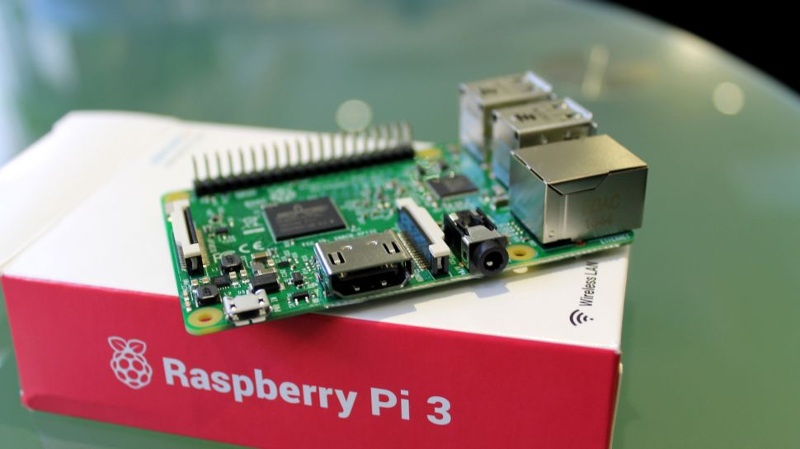
Raspberry Pi 3
The Raspberry Pi 3 as shown on the giveaway site!


That was the tech news of the week segment, I hope you enjoyed this quick digest, let me know what you think in the comments section below!


Duolingo the best and easiest way to learn a new language!

Many of us dream to learn a new language but never actually do anything to do that! We are to busy

to take a course after work or simply won’t pay the cost for a course. Well today’s app has got you covered!

Let’s take a look at: Duolingo

Duolingo's opening screen

Duolingo is an application that helps you learn another language for free, forever, in a fun and addictive way that’s similar to a video game!

Learning on your Smartphone Who doesn’t have a Smartphone now days? Everyone has at least one and they stare at them all the time! So why not stare at an application that will help you learn a new language in an easy fun way? It’s better than checking Facebook or Twitter every 20 seconds! All you need is a good Internet connection and you are good to go! (There are some lessons don’t require an Internet connection, it is needed to keep track of progress and score.)

Duoligo's logo

Who uses Duolingo?

The app is cross platform and is available to Android, Apple iOS and Windows phone. There is also a web version so you can learn on the go and from anywhere! You can even use it in the class room for your students if you are a teacher, free of charge!
It is used by 120 million people around the world to use all sorts of languages, why don’t you join the ranks too?

Available languages

all you have to do is to download a version for your device, sign-up

with your e-mail and you are set.

Choose your native language

and see what languages are available for you!

Duolingo course list for English speakers

This list is for the English speakers, it scrolls down as it offers

many options, other languages don’t have as much options as Duolingo uses statistics to provide each region with the courses on demand, and I haven’t found any course for the native Arabic speaker on Duolingo’s version for Windows phone, but I found a course on the website aimed at native Arabic speakers who migrated to Sweden. 

Tracking progress

Set the number of experience

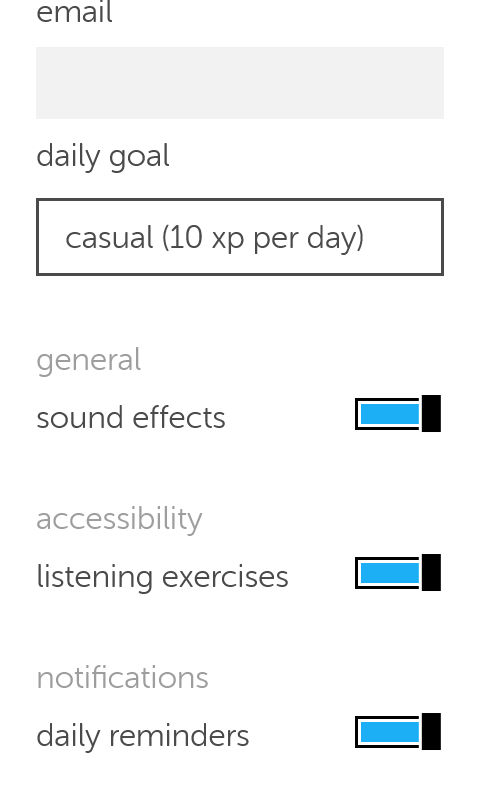
points you need to earn daily so Duolingo helps you keep track of your daily goal, you can set those from the settings, anywhere from 10 (casual) to 50 (insane).

Duolingo's settings
 You can also control getting daily reminders (I highly recommend yo keep those ON).

How does it work?

  • Duolingo

uses colors and sounds to make learning easy and fun and more game-like, by using a scoring system, ranking and rewards, similar to elements found in video games, and that’s where the name Gamification comes from.

  • The language
  • learning itself is based of quizzes and games that aims to teach you the language you plan on learning.

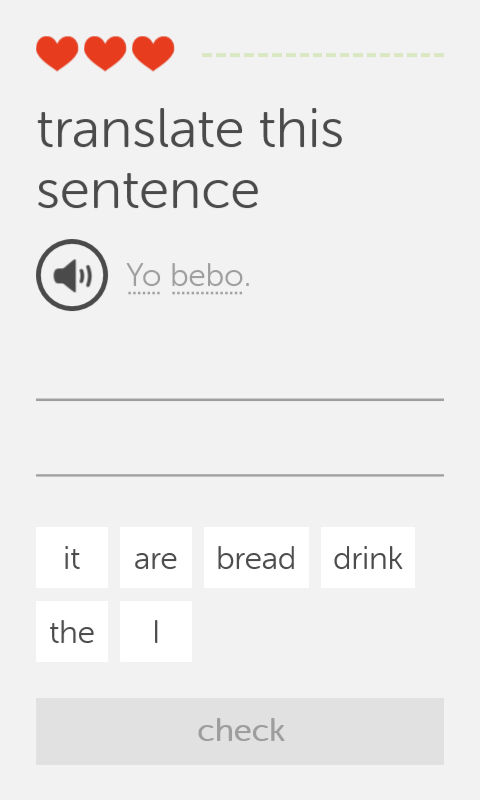
    One of Duolingo's exercises

    • This exercise i

    s very simple, you listen the word by touching the speaker icon, then choose the correct words from the choices below, each correct answer fills up the bar to the right, and a wrong answer takes a try (a heart) and when you run out of hearts, you repeat the lesson all over again! There are many other exercises and I’ll leave those for you to discover!

    Finally..

    Duolingo is a fun app that helps you jump start your language learning and have fun doing it, I don’t think it can replace the full learning experience or taking courses, but it’s a start!

    Will you download Duolingo? What is the language you always wanted to learn? Let me know what you think in the comments section below.
     

    Advantages of having Windows phone over Android

    Until one of my readers asked me this question, I thought I posted about this, turns out I didn’t! Let’s take a look at some of the perks that Windows phone has!
    It’s an opinion piece, so don’t get all worked up 😉


    1. Part of the chosen few

      Having a Windows phone is unique, it’s unlike owning an Android device, they have a distinct look and feel to them that only a few can appreciate.

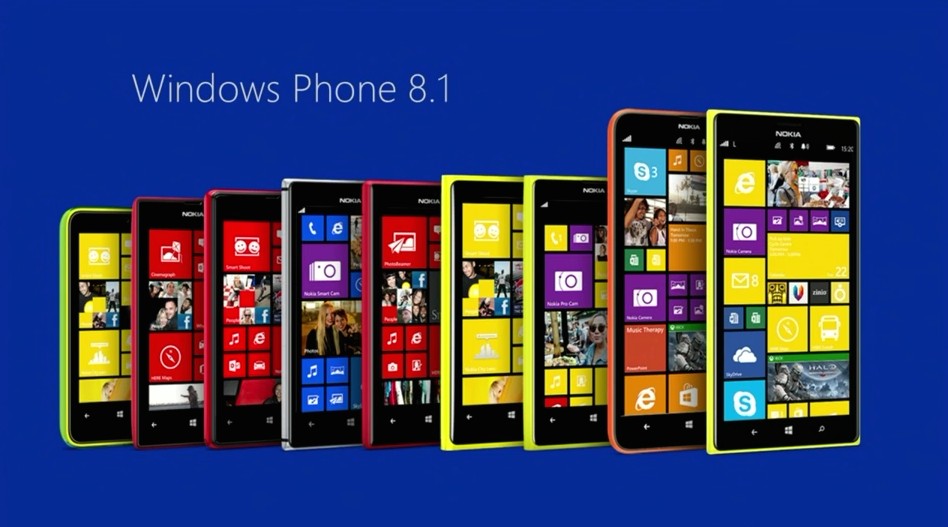
      Excellent lineup of Lumia phones
    2. Simpler interface

      The interface is really easy to navigate through, no fuss and no unneeded widgets that get in the way.

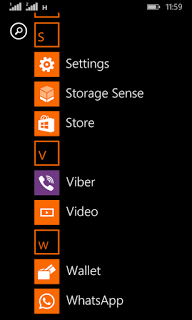
      Windows phone interface
    3. Minimalist approach to the smart phone

      Many people complain that this “app” or that don’t exist for Windows phone, but the fact is the basic stuff exist with great support, while keeping the rust of the clutter out of the box.

    4. Less prone to malware

      Since Windows phone owns less that 3% of market share, it’s less likely to be targeted with malware, unlike Android who owns over 57% of the market share.

    5. Business phone to the core

      it reminded me of the E-series back at the day, phones that were built for business and comes packed with tools to help you work, Windows phone 8.1 comes with Windows’s own personal assistant “Cortana” (Later ported to Android) and many other apps like Microsoft Office, OneDrive, OneNote, tools that help you work, let’s not forget the excellent keyboard that comes pre-installed with the system, and the excellent integration with Windows computers.

    6. Motion data

      It’s a unique feature of Windows phone that allows your phone to graph your movements via the sensor core and display it in a graphical interface, very accurately and with no impact to battery life and show what applications could use the motion data too. This feature isn’t available for other platforms such as Android and iOS. While Cortana (which was only available to Windows phone) became available for Android and iOS too, even when iOS have Siri as a virtual assistant by default.

    Final words

    These are some of the reasons I thought of to chose Windows Phone over Android, Keep your options open and don’t stick to one thing, I’ve used several Android smart phones in the past like the Samsung SII And Be Elite 2, and who knows what the future might hold?
    Checkout my review of the Lumia 630 dual sim while you are at it.

    Did you like this post? Would you consider buying a Windows phone in the future? Let me know what you think in the comments section below!

    The death of the laptop

    I tend to follow the tech news, and lately laptop sales are dropping and companies are losing money, isn’t that something!

    It struck me! Who uses a laptop anymore? When was the last time you used your laptop to do your daily tasks? I am writing this on my phone!

    Dead laptop!

    Alternatives 

    Many people find smartphones and tablets to be more comfortable to use. And the manufactures make devices bigger and better, better than some computers. Check the specs of the latest smartphones and compare it to your computer 😉

    What’s wrong with laptops?

    Laptops are heavy and consume much more power compared to smartphones. And can do most of the daily tasks laptops (and PCs before it) did like browsing the web and sending / receiving e-mails, even gaming is becoming very popular on smartphones. There are some sites that need a smartphone to register and participate, Instagram for one requires users to sign-up using an app, then use the same app to post and interact. Does that mean you should throw your laptop in the trash? Absolutely not!

    When the “smart” ones fail!

    Laptops are best suited for business purposes like word processing and web development. Tasks that would be difficult to perform on smartphone or a tablet. In my humble opinion smartphones are a great PC companion. And haven’t matured yet to fully replace it. But if your computer use is for social media and chat it’s best you pick a smartphone.

    Do you use your laptop more often? Or are you a smartphone type of person, let me know what you think in the comments section below.

    « Older posts Newer posts »