Category: Kubuntu 16.04 (Page 1 of 2)

Should you replace your SSD after the COMRESET failed (errno=-16) error?

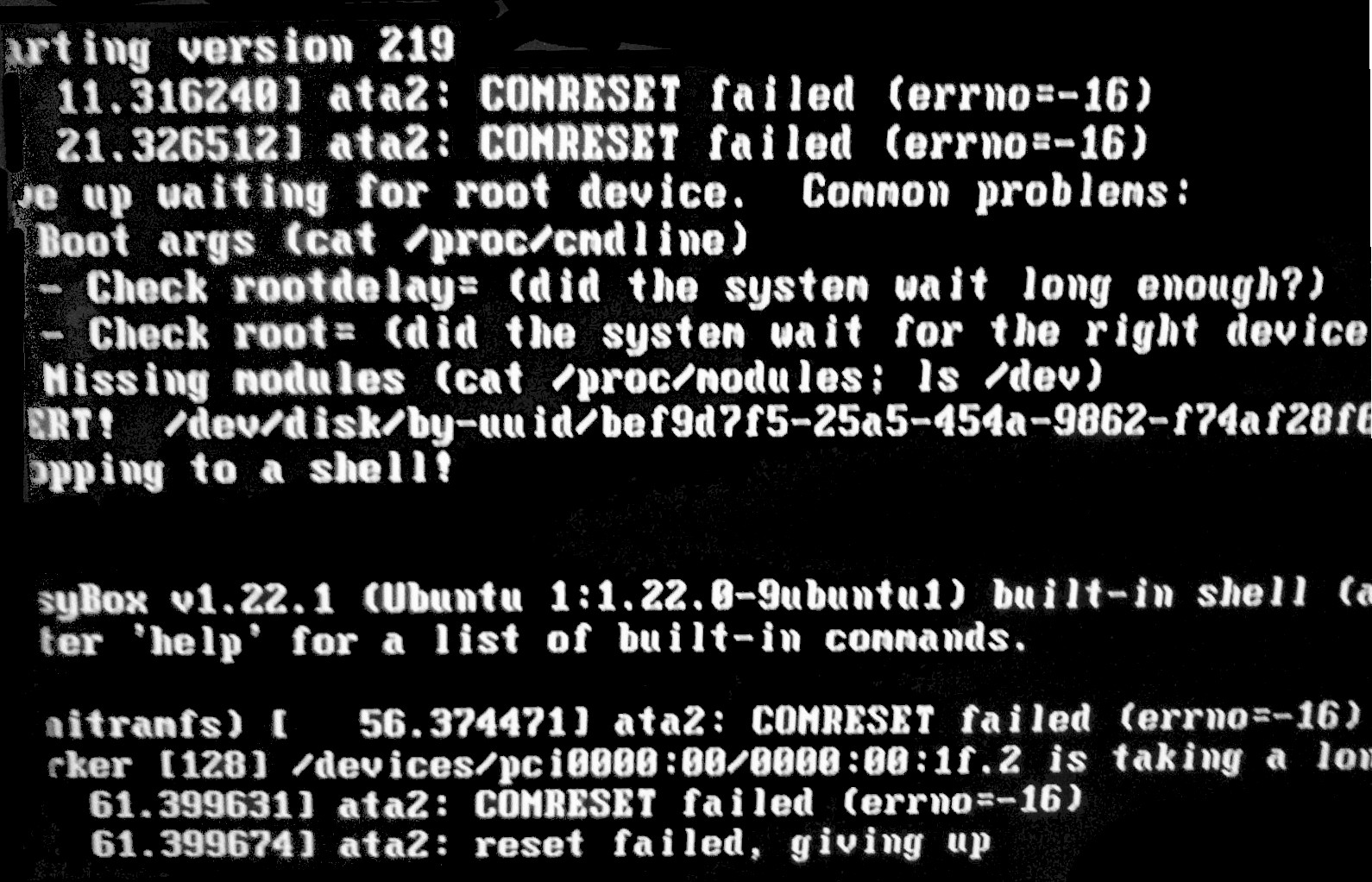
It is a scary boot screen to wake up to, but things aren’t that simple really, should you throw the SSD in the trash and buy a new one? Or simply ignore the message like it didn’t happen? Well today we will look into it with more detail.

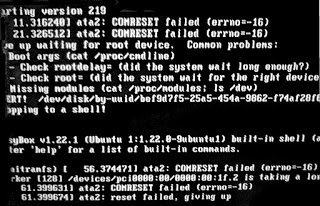
 COMRESET failed (errno=-16)

I’ve been having this error now (on and off) for over a year, the disk works fine but tends to throw an error every now and then, I am running Ubuntu Gnome 16.04 and the bug seems to be affecting Linux alone.

When contacting the manufacturer of the drive (silicon power) they suggested to update the firmware via a utility on the website, since it’s Windows only I had to remove Linux, install Windows to update, and then come back to Linux.

Since it started I’m backing up my data daily and creating images with parted magic every week, so far the disk hasn’t died on me (reached around 6400 hours, and the bug appeared in 4000 for the first time).

Do you have to replace the SSD right away?

From my experience, it’s not necessary to replace the drive right away, but backing up is a must!

I’ve installed Gsmartcontrol and set the system to check for errors on startup (was recommended to do so on Askubuntu) and it’s reporting no errors on all tests (short, long and contingency).

I do recommend that you get the drive checked, and if possible send it back if it’s still under RMA.

Update

I swapped out the SDD with the old HDD due to an increase in the COMRESET failed (errno=-16) error, I guess my laptop is showing it’s age, and I am due to replacing it soon anyway.

Are you suffering from this issue too? What did you do to fix it? Please comment below.  

Update #2

Even after getting a new HDD, I still get the same error message! While the same SSD on another device doesn’t!!

العودة إلى غنوم

غنوم هي إحدى أقدم وأفضل واجهات سطح المكتب، وهي الواجهة التي تصدرت وسائل الإعلام أواخر العام الماضي عندما قررت كانوكيال (الشركة المطورة لأبونتو) التخلي عن واجهتها يونيتي والعودة إلى غنوم بدلا عنها. 
بالنسبة إلي فهي أول واجهة تعاملت معها وتعلمت استخدامها، لذا تحتل مكانة خاصة لدي، وحرصت كل الحرص على تنصيبها على جهازي والترقية في كل مرة للحصول على أفضل تجربة ممكنة معها على أبونتو.

مادمت متعلقًا بها إلى هذا الحد، فلماذا غادرتها؟ ولماذا عدت اﻵن؟

بداية الحكاية

كنت أستخدم توزيعة Xubuntu ولكنني مللت من واجهة XFCE فقررت الغائها وتنصيب Gnome بدلا عنها، وكانت تجربة جيدة لم يعكر صفوها سوى عيوب الفرع التجريبي من الواجهة.

ثم قمت بتحميل 14.04.4 بواجهة غنوم 3.10 مستقرة، ثم الترقية إلى أبونتو غنوم 16.04، وبعد ذلك واجهة غنوم 3.20

ظهور المشاكل

أعتقد أن السبب هو الفرع التجريبي من واجهة غنوم، لأن النظام بدأ يتصرف بشكل غريب ولاحظت عددا من المشاكل في الواجهة، ثم تطورت هذه المشاكل حتى وصلت لانهيار شاشة الدخول وعدم تمكني من تسجيل الدخول على النظام، وحتى بعد “ترقيع” هذه المشكلة، ظهرت مشاكل أكبر..

مشكلة Recovering Journal

بعد أن رقعت المشكلة اﻷولى ساهم انقطاع الكهرباء المتكرر في ضرر جزئي للقرص، حيث يقفل الجهاز دون إنذار وتضيع بعض البيانات الغير محفوظة، أيضا سبب ذلك مشكلة في مدير الطاقة بتوزيعة غنوم.

الحل الصعب

كان الحل في ذلك الوقت هو مغادرة غنوم وأي توزيعة مبنية عليها، حتى أتفادى الإضرار بالجهاز، ووقع الخيار على Kubuntu لتحل محل غنوم.

لم تخل التجربة مع Kubuntu من المشاكل، بل بدا في البداية أن المشاكل زادت. لكن تمكنت من حلها والحمد لله .

ما مشكلة KDE؟

لا مشكلة فيها على الإطلاق، سوى أنها مملة! ولم أتمكن من الانسجام معها بعد سنة أو أكثر من الإستخدام اليومي.

لذلك قمت بإلغاء تنصيب الواجهة بالكامل والعودة إلى غنوم.


تجربة Wayland

لا يزال مدير العرض واي لاند في مراحله التجريبية، وتجربتي معه لم تكن جيدة، أنصح بالبقاء على Xorg

مزايا العودة إلى غنوم

  • جمال الشكل، هذه مزية واضحة طبعًا!

العيب الوحيد: سأفتقد الرائع KDE Connect.
والذي من الممكن تنصيبه بإضافة KDE الى المستودعات وتنصيب كافة إعتمادياته.

    في الختام

    أنا سعيد جدًا بالعودة إلى بيتي، كما أنني قمت بتحويل أحد اﻷزرار قليلة الفائدة إلى زر إعادة التشغيل، وهذا أمر رائع (لم يكلفني سوى 250 نقطة على موقع AskUbuntu).

    كما أن النسخة السادسة المنتظرة من ليبر أوفيس صدرت أخيرًا. هذا عرض لمزاياها من مدونة وادي التقنية.

    هل تستعمل واجهة غنوم عزيزي القارئ؟ ما هو رأيك فيها؟ شاركني برأيك في قسم التعليقات، وشارك المدونة على وسائل التواصل.

    I’ve been using the same laptop for 5 years

    I’ve been using this laptop now for five years, which doesn’t seem like much for some; but for me – the chronic device hopper is kind of a milestone-. I still remember the day I bought it and how I did that exactly.

    My hardware 5 years ago

    At the time I owned a desktop computer and I bought a netbook (out on an impulse) and neither of them had good performance! The perk of the netbook was the size and the decent battery life -compared to my desktop of course -. But as I started to work on my graduation thesis (which was a video game by the way) I realized that non of these devices would do the trick, and that it was time to upgrade.

    A word about my old netbook

    My netbook was really good! I could fit it in my book bag easily, and typing on it was so much fun. Until now I still regret selling it -and might wind up buying another one eventually-. It was the device I used to write my first post on this blog and one of the highest read posts at the time was about the netbook, by the netbook!

    Due to the recurring power issues my netbook battery was dead -Thanks GECOL-, and to me that was the last straw, and in a week I managed to sell both on Opensooq for pennies on the dollar! Then I took the rest of the money from dad and went shopping for a laptop.

    Buying a new laptop

    Using the money I got from selling both devices and a lot of money from dad (thanks dad) I managed to buy a decent laptop.
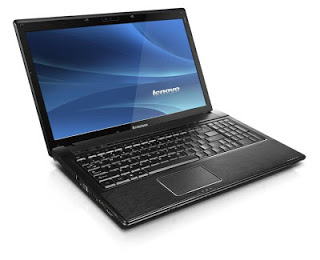
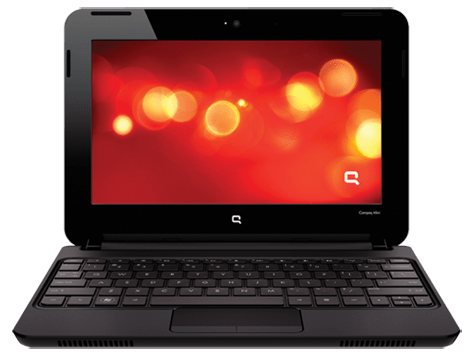
    It looked this way once!
    My laptop was with me the day I graduated, and at my first interview for a job. And many of the good things I did was typed on this very keyboard, so I have deep appreciation for it and I have trouble selling it or getting another laptop and throwing it away (as long as it works fine).
    And the modifications I made to it would make selling it a bit difficult to be honest!

    If I’m to replace my laptop it has to be something with equal specifications or better, that’s a luxury in this economy (six months salary or something), so it’s better to keep it.

    I stand corrected!

    I’ve blogged before about the death of the laptop and that smartphones are taking over, in my case that’s far from the truth. And only when my laptop was broken that I learned how much I relied on it or how much I need a laptop in my life!
    To me (at least) the laptop is far from dead! It’s okay to learn things in life.

    Modifications I made to my laptop in order to keep it going

    G570s are known for the hinge issue, it took me a while before figuring out how to fix it completely (I have serious trust issues with repair shops and my personal data), so it has a screw acting as the right hand hinge.

    • Having this modification meant I needed to adjust the AC input a little to accommodate this change.
    • And the keyboard support is broken so it’s glued to the base of the laptop.
    • The power connector has a piece of plastic holding it in place.
    • The touch pad had the same before giving up completely.#Update I fixed it, thanks Hani my good friend!
    • Since the hinge repair the webcam didn’t work, and all my attempts went in vain, but after upgrading to kernel 4.14 it works again, it’s been years since I saw the small light on! 
    • The fan was broken as I cleaned it, so I got a replacement (full story in this post).
    • The battery gave up a long time ago and I had to buy an after market battery with half life time (again thank you Hani!).
    • I doubled the RAM from 4GB to 8GB and replaced the HDD with an SSD to boost the speed.
    • And converting to Linux was the biggest upgrade in my opinion

    Yea, my laptop is a zombie!!

    Moving forward

    I’m thinking of getting a light weight device with low end specs (netbook or chrome book) and dedicating it for writing, installing Linux on that device. While keep this laptop for work and install windows on it, since the college I’m working for are heavily investing in .NET applications, and VM is proving to be a hassle at times


    And dual booting Linux and Windows is as the same of having two laptops (a terrible idea in general).

    Tips on keeping the laptop going

    Like anything in life, the laptop needs proper cleaning and care to keep it running. Some of these tips are advanced and as I always say on this blog: Try on your own risk.

    • Baby wipes for a stiff keyboard

      wipe the keyboard with baby wipes to clean it, and it works like magic! It’s almost as getting a new keyboard.

    • Dusting and cleaning

      It may seem like common sense, but keeping the laptop clean helps keep it run longer (and improves your feeling towards it) so always remember to clean your laptop.

    Pro tip: Distilled water works wonders, just remember to unplug your device and dry it properly before running it.

    • Applying Thermal Grease

      This is a bit of an advanced tip, it requires taking apart the laptop and reaching down the heat sink to apply new paste for the processor, it’s recommended to be done annually.
       

    • Software wise I found that installing Linux on my laptop improved the overall performance and reduced the issues and virus infections, so if you can move to Linux!

    I’m interested to see if this laptop with endure the test of time? Lenovo is known of making laptops with over 10 years of life time (with proper maintenance of course), will this laptop survive that long?

    Final words

    It’s good to keep your devices running and not to be tempted with the heavy consuming lifestyle companies enforce on customers. I can’t afford changing my laptop every two years (and won’t even if I could). 

    What do you think of this post? How long did you own your current laptop? Do you recommend any light weight device for writing?
    4 years with Ubuntu!

    Anyone who follows my blog knows that I’ve been using Ubuntu as a main operating system for quite some time now, 4 years to be specific. To celebrate this anniversary I decided to look back on my journey with Ubuntu so far and share some updates with my readers.

    Looking back 

    Tux, Linux's logo
    Tux, Linux’s logo

    When I took the decision to install Ubuntu on my laptop, my aim was to convert to a free and clean system where I can do what I do best without restrictions (such as proprietary licenses and common malware), while staying productive and without drastic changes in my lifestyle.
    The transition was smooth because I did my home work before and most of the tools I use daily are cross platform, so I felt right at home with Ubuntu.


    This year’s change

    I migrated from Gnome to KDE due to long lasting bug with Lenovo laptops (very specific bug sadly) that prevented me from being productive and threatened to harm my hardware in the long term, Kubuntu has been great so far (despite some issues in the beginning) and I couldn’t be happier.

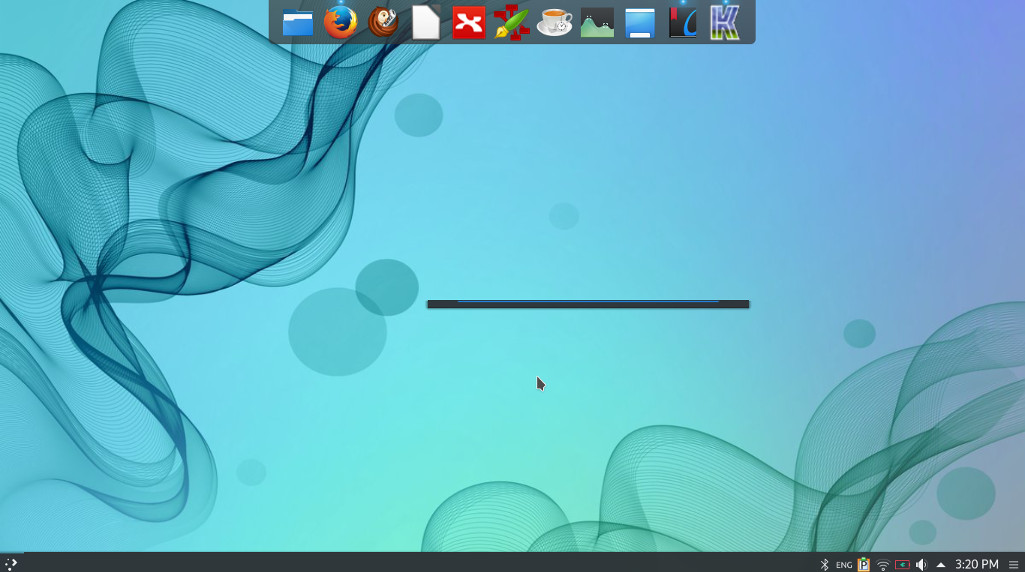
    Kubuntu 16.04 with plank, the lancher is Krunner (KDE tool).
    Kubuntu 16.04 with plank, the lancher is Krunner (KDE tool).


    Going forward

    After settling down with an interface and getting the system to look like exactly like I want it, it’s time to get deeper into the Linux ecosystem, I decided to read more about the origins of the system and learn about the terminal.

    An inspirational read

    Reading The cathedral and the bazaar by Eric S. Raymond was an enlightening read, I now understand the greatness of this operating system better and appreciate it much more, understanding that it’s the collective work of thousands of volunteer programmers from around the world who are making a high quality system, something that seems to be impossible, but it’s happening!

    Learning about the shell

    My decision to learn about the terminal comes from my feeling that using the GUI (graphic user interface) alone isn’t good enough, I was asked in an interview once if I understood the command line system, and I felt so under qualified! Luckily I got the job and it has nothing to do with Linux anyway!

     It’s satisfying to know how to use the command line to achieve some tasks, like driving a car with manual transition or drinking black coffee! And down this line of thought you can say that sticking to the GUI alone is a bit “vanilla”.

    Maturity comes with age!

    There is no fun in just installing / uninstalling different distos and going through the transitions over and over, (known as distro hopping in the Linux world)I want to grow and learn about the system in general and can’t stand staying in one place for a long time.

    Final words

    I feel very blessed being able work on Linux and get to learn about it, and sharing this knowledge with my readers makes me happier!

    Have you considered trying Linux? What are you waiting for? It’s been around for a long time now!


    « Older posts