Category: English Post (Page 28 of 97)

A rather delayed update!

It’s been sometime since I’ve written a proper post in English! Like I said before I’ve leaned on Arabic way too much in the past few weeks, being a bilingual blogger is like having two wives and I need to be fair with both of them (the languages and not the said wives!).

A bit about my life right now

It’s the juicy details that bloggers share about their daily life that make following them so much fun, well I’m going to disappoint you there!

If you have been following my blog for the past six months, then let me tell you this: Things are a bit of the same old, nothing has changed, I’m not sure if that’s a good thing or a bad thing. It depends on how you look at things and what is your perspective on life.

The blog

If you have been checking my blog in the past few days you would notice that I have been trying out many themes and going back and forth between them, I have standards and if a theme doesn’t match it, then I simply drop it.

My standards for themes are rather simple

  • Shows similar posts.
  • Has adsense support.
  • Simple, not the magazine type.
  • I can add the basic widgets I use like archive, search and blog stats.

Blogger’s new themes
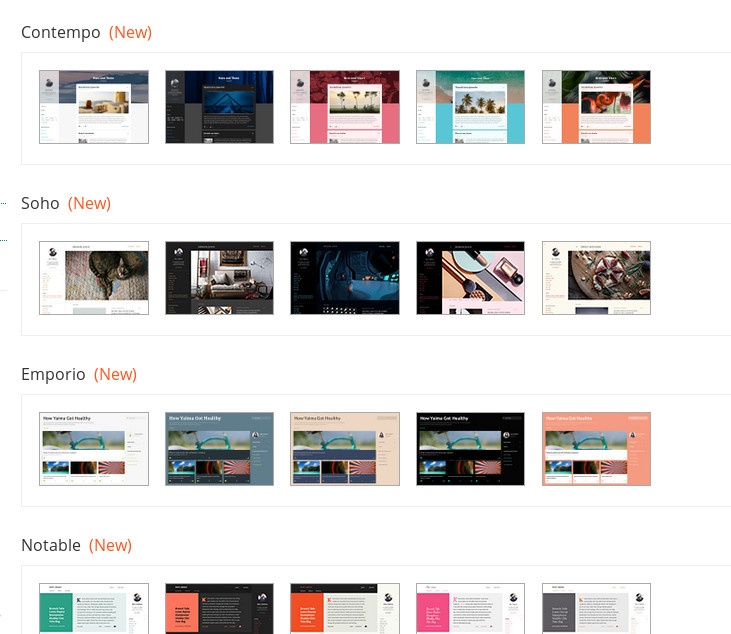
It all started when blogger added some new themes, and I had to try out the shiny new toys, but alas! They don’t live up to my standards, and they had to go!


Custom themes give a wide range of customization (and I used my fair share of them), and they usually have everything I need out of the box, but they require adding links and what not, and usually have some items that can’t be edited, and they seem heavier and slower to load because of the junk code added by whoever made them, compare the number of lines between them and native ones to get an idea of what I’m talking about!

Similar posts widget

I’ve been using Linkwithin for quite some time to showcase some of my older posts on the new, it’s something I see in most of the blogs I follow and I’d like to have on my blog as well, but Linkwithin has two main issues that I couldn’t deal with!

Issues with Linkwithin

1. The custom domain issue

I had a custom domain for a while and I had Linkwithin on my blog at the time, and it seems that I used the custom domain to generate the widget, so after going back to a blogspot domain, I still get the old domain links (which are now dead links) and that’s bad for SEO.
Speaking of SEO, having an external site handle your similar content isn’t exactly SEO friendly, and it damages the site rank due to external referring (research the matter on your own time, I’m not a SEO expert).

2. No secure connection

Having the secure connection added to the site wouldn’t show Linkwithin, as it requires a regular connection to work, so if you want to keep Linkwithin, you will have to sacrifice the extra layer of security.

I added some code to my blog’s template manually and now it shows the posts without an external widget, it’s much better this way!

And don’t bother contacting Linkwithin‘s support site, I‘m still waiting on  replies from a year ago when the issue started!

Adsense

I’ve also added ads, and found a way to control the content so nothing indecent would be displayed on my blog (the main reason that prohibited me from adding them a long time ago).

So be kind and add my site to your ad blocker’s exception list, I’m trying to make some money here,Okay?

Views drop

The blog isn’t doing as good as it used to do (what is in this country anyway?) I used to get around 2000 views on Thursday alone -the passport zombie stampede day as I call it sometimes- and now it takes me ten days to get the same amount of views! I know I keep saying I don’t care, but I just got my Adsense configured, with this rate I’ll get the first payment in 2030!!

Settling down

I customized a simple theme, it looks nice and it has all the elements I think a blog needs, it looks great and I think it says a bit too much about me, but you have to look closer to be able to see it!
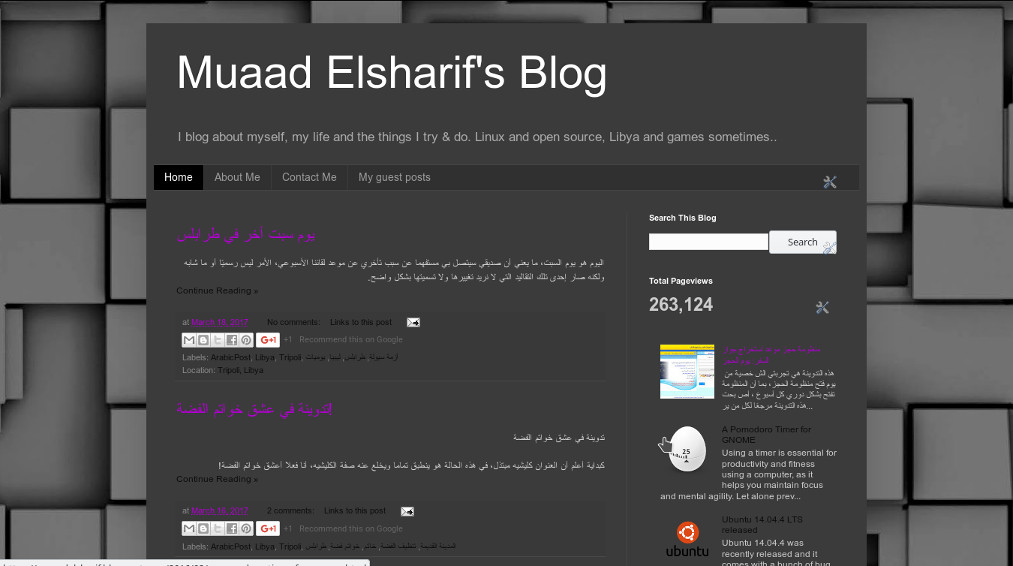
Things I like about this theme

What I like about this new theme I have is that it’s made by Blogger itself, it’s cleaner than the free themes available on the market, that is filled with malicious code that drags the blog down and referral links that steals your blog’s traffic, it is lighter and leaner and it’s everything I wanted in a blog put in one place!  
I hope you like it because it’s staying for a while!  This must be what a home owner feels like!

Cutting back on social media

A detox is a bit too extreme, but I think that taking some time off of social media every now and then is actually healthy, especially when it spreads nothing but negativity and bad news, that’s living in a war zone for you!

Which is why I write, I write to see things more clearly and to get things off of my chest, and it feels nice to know that someone reads this and connects with me (even as a sympathetic reader).

Final words

It’s a bit of a nostalgic fresh start, this theme is almost identical to the one I used back in 2012, and the views are low just like when I began. So it’s my chance to go back on top and even bigger as me.

Life is a series of ups and downs, I enjoyed my time on the top and now I’m sliding down, only to go back on top again! 

What do you have to say about this post? Please leave a comment and share on social media 🙂  
Kubuntu 16.04 slow boot [FIX]

Kubuntu has a reputation for being one of the slower and heavier flavors of Ubuntu, and some users accepted that as a fact and decided to live with a slow boot rather than doing something about it, fear not fellow Kubuntu user, because I have your back!

Understanding the issue

After moving from Ubuntu Gnome 16.04 to Kubuntu 16.04 I noticed that the boot became much slower! I thought this was a temporary problem but a quick searched showed me I’m in for the long haul!
Even when using an SSD, my system was ready to use after almost 2 minutes (1.48 to be exact!) and thats’ slow even for a computer running Windows on a 5400 rpm HDD!

To put you in perspective, Ubuntu Gnome needed less than 10 seconds to fully boot to desktop (I had the black screen issue, but still..).

Now let’s not waste too much time with the problem, it’s time to fix the issue!

The solution

There are several tweaks that can be done to fix this issue, I found all of them on askubuntu, and managed to shave down the boot time from 1.48 minutes to 19 seconds!

First fix: Pre-boot

  • At first I went to my BIOS and changed the Sata mode from AHCI to Compatible, Ubuntu gnome wouldn’t boot unless the controller was AHCI.
  • Then I disabled the Intel Virtualization Technology because I no longer use VirtualBox.

Second fix: Removing the deleted swap partition entry from Fstab

When I installed Kubuntu 16.04 it came with a swap partition, and since I didn’t use hibernate it was safe to delete it by making sure of the UUID from the BLKID command, I forgot to delete it from Fstab and that causes the system to boot slower because it’s looking for swap.

I entered the command:sudo kate /etc/fstab command to edit fstab with root privileges and it looked something like:

    /etc/fstab: static file system information.

    #
    Use ‘blkid’ to print the universally unique identifier for a
    device; this may be used with UUID= as a more robust way to name devices
    that works even if disks are added and removed. See fstab(5).

    #
    / was on /dev/sda1 during installation UUID=4840d72b-2435-4dc1-9227-ab7671fd3d93 / ext4

    errors=remount-ro 0 1
    swap was on /dev/sda5 during installation UUID=0023c124-ea85-41d2-834c-83f6877d6959 none swap sw

    0 0

After deleting the swap entry (in green) it became like this: 


    /etc/fstab: static file system information.

    #
    Use ‘blkid’ to print the universally unique identifier for a
    device; this may be used with UUID= as a more robust way to name devices
    that works even if disks are added and removed. See fstab(5).

    #
    / was on /dev/sda1 during installation UUID=4840d72b-2435-4dc1-9227-ab7671fd3d93 / ext4

    errors=remount-ro 0 1

Third fix: Tweaking Services

Disabling services isn’t the best idea especially if you aren’t sure of what you are doing, but tweaking the services start and stop times could mean the difference between a slow and a fast boot! To be able to do so you need to edit System.conf

To edit system.conf enter the commandsudo kate /etc/systemd/system.conf into the terminal and search for the line#DefaultTimeoutStartSec=90s and remove the “#” to change it from being a comment, and set the value to 1 rather than 90, and do the same for #DefaultTimeoutStopSec=90s.

After this tweak the processes will start and stop much faster, and so does your computer!

Fourth fix: Tweaking Grub

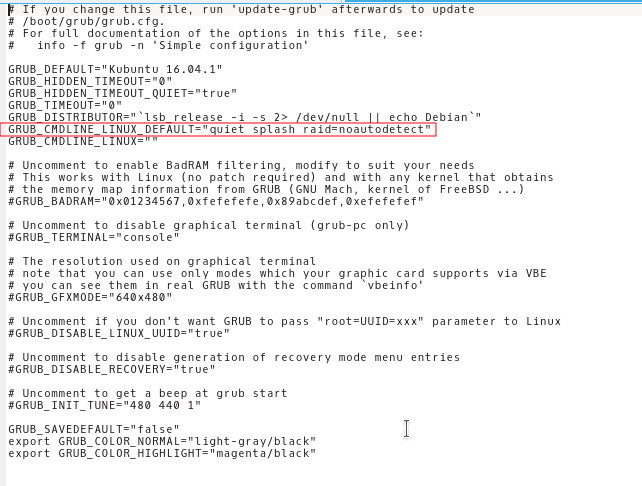
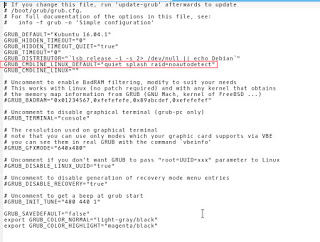
Enter the command into the terminalsudo kate /etc/default/grub and add the and added raid=noautodetect toGRUB_CMDLINE_LINUX_DEFAULT to become:

   GRUB_CMDLINE_LINUX_DEFAULT=”quiet splash raid=noautodetect”

Thensudo update grub 2 sudo update grub

 
Boot time is now 19 seconds.

Thanks for reading!
Please share it on social media and have a nice day. 

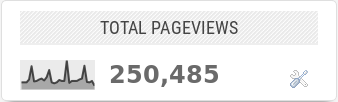
250,000 views! Site update time!

Today looking at the stats I noticed that I reached 250,000 views! It’s not like it came as a surprise, I was watching these closely and anticipating the milestone, now that we are here, it’s time to talk about it!


Blogging

The blog has reached 250,000 not because of my writing skills and people’s general interest in my writings, it reached it because I wrote about the things that people would search for (Libyan people to be specific), things like: How to speed up your Wimax, fixing your generator at home, and the crown jewel of course the passports post. The people come in because the search engine brought them here and then leave without commenting or sharing the posts, I have detailed stats so I could tell!


Conflicted feelings

Reaching this point in blogging doesn’t make me feel good about myself, it became almost irrelevant because I’m not making any use out of the blog views increase, what’s 250K or 1 million views in real life terms? I don’t know! Same goes for twitter, I’m almost at 25 thousand followers, it’s like I’m a millionaire in Monopoly money!

Bilingual blogging struggles

Lately I’ve leaned on the Arabic posts a bit too much and haven’t posted an English update in some time, it’s a bilingual issue that I have to live with, and in order to make it up to my English speaking readers I will sum up the last three or four Arabic posts in this update!

Posts explained

I said that I’m trying to adapt a more positive outlook on life, despite the ongoing war in Libya, and that I need to take a day off each week so I don’t burn out, and that I’m over thinking about the lack of money despite I have two jobs! Also I want to study post graduate but I couldn’t get accepted into any pre-master courses due to the fact I have a higher diploma and not a bachelors degree.

I’ve also said that I enjoyed connecting the phone and the computer using a technology called KDE connect, it provides a wide range of features like remote input and file sharing, and playing with impress remote.

That seems to be the jest of the posts.

Work

Work wise I’ve been off these past few weeks but I’m going back to work next week, and I’m not looking forward to that, at all!

I’m pretty sure that no situation could last, the good times and the bad times will pass god willing, in hoping of better times for us and the generations to follow.

An unexpected visit

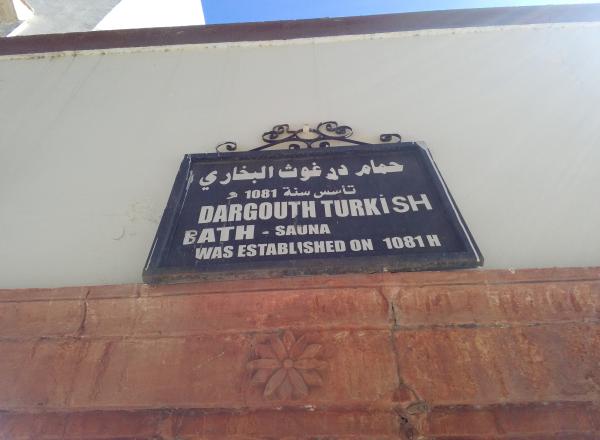
One of the things I really liked was a visit to the old steam bath at the old city in Tripoli that dates back to the Ottoman age, the bath was well preserved and the manager was friendly enough to grant us a tour of the place and it’s history, a hidden treasure indeed!
لافتة حمام درغوت البخاري في المدينة القديمة بطرابلس

Self discovery rediscovered

I was proud that I was able to find a bit more about myself via the personality tests I took, but as it turns out I made a wrong decision by favoring one result over the other, these on-line tests aren’t really accurate and they depend on the way you understand and answer the question, in short I’m not the defender personality type ISFJ, I’m the inspector ISTJ.
And if you think the difference is just the F been changed into T, then you need to learn more about cognitive functions!

This was more than just a post saying I reached 250K and thanks, I merged personal updates as well, and thanks for reading!

Please share it on social media and have a nice day.

Plank. The BEST dock you will ever use on Ubuntu!

I blogged about Docky a few years ago when I moved to Ubuntu from Windows as I needed something to replace Nexus dock, and later RocketDock, and I added it to a post about the best docks for Linux and Windows.

Introduction

Docky is the dock to go to when using Ubuntu, it’s fast and it’s light, not to mention it’s free, it has two branches for development which I find to be a bit confusing!
One of the branches is stable but lacks features, and the other crashes often but is full with features.

What if there was a dock that had the best of both branches? Stable and fully featured? Meet Plank everyone!

Plank

Plank is a fork of Docky that is shipped by default with the popular operating system Linux Elementary. It is based on Docky 3.0.0 according to the Plank wiki, and it’s aimed to be the simplest dock available, to preform what a dock is supposed to do, and I couldn’t agree more!

How to install Plank?

In a terminal window enter these commands one by one to install Plank, and after it’s done you can find it by searching the name in any interface you use.

  sudo add-apt-repository ppa:ricotz/docky # <- is not a typo
  sudo apt-get update
  sudo apt-get install plank

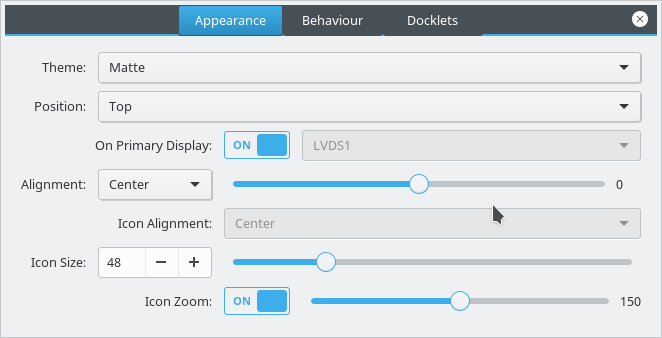
Configuring Plank

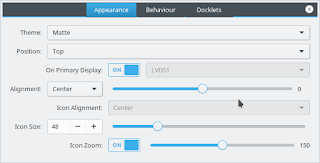
By right clicking an empty place in the dock you can summon the preferences of Plank, but that proves to be a little difficult, so by typing the command: plank –preferences

 
to adjust and fine tune the settings of Plank.

How to add executables as shortcuts to plank?

If you are using plank on Ubuntu you know that you can’t add executable files right to the doc, you need to add the icon to the program directory and then add the icon to the dock, here is a really simple way to do it from here.

My verdict

It’s the best dock I used so far, so light and does exactly what it should, without having to choose between two branches and having to roll back packages.

What do you use on your system? Are you considering Plank? Share your thoughts in the comments section below, and don’t forget to share the post on social media 🙂

« Older posts Newer posts »