
Category: English Post (Page 29 of 97)

Kubuntu 16.04.01 Install and review

I have been using Ubuntu Gnome for over a year now, and it has been great, there has been some bugs here and there that I could work my way around, but it got really out of hand lately so it was time for a change!
Disto hopping

I admit, distro hopping is something I am guilty of; you get to try many distros and interfaces very easily, and it is criticized for being counter productive and a total waste of time and resources, but that’s not always the case, it’s sometimes you need to take a step back to keep going forward.

 Reasons why I left Gnome

The corner jester that summons the work spaces in Gnome isn’t really productive, and the Gnome classic mode isn’t very “classic”, I couldn’t achiever the level of productivity I strives to archive.

Other choices to look at

So I started to look for an alternative that isn’t “Gnome based” and that left me with few options! Many popular interfaces are built on Gnome and I believed that the problems will tag along.

Unity isn’t even an option on my list because I don’t like it! I’m glad there is a choice in the open source world, so I decided to try Kubuntu for a change, and to get rid of my issues.


Kubuntu has a support cycle of 5 years, perfect!

Going for Kubuntu

I downloaded Kubuntu as usual by a torrent because it’s better for the network and my pocket, and it took a lot as usual (7 hours).

Installing Kubuntu

Installing Kubuntu was easy, same as the usual installation of Ubuntu, and it was up and running in a few minutes.

Interface and user experience 

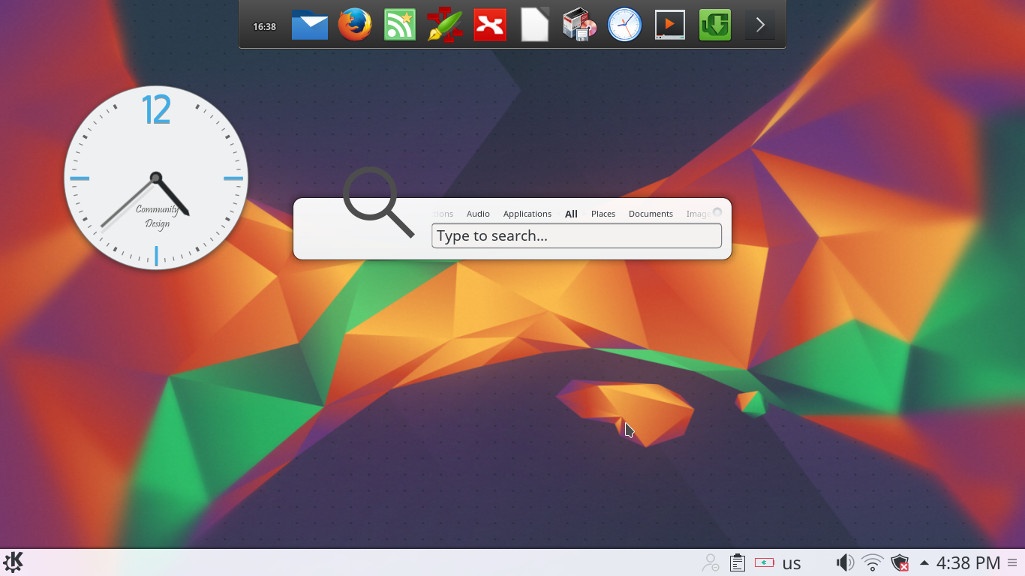
The interface on the other hand is completely different from Gnome, and I instantly remembered Windows because of the menu and the bottom panel, Kubuntu is aimed for an easier user experience, I think they meant it was “a windows like experience”.
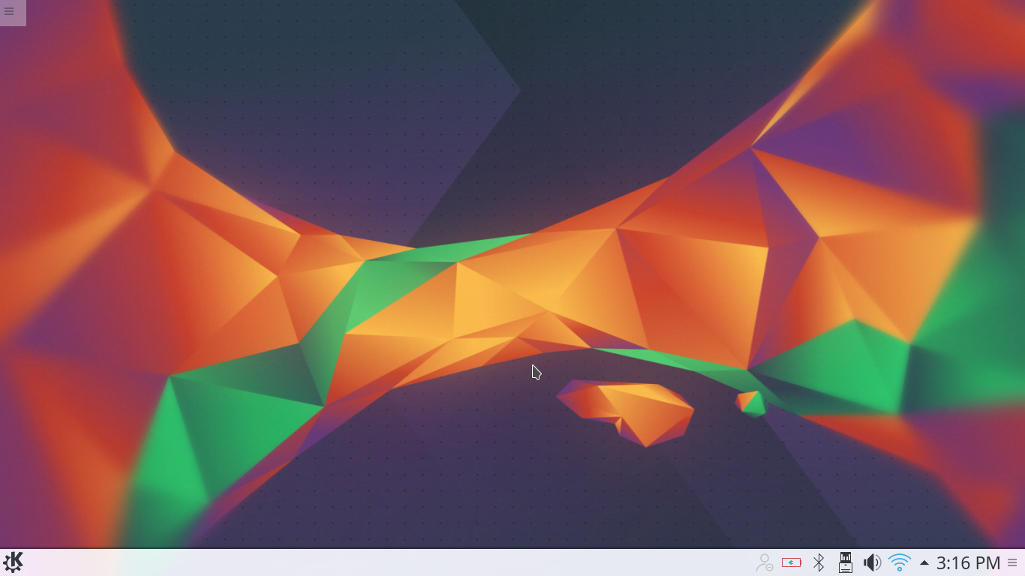
Default interface in Kubuntu

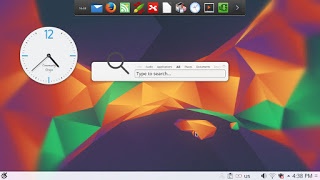
It’s even has an Aero peak like feature, when you hover the mouse over a taskbar program and you see a preview of the program running in a box.

Areo peak in Kubuntu


So far the experience is smooth, but it’s different from all the interfaces I used before,  and the default applications are also different from the gnome/unity bunch.

Of course KDE comes packed with tools that start with “K” like Kedit and Knote, I’m not ready to give up Zimwiki for example so some of these K tools had to go! 

I have a tip for you: If you copy and paste terminal commands from web pages, you are going to have to change Gedit to Kate, so you get your commands up and running 🙂

The Widgets are interesting and really give a larger scale for customizing.

While the software center is a bit, different!

Software and updates

I’m used to having the software settings and sources in a separate application than the software center, in Kubuntu they are merged up together and aren’t exactly easy to find, as if the Kubuntu developers don’t want you to find the source settings and edit them properly.
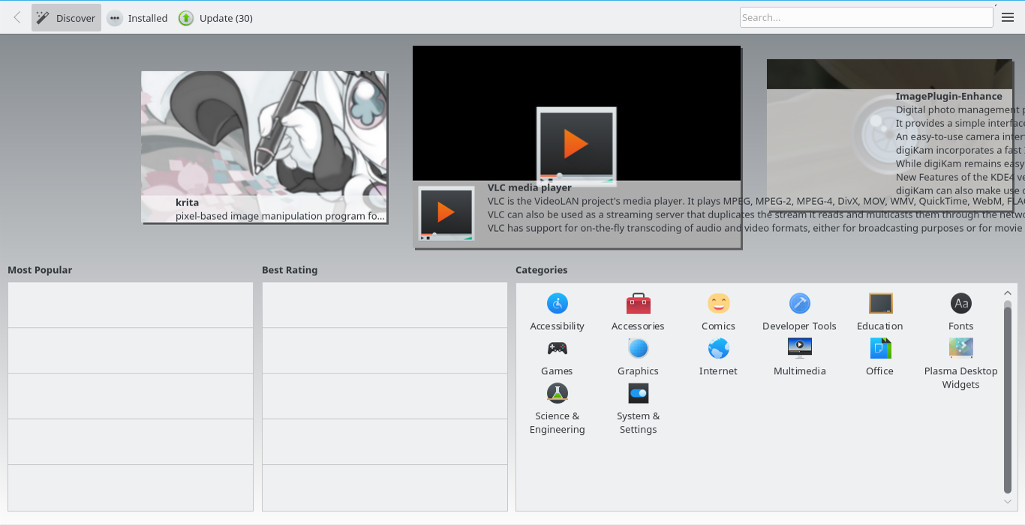
Kubuntu software center

The file manager Dolphin

Some of the things I really liked is the Dolphin file manager, it’s much better than Nautilus, the interface is clean and clear, and doesn’t have some of the chronic bugs Nautilus plagued with, it’s also featured packed as it has a double pane and gives a better access to the main controls and preferences. 

Dolphin file manager

Adding my set of tools

The final Kubuntu desktop

Things to note

I also noticed that Kubuntu doesn’t have a backup utility? That is not good to be honest, it was so easy adding Deja backup from Synaptic but a backup utility is something you need out of the box! 

Another thing is the terminal emulator Konsol, it doesn’t start with the usual CTRL + ALT + T key combination right away and it takes a bit of tweaking to get it to work.

Dolphin doesn’t handle the smartphone very well, it can’t write to the phone’s memory and often fails to explore it’s contents in MTP mode.

My post about Ubuntu Gnome is still relevant to a great degree, I do miss the Gnome pomodoro timer because it’s a Gnome application and you have to install all of Gnome libraries and dependencies, to get it to work, which isn’t exactly productive. And I’m really unsure how to integrate it into the KDE interface, so it has to go! Ktimer on the other hand has great potential of launching scripts and apps on a specific timer.

Slow boot!

One of the main issues I noticed is the slow boot, nearly 10 times what Gnome needed to boot, I managed to fix this problem and you can find the solution here

Warning

Never install any distro if the Checksum don’t match! I did it and I was in for a world of pain, and had to reinstall all the packages from synaptic.  

Final verdict

I think Kubuntu and KDE in general is underrated and doesn’t get as much “mainstream attention” as other flavors and interfaces, it is worth a try!
It feels really well polished and almost reminds me of Macs OS, I’ve never had or worked one on, but that’s what I think at least.

What do you think of this post? Do you use Kubuntu? What do you think?
Please share this on social media, and subscribe to my mailing list to get updates before anyone else! 

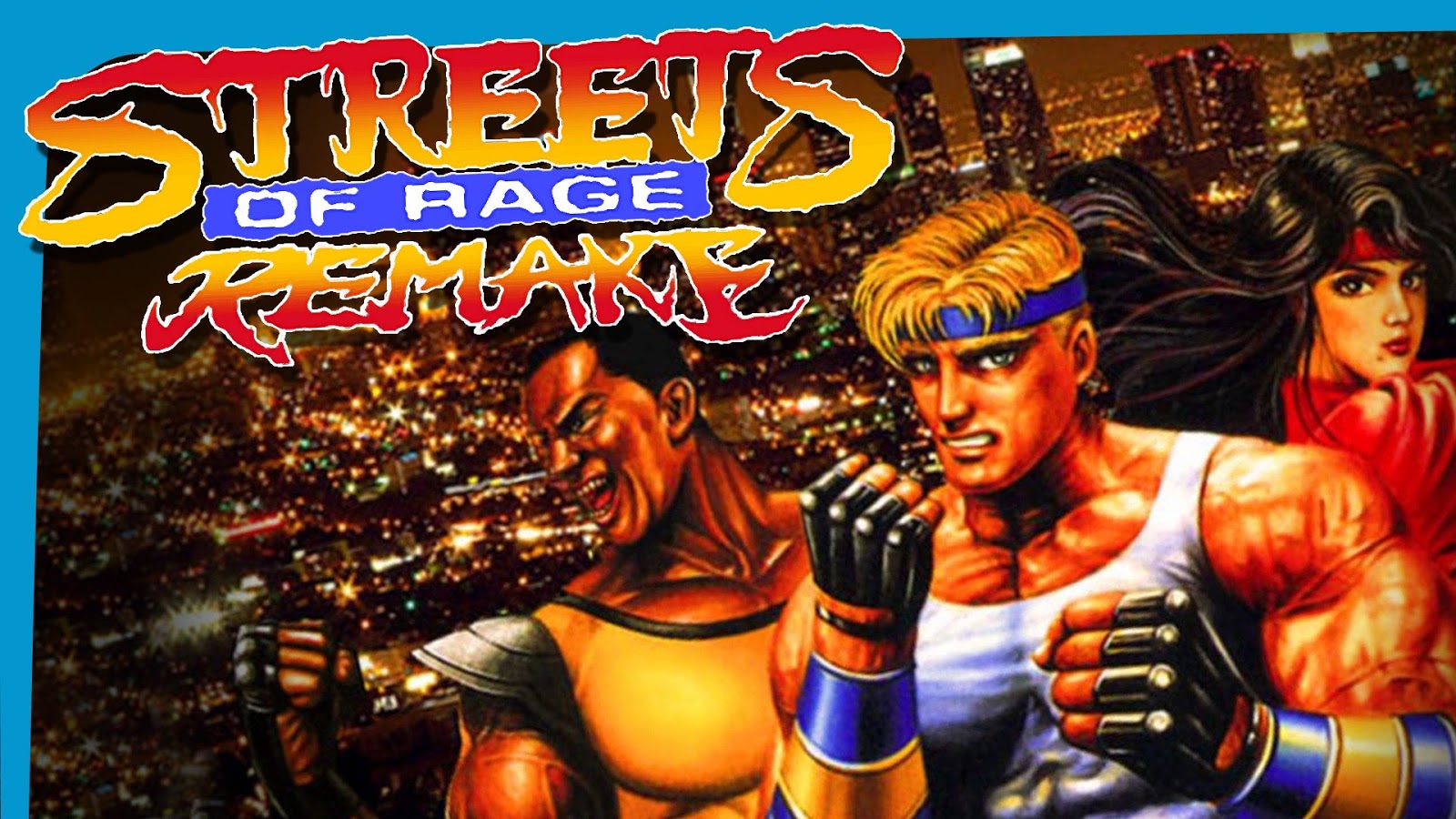
Streets of Rage 5 Remake review and download

It’s been ages since I last posted the game of the week segment! It’s where I highlight an awesome free / open source game for the readers to enjoy.
Over the past few years I started gaming a lot less and focusing more on writing and other things, later I learned the hard way that all work and no play makes jack a dull boy! So gaming is back and by force!
This game is a remake of the hit series of the early 90s made by SEGA, it’s a completely separate project done from scratch by bomber games.


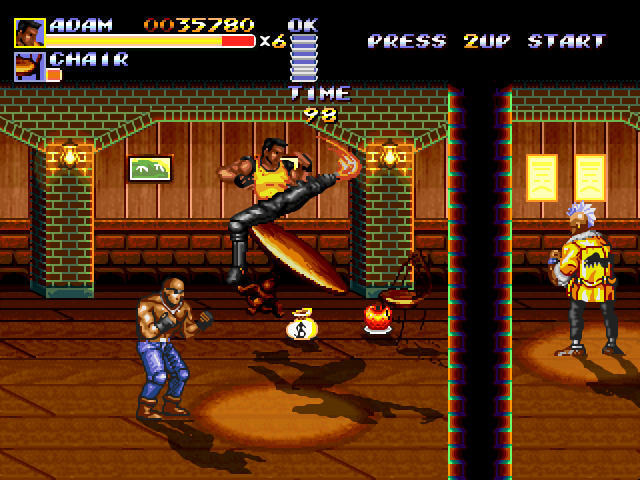
The streets of rage series was a trilogy of games made by SEGA in the classic beat em up style that was so popular at the time. The game had 3 original characters: Axel, Adam and Blaze. Three young police officers who take it to the streets to save the city from the gangs of Mr.X . The game had a player one and two player mode co op, a second game was made in 1992 and the final game was released in 1994, as a player I felt the game was incomplete and for years I wanted more of SoR but SEGA went out of business and no game was released, until ..


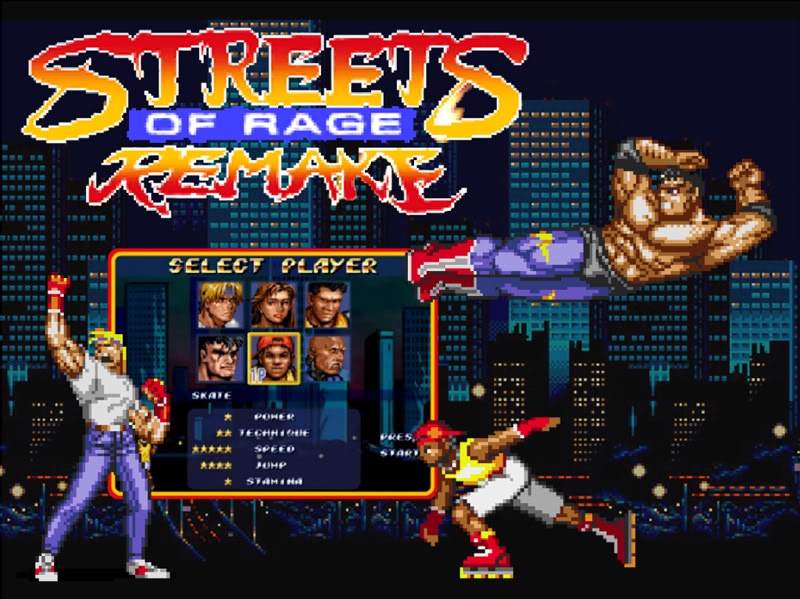
They first started with Sor4 in 2010 after 10 years of hard work and it was published for free! It’s quite an amazing effort! Two years later Streets of Rage 5 was released with all the stages, bosses and characters from the original games, bigger in size and really a game to enjoy.


The latest version is 5.1 which features bug fixes and patches of the game, the final chapter of the streets of rage series that was never made by SEGA.

What’s so special that I finally got a hold of a .deb version that works 100% on Ubuntu, no need for wine or a virtual machine!

The game is available for download from here for Windows. – Sadly the file has been deleted, so I’ll link 5.2 instead.
And from here for Linux. (deb file from google drive).

What do you think of this post? Share your memories with this awesome game here in the comments section below! And share it with fellow retro gamers too.

LibreOffice 5.3 is out, Enable the Notebook bar in 3 easy steps!

The much anticipated LibreOffice 5.3 is out, the tech world and open source community welcomes the latest milestone release of LibreOffice, which brings many improvements and bug fixes, this release is on of the most feature rich in the history of LibreOffice.


LibreOffice 5.3 Logo


Whats new in LibreOffice 5.3?

LibreOffice 5.3 is packed with new features that make it easier to use and familiar to new users.

  • Improved text layout engine for a consistent look cross platforms using HarfBuzz.
  • Preserving table looks when applying edits in Writer.


  • Improvements to default cell styles in Calc.


  • A template selector when opening in impress to choose templates from, and a new slides properties deck in the sidebar when in master slide mode.


  • Many “under the hood improvements for easier development.


  • Experimental UI features, a notebook bar can be added that is similar to MS office ribbon, this feature is completely optional while the sidebar can be docked to the side with a single click.


  • LibreOffice online, the collaborative document editing service provides the
    the first source code as a docker image.

For more details please visit this page.


How to enable the notebook bar in LibreOffice 5.3?

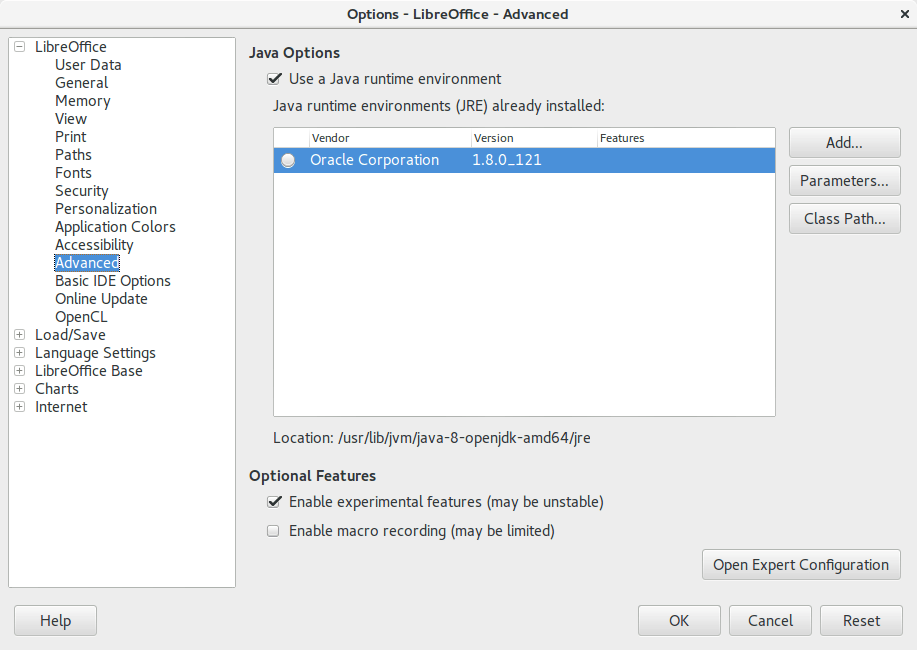
1. It’s actually very easy to enable this “experimental feature” of LibreOffice, you need to go to the options and choose advanced, from there check the experimental features, and restart the program.


Enable experimental features in LibreOffice 5.3
Enabling experimental features in LibreOffice 5.3

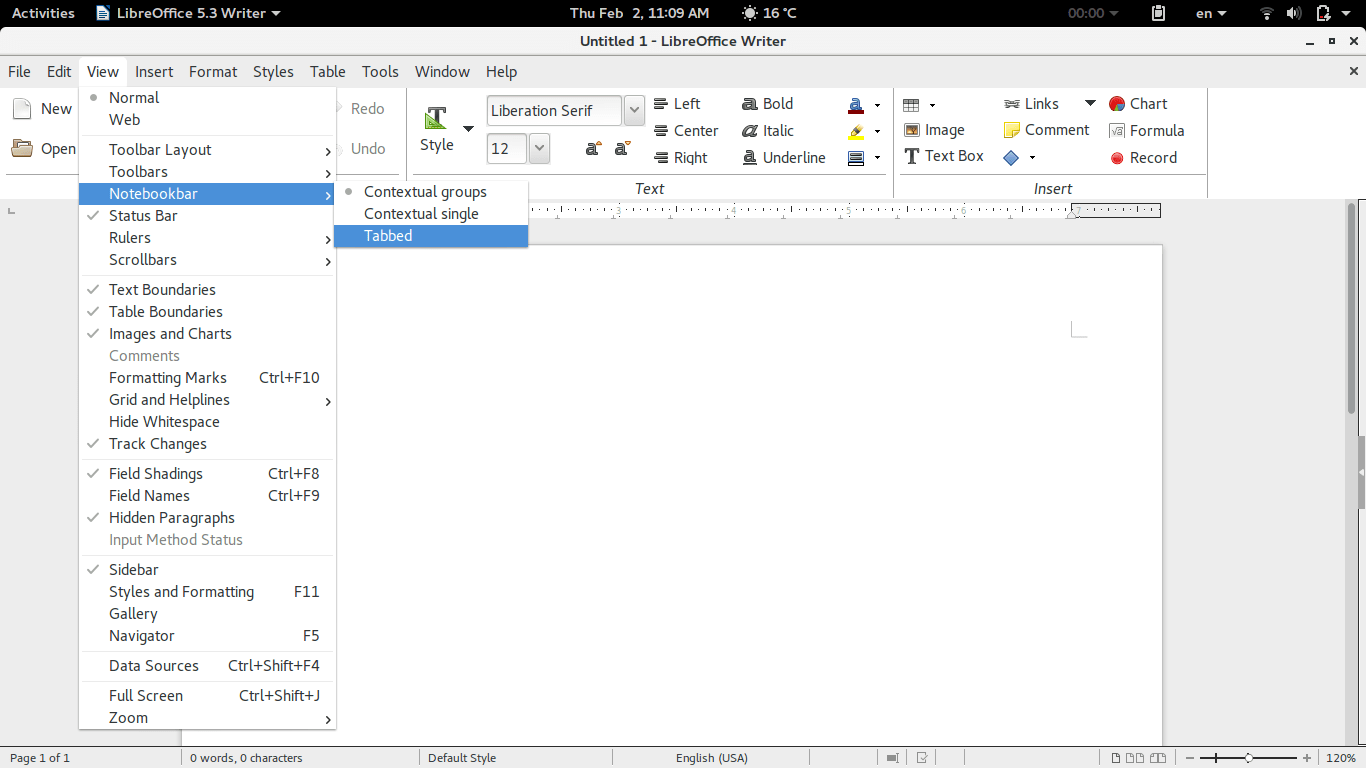
2. Then open Writer, navigate the menu to the Menu View> Notebook bar > Tabbed


Enabling the notebook bar in LibreOffice 5.3

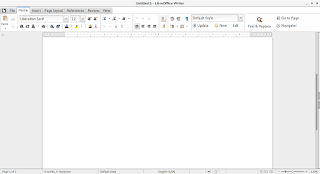
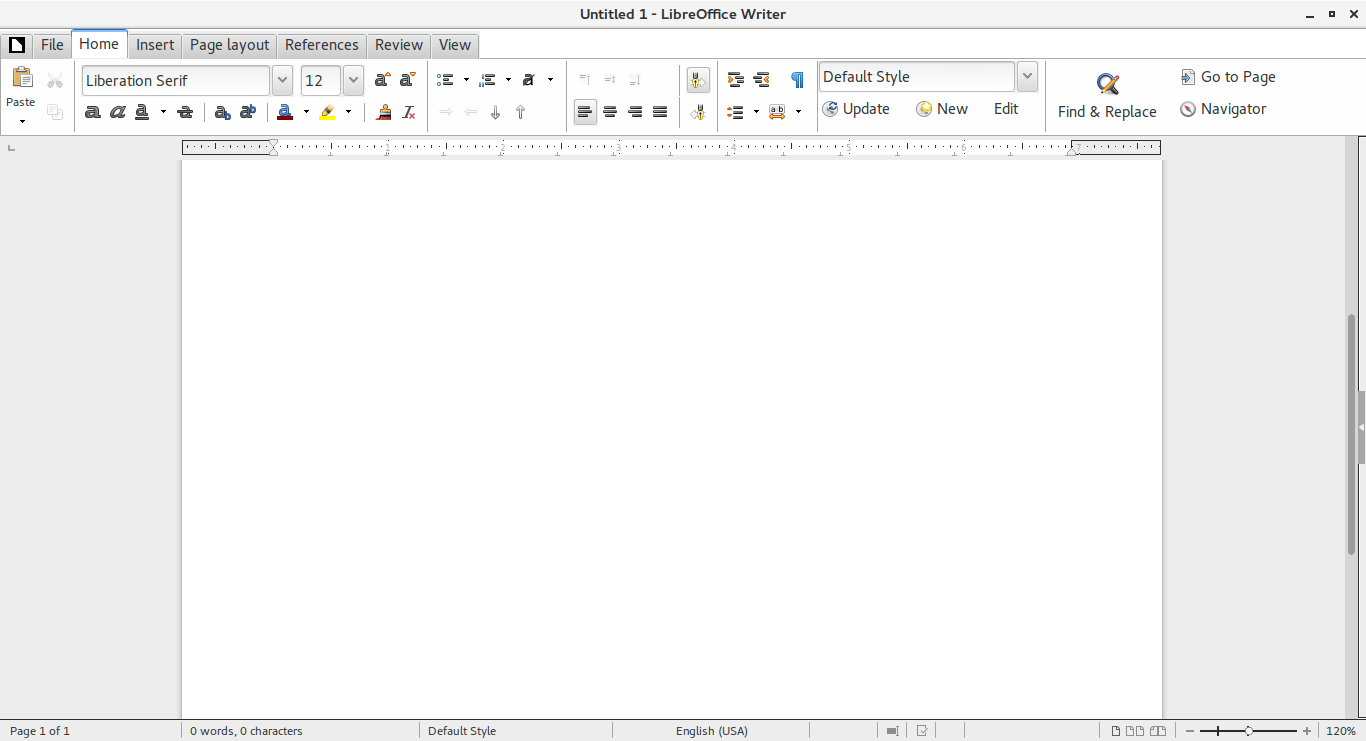
3. And it will change into a tabbed style!


The notebook bar in LibreOffice 5.3
The final look of the Notebook bar in LibreOffice 5.3

Doesn’t it look great? Let’s not forget it’s experimental so it needs a little polishing!

Download LibreOffice 5.3

To download LibreOffice 5.3 go to the download page and choose your operating system and begin downloading, you might even consider using a torrent and seeding as well to help people download faster!

And consider placing a donation as well, it’s what keeps the foundation going!


Last words

Will you download LibreOffice 5.3? Do you like the Notebook bar? Please let me know what you think in the comments section below!

Thank you for reading this post, please share it on your social media and help my blog grow.

In more recent versions, follow this help guide.

Total blackout in Tripoli, 200,000 views update

It’s no secret that the electricity in Libya is terrible, the company who is supposed to provide electricity to Libyans failed doing the one job it was supposed to do, the only thing they could do is make up excuses for failure..


Failure of the GECOL


In the last couple of years all they do is posting on Facebook saying how many hours of outage to expect, calculating Libya’s electric production and deficiency. These programmed power outages are meant to stabilize the power grid and to prevent blackouts. Many cities refuse programmed power cuts to stabilize the grid, so Tripoli takes most of the power cuts in the summer and in the winter, as if that wasn’t enough, some protesters closed a main gas line that fuels a major power station, threatening a blackout on most of Libya.

The blackout

We could tell this was different, usually the electricity goes off instantly, after 5 years of misery you start to get used to the outages, this outage on the other hand faded slowly, like a circle of darkness closing down on the center. As soon as the power went out communications said farewell, the dwindling Wimax service went down immediately and Libyana struggled to get a signal. Since it was night time, I decided to go up stairs and see the range of the outage, since controlled outages usually leave some places with power while turning off others, and there were some places that were “untouchable”, unaffected by the outages, so I looked for these first, but what I saw was completely different!!

I could see the stars! 

Stars usually disappear because of the city lights, but they were visible clearly that night (I haven’t seen stars this clear since the 2011 uprising when the power went off for 11 straight days). Darkness was all over the city, with some scattered spots of light here and there, I could tell right away that they were generators.


The nights stars are clearly visible thanks to the blackout


Why did it happen?

We learned that while trying to operate one of the power stations that was off, a huge power surge caused a blackout on most of Libya, even cities unaffected with the programmed power cuts, and while the power returned since dawn to most cities, Tripoli doesn’t have power,I’m using what’s left of the battery power to write these lines before the laptop goes into slumber.


Final words

The winter is still pretty cold, people are dying each day of cold and sickness in this cruel winter, when will this misery end?

On a brighter note, my blog reached 200,000 view, what a way to celebrate it, let’s put off a candle, or the whole country to celebrate!


Too soon?

Please share this post on social media, let everyone know what’s it like to live in Tripoli, and I use the word “live” loosely..

« Older posts Newer posts »