Category: Ubuntu (Page 5 of 24)

My morning news paper

One of my favorite morning rituals is to have a cup of coffee while reading the news, but unlike Johnny Business pants over here, I don’t read the newspaper, I use something more high tech!

What is RSS?

I use a service called RSS, which is in short known as a type of web feed which allows users to access updates to online content in a standardized, computer-readable format.

Why do I use it?

Newspapers are at an all time low, and even if I try to get the paper to read first thing in the morning, it won’t catch up to the latest news as it happens, here is where the internet excels over traditional press.

How to use RSS on your computer / phone?

There are several tools to choose from, after Google retired it’s reader (sending shock-waves throughout the RSS world), there are some very good alternatives you can choose from.

RSSOwl

One of my all time favorites, a cross platform tool that is free and open source, the only downside to it is that development stopped over 5 years ago, I stopped using it after upgrading to Ubuntu 18.04 because of dependency issues, RIP Owl.


QuiteRSS

A light weight RSS client built around QT, has less features than RSSowl (can’t grab the contents of the feed without opening it in a new window), but still a very decent client to run on Ubuntu Linux.

Lifera

It’s a lightweight RSS reader on Linux, worth a try.

Firefox Extensions

For those who appreciate a minimalist feel, there are Firefox add-ons that can grab feeds and display them on your system, surely has less features than a dedicated client, but it’s always fun to tinker around with them, Feedbro is highly recommended (also available for chrome).

There are bunch of apps in the Google play store, choose whatever you like (I don’t use any).

General notes

Not all sites support RSS, don’t get frustrated, look for others.
Some software works better with some sites than others, sometimes you have to compromise.
Always make a backup of your feed file, the format is OPML.

Final words

There has been a decline in the last few years due to the rise of social media, but it’s still a popular way to stay updated and on top of news, and while it doesn’t have the flare of buying the daily newspaper, it sure has more versatility and effectiveness, and the same good feels of getting to know what’s going on in the world today, while sipping on a cup of coffee.

Do you use a RSS feed reader? What’s on your feed list? Any sites you recommend?
I’m back to using Atom Editor

Not a fan of the green icon.

Life is all about discovery, learning and not being afraid of making mistakes, with that being said, I say that I’m back to using Atom after a rocky relationship, of love and hate!

Why I am bothering to give Atom a second chance, the reasons are detailed below.


1. The only “free” editor of the bunch.

I’ve identified Sublime text as the best text editor for development purpose, let’s not forget that Sublime is not free, I know that they allowed using it for those who are under-privileged, but it’s still a Freemium that costs 70$ (free if you can handle the annoying pop up telling you to register every now and then), after changing the licensing plans in early 2018, I don’t know the current status of Sublime text and don’t care very much to be honest!
Atom editor is free and open source under the MIT license, and despite of Microsoft making a money grab for GitHub, Atom will remain free and open source for everyone to enjoy.

2. It’s down right beautiful!

Of all the text editors available on Linux (I use Linux on my everyday laptop), Atom the best looking of the bunch! Not just the color schemes and themes, everything in Atom is designed to look awesome, from user interface to the website, even the shirts and mugs look great (never got any but my birthday is coming up ;), and the user experience is great, even compared to Microsoft VS code (who is based on coffee script and javascript as well), despite my love for efficiency, I value a beautiful GUI. 

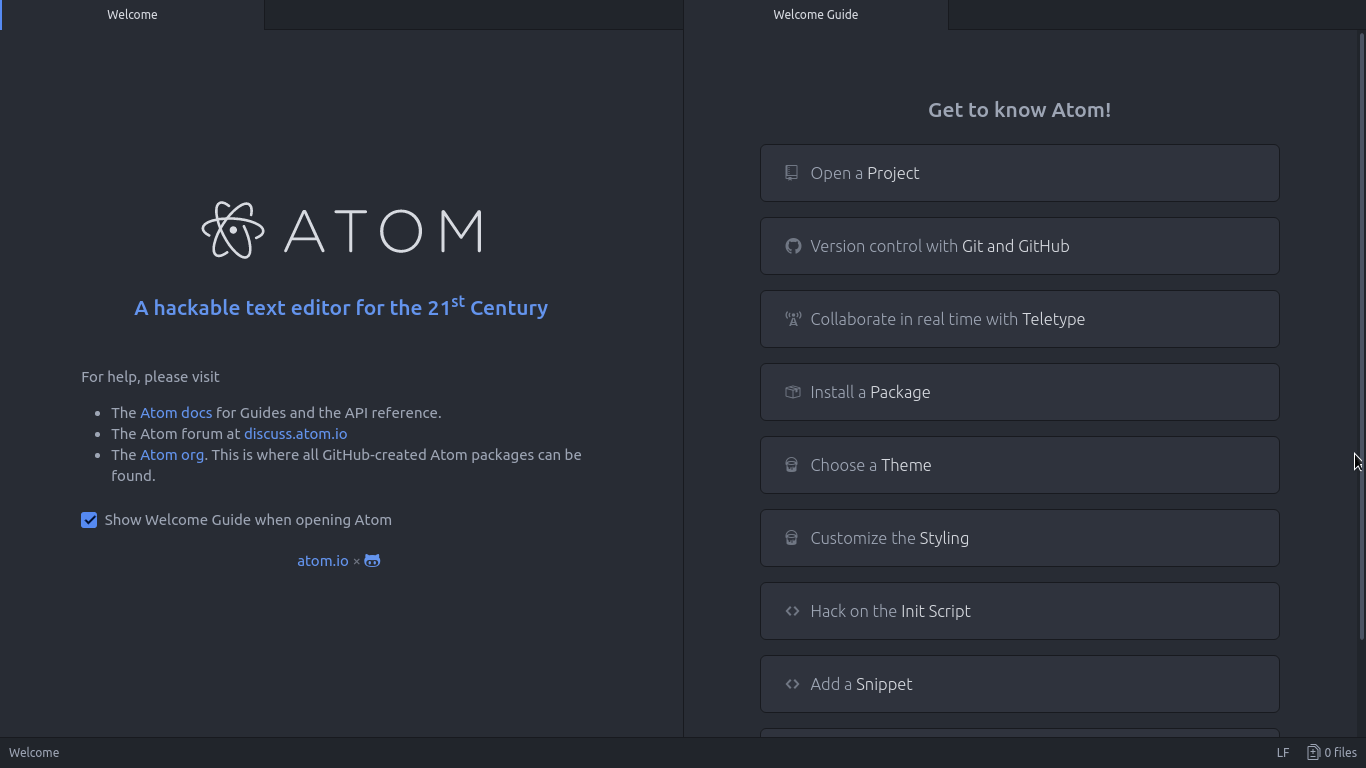
Atom Editor interface
Ain’t that a beauty?

3. Very customizable

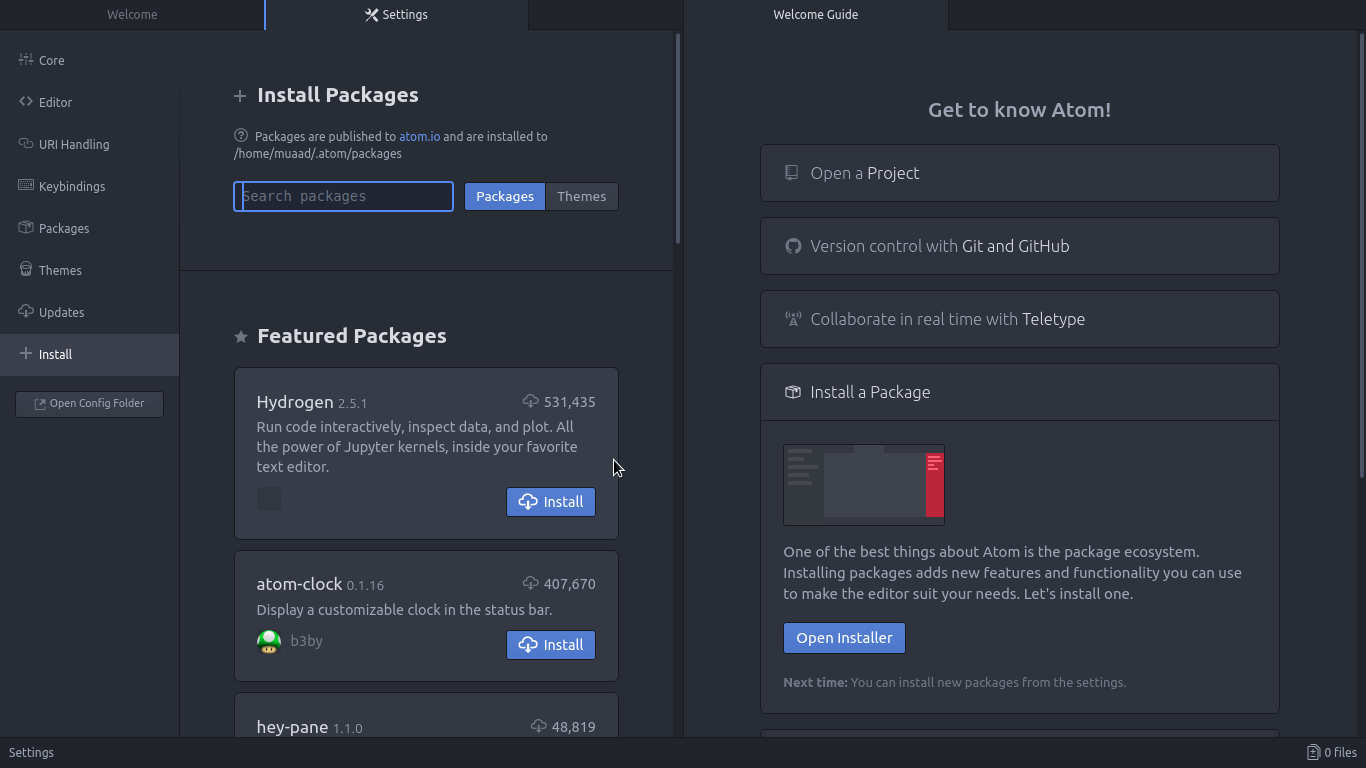
Atom has a ton of themes and packages available for download, which makes it more expandable and versatile, and with some knowledge you can develop your own themes and packages, all what you need to know is in the Atom flight manual (released in 2015 but still very informative). You can even change the key-map of Atom to whatever editor you migrated from and customize it as you like to decrease the learning curve.

Package installer interface

4. Ease of use

User experience should be always considered when evaluating software, and VIM for example despite being the most efficient and the most praised text editor in all of the Linux ecosystem, however it’s not easy to use at all, the learning curve is steep, I read the book titled “A byte of VIM“, but I still don’t see why or how can it be better than Atom or anything, as I don’t do anything “professional” with VIM. As a matter of fact, I’m not too keen on the whole terminal as a one tool for all.

5. Consumes more resource, so what?

Yes, Atom is heavier than Sublime or VIM, but does it really matter at this point? In the year 2018 laptops are getting faster and RAM is getting bigger, a few hundred megabytes almost seem like nothing when considering all the reasons mentioned above, it might not be the most resource efficient, but it’s the most usable editor of the bunch.
A well tweaked laptop (both hardware and software) can handle Atom like a breeze, and it’s getting better as time goes by. Speed won’t be an issue if you use an SSD (although using an SSD in itself can be an issue at times!), you could say it’s the price of enjoying a beautiful interface and ease of use.
Besides, converting to a less consuming Linux distro has spared some memory to spend (I’ll blog about it later and link back).

6. The devil you know!

I’ve been using Atom (On and Off) for the past three years, I’ve read the Atom flight manual and even reviewed it on my blog in a few posts (this is the fifth), so for the most part I’ll stick to Atom being the familiar editor that I’ve known and loved (sort of) for the past three years. I’m not alone, as it’s one of the most popular text editors on Alternativeto.

Have you ever used Atom before? What are your impressions about it? What do you use to edit prose and code, and if you use VIM, please take your rants to /r/VIM, because they would be appreciated better by fellow VIM zealots than me.

And yes, this post was written in Atom 1.28, so that you know!

I’ve been using the same laptop for 5 years

I’ve been using this laptop now for five years, which doesn’t seem like much for some; but for me – the chronic device hopper is kind of a milestone-. I still remember the day I bought it and how I did that exactly.

My hardware 5 years ago

At the time I owned a desktop computer and I bought a netbook (out on an impulse) and neither of them had good performance! The perk of the netbook was the size and the decent battery life -compared to my desktop of course -. But as I started to work on my graduation thesis (which was a video game by the way) I realized that non of these devices would do the trick, and that it was time to upgrade.

A word about my old netbook

My netbook was really good! I could fit it in my book bag easily, and typing on it was so much fun. Until now I still regret selling it -and might wind up buying another one eventually-. It was the device I used to write my first post on this blog and one of the highest read posts at the time was about the netbook, by the netbook!

Due to the recurring power issues my netbook battery was dead -Thanks GECOL-, and to me that was the last straw, and in a week I managed to sell both on Opensooq for pennies on the dollar! Then I took the rest of the money from dad and went shopping for a laptop.

Buying a new laptop

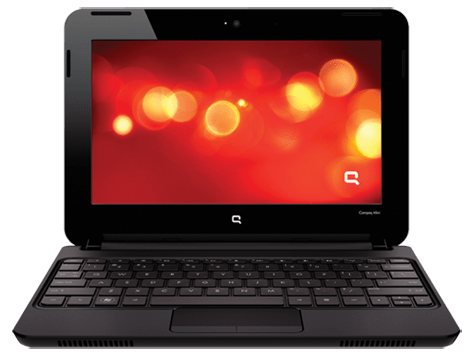
Using the money I got from selling both devices and a lot of money from dad (thanks dad) I managed to buy a decent laptop.
It looked this way once!
My laptop was with me the day I graduated, and at my first interview for a job. And many of the good things I did was typed on this very keyboard, so I have deep appreciation for it and I have trouble selling it or getting another laptop and throwing it away (as long as it works fine).
And the modifications I made to it would make selling it a bit difficult to be honest!

If I’m to replace my laptop it has to be something with equal specifications or better, that’s a luxury in this economy (six months salary or something), so it’s better to keep it.

I stand corrected!

I’ve blogged before about the death of the laptop and that smartphones are taking over, in my case that’s far from the truth. And only when my laptop was broken that I learned how much I relied on it or how much I need a laptop in my life!
To me (at least) the laptop is far from dead! It’s okay to learn things in life.

Modifications I made to my laptop in order to keep it going

G570s are known for the hinge issue, it took me a while before figuring out how to fix it completely (I have serious trust issues with repair shops and my personal data), so it has a screw acting as the right hand hinge.

  • Having this modification meant I needed to adjust the AC input a little to accommodate this change.
  • And the keyboard support is broken so it’s glued to the base of the laptop.
  • The power connector has a piece of plastic holding it in place.
  • The touch pad had the same before giving up completely.#Update I fixed it, thanks Hani my good friend!
  • Since the hinge repair the webcam didn’t work, and all my attempts went in vain, but after upgrading to kernel 4.14 it works again, it’s been years since I saw the small light on! 
  • The fan was broken as I cleaned it, so I got a replacement (full story in this post).
  • The battery gave up a long time ago and I had to buy an after market battery with half life time (again thank you Hani!).
  • I doubled the RAM from 4GB to 8GB and replaced the HDD with an SSD to boost the speed.
  • And converting to Linux was the biggest upgrade in my opinion

Yea, my laptop is a zombie!!

Moving forward

I’m thinking of getting a light weight device with low end specs (netbook or chrome book) and dedicating it for writing, installing Linux on that device. While keep this laptop for work and install windows on it, since the college I’m working for are heavily investing in .NET applications, and VM is proving to be a hassle at times


And dual booting Linux and Windows is as the same of having two laptops (a terrible idea in general).

Tips on keeping the laptop going

Like anything in life, the laptop needs proper cleaning and care to keep it running. Some of these tips are advanced and as I always say on this blog: Try on your own risk.

  • Baby wipes for a stiff keyboard

    wipe the keyboard with baby wipes to clean it, and it works like magic! It’s almost as getting a new keyboard.

  • Dusting and cleaning

    It may seem like common sense, but keeping the laptop clean helps keep it run longer (and improves your feeling towards it) so always remember to clean your laptop.

Pro tip: Distilled water works wonders, just remember to unplug your device and dry it properly before running it.

  • Applying Thermal Grease

    This is a bit of an advanced tip, it requires taking apart the laptop and reaching down the heat sink to apply new paste for the processor, it’s recommended to be done annually.
     

  • Software wise I found that installing Linux on my laptop improved the overall performance and reduced the issues and virus infections, so if you can move to Linux!

I’m interested to see if this laptop with endure the test of time? Lenovo is known of making laptops with over 10 years of life time (with proper maintenance of course), will this laptop survive that long?

Final words

It’s good to keep your devices running and not to be tempted with the heavy consuming lifestyle companies enforce on customers. I can’t afford changing my laptop every two years (and won’t even if I could). 

What do you think of this post? How long did you own your current laptop? Do you recommend any light weight device for writing?

4 years with Ubuntu!

Anyone who follows my blog knows that I’ve been using Ubuntu as a main operating system for quite some time now, 4 years to be specific. To celebrate this anniversary I decided to look back on my journey with Ubuntu so far and share some updates with my readers.

Looking back 

Tux, Linux's logo
Tux, Linux’s logo

When I took the decision to install Ubuntu on my laptop, my aim was to convert to a free and clean system where I can do what I do best without restrictions (such as proprietary licenses and common malware), while staying productive and without drastic changes in my lifestyle.
The transition was smooth because I did my home work before and most of the tools I use daily are cross platform, so I felt right at home with Ubuntu.


This year’s change

I migrated from Gnome to KDE due to long lasting bug with Lenovo laptops (very specific bug sadly) that prevented me from being productive and threatened to harm my hardware in the long term, Kubuntu has been great so far (despite some issues in the beginning) and I couldn’t be happier.

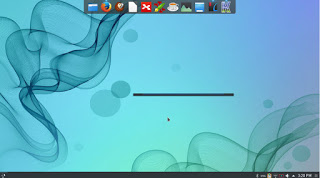
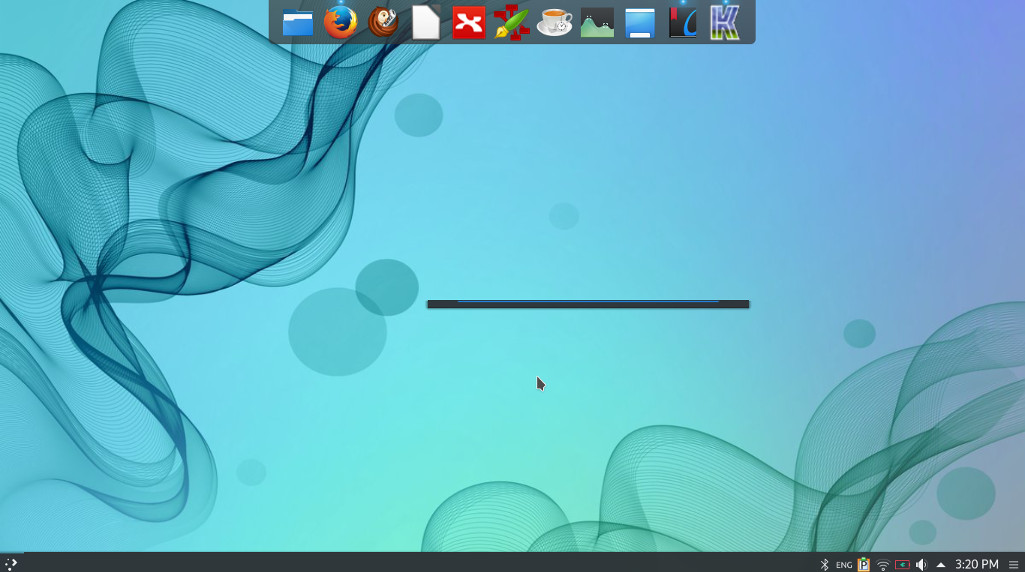
Kubuntu 16.04 with plank, the lancher is Krunner (KDE tool).


Going forward

After settling down with an interface and getting the system to look like exactly like I want it, it’s time to get deeper into the Linux ecosystem, I decided to read more about the origins of the system and learn about the terminal.

An inspirational read

Reading The cathedral and the bazaar by Eric S. Raymond was an enlightening read, I now understand the greatness of this operating system better and appreciate it much more, understanding that it’s the collective work of thousands of volunteer programmers from around the world who are making a high quality system, something that seems to be impossible, but it’s happening!

Learning about the shell

My decision to learn about the terminal comes from my feeling that using the GUI (graphic user interface) alone isn’t good enough, I was asked in an interview once if I understood the command line system, and I felt so under qualified! Luckily I got the job and it has nothing to do with Linux anyway!

 It’s satisfying to know how to use the command line to achieve some tasks, like driving a car with manual transition or drinking black coffee! And down this line of thought you can say that sticking to the GUI alone is a bit “vanilla”.

Maturity comes with age!

There is no fun in just installing / uninstalling different distos and going through the transitions over and over, (known as distro hopping in the Linux world)I want to grow and learn about the system in general and can’t stand staying in one place for a long time.

Final words

I feel very blessed being able work on Linux and get to learn about it, and sharing this knowledge with my readers makes me happier!

Have you considered trying Linux? What are you waiting for? It’s been around for a long time now!


« Older posts Newer posts »