Category: Windows (Page 12 of 22)

Upgrade to Windows 10 today! Not from Windows Update!

I’ve been following the Windows 10 hype since it’s been rumored to be named Windows 9. And I have covered many news and opinions about it, including the release date and the debate of it being free or not.

As Windows 10 arrive today I decided I deserve an early taste, after all I might not get it for months! Who knows when my “turn” will arrive? I also wasn’t too keen about downloading from the Windows Update and have been vocal about it!


While browsing the Windows 10 news I came across a Reddit post that claimed to have “Clean ESD” for installing Windows 10. (ESD stands for Electronic Software Delivery). I had to make sure so I posted in the Microsoft answers site and it was confirmed to be “legit” so I got to work!

Difficulty: Medium

Continue reading

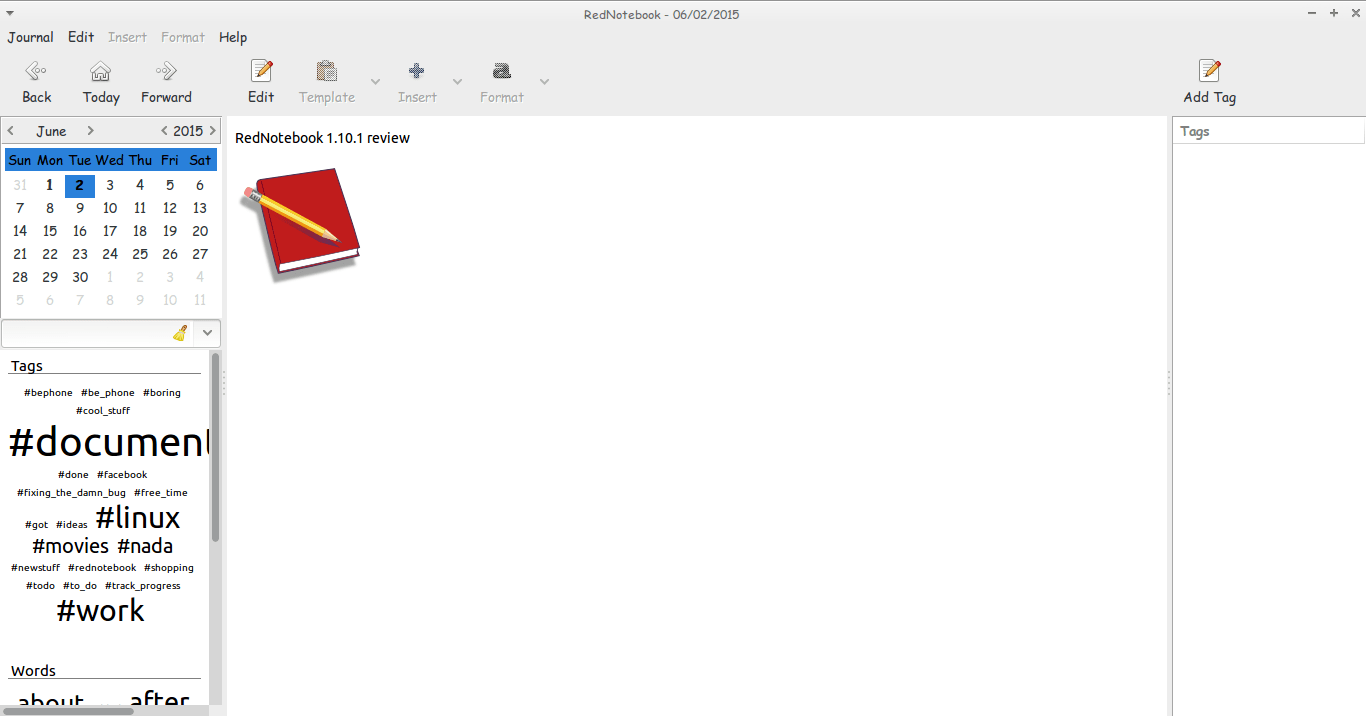
RedNotebook 1.10.1 review

Hey guys.
I hope you are having an awesome day =)

Today I’m looking at RedNotebook 1.10.1 which is the latest version of the cross-platform diary and journal .

The latest version brings many improvements and bug fixes. Feel free to check those in detail from RedNotebook’s website under the section news

I haven’t tried any version since the 1.5.0 which I reviewed in this post and I had a brief run with version 1.8.0 which failed on Ubuntu 13.04 for some reason. So it’s kind of a big jump for me.
I’m pleasantly surprised to see you can tag notes by simply using a hashtag “#” become a tag you can search and access all the notes tagged with #RedNotebook for example.
Also clicking the last day of a past month doesn’t crash the program losing all the notes you entered in that session! Ouch!!

The program is coming together nicely and it became irreplaceable to me!

If you haven’t downloaded and installed it yet I urge you to download it from the developer site. It’s definitely worth your time! !

And while you at it you have a look at my backup and restore guide. It’s a must have for RedNotebook users..!

I hope you liked this post, please comment below and let me know what’s on your mind!

ClipGrab. Your all media download solution for Ubuntu

Hey there you guys. How are youdoing? I hope you are doing good!
If you are in town looking for the easiest way to download videos from the Internet. Then this post is for you! Read on!


I must warn you to the check copyrights of videos before proceeding to download.

ClipGrab is very useful when downloading videos from sites such as YouTube and Facebook (some of my best friends are still addicted to it!) very easily. Much like YTD which I reviewed here. It supports some sites officially but can download from thousands of sites (According to the site!).

All you have to do is to visit the site and download the proper version for your OS. I’m using Ubuntu for this tutorial.

Next extract it to a directory of your choosing. And double click for it to run.

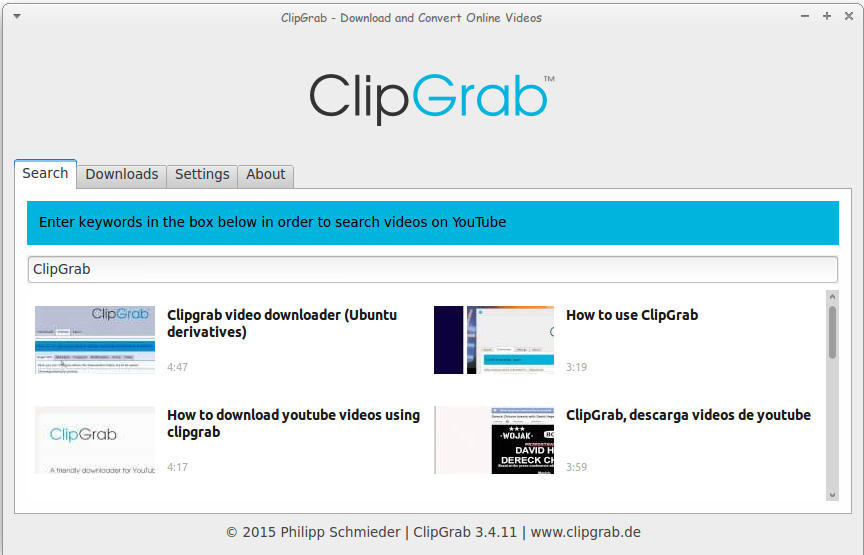
Main interface of ClickGrab
It’s divided into tabs, the first is Search. Which I used to find videos about ClipGrab!

How to download

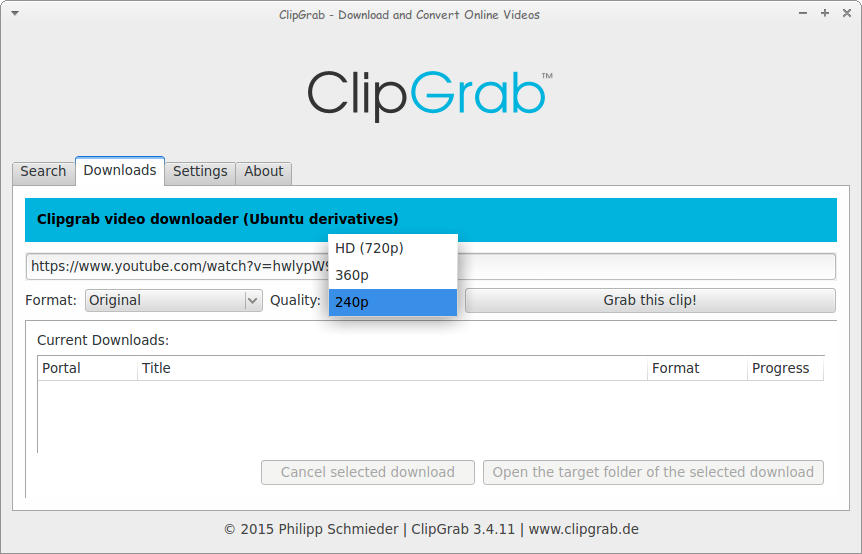
The second is Downloads. Paste the video link and choose the quality. I’m using a video from the search results, and wait for it to end!
Downloading a file using ClickGrab

As simple as that!

The only drawback it can’t download some Facebook videos. But the rest is as smooth as milk!

Convert 

You can also use it to convert videos as long as you download ffmpg package, which also enables you to download videos with 1080 quality.

After download you can choose the format. And ClipGrab will download it in that format! I’ve saw this in YTD Pro! 

Feel free to donate to support the program! And click here to download for Linux.

Ubuntu 16.04 Gnome won’t launch + Fix

When upgrading to Ubuntu Gnome 16.04I was surprised that ClipGrab stopped working, it won’t even launch! Luckily the good people at ClipGrab gave me the easy fix. And that was to download and install the dependencies libqtgui4 and libqtwebkit4.
After downloading

libqtwebkit4 ClipGrab worked without a problem!

I hope you liked this post. Let me know what you think in the comments section to below.
LibreOffice 4.4.4 launched. 5.0 postponed

The document foundation announced on it’s blog the release of LibreOffice 4.4.4 (Code named triple four) and it’s the third minor release of the LibreOffice 4.4 family, coming with over 70 fixes over 4.4.3
Feel free to read the full information about this release from here


The next major release LibreOffice 5.0 is postponed from late July into early August of 2015.
You can download this version from here

Will you download this update? What version are you running at the moment / platform?

Did it fix your bugs? Share with me in the comments below. Have a good one.

P.S: I posted in delay because I thought the next one was 5.0 and they would drop the plans for 4.4

« Older posts Newer posts »