
Page 240 of 324

Kubuntu 16.04.01 Install and review

I have been using Ubuntu Gnome for over a year now, and it has been great, there has been some bugs here and there that I could work my way around, but it got really out of hand lately so it was time for a change!
Disto hopping

I admit, distro hopping is something I am guilty of; you get to try many distros and interfaces very easily, and it is criticized for being counter productive and a total waste of time and resources, but that’s not always the case, it’s sometimes you need to take a step back to keep going forward.

 Reasons why I left Gnome

The corner jester that summons the work spaces in Gnome isn’t really productive, and the Gnome classic mode isn’t very “classic”, I couldn’t achiever the level of productivity I strives to archive.

Other choices to look at

So I started to look for an alternative that isn’t “Gnome based” and that left me with few options! Many popular interfaces are built on Gnome and I believed that the problems will tag along.

Unity isn’t even an option on my list because I don’t like it! I’m glad there is a choice in the open source world, so I decided to try Kubuntu for a change, and to get rid of my issues.


Kubuntu has a support cycle of 5 years, perfect!

Going for Kubuntu

I downloaded Kubuntu as usual by a torrent because it’s better for the network and my pocket, and it took a lot as usual (7 hours).

Installing Kubuntu

Installing Kubuntu was easy, same as the usual installation of Ubuntu, and it was up and running in a few minutes.

Interface and user experience 

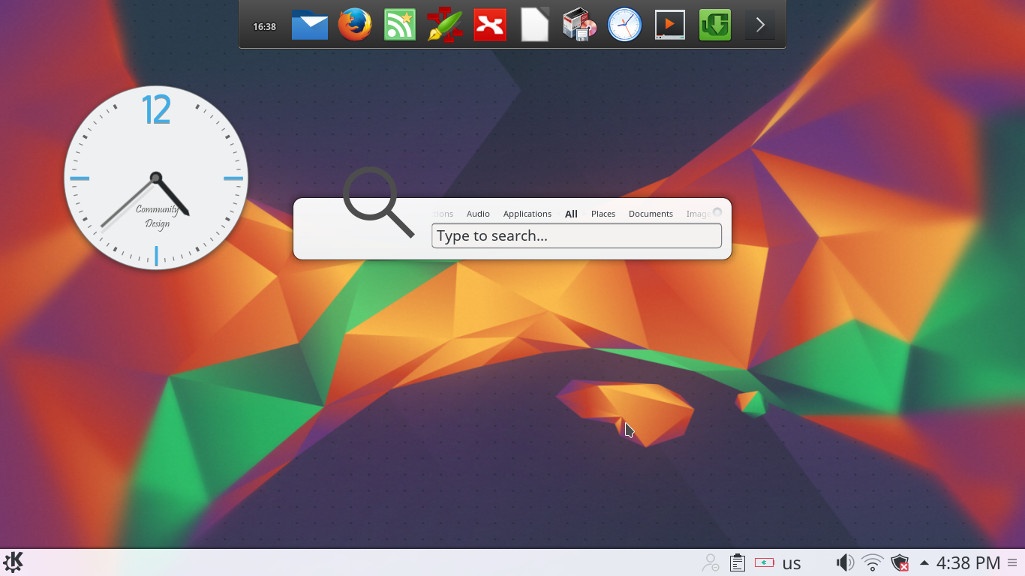
The interface on the other hand is completely different from Gnome, and I instantly remembered Windows because of the menu and the bottom panel, Kubuntu is aimed for an easier user experience, I think they meant it was “a windows like experience”.
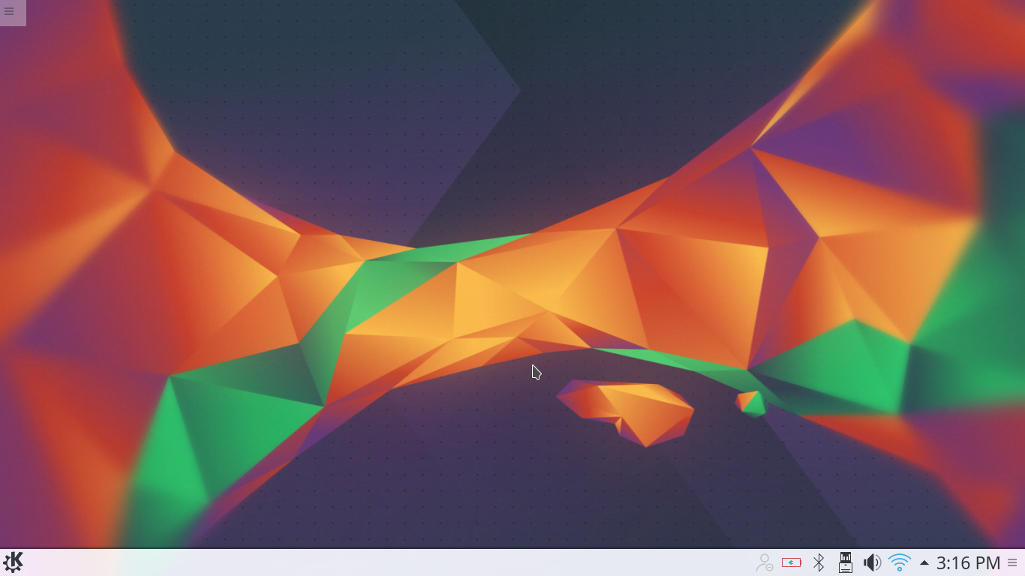
Default interface in Kubuntu

It’s even has an Aero peak like feature, when you hover the mouse over a taskbar program and you see a preview of the program running in a box.

Areo peak in Kubuntu


So far the experience is smooth, but it’s different from all the interfaces I used before,  and the default applications are also different from the gnome/unity bunch.

Of course KDE comes packed with tools that start with “K” like Kedit and Knote, I’m not ready to give up Zimwiki for example so some of these K tools had to go! 

I have a tip for you: If you copy and paste terminal commands from web pages, you are going to have to change Gedit to Kate, so you get your commands up and running 🙂

The Widgets are interesting and really give a larger scale for customizing.

While the software center is a bit, different!

Software and updates

I’m used to having the software settings and sources in a separate application than the software center, in Kubuntu they are merged up together and aren’t exactly easy to find, as if the Kubuntu developers don’t want you to find the source settings and edit them properly.
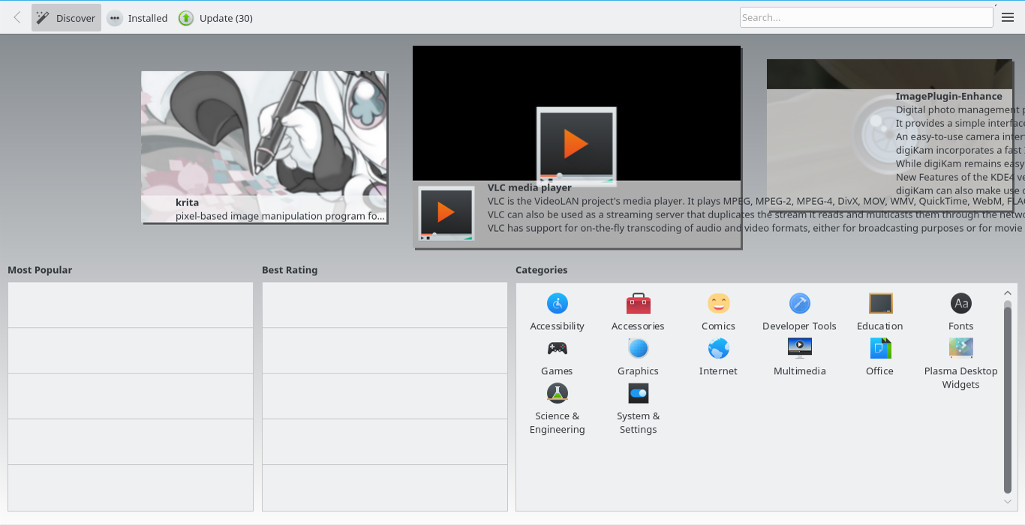
Kubuntu software center

The file manager Dolphin

Some of the things I really liked is the Dolphin file manager, it’s much better than Nautilus, the interface is clean and clear, and doesn’t have some of the chronic bugs Nautilus plagued with, it’s also featured packed as it has a double pane and gives a better access to the main controls and preferences. 

Dolphin file manager

Adding my set of tools

The final Kubuntu desktop

Things to note

I also noticed that Kubuntu doesn’t have a backup utility? That is not good to be honest, it was so easy adding Deja backup from Synaptic but a backup utility is something you need out of the box! 

Another thing is the terminal emulator Konsol, it doesn’t start with the usual CTRL + ALT + T key combination right away and it takes a bit of tweaking to get it to work.

Dolphin doesn’t handle the smartphone very well, it can’t write to the phone’s memory and often fails to explore it’s contents in MTP mode.

My post about Ubuntu Gnome is still relevant to a great degree, I do miss the Gnome pomodoro timer because it’s a Gnome application and you have to install all of Gnome libraries and dependencies, to get it to work, which isn’t exactly productive. And I’m really unsure how to integrate it into the KDE interface, so it has to go! Ktimer on the other hand has great potential of launching scripts and apps on a specific timer.

Slow boot!

One of the main issues I noticed is the slow boot, nearly 10 times what Gnome needed to boot, I managed to fix this problem and you can find the solution here

Warning

Never install any distro if the Checksum don’t match! I did it and I was in for a world of pain, and had to reinstall all the packages from synaptic.  

Final verdict

I think Kubuntu and KDE in general is underrated and doesn’t get as much “mainstream attention” as other flavors and interfaces, it is worth a try!
It feels really well polished and almost reminds me of Macs OS, I’ve never had or worked one on, but that’s what I think at least.

What do you think of this post? Do you use Kubuntu? What do you think?
Please share this on social media, and subscribe to my mailing list to get updates before anyone else! 

Streets of Rage 5 Remake review and download

It’s been ages since I last posted the game of the week segment! It’s where I highlight an awesome free / open source game for the readers to enjoy.
Over the past few years I started gaming a lot less and focusing more on writing and other things, later I learned the hard way that all work and no play makes jack a dull boy! So gaming is back and by force!
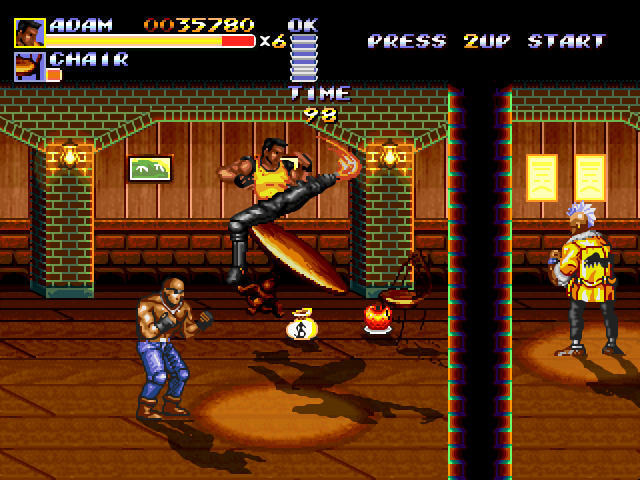
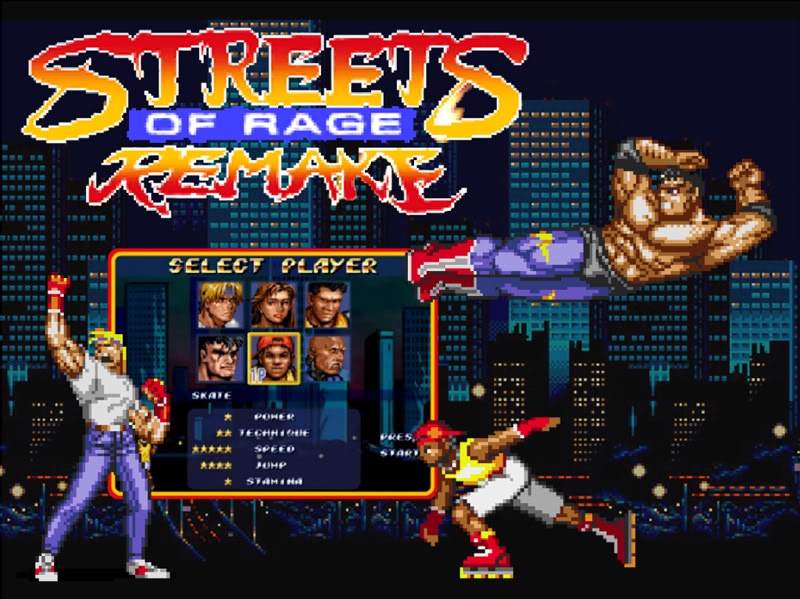
This game is a remake of the hit series of the early 90s made by SEGA, it’s a completely separate project done from scratch by bomber games.


The streets of rage series was a trilogy of games made by SEGA in the classic beat em up style that was so popular at the time. The game had 3 original characters: Axel, Adam and Blaze. Three young police officers who take it to the streets to save the city from the gangs of Mr.X . The game had a player one and two player mode co op, a second game was made in 1992 and the final game was released in 1994, as a player I felt the game was incomplete and for years I wanted more of SoR but SEGA went out of business and no game was released, until ..


They first started with Sor4 in 2010 after 10 years of hard work and it was published for free! It’s quite an amazing effort! Two years later Streets of Rage 5 was released with all the stages, bosses and characters from the original games, bigger in size and really a game to enjoy.


The latest version is 5.1 which features bug fixes and patches of the game, the final chapter of the streets of rage series that was never made by SEGA.

What’s so special that I finally got a hold of a .deb version that works 100% on Ubuntu, no need for wine or a virtual machine!

The game is available for download from here for Windows. – Sadly the file has been deleted, so I’ll link 5.2 instead.
And from here for Linux. (deb file from google drive).

What do you think of this post? Share your memories with this awesome game here in the comments section below! And share it with fellow retro gamers too.

LibreOffice 5.3 is out, Enable the Notebook bar in 3 easy steps!

The much anticipated LibreOffice 5.3 is out, the tech world and open source community welcomes the latest milestone release of LibreOffice, which brings many improvements and bug fixes, this release is on of the most feature rich in the history of LibreOffice.


LibreOffice 5.3 Logo


Whats new in LibreOffice 5.3?

LibreOffice 5.3 is packed with new features that make it easier to use and familiar to new users.

  • Improved text layout engine for a consistent look cross platforms using HarfBuzz.
  • Preserving table looks when applying edits in Writer.


  • Improvements to default cell styles in Calc.


  • A template selector when opening in impress to choose templates from, and a new slides properties deck in the sidebar when in master slide mode.


  • Many “under the hood improvements for easier development.


  • Experimental UI features, a notebook bar can be added that is similar to MS office ribbon, this feature is completely optional while the sidebar can be docked to the side with a single click.


  • LibreOffice online, the collaborative document editing service provides the
    the first source code as a docker image.

For more details please visit this page.


How to enable the notebook bar in LibreOffice 5.3?

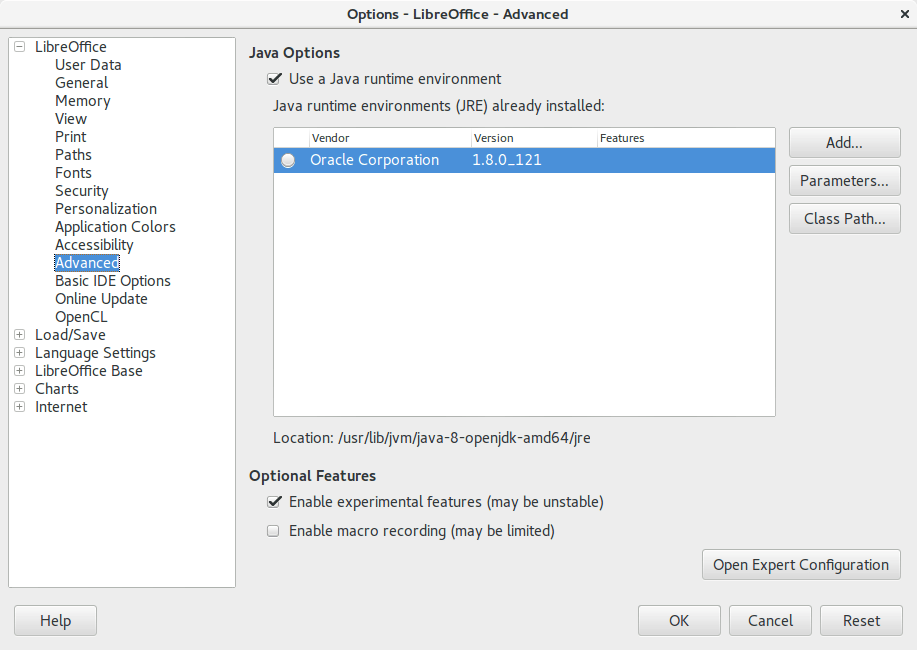
1. It’s actually very easy to enable this “experimental feature” of LibreOffice, you need to go to the options and choose advanced, from there check the experimental features, and restart the program.


Enable experimental features in LibreOffice 5.3
Enabling experimental features in LibreOffice 5.3

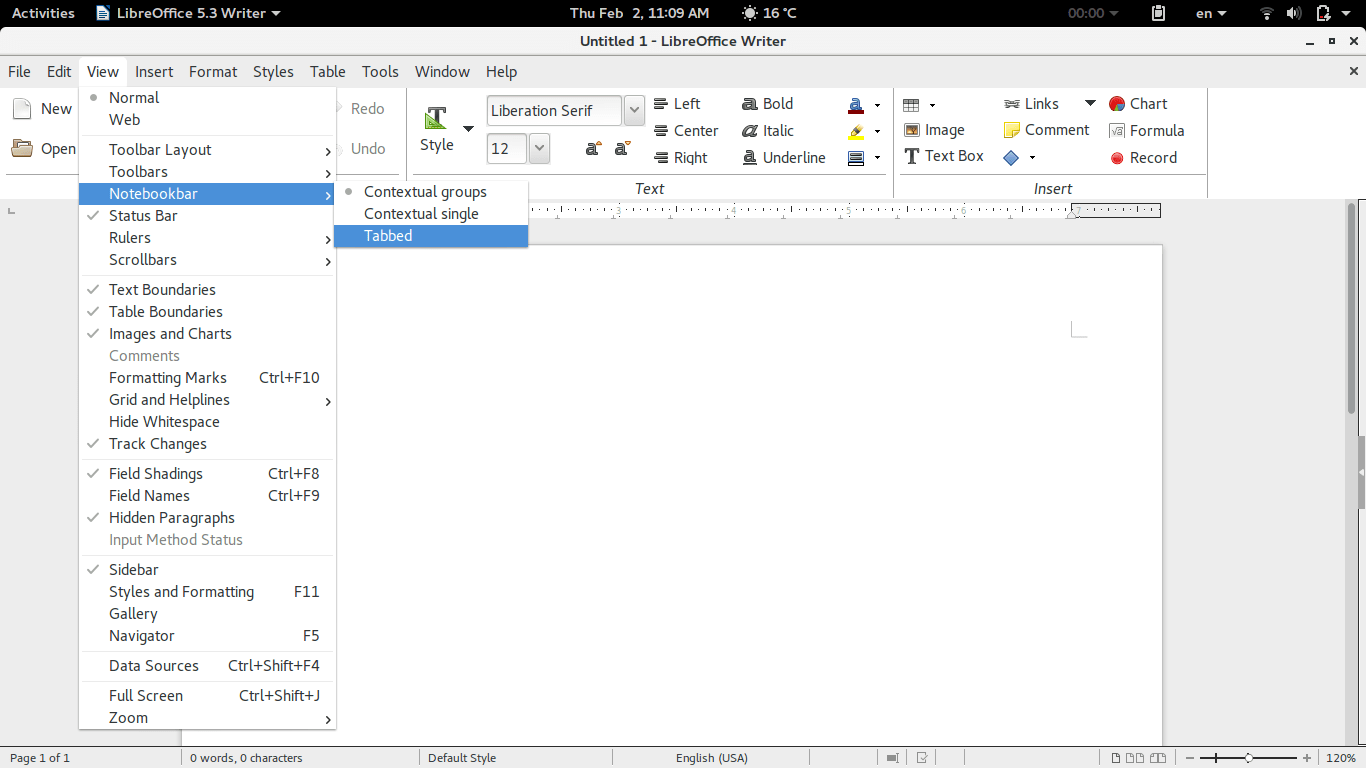
2. Then open Writer, navigate the menu to the Menu View> Notebook bar > Tabbed


Enabling the notebook bar in LibreOffice 5.3

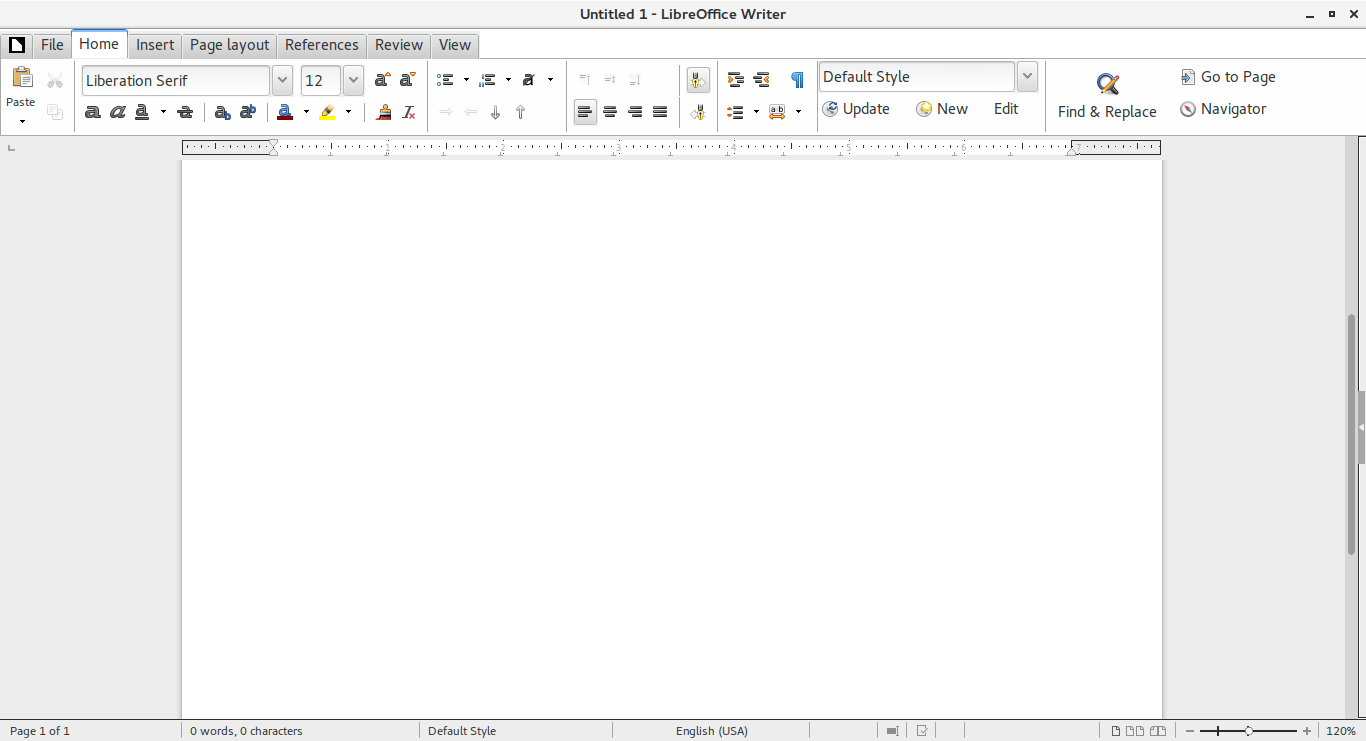
3. And it will change into a tabbed style!


The notebook bar in LibreOffice 5.3
The final look of the Notebook bar in LibreOffice 5.3

Doesn’t it look great? Let’s not forget it’s experimental so it needs a little polishing!

Download LibreOffice 5.3

To download LibreOffice 5.3 go to the download page and choose your operating system and begin downloading, you might even consider using a torrent and seeding as well to help people download faster!

And consider placing a donation as well, it’s what keeps the foundation going!


Last words

Will you download LibreOffice 5.3? Do you like the Notebook bar? Please let me know what you think in the comments section below!

Thank you for reading this post, please share it on your social media and help my blog grow.

In more recent versions, follow this help guide.

إظلام تام (بلاك اوت) في ليبيا وأخبار أخرى!

معذرة أعزائي القراء، لم أستطع التدوين في الأسبوعين الماضيين! رغم كل المواعظ التي كنت أعطيها حول التدوين مرة أسبوعيًا،

قد حدث ما كنت أخشاه، صار التدوين رفاهية لا يمكنني تحملها! لكنني اليوم أعود لكم بتدوينة جديدة.

 متاعب مع الكهرباء

خلال اﻷسبوعين الماضيين دخلت ليبيا كلها (تقريبا) في إظلام تام مرتين متتاليتين، سببه فشل تام الشبكة الكهربائية، ما ترتب عليه إنقطاع الكهرباء لساعات طويلة جدًا، وصلت لعدة أيام متتالية والحمد لله.

بإمكانك الدخول لصفحة الشركة العامة للكهرباء على فيسبوك والإطلاع على اﻷسباب إن شئت، إنهم رائعون في خلق اﻷعذار للفشل.

كنت قد كتبت عن هذه المشكلات من قبل على هذه المدونة بالتفصيل الممل، تارة باللغة العربية وأخرى بالإنجليزية، وكالعادة فإن المقالات المكتوبة بالإنجليزية تحصل على مشاهدات أعلى، وتفاعل أكثر من نظيرتها العربية -بإستثناء تدوينة الجوازات!!-.

ونتيجة لذلك، لاحظت ارتفاعًا في مشاهدات تدوينات المولدات التي كتبتها سابقًا، فقد كتبت تدوينة حول تشغيل المولدات، وتدوينة أخرى حول صيانة اﻷعطال الشائعة، كذلك الاستفسارات حول الصيانة زادت بشكل كبير، لست فني صيانة مولدات!!

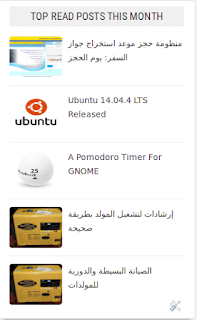
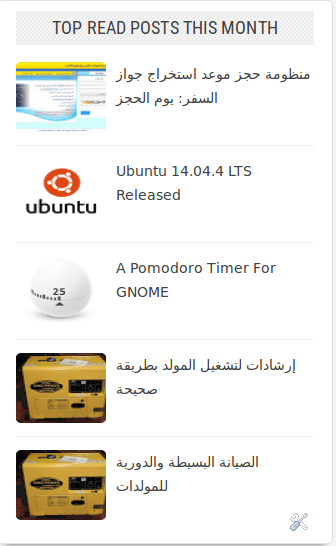
Top viewed posts on my blog this month
تتصدر تدوينات الجوازات والمولدات المشهد هنا

نسق الحياة اليومية

لا تزال اﻷمور على حالها، شخصيًا لم أتمكن من سحب دينار واحد من المصرف منذ شهر أبريل الماضي، والبطاقات التي سوقتها ادارة مصرف الجمهورية -التي أنا زبون بمصرفها للأسف- على أنها حل لمشكلة السيولة عديمة الفائدة! المصارف لا توفر السيولة والمحلات واﻷسواق لا تتعامل بالبطاقة، والمحلات القليلة التي تفعل ترفع الأسعار (أكثر مما هي مرتفعة أساسًا) بحجة خدمة البطاقة!

يبات الناس أمام المصارف في الجو البارد طمعًا في سيولة لن تصل، نوبات البرد واﻷمراض حصدت الكثير من اﻷرواح معظمهم من اﻷطفال، كيف سيواجه المسؤولون عن هذه المصائب الله يوم القيامة؟

الكهرباء مقطوعة أكثر من كونها حاضرة، توقفت عن طرح اﻷسئلة العبثية المكررة عن كيف يحدث هذا في دولة غنية منتجة للنفط عدد سكانها قليل، اﻷفضل ترك بعض اﻷسئلة بدون أجوبة.

طرق لتمضية الوقت

بسبب تردي خدمات الكهرباء والإنترنت، وجدت نفسي بدون عمل، فجهازي المحمول العتيق لا يعمل بدون توصيله في الكهرباء (البطارية تالفة ولسبب ما البطاريات التي وجدتها في السوق لا تعمل معه)، لذا فلدي المزيد من الوقت لأمضيه في القراءة، كالكثير من الناس لدي قائمة كبيرة من الكتب تنتظر أن أقرأها، وهذا بالضبط ما حدث! بدأت في قراءة الكتب التي تركتها متراكمة على أمل أن أنهيها يومًا ما. وقد أنشر مراجعات لكتب قراءتها على هذه المدونة، لذلك ابق بالقرب!

تحديث لبير أوفيس

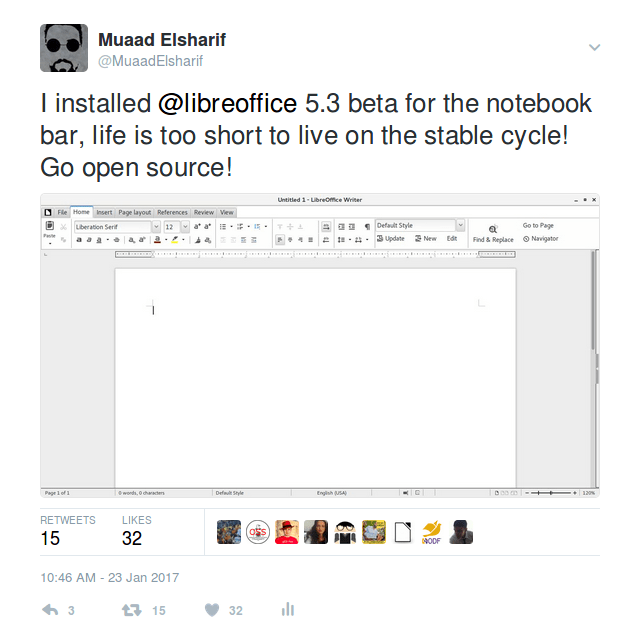
كنت قد كتبت في مقالتين عن ليبر أوفيس حزمة تحرير النصوص مفتوحة المصدر والمجانية، وأيضًا عن كيفية تخصيصه لدعم اللغة العربية،  نصبت النسخة اﻷخيرة 5.3 التي لا تزال في طور التجريب وقمت بتفعيل شريط المفكرة، شبيه بالذي تستعمله ميكروسوفت في أوفيس الخاص بها، وضمنت هذه التجربة في تغريدة وتفاجأت برد فعل المجتمع! تلقت تغريدتي حول التحديث دعما كبيرًا من مستخدمي البرنامج وأعاد حساب لبير أوفيس الرسمي تغريدها كذلك!

Libreoffice 5.3 notebook bar beta tweet
صورة من التغريدة، لم أتوقع لها هذا النجاح!

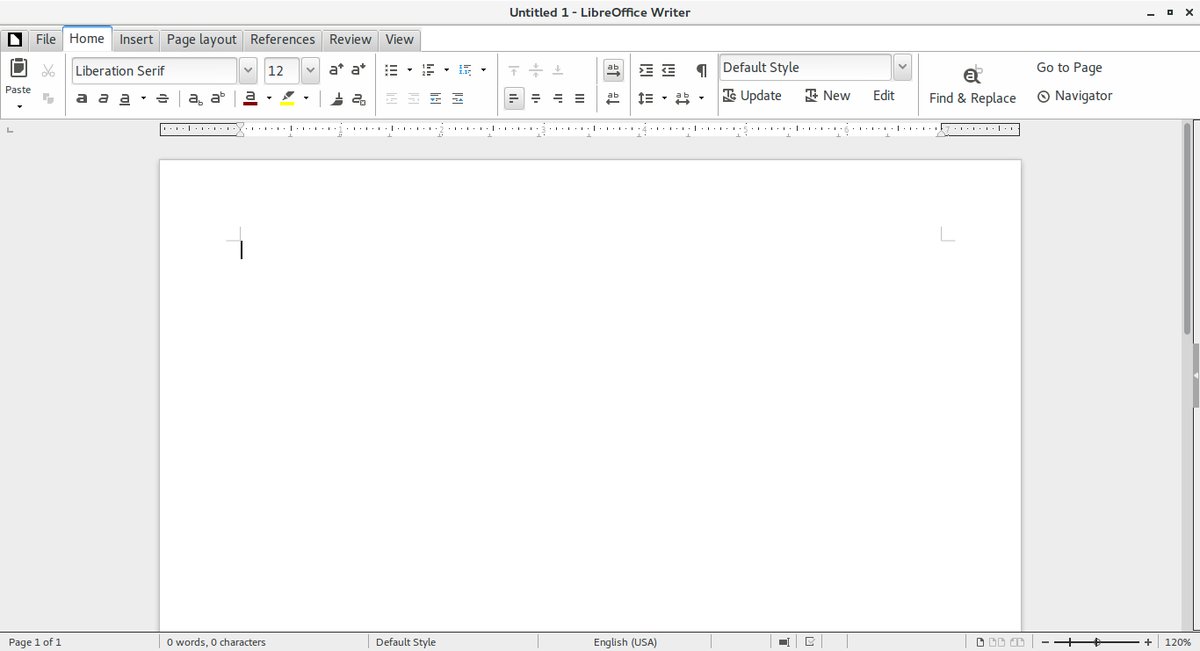
لا يزال الشريط تجريبيا وهذا ما يفسر شكله الغير مكتمل والغير جميل تمامًا، لكن الحياة أقصر من أن نمضيها على النسخة المستقرة!!

Libreoffice 5.3 notebook bar beta
شريط المفكرة من ليبر أوفيس 5.3 نسخة تجريبية

التحميل

حملت النسخة باستخدام التورنت الذي توفره مؤسسة المستند، عكس الإعتقاد الشائع، ليست كل التورنتات غير قانونية، فهذا التورنت مجاني ومفتوح المصدر أصلا، بل إن هنالك تشجيعا على التحميل بواسطة التورنت لهذه اﻷدوات لأنه يخفف الضغط على خوادم التحميل العادية! كما أن التحميل بالتورنت يوفر نسبة نجاح أكبر خاصة مع إنقطاع الكهرباء والإنترنت المتكرر.

ورغم حجمها الصغير نسبيا (253 ميغا بايت) إلا أنها إستغرقت 4 ساعات للتحميل! حمل النسخة إن كنت تجرؤ!

 وصلت النسخة المستقرة ويمكن الإطلاع على التقرير الكامل حولها من هذا الرابط من مدونتي.

يوتيوب و إنخفاض المشاهدات

برنامج مصارعة حرة بالليبي الذي تحدثت عنه في تدوينات سابقة يضع كل الحلقات على اليوتيوب ليتمكن متابعونا في ليبيا و العالم العربي من مواكبة أخر اﻷخبار، ونسعى نحن للوصول لمئة ألف مشاهدة ليبدأ اليوتيوب في دفع أموال لنا (أو هكذا قيل لي!)، لنفاجأ بخسارة 6000 مشاهدة بين عشية وضحاها! لازلنا نحقق في سبب المشكلة ولكن أعتقد أن السبب أن اليوتيوب أخذ الزيادة التي أضافها بالخطأ تدريجيًا في دفعة واحدة!

أفكار جديدة للمدونة

أفكر في كتابة قسم جديد في المدونة أسميه شريط الذكريات، هذا القسم يحتوي صفحات مؤثرة من حياتي مرت عليها بضع سنوات، لعل تدوينة سابقة تنتمي لهذا القسم قبل إنشاءه، وهي قصة حمزة رحمه الله، أعتقد أن الكتابة عن مثل هذه اﻷمور يساعد على تخطيها والمضي قدمًا وتركها، مجددًا يعتمد هذا على القراء اﻷعزاء!

تحديث: الصفحة اﻷولى يمكن الإطلاع عليها من هنا.

وصلت مشاهدات المدونة إلى 200 ألف مشاهدة!

لم تعد هذه الأرقام تشعرني بالسعادة، إنها ما هي عليه، مجرد أرقام!
صراحة لم أجد طريقة مباحة لتحويل هذه المشاهدات لدخل مادي (ولو بسيط) يدر علي بعض الربح، علمًا بأنني لم أفتح هذه المدونة لكسب المال، لكن لا مانع في ذلك إن حدث بطريقة سلسلسة ودون أن يؤثر على عفوية المدونة!
إعلانات غوغل تحتوي بعض المشاهد التي لا أوافق على عرضها في مدونتي، لذلك ليست حلًا، وأرحب بأي حل من السادة القراء!

تحية للقراء المخلصين

أعلم يقينا أن هنالك قراء لي لا أعرف أنهم يقرأون (احتاج أن تعلق لأعرف أنك تقرأ!) وأوجه لهم تحية خاصة من القلب، أخص منهم بالذكر صديقي العزيز سالم جابر الذي أعلم أنه يتابع المدونة كلما إستطاع، ولك من شريط الذكريات نصيب! تحية لك يا رجل!

ختامًا

شكرًا لك عزيزي القارئ على قراءة تحديثي البسيط هذا، وأتمنى أن تشاركني بتعليقاتك وأيضا أن تنشر مدونتي على الفيسبوك والتويتر الخاصين بك، كما يمكنك الإشتراك في القائمة البريدية أعلى يمين الصفحة ليصلك جديد التدوينات أولاً بأول.


« Older posts Newer posts »