Category: English Post (Page 36 of 97)

BlueGriffon 2.0 is out, And 2.1 is just around the corner!! 2.1.2 Has .DEB!!

Four months of hard work and fixing bugs have brought us to this highly anticipated release of BlueGriffon 2.0

I have posted about the Alpha and gave it a review and been following the development closely on Twitter, the beta release was just two days before the official release, so it was nearly impossible for me to download, test and finally post about it. Let’s take a look at BlueGriffon 2.0

An introduction

BluegGriffon is  a product of Disruptive Innovations SAS, a French software company founded in October 2003. Based in Saint-Germain en Laye, France, Disruptive Innovations SAS delivered in the past premium products like the popular editor Nvu (the indirect predecessor of BlueGriffon).

A total overhaul

  • This version is a total overhaul for the program, as it changes the addins system and even the licensing platform!


  • All the add-ons from the previous versions won’t be compatible with this one so you need to download the new ones.
  • There are features that are only available for those who purchase a license, BlueGriffon is still open source and the basic features

can be used freely.

  • The manual is also up for purchase, this is in order to support the development of BlueGriffon as it says on the website (the manual isn’t open source and can’t be distributed freely).
  • It will only support Windows 7 and higher, Mac OSX 10.8 and up, and the only Linux distribution supported is Ubuntu.
  • The overhaul included the BlueGriffon site, and yes! It was designed using
  • BlueGriffon! It matches the interface and looks fantastic!


Interface

It brings the darker theme that was first shown in the alpha version, complete with all functions and menus.
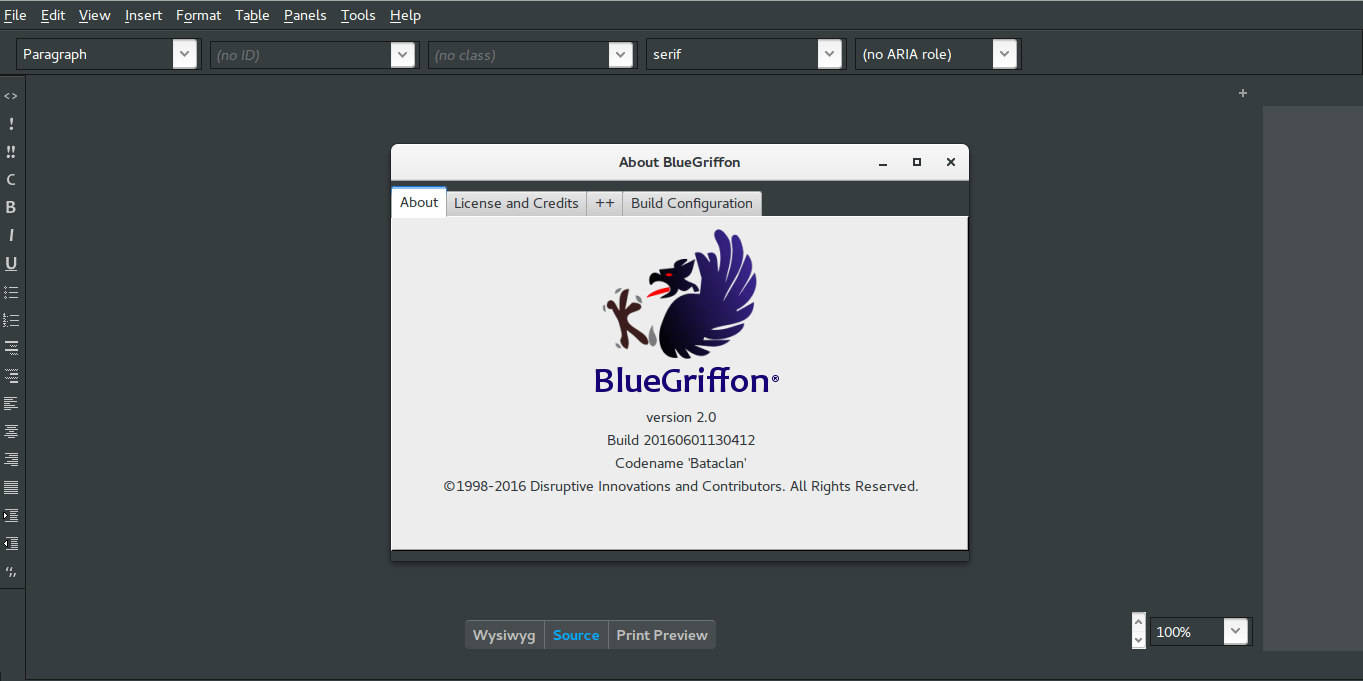
BlueGriffon Version 2.0 interface with help menu


  • It feels smoother and lighter,

image management is much better than version 1.8 and same goes for tables.

  • I do miss the function buttons

as now I have to do everything by menus!

  • I didn’t experience

any random shutdowns of BlueGriffon so far.

Download 

BlueGriffon is cross platform and is available to download for:

Windows (Windows 7 and above). And a ZIP file is available too.

Mac (OSX 10.8 and above).

Linux Ubuntu 64 BIT.   

Click on any of the links to start downloading from the official server.

Languages supported

English (USA), Čeština, Deutsch, Español (Castellano), Suomi, Français (France), Galego,
, 日本語 한국어 中文 ), 繁體字 ), Magyar, српски.

Here you can download the available dictionaries for these languages.


Final words

A version 2.1 is in the works and the developer is taking note of some fan suggestions like: a hide-able dock and a clear theme, I’m really impressed with the comeback BlueGriffon has made, as I said before it was marked as discontinued by alternativeto.net, it’s really good to have a frequently developed open source HTML editor available! I as a blogger can’t keep up with how fast this application is being developed! And that doesn’t happen often!


Update on 06/08/2016

Version 2.1 is out and you can check the change list from here!

P.S: The site is inaccessible at times, I couldn’t download it so far, and it wasn’t packed as .deb (  I suggested that several times without hearing back from them).

They aren’t very responsive to e-mails, I’ve been writing to them since the BlueGriffon was frozen at 1.7.2 back in 2013 and they haven’t replied to me once! Even on Twitter I never got to hear back from them, seriously? How hard is it to send a tweet?

Update on 06/12/2016
Version 2.1.2 is out and FINALLY it’s packed as a .DEB
You can thank me later! 😉
Download

I hope you like this post, please give me your thoughts in the comments section below, will you download BlueGriffon? And if you did, what do you think?

Have a nice day!

My 4th blogging Anniversary!

4 years has passed since I created this blog and started blogging on it, I take this moment to look back on my 4 year career as a blogger.

The Beginning

This blog had many names in this short period, I think it stands a witness on my development as a blogger and level of perspective I had at each phase.
I have been true to the cause of this blog, to provide support for problems that doesn’t exist any where on the web, and also to blog about the things that interest me and I feel that is both exciting and useful.

Almost there but not quite!

I really wanted to reach the 100,000 views mark around the time of the anniversary, but sadly I fell short of that milestone,(reached 82.000 views this morning!) I’d like to take the opportunity to announce that I will be making a video to celebrate the 100K milestone, whenever it happens! In that post I will reveal some of my blogging secrets and talk about some things never shared before on this blog!


Promotion and SEO

I’d say that in the last year I began to understand the importance of Search Engine Optimization and what impact it could have on my blog, combined with a solid promotion strategy on social media, and the fact is: I can’t blog as often as I did because I’m busy with promoting the blog and getting the word out!
What’s the use of great content if no one is reading it?
I hope I can balance the two very soon!

Fan interaction isn’t what I hoped for

This blog has my journey and lists a lot of the skills I learned and the tricks I know, I use it as a personal database that I go back to whenever I need to get something done!

Getting people to comments is still tricky tho! I think the CAPTCHA and security measures are driving people off, it’s not as easy as making a Facebook comment! (Like many bloggers I think that Facebook has killed the blogging scene).

I still want more engaged users to comment on my blog and interact with the content.
I thought of giving cookies to those who comment, anyone interested? 😉

I decided to open the comments section without captcha, I know this is a bad call but at this point, I need more fan interaction and I think the captcha is driving readers off (it’s getting annoying with the road signs and stuff!).

Goals from last year

Over the past year there has been a change of hands with domains, I made a full postabout the topic, I’d say it was good move at the wrong time! And I still want to have my own blog which I build myself from scratch, one day!

I have added a lot of Arabic content to my blog, while some of it is translation of English content, and some of it is unique content that has driven a ton of traffic to my blog! I even translated the interface of Codelobster, a popular PHP IDE for Windows.

I’m glad I achieved a goal from last year!

Feel free to compare this blog post with the one from last year’s anniversary.

As for “dual boot”, I am only mentioning this because the post brought it up, it’s not my best idea, and a part of growth is being critical of old ideas, I find the idea of a main system (host) with a secondary system (guest) running on virtual machine to be very suiting for my current needs, until further notice.


Getting settled

You might notice that my reviews of tools and new software are decreasing, and that’s true! I think I’ve found my place, and I’d like to settle a little bit and get myself acquainted with the tools I have right now, creating this sense of stability is important for my productivity and my entire creative process! Because I do other things than blogging of course! And I need a set of tools I’m capable of using without a steep learning curve, so my learning and growth is consistent and progressive.

Finally..

In the end, I’d like to thank you for being a part of this success story, and I’d like to see you coming back here for another year (God willing)

Until another site update, let me know what do you have to say in the comments section below!

80,000 views! Site update inside

80,000 views on my blog, what a day!

I have reached 80,000 views on my blog, it’s a milestone to be celebrated indeed! The result of hard work and dedication, and I can’t forget my loyal readers!These last few weeks since I last wrote an update were a true blessing, while I blogged less, I embarked on a soul finding journey beyond the interface of blogger, I am still undecided about posting that kind of posts yet on this blog, I’ve thought of it, I might pitch a pilot post like that soon, but without feedback, none of that is happening..


Times call for a change

  • I moved from a 3rd party domain to the Blogspot hosted domain (actually I didn’t renew the subscription fee), if you feel like reading the full post, then you are welcomed to check it out from here.
  •  I’ve lost a great deal of traffic due to this sudden change, but I’m sure I’ll be able to win my readers back, after all most of them are from Libya searching franticly for a way to get a passport (pray for Libya please) and I’m sure they will comeback as soon as the reservation site gets back on-line, it’s that bad!
  • As a side effect Linkwithin is acting off, giving me two links instead of one, one for the third party domain that expired recently and the other is for the Blogspot domain.
    Since Linkwithin has a really responsive support team (just kidding), I’ve dropped the idea of using Linkwithin all together, but if you are still into it, check out this post covering a popular fix for the post issue (shameless self promotion at it’s best!!).

Blog improvements

  • During this time I decided to take a “real” look on my blog, and I found some really bad posts, I mean REALLY bad (I’m my own worst critic), so I went happy with the delete button.The total post number went down from 410 to 288, that’s in case you noticed, and in case you didn’t, there you go!
  • Deleting that huge number of posts left “dead links” all over the blog! Since I tend to link my posts together to create a better context, deleting a huge number of posts will create gaps! And there is no way to tell blogger the posts were deleted, I had to take care of those manually, one by one! With the help of a little tool of course! This tool helped me search for dead links and locate them exactly inside the blog, some of it was from the old domain but mostly it was deleted posts (and a very few links that expired ad needed to be removed).
  • I’ve figured out why some of my posts have awkward spaces in them while I didn’t do that, I might post about that, it depends on readers mainly.. 
  • Sometimes, doing nothing fixes stuff, if you wait long enough, some issues will resolve themselves (I’m talking about blogging, if you have problems work on them!). 
  • Blogger has changed the sitemap limit, only allowing 150 posts to be submitted, even with the massive downsizing I did, I was still way above the limit, luckily I found a way to add more sitemaps to fetch all my posts, which happens to be very easy to use, checkout the sitemap tool from here.
    And YES! I believe that adding a sitemap is important for blog growth, despite the claims that Google sitemaps sites automatically, I find that very hard to believe.

Brand growth

  • It’s no secret that I use Twitter for promoting my content, and I am pleased with the results, if anyone is interested I’ll make a post (or a series of posts) on how to develop a strategy to promote your blog content and twitter account side by side.
  • It’s worth mentioning that my twitter followers exceeded 16,000 followers!
  • I focus on Twitter a lot because I’m an anti-Facebook activist, so I can’t use Facebook for promotion (and everybody is on Facebook)..
  • The blog grew a great deal in comparison with the same time last year, that’s great! If I could seduce the readers to comment? That would be super too! (Come to the comments section, we have cookies).

Blog look and feel

I finally settled with a look for my blog, I like this template, and I hope you do too, because it’s going to stick around for a while!
It’s clean and responsive, so far this is the closest template to my vision of a personal blog, unless if you have a better thing to offer, I’m always down for an awesome template (in almost 4 years of blogging no one has suggested me such a thing).
I think it’s time to settle down with one look for the blog, don’t you agree?

Final words..

Change is never easy, and for some it could be harder than ever. This last month was a wild roller coaster ride of changes and challenges, and I’m glad to say I’ve concurred them all, it’s really down to how you adapt to the changes and challenges in your life and make the best of them!
Till the next major milestone.
Have a nice day, and do tell me what do you think of this post?

My review of Ubuntu Gnome 16.04

It’s been a couple of weeks since Ubuntu 16.04 was out! I decided to take my time and give the new distribution some time before making a review, I think two weeks are enough time, so let’s take a look at Ubuntu Gnome 16.04!!


Ubuntu Gnome 16.04 new logo

The distribution

Ubuntu Gnome 16.04 became an official Ubuntu flavor, making use of the Gnome interface, unlike the official Ubuntu that uses Unity as interface, it comes with Gnome software and isn’t a clone of Ubuntu, there are some minor differences in apps, Basero is  the default disk burn utility for example, and gnome software is at 3.20 out of the box.


Ubuntu Gnome 16.04 Screenshot

Please note that some of the tools in the screenshot aren’t installed natively, such as Zim-wiki and Sublime text.

Download and Install

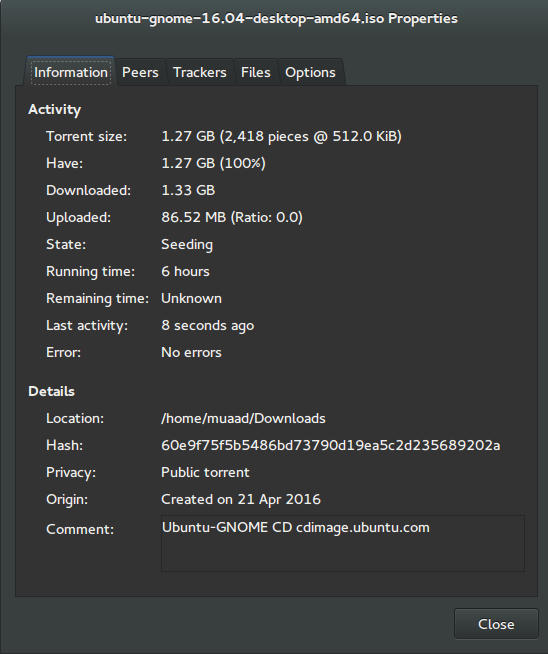
I’ve downloaded Ubuntu Gnome via torrent because I read it’s better for the servers, and come to think of it since the electricity goes out very often here, it’s better to download Ubuntu via torrent to save myself the trouble of downloading it all over again! It was downloaded eventually after 6 hours.
Checkout the download link from here.


It took 6 hours to download!
Torrent download information

I put it on a USB and began installing, pretty much the same since Ubuntu 10.10.
This version has 3 years of LTS support, why not five years? I’m not sure.


Steps to take after installing Ubuntu Gnome 16.04

Most of these steps are on my blog, but it won’t hurt to collect them all together in one neat list, would it?
  • Configuring wireless and Bluetooth, which is really easy to do but very important.
  • Installing the extras, the restricted extras needed to view media files and flash, and some fonts.
  • Installing my softwares, the usual package of stuff: VLC, Inkscape, GimpXmind and Zimwiki
  • Installing extensions: Clipboard indicator and OpenWeather.
  • Editing input sources to make it change between languages by pressing alt + shift, you can find how to do it from this link.
  • Restore the bookmarks and data (notes), Firefox is pretty easy to restore, and so is Zimwiki! All you have to do is to put the note folder in Home.
  • Customize LibreOffice. To make it more compatible with Arabic.
  • Disable apport, more details in the defects section.
  • Installing powertop for more power save and CPU Frequency to reduce fan noise!
  • Pomodro timer works beautifully with Ubuntu Gnome 16.04 and you have to install it, it’s the best timer app for Ubuntu to date! Read my review about it from here.
  • Disable tracker-store as shown in this askubuntu link. 
  • Disable evolution safely without uninstalling it. Saving nearly 170 MB of RAM.
  • I also decided to skip the Grub menu since I only use Ubuntu 16.04, to do that you need to download and install Grub Customizer with these commands:

    sudo add-apt-repository ppa:danielrichter2007/grub-customizer
    sudo apt-get update && sudo apt-get install grub-customizer

    After that go to Grub customizer and enter your password, go to settings and uncheck: show menu and look for other operating systems. This way you will get rid of Grub and boot to Ubuntu right away, don’t do this if you dual boot!!< red;”


Features and improvements

  • I do appreciate the Gnome 3.18 interface! A huge jump from the 3.10 that Ubuntu 14.04.4 ships with, as it has many improvements and tweaks and fixes for annoying bugs in Gnome 3.10 (LTS to LTS upgraders will relate!).
  • The notifications style has changed completely, it’s now displayed in a drop-down menu under the clock.
  • The annoying bottom bar was removed completely, a feature I will never miss! It’s replaced with a neat arrow that’s docked on the bottom left corner of the screen.
    Notification dock in Ubuntu Gnome 16.04
  • The new boot logo is so much better than the old one! That looks like a foot! This is more sleek and streamlined, reminds me of SEGA’s logo somehow!


Ubuntu Gnome’s new logo


Issues and defects

  • So far the performance is OK and there are few crashes, pretty much the same as Ubuntu 14.04.4 which is pretty stable by the way.
  • I’ve noticed that the network icon sometimes disappears, hopefully an update will fix this, my only fix is to reboot.
  • I would recommend that you disable apport as it will bring up a message every time you reboot.
  • Software isn’t as clear as it should, I can’t tell how big are the softwares and updates, so I use Synaptic on a daily basis to get things done!
  • When disconnecting the wireless network with the hardware key it’s not recognized anymore until several reboots, it’s a known bug but with no fix afaik! The only info I could find was this terminal command: sudo service network-manager restart This command will restart the network manager and allow it to connect without the need to restart several times.
  • The fan noise was too much at times, even when the computer was idle, I thought upgrading from Ubuntu Gnome 14.04.4 to Ubuntu Gnome 16.04 would fix this but it didn’t, until I installed CPU Frequency!
  • Nautilus 3.14 could use an update and we don’t have to wait till 16.10 to get one! I managed to follow a rather risky tutorial to update it to 3.20 and it’s so much better!
  • If you are using an SSD you might want to look at this post to avoid the /dev/sd1 :Recovering Journal issue.
  • Starting up without a user interface at times, and my only cure was to restart the computer, I found a fix that suggests to clear the packages config from Synaptic.
  • Sometimes shutdown can be slow, I found the steps in here worked like a charm!

“Software”

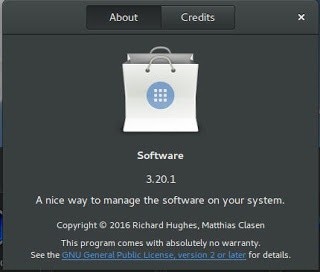
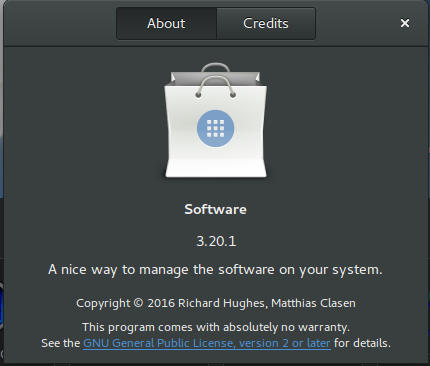
Ubuntu Gnome 16.04 ships with Gnome software 3.20. Which is the software that is supposed to replace Ubuntu Software center, I find them both buggy and unusable, as I use Synaptic to do my package work.


Softwares 3.20 on Ubuntu 16.04

I do believe it needs more work to become a reliable software center, it stays in the background and behaves oddly, it doesn’t show the download progress on software being downloaded too, which seems odd!

I winded up un-installing software and reinstalling the good’ol Ubuntu software center!

Final words

Ubuntu Gnome is a great choice for anyone who wants to enjoy Gnome  without having to leave the Ubuntu universe to Fedora or OpenSuse, it provides the purist Gnome experience possible for Ubuntu, and it preformed better than regular Ubuntu installed on older machines (with proper tweaking mentioned here).

The more I use it the more I could tell that this is the distro for me, great job indeed by the team, and I rate it as a must have!

I hope you enjoyed this post, please let me know what you think in the comments section below, and remember: Sharing is caring!!

« Older posts Newer posts »