Category: Fixed (Page 2 of 4)

VirtualBox NS_ERROR_FAILURE (0x80004005) [FIXED]

It’s a common problem of VirtualBox and I looked through tons of pages and didn’t find a fix, maybe because there isn’t? Good think I found a fix!!

That’s the error message:

Could not open the medium ‘/drive/username/partition/virtual_machine_name.vdi’.
VD: error VERR_FILE_NOT_FOUND opening image file ‘/
drive/username/Data/virtual_machine_name.vdi.vdi’ (VERR_FILE_NOT_FOUND).
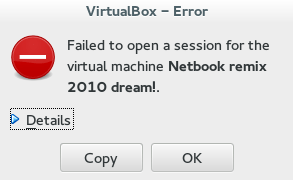

NS_ERROR_FAILURE (0x80004005)

More details on the error:

Result Code:
NS_ERROR_FAILURE (0x80004005)
Component:
MediumWrap
Interface:
IMedium {4afe423b-43e0-e9d0-82e8-ceb307940dda}

It happened with me because I have the virtual machine on a different partition, and I started it without mounting it, that ruined the installation.

How to fix it?

I had to uninstall VirtualBox and install from scratch..

That’s the only fix, uninstall VirtualBox.

When you reinstall it, it should work fine, No need to delete the virtual machine.
Did you have this problem before? How did you fix it?

I know this didn’t “fix” the problem, and maybe you aren’t running Ubuntu and it happened with you.

I’ll post more if I found anything.
Did you find this post useful? If you have share it with your friends. Sharing is caring you know 🙂
Wiping free space to make the phone run faster

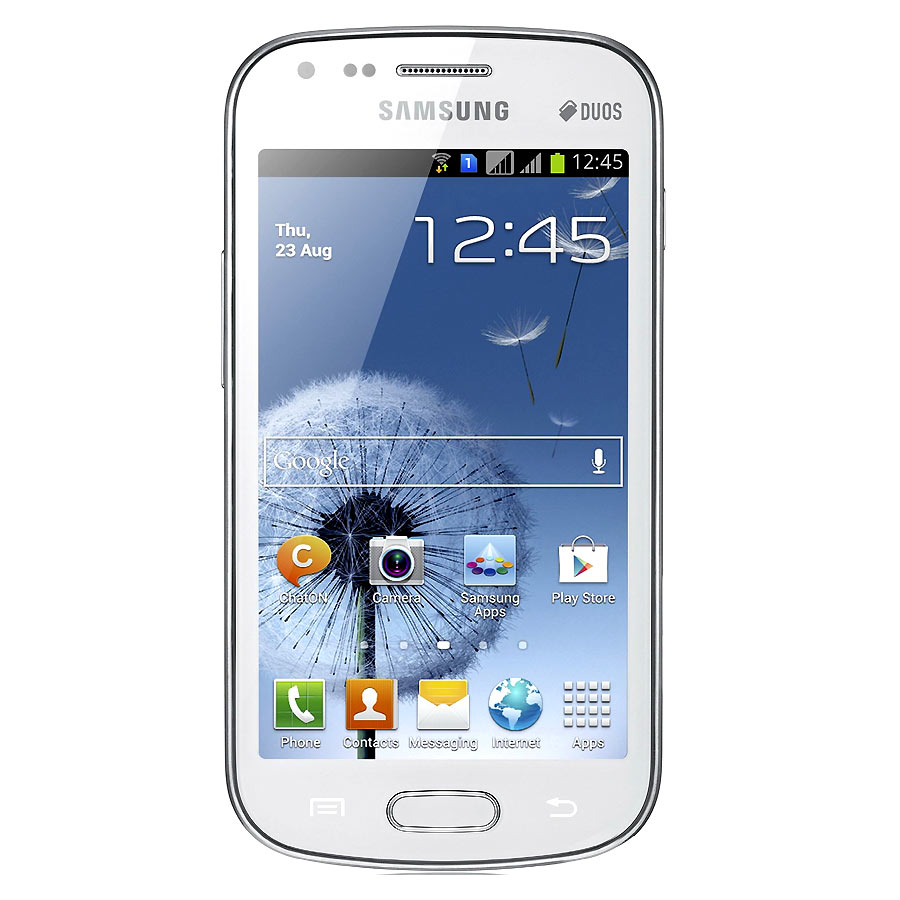
After updating a Samsung I9082 (Grand) from 4.1.2 to 4.2.2 it became much slower and restarted often. A factory reset was due. Even after the reset the phone was incredibly slow.

It remained slow and buggy for a while, until I needed to wipe some files for security. I noticed it became much faster after wiping the free space!


What is wiping free space?

Wiping free space is deleting the deleted files that could be restored by recovery software. It’s used to keep privacy and ensures data doesn’t fall in the wrong hands in case the phone is lost, stolen or even in the case of selling it.

What tools to use?

There are several tools available in the Google store to wipe the free space.

Andro shredder is one of them, it deletes files permanently and wipes free space too.
Sceure Wipe is another popular tool.

Wiping free space doesn’t cause data loss and it securely deletes data.

Did this fix work for you? Did you test it on other models? Please let me know what you think in the comments section below.

How to fix the mixed numbers on Android issue?

You got your new Android phone, you pop in the SIM card and expect everything to work like it should, but it doesn’t!

The issue

Your numbers are mixed, you don’t remember any of them and every call is a guess!


How to fix this annoying bug?

Will to begin with you need to transfer your numbers from the old phone to the new one properly, putting the new SIM in won’t just fix it!

Step to repair

  • You need to get the SIM out, delete all the numbers on the phone and slide the SIM in again.
  • It will work and all of the contacts will be sorted, and even across apps like Whatsapp and Viber.
  • That’s all there is to it!

I know it’s really simple and barley counts as a fix, but it worked for me! And I didn’t find it on line (I looked and found no solution!) so I had to post, maybe someone in my place does a little research on line and finds it.

If that didn’t work (although in my case that was more than enough to fix it) I suggest you look into a transfer wizard depending on your phone type, and consulting the dealer is always good especially if the phone is under warranty.

I hope you find it useful, please leave your comments below.

If you liked this post, share it with your friends and family. Sharing is caring you know 😉

Windows 8.1 losing free space [FIXED]

After installing Windows 8.1 and doing all the updates. I was getting ready to create an image (in case anything happens) so I did the usual steps of cleaning and optimizing. Shortly after creating the image I noticed 12 GB of free space occupied!
Where did my free space go?

I had just finished cleaning it! Didn’t install a thing! Where did the space go?


I decided to use a handy tool called foldersize to determine where the largest folders were, and I wasn’t surprised when Windows was the biggest.
I went in and there was a folder called WinSxS which had 16 GB of size! That’s your culprit right there!

So what is WinSxS? And how does it work?

As it turns out Windows uses this folder to save backups and images alongside backup files (citation needed). There was no need to worry, as there is a monthly cleaning task scheduled that should take care of it.

But what if I want to clean it now?

Doing a disk clean (even enabling system files won’t get you those extra files you are looking for) you need to use the command line.

Run cmd as an administrator and type in:

Dism.exe /online /Cleanup-Image /AnalyzeComponentStore
To see how much space you have, only then you can get to clean by typing:

Dism.exe /online /cleanup-image /StartComponentCleanup 

Finally type in: 

Dism.exe /online /Cleanup-Image /StartComponentCleanup /ResetBase
Important notes:

  • These commands will take some time working, up to an hour, so take your time with the cleanup!
  • This might not work right away. I had to do it a couple of times with a restart. Then it cleaned it.


Warning: NEVER EVER TRY TO DELETE FILES MANUALLY. IT COULD RUIN YOUR COMPUTER AND MAKE IT UNUSABLE..

Any other space hogs?

Another place to look is the page file, if you want to set the size manually (or disable it all together) then that’s a good start!
Last thing to check is the hibernate file (which can go anywhere from 4-7 GB) and is completely useless if you don’t use the hibernation option. Check this tutorial to disable it.
We looked at three ways to taking back space that Windows occupied. I hope you find it useful!

Finally

How much did Windows take, was it more than 12 GB, share the space and let see who has the most loss!
If you liked this post share it with your friends, sharing is caring 🙂

« Older posts Newer posts »