
Wodan the Trail is a turn based strategy game made by the German developer Stammel. It’s set in a fantasy setting and utilizes elements of land control and siege. The game is for ( 2 – 8 ) players. This is the second turn based strategy game I’ve reviewed, checkout Wesnoth as well.
Category: Game of the week (Page 11 of 13)
Wesnoth is a wonderful game available for free for Linux, however lately it has been falling out of favor with packagers; currently stuck at 1.14.5 while the latest version is 1.14.7 as of this writing! This tutorial will show you how to compile the source code of the game and integrate it with Lutris, and even add a custom icon so it can be searched easily across the system and docked on launchers.
Compiling Wesnoth from source on Ubuntu 16.04
While this method is not recommended and it’s only advised for advanced users only, it could be the only way to have the latest version of Wesnoth on Ubuntu.
1. Download the source code from the game’s site, always go for the latest version. and make sure to checksum the source code prior to doing anything, the value of the checksum is provided on the download page and you can easily check it using the terminal.
2. In the terminal, install scons using: sudo apt install scons
I’ve decided to compile the source using scons rather than cmake because it’s much easier, however the compiling process happens in the same directory as the game, so make sure to copy the game to the target directory first, I’m going with /opt/wesnoth-1.14.7/wesnoth for the rest of the tutorial.
I’ve decided to compile the source using scons rather than cmake because it’s much easier, however the compiling process happens in the same directory as the game, so make sure to copy the game to the target directory first, I’m going with /opt/wesnoth-1.14.7/wesnoth for the rest of the tutorial.
3. Download all the missing dependencies:
sudo apt install libsdl2-dev libsdl2-image-dev libsdl2-mixer-dev libsdl2-ttf-dev
libboost-all-dev libvorbis-dev libcairo2-dev libpango1.0-dev l
ibssl-dev libreadline-dev cmake make scons pkgconf
4. Go into the game directory, for example /opt/wesnoth-1.14.7/wesnoth and install with the command scon.
Please note that the process is long and resource extensive, so please be patient.
More instructions and options can be found here on the official wiki.
And that’s it, now the game works fine!
Note: If you played an earlier version of Wesnoth, please be sure to copy your save games and preferences so you don’t start from scratch.
Integrate with Lutris
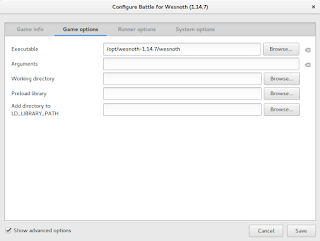
After compiling from source, Wesnoth can be easily configured to work with Lutris, simply by changing the path of Wesnoth from the default to wherever you installed it, I happened to install in /opt/wesnoth-1.14.7
 |
| Lutris icon |
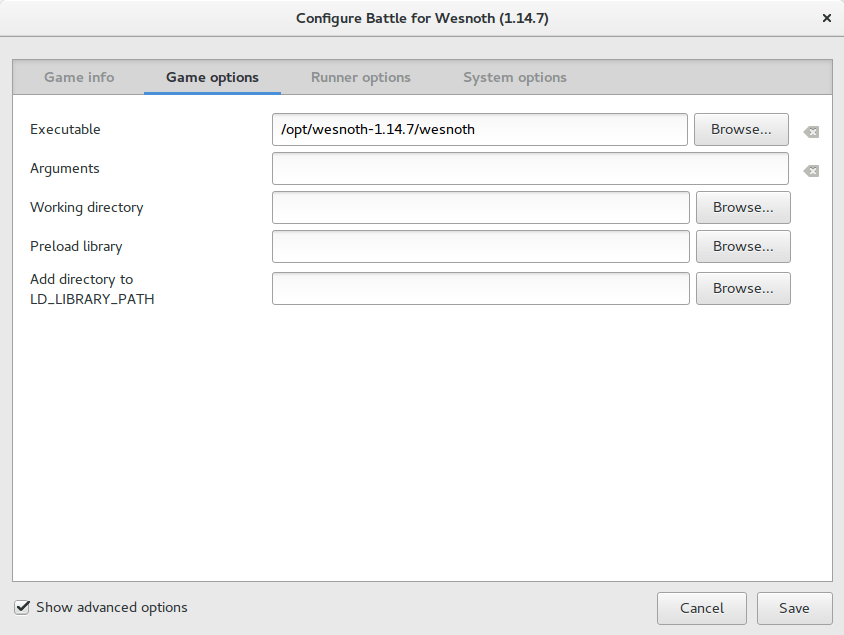 |
| A screenshot from Lutris showing how the directory is changed |
Adding an icon so you can dock it and be able to see it in the dash
Compiling Wesnoth this way won’t allow you to be able to search it or add it to plank for example, you will have to add a custom icon for this to work.
1. Go to /usr/share/applications/ as root and create a new .desktop file using a text editor (with sudo privilege).
The contents of the file should be like so:
[Desktop Entry]
Name=wesnoth
wesnothComment=The Battle for Wesnoth
The Battle for WesnothEncoding=UTF-8
Exec=/opt/wesnoth-1.14.7/wesnoth
Icon=/usr/share/applications/wesnoth.png
Terminal=false
Type=Application
StartupNotify=false
Categories=Application;Game;
Feel free to copy this file to your computer as long as you have everything installed as mentioned here, if you change anything make sure this document reflect your changes.
2. Save the file and you are good to go! As soon as you loook up Wesnoth in your system you will be able to find it and dock it on launchers such as plank.
After doing all that, I’ve uninstalled the old 1.14.5 and removed the repositories from my system, from now on I’ll compile on my own!
I hope that you find this tutorial useful, if you have any questions please let me know in the comments section below.
Credit goes out to Reddit user TonicAndDjinn as he provided a lot of helpful tips on how to compile the game.
I’ve reviewed many games on this blog, all share a similar concept: being freeware or open source.
Honorable mentions include: Streets of Rage 5, Rocks’n’Diamonds, Mario 2012, Tux Cart, Kega Fusion (Sega emulator), Fix it Felix remake, among other games
What is a Turn-based Strategy?
Today I’ll be talking about a new game: Battle for Wesnoth, a free and open source TBS (Turn-based strategy), in games like these a player does all of his moves which can include moving troops, fighting enemies or taking control of villages, before ending his turn and waiting for the other player/s to play.
What makes Wesnoth so special?
The battle for Westnoth stands out in the midst of free and open source strategy games, because let’s face it, a lot of free games are rough around the edges and really hard to get into, some are almost made as quirks that only the developers can enjoy! (Like Flair Alpha that I reviewed a few years back, and lords a war! , they were unplayable to me.), Wesnoth is nothing like that, it’s a game that has all the makings of a classic game, and many in the open source community consider it the best strategy game available!
Also there is a great community backing this game since it’s first release in 2003, providing huge support and even making custom campaigns for users to download and enjoy!
Setting and game play
The games events take place in the fantasy kingdom called Wesnoth, Where armies of humans, orcs, elves and zombies battle for power and dominance, many units and tactics are available for the player to try and explore through many campaigns.
The game itself is what you would expect of a strategy game, crisp graphics and captivating game play that will keep you busy for hours on end! Featuring both single player campaigns and multiplayer modes.
How to play this game?
If you ever played a TBS (Turn-based strategy), you will find yourself familiar with the concepts of this game, but even if you haven’t played a TBS before, the tutorial mode will be more than enough for you to understand how the game plays, and will prepare you for the increasingly difficult campaigns that await for you.
Screenshots


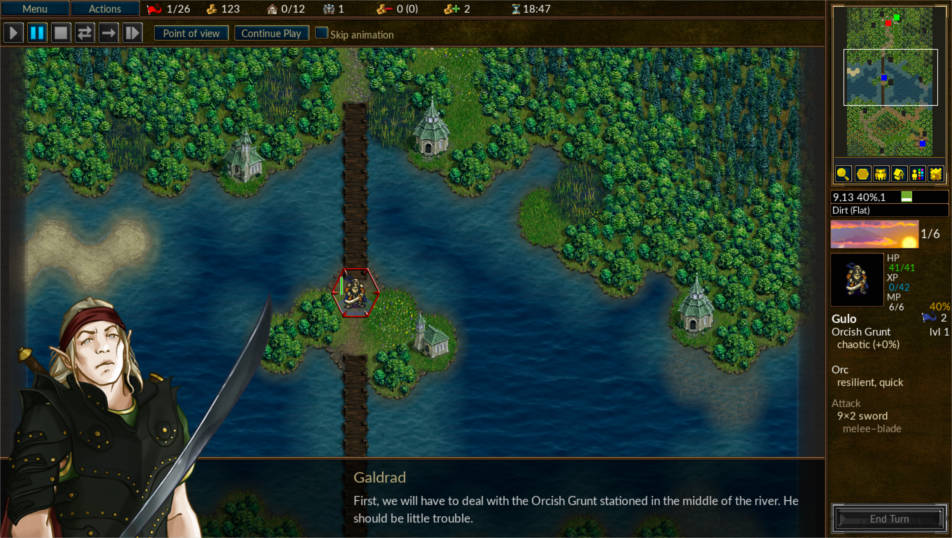
Rating
Battle for Wesnoth is rated 9 / 10 on Steam, 4.5 / 5 on SourceForge, and 4.5 / 5 on Freewarefiles.com
Download
Wesnoth is cross-platform, it can be enjoyed on many operating systems, including Android (Now removed from google stor), IOS.
For Windows users you have to download the installer from here. Latest version 1.14.5
Mac users can download from this mirror.
For Windows users you have to download the installer from here. Latest version 1.14.5
Mac users can download from this mirror.
Linux download
Wesnoth is in the Ubuntu repositories by default (Version 1.12 for Ubuntu 16.04), but alternative repositories can be added to be able to download the latest version to date 1.14.3 (1.14.5 isn’t compiled for Ubuntu yet), and for other distros packages can be found of this link.
Repository for Ubuntu
sudo add-apt-repository ppa:vincent-c/wesnoth
sudo apt-get update
I highly recommend adding the repository to the software list and downloading the latest version, as it brings many bug fixes, a partial redesign and added campaigns.
You can also use Lutris to download this game.
Important notice:
Ubuntu packages aren’t being updated regularly, even the moderators of the forum recommended that I’d download the game using other methods, here is my post on how to compile Wesnoth from source and integrate it with Lutris, available from this link.
Android port
Specifications needed to play Wesnoth
Minimum specifications
This game requires at least 2GB of ram, 800MB of disk space, and a dual core processor, and 800 * 600 screen resolution.
(I’ve managed to run it smoothly on an Intel Celeron laptop).
Recommended specifications
4GB of ram, 2GB of disk space, a dual core processor and 1024 * 768 screen resolution.
Final words
It’s been a while since I’ve came across a game that I enjoyed like this! If you are looking for a strategy game to lose yourself in, this is a great candidate. A great way to spend the time and unwind from life’s stress.
Do you enjoy strategy games? What are your favorites, do you want to see more of these on this blog? Let me know in the comments section below!
It’s been sometime since I’ve posted a game of the week segment! 10 months to be exact!
This time it’s a game that I found by accident as I was looking for another game and it turned out much better than the one I was looking for!
Are you interested? Let’s get going!
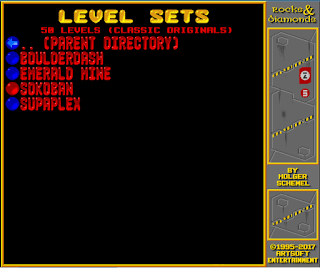
I was looking for a game called Supaplex that was popular on DOS operating system, it’s one of the earliest games I played on PC and enjoyed so much, but playing on Dosbox isn’t very comfortable.
This time it’s a game that I found by accident as I was looking for another game and it turned out much better than the one I was looking for!
Are you interested? Let’s get going!
I was looking for a game called Supaplex that was popular on DOS operating system, it’s one of the earliest games I played on PC and enjoyed so much, but playing on Dosbox isn’t very comfortable.
 |
| Supaplex |
On the other hand, a much better alternative seems to emerge!
The game is called Rocks’n’Diamonds and it’s a mixture of Supaplex, Prince, Dig dug, Bombermaan, chip’s challenge, and even fixit Felix (I might blog next about bombermaan so stay tuned).
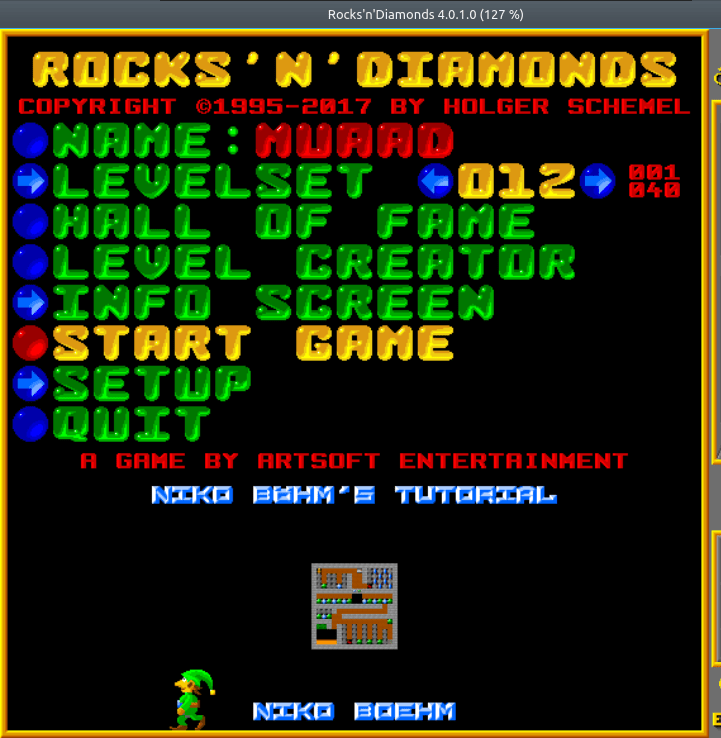 |
| Rocks’n’Diamonds main menu |
Info about the game
The game is made by Artsoft Entertainment and it has a rich legacy going back to 1995, the version I downloaded was as recent as October 2017 (Version 4.0.1.0).
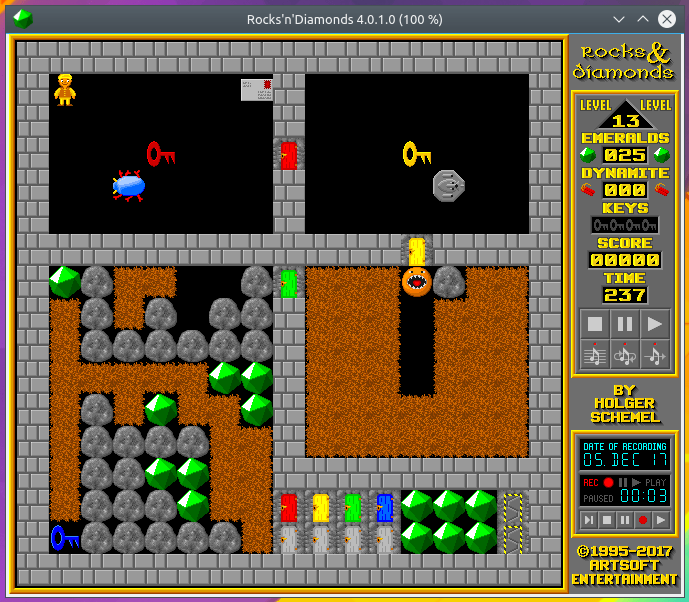 |
| Rocks’n’Diamonds game play |
Gameplay
The game is a puzzle game with increasing difficulty and fast paced gameplay, the soundtrack is catchy and reminds me of the good old days of Sega mega drive games.
Advantages
- The game is cross platform, meaning you can enjoy it on any system you have: Linux, Mac, Windows and Android! There is even an “unofficial” port for iOS!
- It’s small (4 MB to download), so it’s easy on the data plan.
- Free and open source.
- Great soundtrack, as free games usually have generic midi tracks that sounds like 15 seconds of random keyboard keystrokes on repeat, that’s not the case here!
- Supports controllers and multi players.
Disadvantages
- The graphics are true to the retro nature, meaning that anyone who is accustomed to the high end gaming may look down on a game like his, but for a retro gamer (like myself) it’s a real treat!
- I only tried out the Linux version, and it’s only available in tar.gz, no .DEB or a flatpak available, but other than that the game plays easily and without a hitch.
Cheats
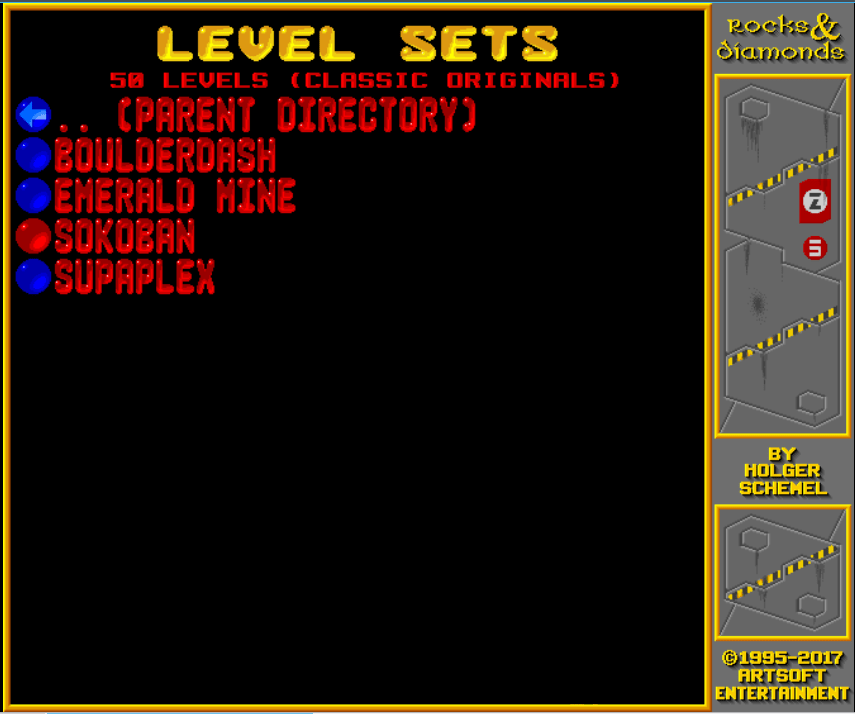
What’s a great game without cheats? This game allows you to play classical games including Supaplex! So I guess it is an alternative for Supaplex after all! All you have to do is point on level sets and hit enter and choose the game you want to play, and in this case it’s supaplex, and several other awesome retro games, feel free to check em out!
How to add it as a shortcut to plank?
If you are using plank on Ubuntu you know that you can’t add executable files right to the doc, you need to add the icon to the program directory and then add the icon to the dock, here is a really simple way to do it from here.
It’s a tutorial of a different game, but the steps are the same.
It’s a tutorial of a different game, but the steps are the same.
Download
What are you waiting for? Download this game and have an awesome time with it!
For older version of the game click here.
Did you like this post? Do you have games like this to suggest to me? Feel free to do that in the comment section below, and have a great Wednesday!
أنا الفائز بجائزة المدون المنتظم لعام 2025 من موقع مرجع التدوين
