Category: issue (Page 2 of 4)

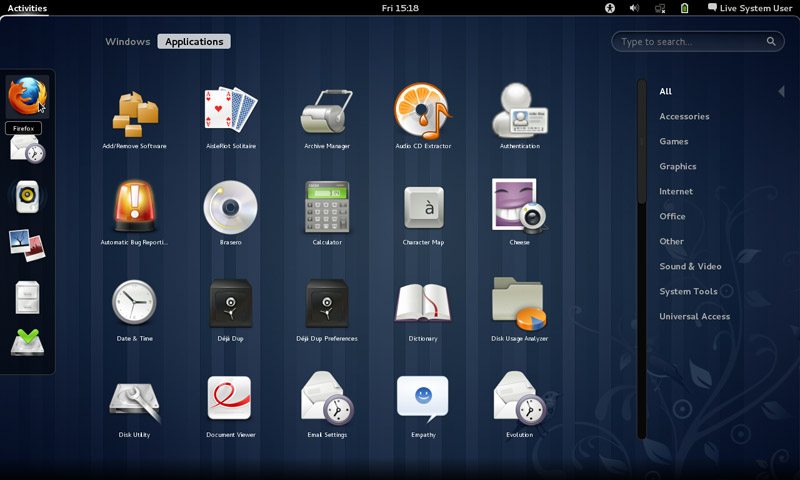
Fixes to bugs encounterd after moving to Gnome 3.12 on Xubuntu 14.04

I just moved to Gnome and noticed several bugs! First of all I didn’t know how to go to sleep mode!

That was very easy, click on the right corner and hold ALT and the power off button will change to sleep. That’s great! But now that I can go to sleep mode, the computer won’t wake up!
 

It doesn’t show up anything! Just a laminated dark screen and I have to power it off to be able to use the computer!

I looked up dozens of pages without finding a single clue, many people assumed it was a video driver issue or something. It wasn’t the video driver!
The answer was right under my nose!
Coming to gnome I noticed that it still used the “ugly” login manager LightDM-GTK-Greeter. So I used the command to change the login manager to GDM, Gnome’s default login manager, that’s where the problem started!
As soon as I chose LightDM-GTK-Greeter and rebooted, I’ve been able to sleep and wake at will! No problem at all!
So that’s the fix! Install LightDM-GTK-Greeter.
First of all add it to the repositories via this command:
Then install it via this command:
Finally: Use this command to make it the default login manager.
sudo dpkg-reconfigure lightdm
My problem wasn’t “fixed” 100%. I was feeling bitter-sweet!
I fixed the sleep issue, and now the extensions remain after reboot too! But the login manager is hideous! Isn’t there a way to make it pretty?
Why is it hideous you ask? It was a part of the XCFE interface and when I removed it, it lost the visual elements it had and went back to defaults. And that’s not pretty at all!
Ubutu Tweak couldn’t customize it, and the Tweak utility provided by Gnome had no options for it.
The question remained: How to customize LightDM-GTK-Greeter?
It’s very simple actually! There is a package called: LightDM-GTK-Greeter-Settings. All you have to do is to install it. And use it to customize LightDM-GTK-Greeter to look better!
I began by adding it to the repositories via this command:
Then install it via this command:
sudo apt-get install lightdm-webkit-greeter
From the menu I ran it and it needs administrator rights so I had to enter my password to start it.
I had several options to choose from like theme and position and what tabs to be displayed. It looks so much better now and it gets the job done.
Not as pretty as GDM of course, but at least it works!

In addition to the sleep and wake bug fix, and the extensions staying enabled after reboot, the Gnome classic mode loads an interface rather than just a background with a mouse cursor, but it looks the same as Gnome. I’m yet to figure that out!

My fix to that was very simple, Installing Ubuntu Gnome 14.04.4 a fresh install.

Continue reading

Bugs faced after moving to Gnome 3.12 on Xubuntu 14.04

One of the major issues I felt in Gnome was the extensions installed get disabled after restart (since I can’t go to sleep anyway). The fix suggested was to use the “System default”.


 It didn’t fix other issues like the sleep mode not waking up and the classic mode not showing any elements, but I am tackling issues one at the time.

Message tray pop ups

Message tray, it looked big and annoying ( it responds to every mouse gesture no matter how small)

Size

It’s also very big in size, it took 5GB more than XFCE took, even with cleaners like Bleachbit, I was running low on space.

No sleep

I didn’t even know how to go into sleep mode, turns out you need to press and hold ALT while the menu is popped out to go to sleep menu.

Doesn’t wake up from sleep

I couldn’t find an explanation for this bug! The computer displays a black screen whenever waking from standby and stays that way until I turn it off manually!

No classic mode (just a background)

It only loads a mouse cursor and a background with no visual elements until I turn it off manually! No easy fix or workaround for it (yet).

Extensions won’t install

I wasn’t able to install extensions from the extension site, extensions.gnome.org even after enabling the addon in my browser and adding the site to trust list. It was resolved on it’s on.

After install won’t stay enabled after reboot

Even the extension that is supposed to make it less sensitive resets on reboot. The fix was to choose the “System default” from the login which (worked for me like many other people). It wasn’t convenient but it was an easy fix.

I’ll post that has a fix for most of these issues very soon 🙂

How to fix the mixed numbers on Android issue?

You got your new Android phone, you pop in the SIM card and expect everything to work like it should, but it doesn’t!

The issue

Your numbers are mixed, you don’t remember any of them and every call is a guess!


How to fix this annoying bug?

Will to begin with you need to transfer your numbers from the old phone to the new one properly, putting the new SIM in won’t just fix it!

Step to repair

  • You need to get the SIM out, delete all the numbers on the phone and slide the SIM in again.
  • It will work and all of the contacts will be sorted, and even across apps like Whatsapp and Viber.
  • That’s all there is to it!

I know it’s really simple and barley counts as a fix, but it worked for me! And I didn’t find it on line (I looked and found no solution!) so I had to post, maybe someone in my place does a little research on line and finds it.

If that didn’t work (although in my case that was more than enough to fix it) I suggest you look into a transfer wizard depending on your phone type, and consulting the dealer is always good especially if the phone is under warranty.

I hope you find it useful, please leave your comments below.

If you liked this post, share it with your friends and family. Sharing is caring you know 😉

Gimp 2.10.14 won’t install problem solved!

Hey guys 🙂

It’s been ages since I posted anything about GIMP!! Not that I don’t like it or don’t use it anymore. It’s just I’ve been busy exploring other things while working with Gimp often.

I had gimp installed by default when I got Xubuntu 14.04 LTS. And to my greatest pleasure it is automatically updated. So I didn’t check the new versions for a while.

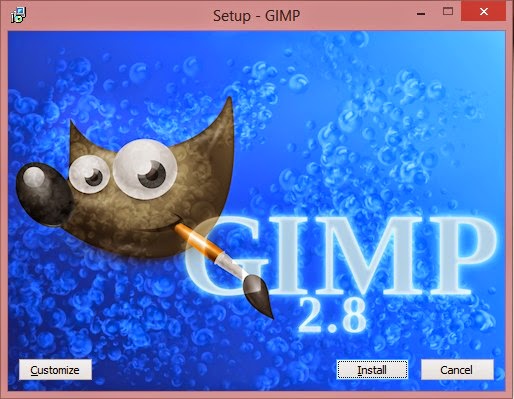
When I started reviewing some web design material. I had to have the Gimp on Windows too (For comfort 😛 ) and so I downloaded the latest version 2.8.14.1 from Filehippo.com t. And to my disappointment. It didn’t work ..

I double clicked and it didn’t progress pass the language selection option. It stopped responding many times.

I went to the official website and downloaded it via a bit-torrent client. Nothing ..

It did the same thing, no matter what I did it froze on the language selection and I had to end it from the task manager.

It was a bummer .. I downloaded it twice. Fiddled with many windows settings like:
Running as administrator.
Trying the compatibility options with every prior version of Windows.
I even installed the latest GTK library and Python ( Didn’t work).

And the funny thing no one reported that problem. I Googled all around. Nothing!!

When I installed it on a another Windows 8 computer. It went smooth!

Maybe the problem is with something in Windows 8.1?

What did I do to fix it?

Nothing!

I ran the installer. And let it running. After a few minutes it resumed installing like nothing happened.

I even uninstalled GTK and Python. And it didn’t affect how Gimp worked!

So here you have it. Be patient! It’s a Gimprtue !! Play on virtue!

That was today’s post. Please tell me if worked for you! And did it happen with you?

Please join my blog and subscribe to my mail list!

« Older posts Newer posts »