Category: Zim Wiki (Page 2 of 2)

My 3 year journey with GNU Linux

Linux has been around for 25 years! Last week the world celebrated the 25th anniversary since Linus Torvalds wrote the Minix kernel.
I’ve been using Gun/Linux based operating system as my main OS for three years now, and it’s been very rewarding! In this post I’ll talk about a journey with GNU/Linux and how it turned into what I use on daily basis and feels right to me rather than the new interesting idea I saw in a tech magazine!
My beginnings with Linux

Although I learned about Gnu/Linux over ten years ago (thanks to the wonderful LTT magazine) I didn’t fully convert to open source until I graduated from college. We depended on Microsoft based products for school such as SQL server and Visual studio, which were essential softwares for a computer science major and I couldn’t risk converting to Linux and messing up my school work so it had to wait, I was itching to get rid of Microsoft Windows and start fresh with an all open source system.

Even then I relied on open source software to do my daily tasks such as Gimp and Apache Open office (LibreOffice came into play in 2011) and the only proprietary software was Windows itself. Once I graduated it was time to kiss Windows good bye.

My Windows setup

My computer had Windows 7 installed on it and I have to admit. It was running like a charm!
I had everything I wanted and had the system fine tuned and optimized to my liking. I downloaded tools and learned how to harness their power to the max, I even blogged about it here on this blog at the time.
But I was willing to give all that up for the sake of open source! Apparently I don’t have a problem of fixing what doesn’t need to be fixed.
Research.
Before converting to Linux I did a lot of research and took my time looking for the best alternatives for tools I used daily, luckily many tools are cross platform and open source so these were a given like VLC and Firefox.
I also took my time testing it as a live version and I even installed it under Windows as a software (older versions of ubuntu supported that).
I didn’t do much distro hopping, I liked Ubuntu from the start and still use it until now.
Distro hopping is one of the major criticism points GNU/Linux receives as people say there are too much distros out there for a person to try and it can be confusing and counter productive.
I have a theory about that!

Distro hopping

Linux is all about freedom and you can try what ever you like, it would be a good idea if you used a virtual machine to test so you don’t ruin your HDD with the excessive installation and removal of systems.

Preparing to convert

After I listed my software and got the alternatives (executor wasn’t ported to Linux) I decided to install Zorin, built on Ubuntu and came fully featured with everything new comers to Ubuntu needed. 
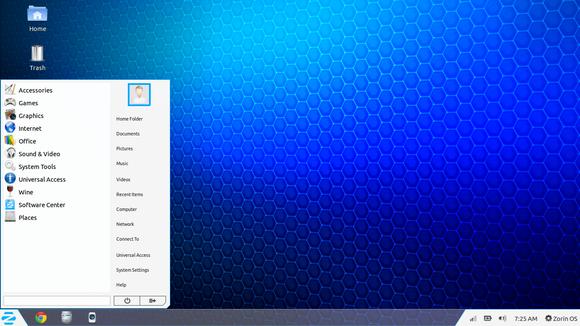
Zorin-Os-7
The Linux gateway for Windows users.

From flash support and restricted extras all the way down to Wine and Playonlinux to make sure your tools from Windows didn’t go to waste.
It looked and behaved like Windows 7 and I didn’t like that very much. Trying to change it messed it all up and nothing worked, not even installing it fresh?! I was a beginner and didn’t know what to do so I decided to move on to something new.

Installing Ubuntu

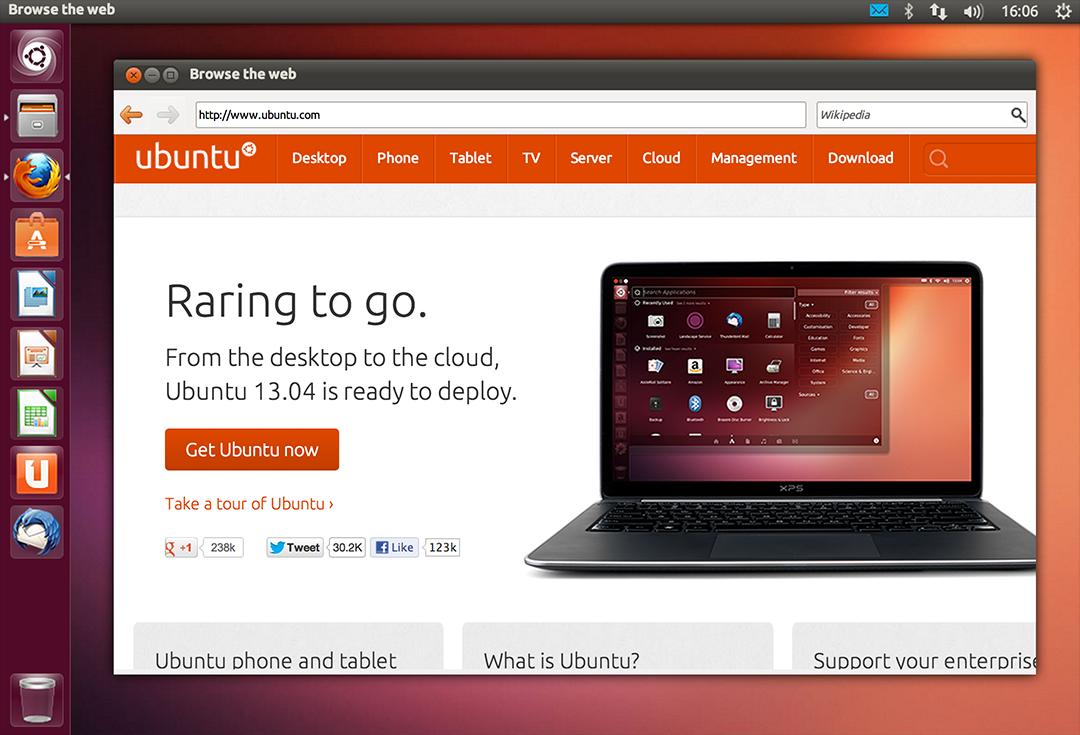
So I installed Ubuntu 13.04. It was really good and got even better when I added xfce interface, while googling for it I learned that latest version of Ubuntu won’t be released for another 2 months, and was going to be an LTS (long support version). 
At the time I had a separate laptop for work and I didn’t think that was really productive!

My first LTS and dual booting

As soon as Ubuntu 14.04 was out I got it and installed it clean, I chose the Xubuntu version because I enjoyed the XFE interface.
It was the best time ever getting to know the new distro and customizing it to my liking.
I had to install Windows for work. And since I gave away the work laptop I decided to dual boot Windows 8.1 and Xubuntu on my computer.
I used Windows to work and it was a good solid experience with the metro interface, but I didn’t feel home until I restarted and went to Xubuntu, I sighed in relief as I saw the loading screen knowing that I enjoyed working on this system and I wrote a list of reasons why.

My interface revolution

After a while I felt I needed a change, so I began testing  with different interfaces until I  decided to go with the Gnome interface, but my “home brew” distro was buggy. I was delightfully surprised to know that there is a project where Gnome was used as the interface for Ubuntu (Ubuntu Gnome) and I downloaded it and installed it right away after a successful trail on a virtual machine. It was the end of the dual boot period for me.

Settling down with Ubuntu Gnome

I got Ubuntu Gnome 16.04 as soon as it got out and I couldn’t be happier! I did a review about it here on this blog which proved to be a total success! Hundreds of readers tune in every month to read this tutorial which I keep to update as often as I find new things (I use the same principle all over my blog).

Windows is residing now on the virtual machine, I use it every once in a while.

The 1% percent dogma and the “Personal computer failure”

Many people claim that GNU/Linux failed on the personal computer with user share just above 1%. While it remains to be a success in the server and super computer department.
Just for your information, GNU/Linux’s user share has exceeded the 2% barrier in July.

And to be honest I never really cared for those people’s opinions anyway, I have a system that is well supported, totally free and I get the job done just as good as I did on Windows based systems (and maybe even better) so why all the fuss?

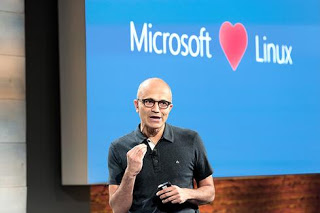
I love Linux, and so does Microsoft!

I could sing the praises of Gnu/Linux and open source on and on and totally miss the point, I enjoy using and contributing to open source, and I don’t have a problem with Microsoft based software, I think it’s really good!
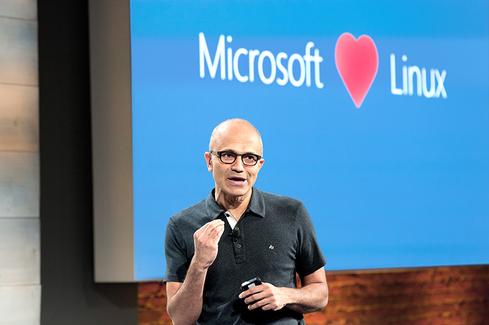
Microsot loves linux
This image is still strange to me!


Gnu/Linux has came a long way from it’s humble beginnings and it’s a force to be reckoned with in the computer world today, even Microsoft has showed it’s love and support and there is a lot of cooperation between Canonical and Microsoft (it doesn’t necessarily make me happy, but times change).

Final words

A long journey of exploring indeed.  I didn’t do it by the book and I took my time experimenting with things and making my mistakes along the way. But I’ve settled into my system and it feels great!  I wouldn’t have it any other way! Much like life itself.

How did you like this post? Are you using open source or thinking of converting to it anytime soon?
Drop a line below and let’s see what we can do 😉

P.S: I have reached 110000 views on my blog 🙂

Productivity tips for a better working session

I always wanted to post on being more productive when working on the computer, I listed a few ideas that should help you achieve the right balance of productivity without exhausting yourself, being productive and consistent gives you more credibility and it means you will meet your deadlines rather than running breathless and sleepless trying to finish before the clock strikes midnight! I also listed a set of handy tools you can add to your arsenal and help you become a productivity guru.

List the tasks you have to do

You can’t just browse causally and do random things and hope these random activities will get you anything done!

IF you don’t know what to do, how will you achieve anything?


Some people still enjoy good old pen and paper

Know what needs to be done, and how much time does it need before getting down to business, and don’t forget to prioritize your tools as well!

The best way to keep ahead is to write a to-do list or use a software that arranges that for you, I reviewed a great task management suit from here for Windows, and for GNU/Linux I have my trusty Zim-Wiki to do the trick.

Prepare everything up ahead

Have everything you need by your side so you minimize those “ mini trips” just to look at things or to do trivial tasks, these little pauses damage your focus and makes it harder for you to start working again. Instead use the breaks to do the minor things.
While keeping yourself hydrated always leave the water and other drinks away from the computer or power source, I can’t stress that enough!

Handle distractions

Probably is the hardest part when working, how to disengage from the world and getting into the zone! Here are some suggestions.

No Wi-Fi could fix your procrastination issues!

Turning off the Wi-Fi is too extreme, especially when most of the tools used to work are on line! I suggest a site blocker for your browser, this sets a blacklist of sites you shouldn’t be wasting your time on, and leaves the rest for you to work, if you found yourself fiddling with the extension to get on line then turn off the Wi-Fi!

Again the breaks are your best friend, use those breaks to check on the people you care for, don’t shut your family and friends off to work! That’s never a good idea!

A little tip goes all the way, I set my wifi not to connect automatically anymore! So I have to connect it manually when I need something!

Have a working goal

Say to yourself: I’m not having that treat until I finish writing 5 pages today, or I’m not going to watch my favorite show until I finish the post I started, that way you work for a goal or a reward, and you will find out yourself that the sense of achievement is more rewarding than any treat!

Set a timer

It’s a good idea to use a timer to enhance your productivity, as recent studies show that the brain needs frequent breaks to maintain focus, sadly it’s very easy to forget taking frequent breaks while working.

Regular stretches can prevent RSI and help you rest from long work sessions, hence the need for a good timer!


Using a timer for productivity
Ready? Set. Go!


I’ve blogged about several timers here on this blog, feel free to check Instant boss for Windows, and Pomodro timer for Linux, as I rate those the highest.
While Instant boss is more “aggressive” and I would totally recommend it to anyone wanting to get the job done while having procrastination issues, it’s not cross platform, but I spoke to the developer on Twitter and said she might port it to Linux if she had the time, and Pomodro timer is the best timer I came across on Linux, and the post was very well received by the readers of my blog!

The right tools for the job

Use a software package that helps you to do more and focus on the job at hand, I’d recommend LibreOffice as I believe it packs a ton of potential!
You will need a spell checker also, so make sure that the dictionaries for your language are installed in LibreOffice.


Toolset
Without the right tools, you will suffer!


You might want to add a clipboard manager and a screenshot tool as well if needed. It will help you be more productive, that’s the office worker starter pack!

All of these tools mentioned in this point come preloaded with Ubuntu (so much for GNU/Linux failing on the desktop) so maybe I should list Ubuntu as one of the right tools for the job?

For many purposes (other than document creating) I tend to use Zim-Wiki and do believe that it’s highly underrated! It can do the work of many tools at once, I use it to make and follow to do lists and keep notes, journals, and all sorts of information, you might want to check it out!

Using better software means making your work easier without putting too much load on your computer, which takes us to the next step.

Your computer

Assuming you work from a laptop / desktop computer -as I find the smaller devices running Android impossible to do any real work with- there is nothing worse than a slow unresponsive computer that hangs all the time.


It looks cute doesn’t it? :3


For that I will be making a separate post that will help many people be happier and more productive at work, simply by optimizing the computer’s performance, so stay tuned.

Working at a specific time of the day

Some writers swear that writing on a specific time of day helps them get the best out of them, why not you? I think we can take this advice forward and apply it on general working and not just writing, you have everything in place and all the tools set up and ready to work.
Building a consistent routine will help you be more productive and will make starting work very easy and more of a habit than a chore.

General health tips

There are more common sense tips that I’ll list very quickly like getting enough sleep and eating healthy, these are often overlooked and that can cause some serious health issues, I’m no doctor but you need to sleep at night, drink enough water and eat your vegetables!


Eating healthy and living healthy
Never underestimate the importance of a good diet

How did you like this post? What are your productivity secrets? Do you use any special tricks or tools I didn’t mention here? Please let me know in the comments section below.
And share this with your social media circles and keep the productivity going.

After installing Gnome on Xubuntu 14.04: Reflection!

To end this series on my blog, I choose Gnome as interface, and went through some steps and issues to make it work properly. Now these are some notes and changes I made.


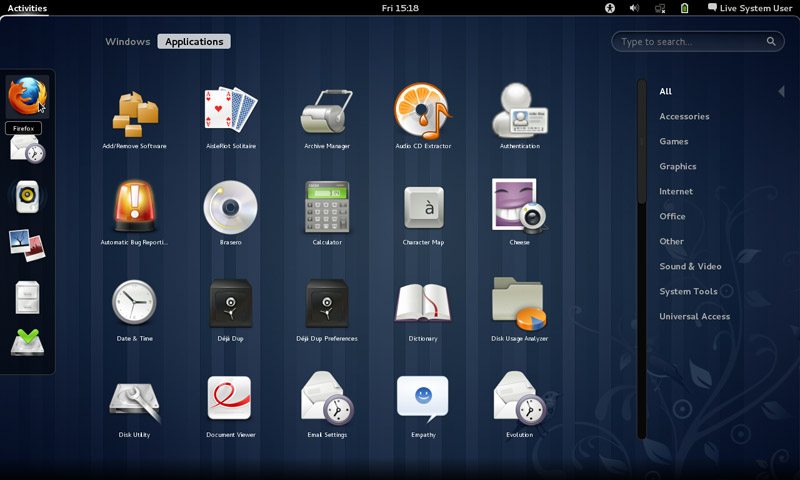
Gnome interface


I tried to use native apps as much as I could, with some exceptions of course!

That meant dropping Docky and Kupfer for the sake of the native launchers in Gnome.
I also merged the use of some apps and discarded some others to save space and for the sake of minimalism:
I added a clipboard extension manager and dropped Diodin.
Added a weather widget because it seemed convenient!
Merged the note keeping with the journal, that means rednotebook took the boot (Which really is really sad to me, but I need to move on!).

Had to replace RSSowl which I used for over 4 years on daily basis for QuiteRss to save space.

Uget replaced XDM downloader, that’s until FDM lands on Ubuntu!
I replaced Ubuntu tweak with Bleachbit.
Gnome Clocks , and pompodro timer does what Instant boss does exactly! Totally proved it’s worth as a timer app with great functionality!
uGet is better than XDM in terms of interface and development, as for video download the feature is missing some features like grabbing the name, so having Clipgrab is a good idea.
Gedit is by far the best editor I’ve seen in a very long time!! Better than atom and sublime (let’s not forget it’s native with Gnome).
I’m using Evolution for e-mail and calendar (task management), in place of the great (and huge) Thunderbird, and Tasque.

There were some native apps that I had to replace
Nothing is better than VLC to display media and stream, period!

Tomboy isn’t the best personal wiki, and it still can’t import and export notes properly, so my verdict with Zim desktop wiki stands! I found some bigtemp files in the /Root/Desktop folder (had to access as root to clean them), which won me back 4GB of free space! Here is a fair warning: If you are using Ubuntu 14.04, then the latest supported version of Gnome is 3.12.2 and don’t ever EVER try to update it, you will windup with a system that won’t boot. Also, don’t try it on Unity, it won’t work no matter what you try.

If you like the Gnome interface and would like to have the latest version, consider downloading distros that use it like Fedora or OpenSuse, if you want Ubuntu, there is a flavor called UbuntuGnome which supports the interface natively.

Newer posts »