
Category: Cross-Platform (Page 4 of 10)

I’m back to using Atom Editor

Not a fan of the green icon.

Life is all about discovery, learning and not being afraid of making mistakes, with that being said, I say that I’m back to using Atom after a rocky relationship, of love and hate!

Why I am bothering to give Atom a second chance, the reasons are detailed below.


1. The only “free” editor of the bunch.

I’ve identified Sublime text as the best text editor for development purpose, let’s not forget that Sublime is not free, I know that they allowed using it for those who are under-privileged, but it’s still a Freemium that costs 70$ (free if you can handle the annoying pop up telling you to register every now and then), after changing the licensing plans in early 2018, I don’t know the current status of Sublime text and don’t care very much to be honest!
Atom editor is free and open source under the MIT license, and despite of Microsoft making a money grab for GitHub, Atom will remain free and open source for everyone to enjoy.

2. It’s down right beautiful!

Of all the text editors available on Linux (I use Linux on my everyday laptop), Atom the best looking of the bunch! Not just the color schemes and themes, everything in Atom is designed to look awesome, from user interface to the website, even the shirts and mugs look great (never got any but my birthday is coming up ;), and the user experience is great, even compared to Microsoft VS code (who is based on coffee script and javascript as well), despite my love for efficiency, I value a beautiful GUI. 
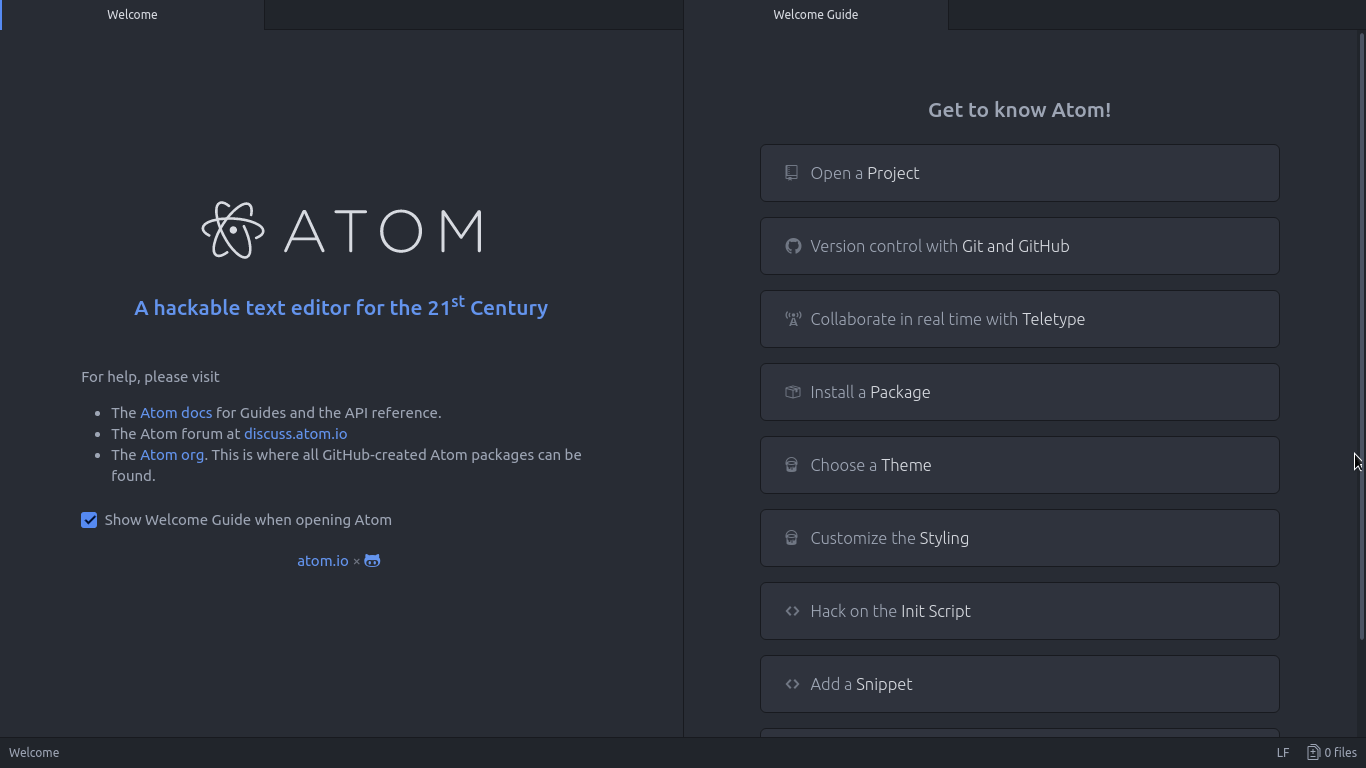
Atom Editor interface
Ain’t that a beauty?

3. Very customizable

Atom has a ton of themes and packages available for download, which makes it more expandable and versatile, and with some knowledge you can develop your own themes and packages, all what you need to know is in the Atom flight manual (released in 2015 but still very informative). You can even change the key-map of Atom to whatever editor you migrated from and customize it as you like to decrease the learning curve.
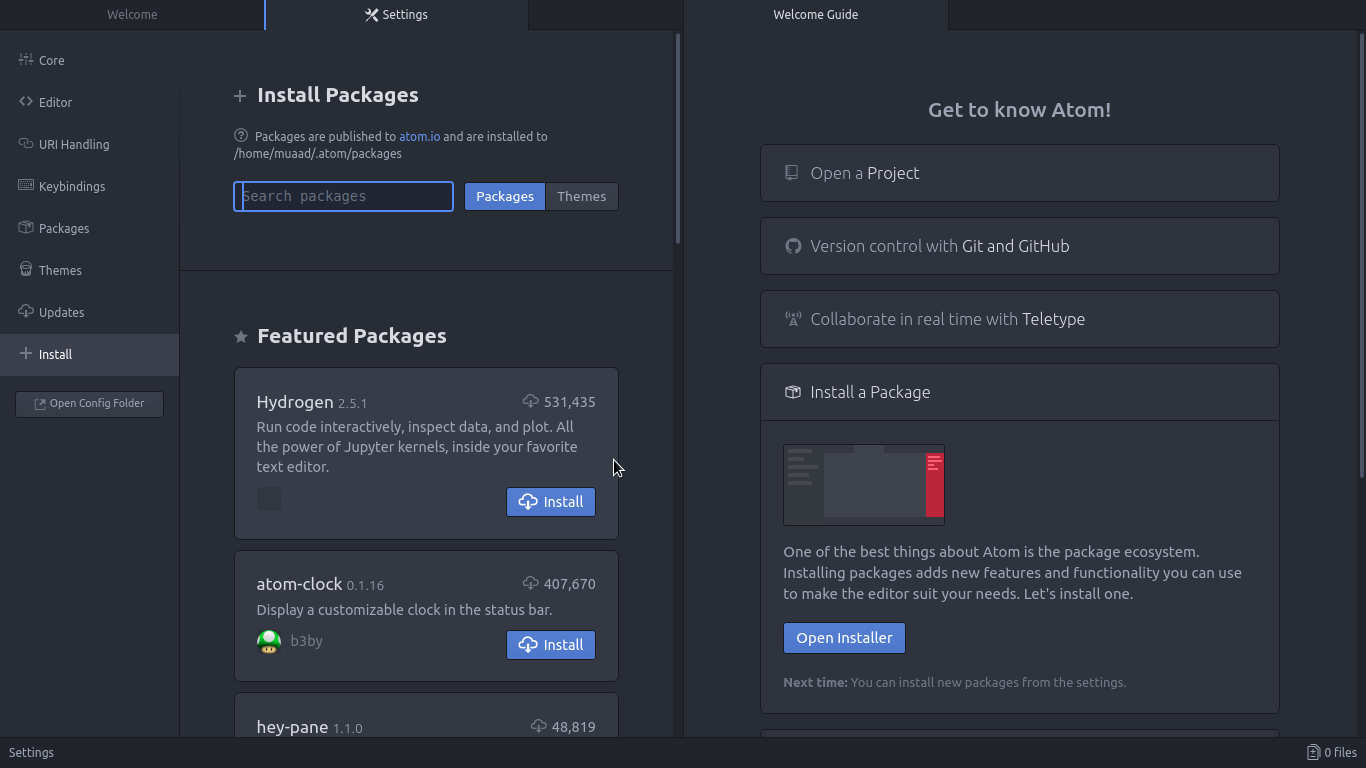
Package installer interface

4. Ease of use

User experience should be always considered when evaluating software, and VIM for example despite being the most efficient and the most praised text editor in all of the Linux ecosystem, however it’s not easy to use at all, the learning curve is steep, I read the book titled “A byte of VIM“, but I still don’t see why or how can it be better than Atom or anything, as I don’t do anything “professional” with VIM. As a matter of fact, I’m not too keen on the whole terminal as a one tool for all.

5. Consumes more resource, so what?

Yes, Atom is heavier than Sublime or VIM, but does it really matter at this point? In the year 2018 laptops are getting faster and RAM is getting bigger, a few hundred megabytes almost seem like nothing when considering all the reasons mentioned above, it might not be the most resource efficient, but it’s the most usable editor of the bunch.
A well tweaked laptop (both hardware and software) can handle Atom like a breeze, and it’s getting better as time goes by. Speed won’t be an issue if you use an SSD (although using an SSD in itself can be an issue at times!), you could say it’s the price of enjoying a beautiful interface and ease of use.
Besides, converting to a less consuming Linux distro has spared some memory to spend (I’ll blog about it later and link back).

6. The devil you know!

I’ve been using Atom (On and Off) for the past three years, I’ve read the Atom flight manual and even reviewed it on my blog in a few posts (this is the fifth), so for the most part I’ll stick to Atom being the familiar editor that I’ve known and loved (sort of) for the past three years. I’m not alone, as it’s one of the most popular text editors on Alternativeto.

Have you ever used Atom before? What are your impressions about it? What do you use to edit prose and code, and if you use VIM, please take your rants to /r/VIM, because they would be appreciated better by fellow VIM zealots than me.

And yes, this post was written in Atom 1.28, so that you know!
Rocks’n’Diamonds review and download

It’s been sometime since I’ve posted a game of the week segment! 10 months to be exact!
This time it’s a game that I found by accident as I was looking for another game and it turned out much better than the one I was looking for!
Are you interested? Let’s get going!
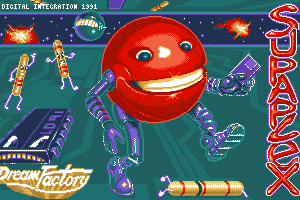
I was looking for a game called Supaplex that was popular on DOS operating system, it’s one of the earliest games I played on PC and enjoyed so much, but playing on Dosbox isn’t very comfortable.


Supaplex Dos game
Supaplex

On the other hand, a much better alternative seems to emerge!

The game is called Rocks’n’Diamonds and it’s a mixture of Supaplex, Prince, Dig dug, Bombermaan, chip’s challenge,  and even fixit Felix (I might blog next about bombermaan so stay tuned).


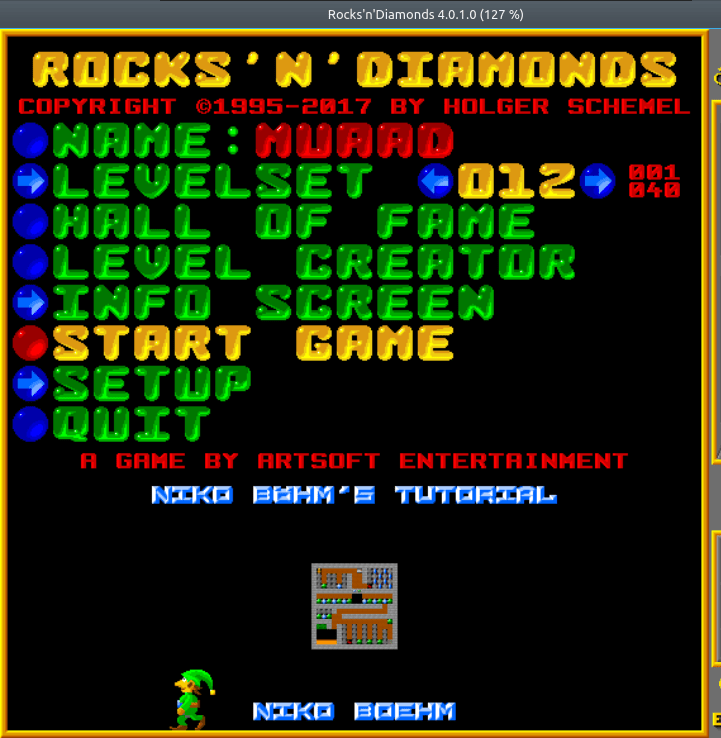
Rocks'n'Diamonds main menu
Rocks’n’Diamonds main menu


Info about the game

The game is made by Artsoft Entertainment and it has a rich legacy going back to 1995, the version I downloaded was as recent as October 2017 (Version 4.0.1.0).


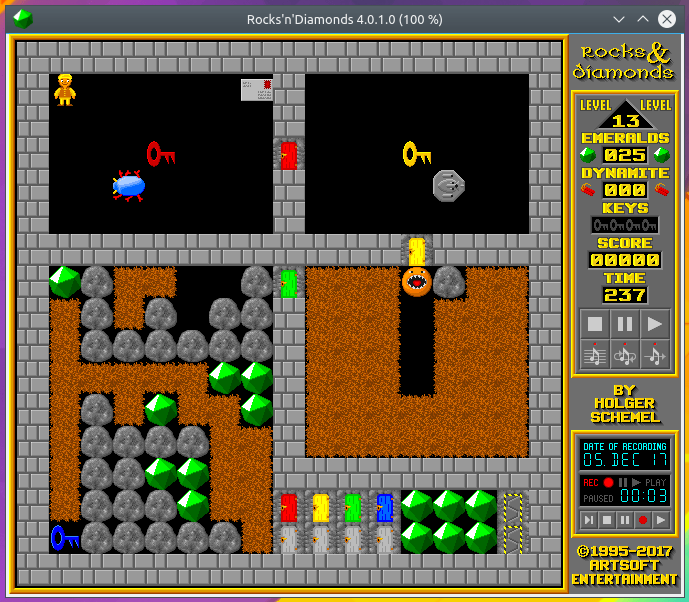
Rocks'n'Diamonds game play
Rocks’n’Diamonds game play

Gameplay

The game is a puzzle game with increasing difficulty and fast paced gameplay,  the soundtrack is catchy and reminds me of the good old days of Sega mega drive games.


Advantages

  • The game is cross platform, meaning you can enjoy it on any system you have: Linux, Mac, Windows and Android! There is even an “unofficial” port for iOS!
  • Free and open source.
  • Great soundtrack, as free games usually have generic midi tracks that sounds like 15 seconds of random keyboard keystrokes on repeat, that’s not the case here!
  • Supports controllers and multi players.

Disadvantages

  • The graphics are true to the retro nature, meaning that anyone who is accustomed to the high end gaming may look down on a game like his, but for a retro gamer (like myself) it’s a real treat!
  • I only tried out the Linux version, and it’s only available in tar.gz, no .DEB or a flatpak available, but other than that the game plays easily and without a hitch.

Cheats

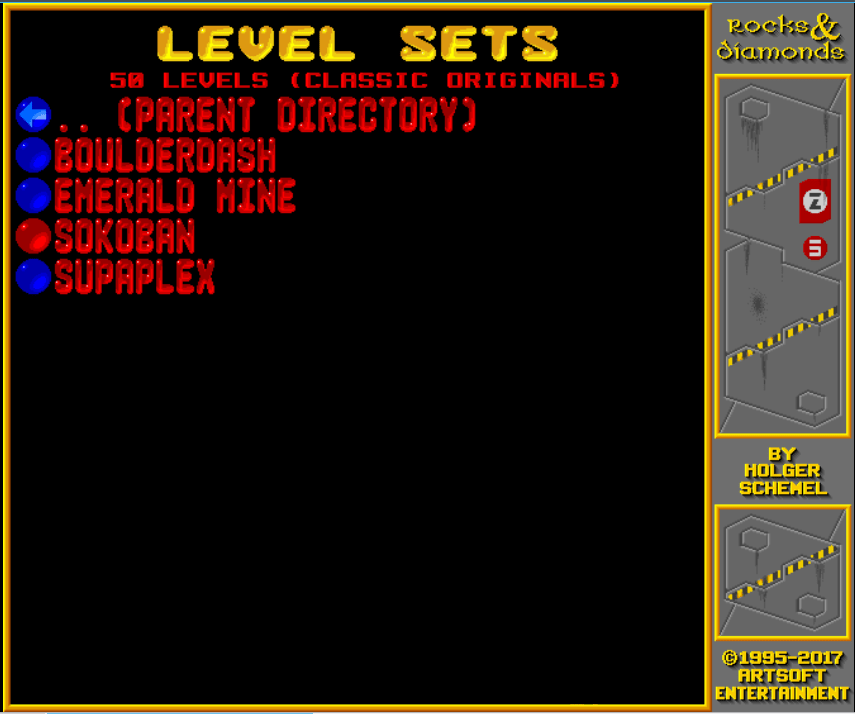
What’s a great game without cheats? This game allows you to play classical games including Supaplex! So I guess it is an alternative for Supaplex after all! All you have to do is point on level sets and hit enter and choose the game you want to play, and in this case it’s supaplex, and several other awesome retro games, feel free to check em out!


How to add it as a shortcut to plank?

If you are using plank on Ubuntu you know that you can’t add executable files right to the doc, you need to add the icon to the program directory and then add the icon to the dock, here is a really simple way to do it from here. 
It’s a tutorial of a different game, but the steps are the same. 

Download

What are you waiting for? Download this game and have an awesome time with it!

For older version of the game click here

Did you like this post? Do you have games like this to suggest to me? Feel free to do that in the comment section below, and have a great Wednesday!

There is an updated version of the game in this post.

Duolingo the best and easiest way to learn a new language!

Many of us dream to learn a new language but never actually do anything to do that! We are to busy

to take a course after work or simply won’t pay the cost for a course. Well today’s app has got you covered!

Let’s take a look at: Duolingo

Duolingo's opening screen

Duolingo is an application that helps you learn another language for free, forever, in a fun and addictive way that’s similar to a video game!

Learning on your Smartphone Who doesn’t have a Smartphone now days? Everyone has at least one and they stare at them all the time! So why not stare at an application that will help you learn a new language in an easy fun way? It’s better than checking Facebook or Twitter every 20 seconds! All you need is a good Internet connection and you are good to go! (There are some lessons don’t require an Internet connection, it is needed to keep track of progress and score.)

Duoligo's logo

Who uses Duolingo?

The app is cross platform and is available to Android, Apple iOS and Windows phone. There is also a web version so you can learn on the go and from anywhere! You can even use it in the class room for your students if you are a teacher, free of charge!
It is used by 120 million people around the world to use all sorts of languages, why don’t you join the ranks too?

Available languages

all you have to do is to download a version for your device, sign-up

with your e-mail and you are set.

Choose your native language

and see what languages are available for you!

Duolingo course list for English speakers

This list is for the English speakers, it scrolls down as it offers

many options, other languages don’t have as much options as Duolingo uses statistics to provide each region with the courses on demand, and I haven’t found any course for the native Arabic speaker on Duolingo’s version for Windows phone, but I found a course on the website aimed at native Arabic speakers who migrated to Sweden. 

Tracking progress

Set the number of experience

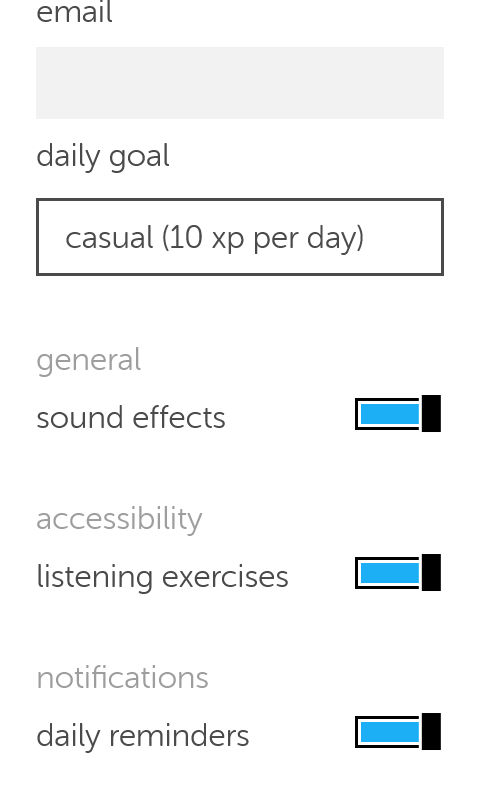
points you need to earn daily so Duolingo helps you keep track of your daily goal, you can set those from the settings, anywhere from 10 (casual) to 50 (insane).

Duolingo's settings
 You can also control getting daily reminders (I highly recommend yo keep those ON).

How does it work?

  • Duolingo

uses colors and sounds to make learning easy and fun and more game-like, by using a scoring system, ranking and rewards, similar to elements found in video games, and that’s where the name Gamification comes from.

  • The language
  • learning itself is based of quizzes and games that aims to teach you the language you plan on learning.

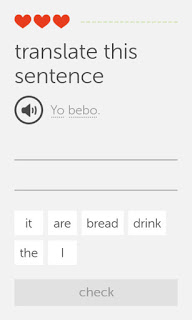
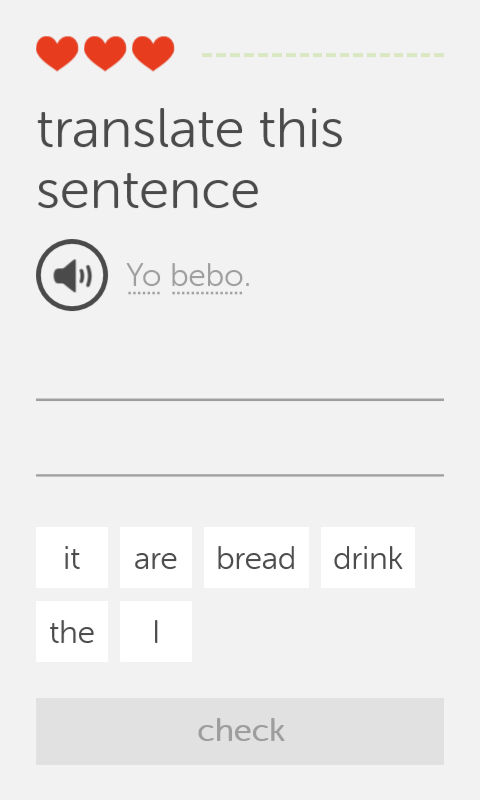
    One of Duolingo's exercises

    • This exercise i

    s very simple, you listen the word by touching the speaker icon, then choose the correct words from the choices below, each correct answer fills up the bar to the right, and a wrong answer takes a try (a heart) and when you run out of hearts, you repeat the lesson all over again! There are many other exercises and I’ll leave those for you to discover!

    Finally..

    Duolingo is a fun app that helps you jump start your language learning and have fun doing it, I don’t think it can replace the full learning experience or taking courses, but it’s a start!

    Will you download Duolingo? What is the language you always wanted to learn? Let me know what you think in the comments section below.
     

    BlueGriffon 2.0 is out, And 2.1 is just around the corner!! 2.1.2 Has .DEB!!

    Four months of hard work and fixing bugs have brought us to this highly anticipated release of BlueGriffon 2.0

    I have posted about the Alpha and gave it a review and been following the development closely on Twitter, the beta release was just two days before the official release, so it was nearly impossible for me to download, test and finally post about it. Let’s take a look at BlueGriffon 2.0

    An introduction

    BluegGriffon is  a product of Disruptive Innovations SAS, a French software company founded in October 2003. Based in Saint-Germain en Laye, France, Disruptive Innovations SAS delivered in the past premium products like the popular editor Nvu (the indirect predecessor of BlueGriffon).

    A total overhaul

    • This version is a total overhaul for the program, as it changes the addins system and even the licensing platform!


    • All the add-ons from the previous versions won’t be compatible with this one so you need to download the new ones.
    • There are features that are only available for those who purchase a license, BlueGriffon is still open source and the basic features

    can be used freely.

    • The manual is also up for purchase, this is in order to support the development of BlueGriffon as it says on the website (the manual isn’t open source and can’t be distributed freely).
    • It will only support Windows 7 and higher, Mac OSX 10.8 and up, and the only Linux distribution supported is Ubuntu.
    • The overhaul included the BlueGriffon site, and yes! It was designed using
    • BlueGriffon! It matches the interface and looks fantastic!


    Interface

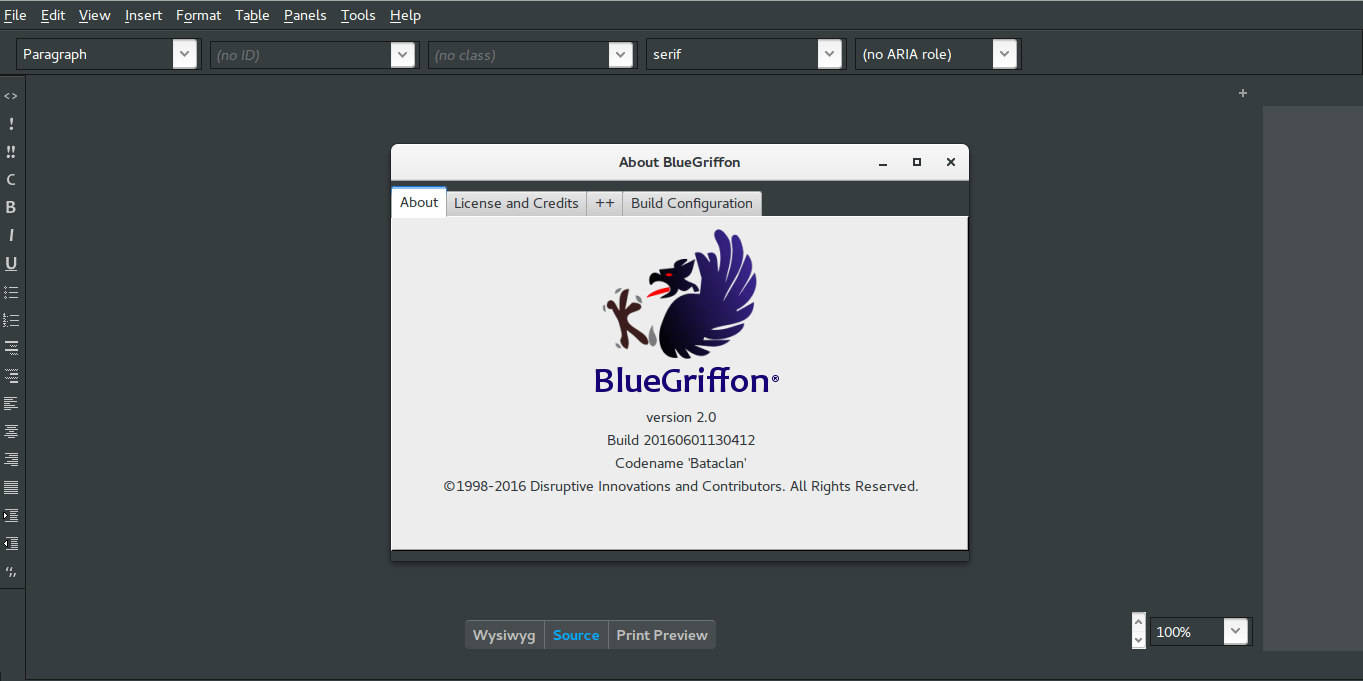
    It brings the darker theme that was first shown in the alpha version, complete with all functions and menus.

    BlueGriffon Version 2.0 interface with help menu


    • It feels smoother and lighter,

    image management is much better than version 1.8 and same goes for tables.

    • I do miss the function buttons

    as now I have to do everything by menus!

    • I didn’t experience

    any random shutdowns of BlueGriffon so far.

    Download 

    BlueGriffon is cross platform and is available to download for:

    Windows (Windows 7 and above). And a ZIP file is available too.

    Mac (OSX 10.8 and above).

    Linux Ubuntu 64 BIT.   

    Click on any of the links to start downloading from the official server.

    Languages supported

    English (USA), Čeština, Deutsch, Español (Castellano), Suomi, Français (France), Galego,
    , 日本語 한국어 中文 ), 繁體字 ), Magyar, српски.

    Here you can download the available dictionaries for these languages.


    Final words

    A version 2.1 is in the works and the developer is taking note of some fan suggestions like: a hide-able dock and a clear theme, I’m really impressed with the comeback BlueGriffon has made, as I said before it was marked as discontinued by alternativeto.net, it’s really good to have a frequently developed open source HTML editor available! I as a blogger can’t keep up with how fast this application is being developed! And that doesn’t happen often!


    Update on 06/08/2016

    Version 2.1 is out and you can check the change list from here!

    P.S: The site is inaccessible at times, I couldn’t download it so far, and it wasn’t packed as .deb (  I suggested that several times without hearing back from them).

    They aren’t very responsive to e-mails, I’ve been writing to them since the BlueGriffon was frozen at 1.7.2 back in 2013 and they haven’t replied to me once! Even on Twitter I never got to hear back from them, seriously? How hard is it to send a tweet?

    Update on 06/12/2016
    Version 2.1.2 is out and FINALLY it’s packed as a .DEB
    You can thank me later! 😉
    Download

    I hope you like this post, please give me your thoughts in the comments section below, will you download BlueGriffon? And if you did, what do you think?

    Have a nice day!

    « Older posts Newer posts »