Category: Pomodro

Minimalism is the new efficiency

The year 2017 is coming to an end, here I have some updates to share, small changes in my productivity flow that might prove to be a game changer in the near future!

Bye bye Xmind!

I’ve been using Xmind as a mind map manager for over 4 years now, I’ve even blogged about it and boasted it’s features. Only to realize that it’s bloated! I don’t use half the features it has and most of the “good stuff” are locked away with a commercial license.

Most posts start out like that.

I’m back to using Freemind V 1.0.1 and I couldn’t be happier.
Just opening Xmind 3.5.2 sent my laptop fan on a frenzy, spinning like I’m rendering an HD video, as I’m writing this Freemind is sitting in the background like it doesn’t exist! Brilliant!

Even tho there is a way to make mind maps in Libreoffice, it’s can’t beat the quality of Freemind.

Why the change?

Freemind is smaller in size, consumes less resources, and while it may not look as pretty or well finished as Xmind it gets the job done completely free of charge.
It’s all about simplicity and achieving productivity.
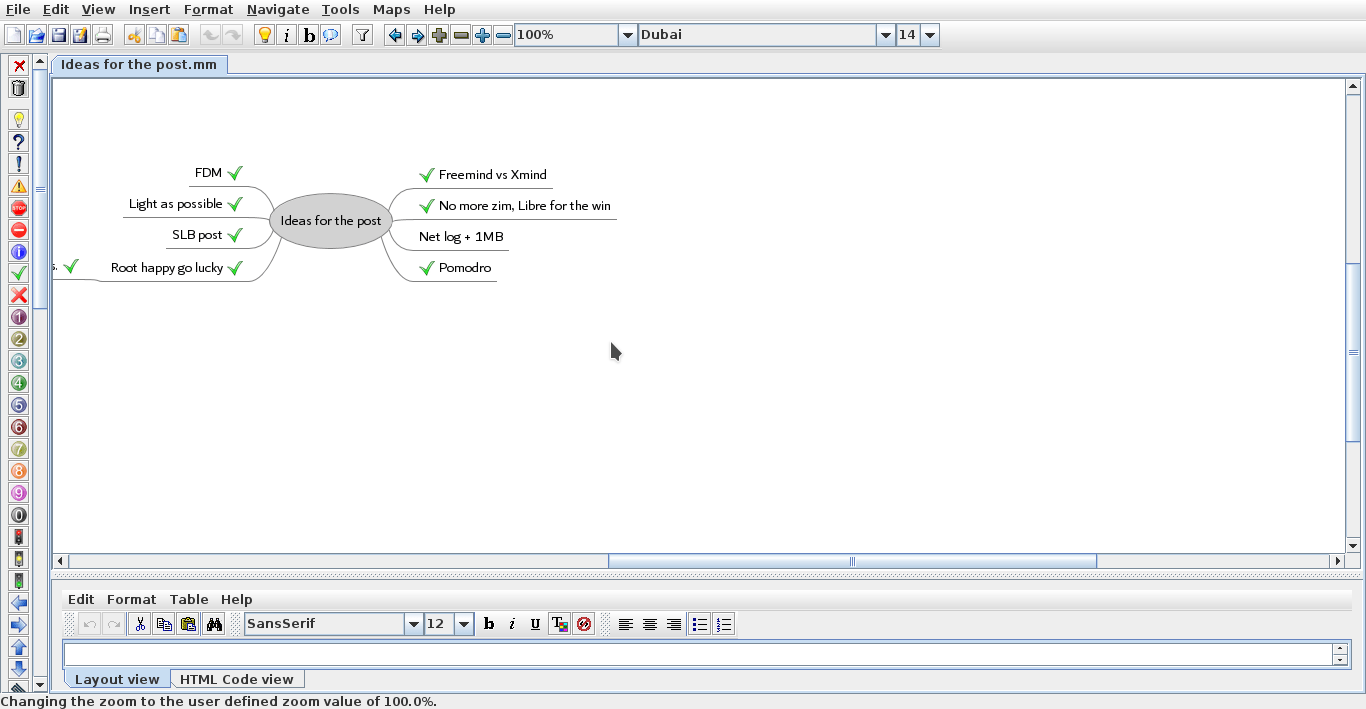
 

Freemind 1.0.1 interface


Going back to Pomodro

Since moving to Kubuntu I haven’t had a decent timer for my system, I tried out several ones but none of them was as good as pomodro timer, I installed it and the Gnome app works perfectly on KDE, it’s one of my most viewed posts for a reason!

No more Zim?!

Yes Zim-Wiki is the best personal wiki I came across, and while it’s functional I find having to change from it and to LibreOffice quite irritating, so I had to clear out the clutter and stick to one productivity suit, LibreOffice is packed with features and so much I don’t feel like I miss anything.
I had to install tasque again, but I removed it because I like managing my tasks in a graphical way using a mind map.

Phone Tweaks

I’ve blogged about customizing and rooting my phone in Arabic (follow at your own risk), and I’ve rendered my phone useless before by removing an essential system app using root privilege, now after everything went back to normal I decided to remove some apps that I felt like I no longer need.

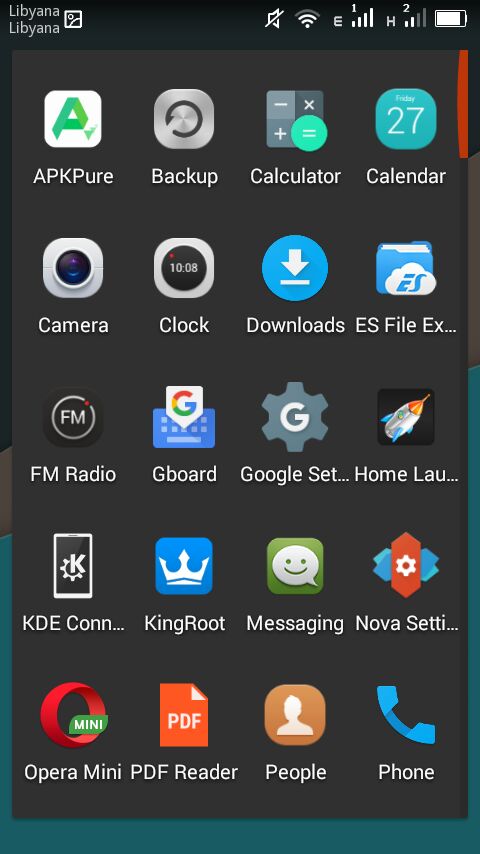
I installed ES file explorer, from back when it was ad free, and since it does so many functions I took the liberty to remove the file manager, the music player, video player, photo gallery. ES file explorer does all that and more!
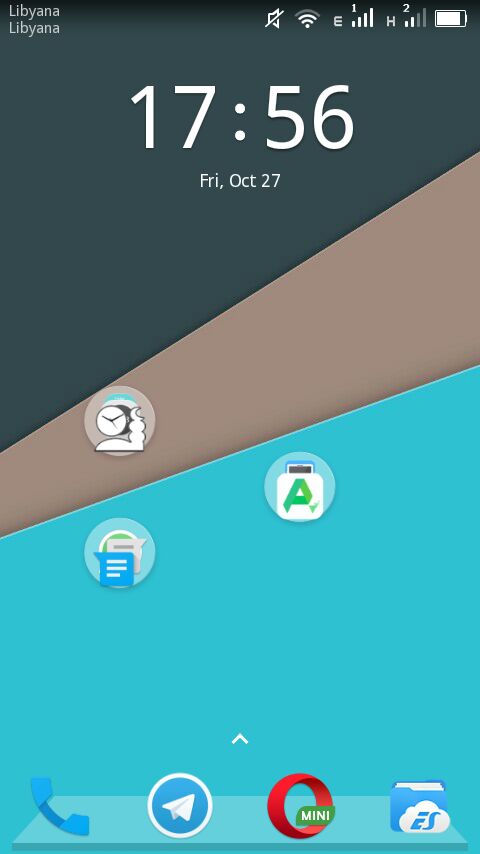
 I’ve also removed all the moving backgrounds. I’ve also removed Apex and installed Nova launcher, which is working great!


Phone’s interface with Nova


The app drawer

I don’t use a note keeping app because I send the notes to myself via Telegram, and I removed maps because I never got anywhere using it!

Before I had the default android keyboard disabled, now I deleted it all together. I use Gboard as the default keyboard, and using ES file explorer and root privlages I tweaked the keyboard sounds (I need a life).

I’d remove Google play store if I could, but sadly it cannot be done, it doesn’t even work for me and it was the root cause of all my of issues, I use APK pure and I haven’t had an issue with it yet!

I’ve replaced the prayer time app with a lighter one and the feature packed Adobe with a simple PDF reader.

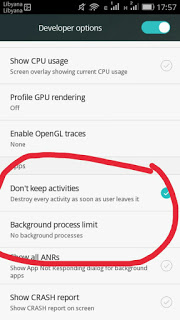
To save more battery power I changed the developer options to kill unused apps, there is some improvement, but again you’re advised to try any of these tricks at your own risk. Gotta keep it charged and happy because you never know..
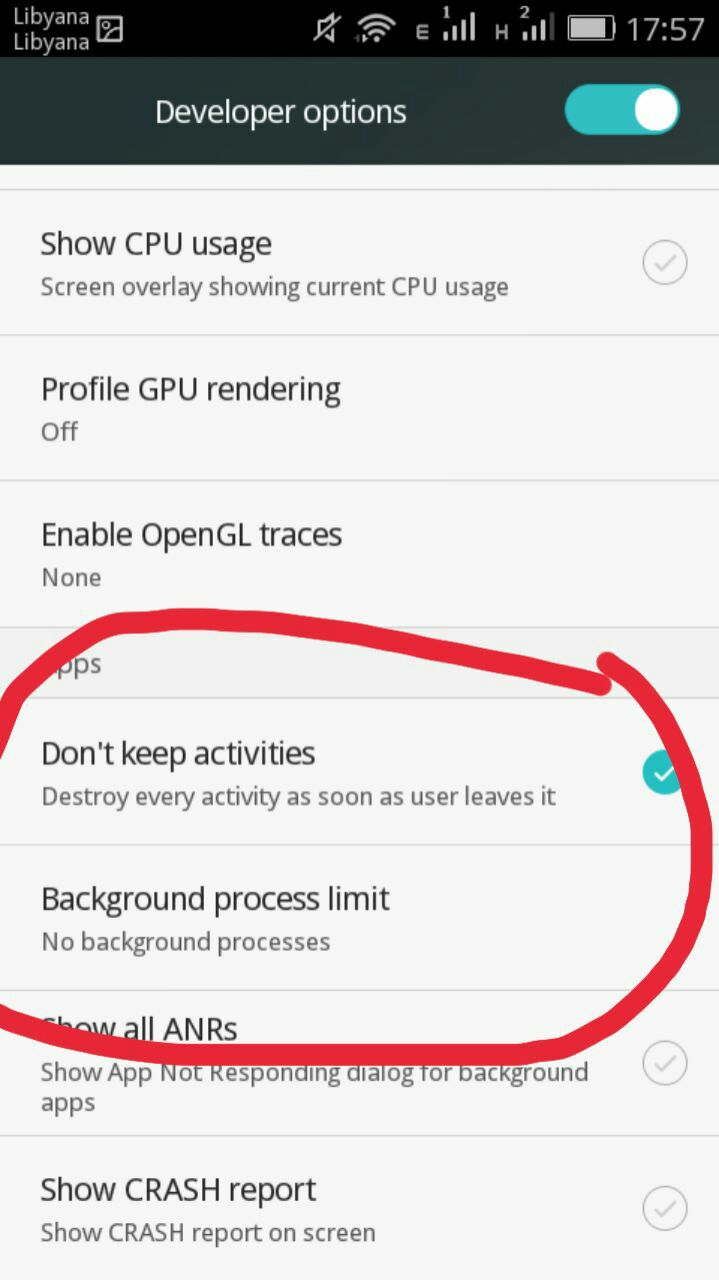
Tweaking developer options
And since the system didn’t fall apart yet, I think it was a success, I do keep a stock ROM just in case the phone fails, and I advice you to do so too if your phone manufacturer
provides them.

Software for work

What I’m trying to do is creating a productive work flow, that’s minimal and efficient, while moving to Linux was a great first step, I feel more needs to be done, and since I downloaded several gigabytes worth of software for college work (all free and open source of course), I have to make budget cuts to keep the system going!

No more room for Sublime or Atom (god forbid), and since I downloaded Android studio and Netbeans, I decided that Kate (default text editor in Kubuntu) would suffice to write code, rather than the former two. All in favor of saving space and resources.

Kate can’t handle large text files, such as the blog backup for example.

Blogging ventures

I blogged on Itsfoss, one of the leading open source blogs to help draw attention to a Linux version of FDM, I blogged about it a while back but it wasn’t enough to tip the scale in favor of FDM Linux, after my post on itsfoss was published FDM Linux went from being 5th on the future feature vote with 840 votes to being the 1st post on the feature vote, with over 24% of the votes! Talk about domination!!

Now it’s the matter of getting the development team to start working on the long awaited Linux version, I’ve been waiting for over 4 years now!

SLB experience

I’ve blogged about the internship I had at Shlumberger a few years ago, and the support from the community was overwhelming, I should have written about it earlier. The post ranked in over 950 views in a week, I don’t get this kind of attention usually!


A blogging interview!

I was a guest on Ms. Malak Altaeb’s blog, she is doing a fantastic job and I suggest that you give her a follow.

LTT’s net

“Bykyfk” or pay as you go by LTT is cleaning my pockets dry, I have to charge in a new card daily, which is silly if you ask me considering that the internet is really slow, the only option at hand was to change the package from 2MB/s to 1MB/s. Reducing the line’s speed by half doesn’t mean it reduces the cost by half, but it’s a good start to save some money, since this stupid liquidity crisis isn’t going anywhere.

I’ve also made a net log to track when each card is recharged and how long did it last, I don’t have to keep cards till they finish!

I’ve blogged about Libyan internet back in 2015, little improvement (if any) happened since then.


Final words

This post is a break between the “job posts” I’m writing on my blog in Arabic, looking back; I’ve had some terrible jobs! Is my current job better? Slightly, but don’t tell my manager!!

I hope you enjoyed this technical update, have a lovely weekend and leave a comment below, it’s free!


The thoughts of an overworked and unhappy worker!

I apologize to my readers for not posting my weekly post last week. It’s been a hectic week in which I didn’t get enough time to do anything that I enjoy (blogging included) so I took these minutes out of my jammed packed schedule to let the readers know whats going on with me.

What’s with the energy drink can?

An energy drink isn’t exactly the healthiest thing I could inject into my system but it beats falling asleep in traffic and ramming someone’s car from behind. And with the sugar and coffee prices soaring way out of reach this seemed like a good idea at the time, even if it means breaking my personal rule of not drinking energy drinks!

A guy holding a can of energy drink
You know it’s a busy week when I have an energy drink, and I rarely do!

My image of a working man

I always had a tough time as kid visualizing what will I be when I grow up, my image of a working man was shaped after my father (naturally), the kind that gets out in the morning and comes back in the afternoon to have lunch and take a nap, then do whatever in the afternoon.

Something in the fashion of classical TV shows from the 50’s where the husband returns home saying the classical: “Honey, I’m home” to his loving wife, then changes his clothes into pajamas, sits on his favorite chair to read the news paper while his dog brings him his house slippers kind of thing.  

But the reality is far off from that!!


I’m home!!


What do I do for a living?

What I do for a living is that I’m a teaching assistant at a local technical college. Due to the economical situation I am not getting paid yet, it’s been a few months and I haven’t received a dime, which meant that I need to look for another job, and I did.

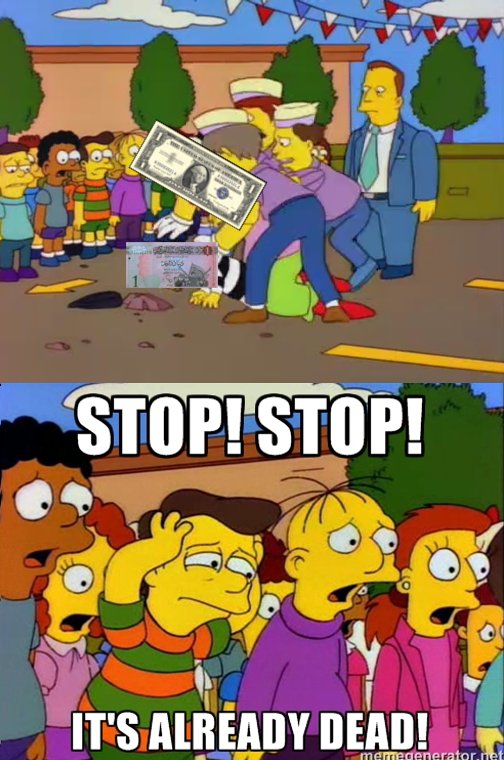
Times are hard! One job won’t be enough to support a single guy (let alone a family) as the dollar goes to an all time high -so far- against the Libyan dinar (7.30 dinars per 1 US dollar). I made a meme to describe the situation, and because I didn’t watermark it everyone stole it and I lost the credit for my work, sigh!

The dollar killing the dinar!

Leading a “double” life

When studying in college I always secretly admired the guys who worked while studying, they seemed pretty interesting!

They had double lives and they seemed a bit detached and way cooler than little old me because I seemed so hung up on my school work and had nothing else, later when I had a double life of my own I knew that it wasn’t all fun and games!

No one has ever told me that I needed excellent time management skills and that goofing off wasn’t allowed when working multiple jobs, so I learned that the hard way!

All work and no play makes jack a dull boy

In this case I’m jack, working on multiple chores at the same time has drained me (to be completely honest I enjoy working on the wrestling show for example, it’s my day job that I’m complaining about here) so much I forgot to play and have some fun, so I decided to do just that!

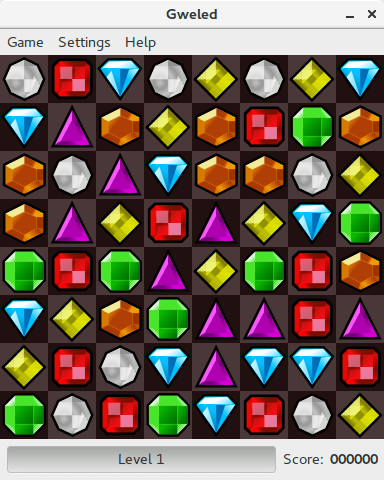
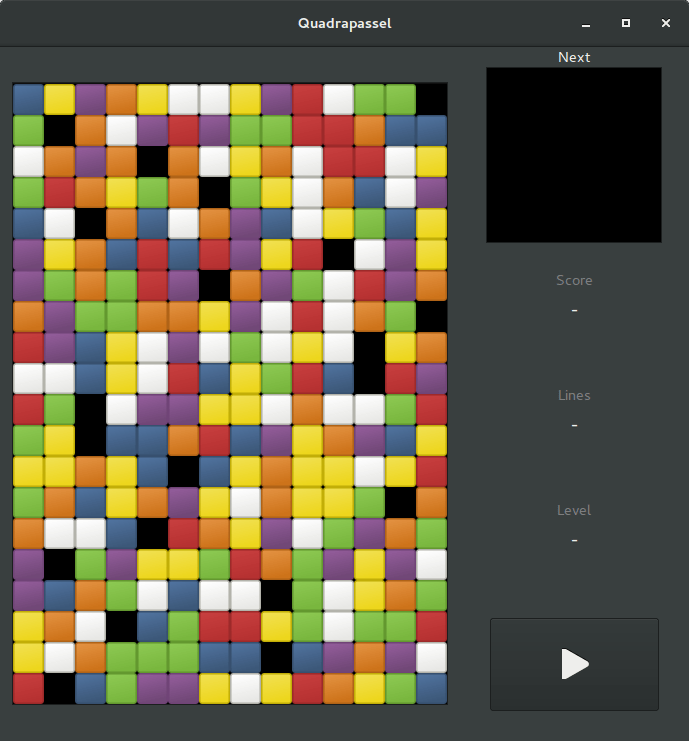
I installed a couple of classic “retro” games on my computer (Tetris and bejweled) and decided to take sometime each day to play and relax -you know you are getting older when playing games becomes a to do list item, rather than the natural inclination!-.
These games keep me refreshed and entertained a little, I will try to keep playing them as often as I work so I keep a balance.

Time to work!

It’s funny how everyone I talk to tell me that this is the age of hard wok and that I should be happy and appreciative that I’m out there and gaining experience, and I completely agree with that, I only have one issue here, I have noting to show for it! 
I feel overworked and unhappy.


The government who hired new employees like myself can’t expect us to work for free like that, my moral is at an all time low and everyday I drag myself to work like a zombie while repeating an affirmation that I made to describe how I feel: “You don’t pay me enough to care, and the last time I checked you don’t pay me at all!”.

We need our salaries to continue living paycheck to paycheck (which is considered to be a modern form of slavery by the way) let alone not being paid at all!!

Financial crisis

My unpaid “salary” is less than 85$ per month, and it goes without saying that the prices of everything go up with the dollar, while our money is stuck in the banks losing it’s value by the day.

I went to my bank branch -and I use the term loosely here- to see if I’m able to draw any amount out of my account, it’s been seven months since I’ve drawn any money! 
I found people sleeping on mats in front of the bank, they told me that they spent two nights in a row waiting for the branch to open and give out money, and as expected the branch didn’t have any money so they spent a third night in front of the bank.

The draw limit has been set to 200 dinars per day for ATM machines (less than 30 dollars) and since most machines are out of service, the few ones that work has people lining up in front of it for hours to be able to draw.

Which brings me to a point I blogged about sometime ago..

A city wide strike

I’ve blogged in October about how the situation is getting worse and that the people in Tripoli should have a strike in hope of a change without protesting and possibly getting someone hurt (or killed). Here I find myself in a real conundrum!
On one hand I have lectures to give next week and I’m looking forward to doing that, but if I went and taught a class during the strike I’d be contradicting myself because I blogged about the strike way before they suggested the idea (I am not a hipster!), I haven’t decided whether to go or not yet.

Some blogging thoughts and notes

My blog is receiving the usual weekly stampede of desperate lurkers trying to get a passport, it’s like steroids making my blog bigger but not making it better!
I don’t promote my content heavily on twitter anymore because Twuffer decided to change the schedule policy from unlimited scheduling to 50 tweets per month, and I don’t like that at all, so my promotion is done manually.
What I do like is the new blogger interface, finally they have changed something about it!
And for those who are counting my blog has reached a 168 thousand views.

This too shall pass

I like this saying, it has wise roots and deep meaning to it. The story goes that a Persian king asked his advisor to come up with a saying that can make him happy when upset, upset when happy and it has to be short enough so it can  be engraved on a ring, so the wise man came up with: “this too shall pass”.

I keep reminding myself that these tough times will pass eventually and better times -hopefully- awaits us.

So you can think of this longer post as a way for making up for not posting last week.

What do you think of this post? And will a strike change the situation from better to worse?  
Please let me know what you think. And share it on social media to help my blog grow.

My 3 year journey with GNU Linux

Linux has been around for 25 years! Last week the world celebrated the 25th anniversary since Linus Torvalds wrote the Minix kernel.
I’ve been using Gun/Linux based operating system as my main OS for three years now, and it’s been very rewarding! In this post I’ll talk about a journey with GNU/Linux and how it turned into what I use on daily basis and feels right to me rather than the new interesting idea I saw in a tech magazine!

My beginnings with Linux

Although I learned about Gnu/Linux over ten years ago (thanks to the wonderful LTT magazine) I didn’t fully convert to open source until I graduated from college. We depended on Microsoft based products for school such as SQL server and Visual studio, which were essential softwares for a computer science major and I couldn’t risk converting to Linux and messing up my school work so it had to wait, I was itching to get rid of Microsoft Windows and start fresh with an all open source system.

Even then I relied on open source software to do my daily tasks such as Gimp and Apache Open office (LibreOffice came into play in 2011) and the only proprietary software was Windows itself. Once I graduated it was time to kiss Windows good bye.

My Windows setup

My computer had Windows 7 installed on it and I have to admit. It was running like a charm!
I had everything I wanted and had the system fine tuned and optimized to my liking. I downloaded tools and learned how to harness their power to the max, I even blogged about it here on this blog at the time.
But I was willing to give all that up for the sake of open source! Apparently I don’t have a problem of fixing what doesn’t need to be fixed.
Research.
Before converting to Linux I did a lot of research and took my time looking for the best alternatives for tools I used daily, luckily many tools are cross platform and open source so these were a given like VLC and Firefox.
I also took my time testing it as a live version and I even installed it under Windows as a software (older versions of ubuntu supported that).
I didn’t do much distro hopping, I liked Ubuntu from the start and still use it until now.
Distro hopping is one of the major criticism points GNU/Linux receives as people say there are too much distros out there for a person to try and it can be confusing and counter productive.
I have a theory about that!

Distro hopping

Linux is all about freedom and you can try what ever you like, it would be a good idea if you used a virtual machine to test so you don’t ruin your HDD with the excessive installation and removal of systems.

Preparing to convert

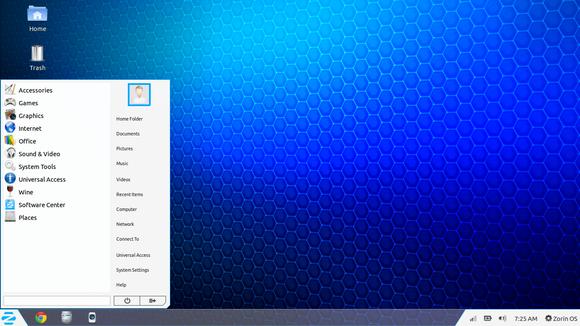
After I listed my software and got the alternatives (executor wasn’t ported to Linux) I decided to install Zorin, built on Ubuntu and came fully featured with everything new comers to Ubuntu needed. 

Zorin-Os-7
The Linux gateway for Windows users.

From flash support and restricted extras all the way down to Wine and Playonlinux to make sure your tools from Windows didn’t go to waste.
It looked and behaved like Windows 7 and I didn’t like that very much. Trying to change it messed it all up and nothing worked, not even installing it fresh?! I was a beginner and didn’t know what to do so I decided to move on to something new.

Installing Ubuntu

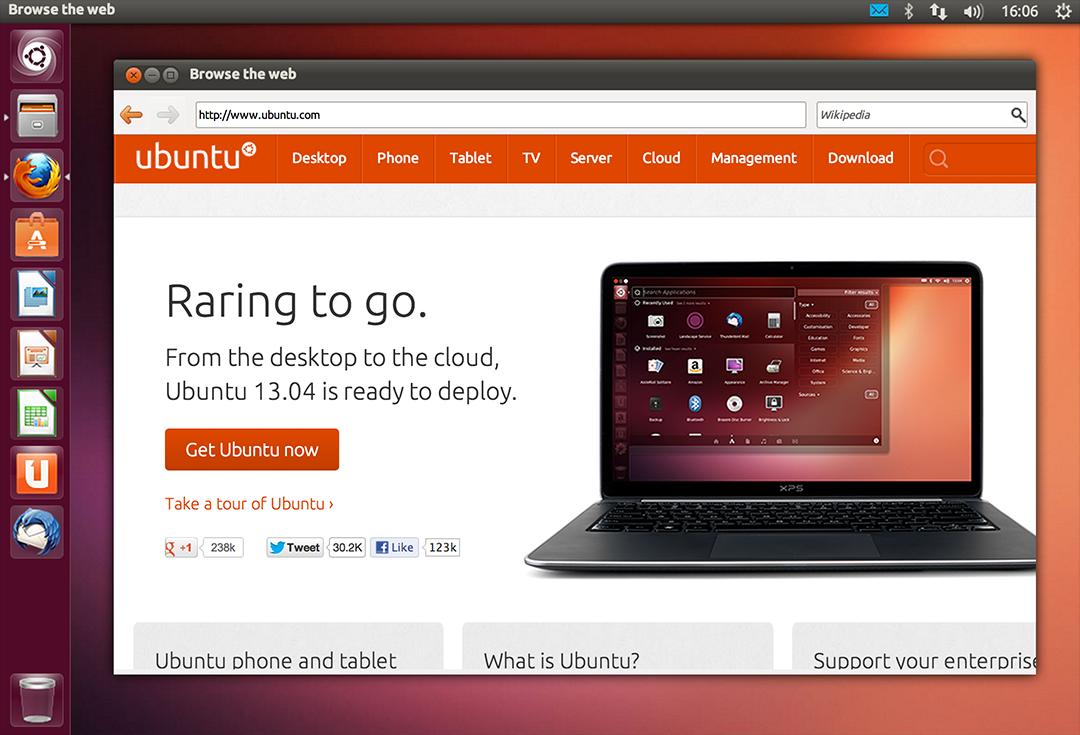
So I installed Ubuntu 13.04. It was really good and got even better when I added xfce interface, while googling for it I learned that latest version of Ubuntu won’t be released for another 2 months, and was going to be an LTS (long support version). 

At the time I had a separate laptop for work and I didn’t think that was really productive!

My first LTS and dual booting

As soon as Ubuntu 14.04 was out I got it and installed it clean, I chose the Xubuntu version because I enjoyed the XFE interface.
It was the best time ever getting to know the new distro and customizing it to my liking.
I had to install Windows for work. And since I gave away the work laptop I decided to dual boot Windows 8.1 and Xubuntu on my computer.
I used Windows to work and it was a good solid experience with the metro interface, but I didn’t feel home until I restarted and went to Xubuntu, I sighed in relief as I saw the loading screen knowing that I enjoyed working on this system and I wrote a list of reasons why.

My interface revolution

After a while I felt I needed a change, so I began testing  with different interfaces until I  decided to go with the Gnome interface, but my “home brew” distro was buggy. I was delightfully surprised to know that there is a project where Gnome was used as the interface for Ubuntu (Ubuntu Gnome) and I downloaded it and installed it right away after a successful trail on a virtual machine. It was the end of the dual boot period for me.

Settling down with Ubuntu Gnome

I got Ubuntu Gnome 16.04 as soon as it got out and I couldn’t be happier! I did a review about it here on this blog which proved to be a total success! Hundreds of readers tune in every month to read this tutorial which I keep to update as often as I find new things (I use the same principle all over my blog).

Windows is residing now on the virtual machine, I use it every once in a while.

The 1% percent dogma and the “Personal computer failure”

Many people claim that GNU/Linux failed on the personal computer with user share just above 1%. While it remains to be a success in the server and super computer department.
Just for your information, GNU/Linux’s user share has exceeded the 2% barrier in July.

And to be honest I never really cared for those people’s opinions anyway, I have a system that is well supported, totally free and I get the job done just as good as I did on Windows based systems (and maybe even better) so why all the fuss?

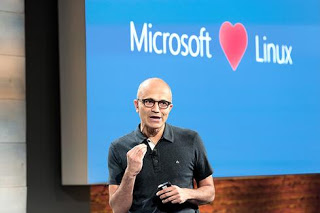
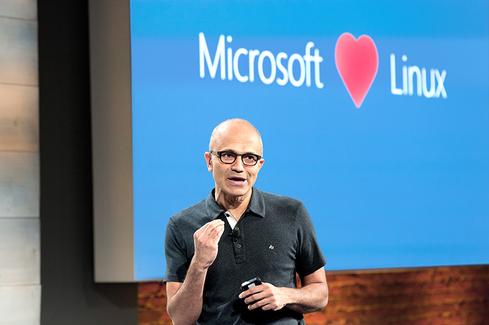
I love Linux, and so does Microsoft!

I could sing the praises of Gnu/Linux and open source on and on and totally miss the point, I enjoy using and contributing to open source, and I don’t have a problem with Microsoft based software, I think it’s really good!

Microsot loves linux
This image is still strange to me!


Gnu/Linux has came a long way from it’s humble beginnings and it’s a force to be reckoned with in the computer world today, even Microsoft has showed it’s love and support and there is a lot of cooperation between Canonical and Microsoft (it doesn’t necessarily make me happy, but times change).

Final words

A long journey of exploring indeed.  I didn’t do it by the book and I took my time experimenting with things and making my mistakes along the way. But I’ve settled into my system and it feels great!  I wouldn’t have it any other way! Much like life itself.

How did you like this post? Are you using open source or thinking of converting to it anytime soon?
Drop a line below and let’s see what we can do 😉

P.S: I have reached 110000 views on my blog 🙂

Productivity tips for a better working session

I always wanted to post on being more productive when working on the computer, I listed a few ideas that should help you achieve the right balance of productivity without exhausting yourself, being productive and consistent gives you more credibility and it means you will meet your deadlines rather than running breathless and sleepless trying to finish before the clock strikes midnight! I also listed a set of handy tools you can add to your arsenal and help you become a productivity guru.

List the tasks you have to do

You can’t just browse causally and do random things and hope these random activities will get you anything done!

IF you don’t know what to do, how will you achieve anything?


Some people still enjoy good old pen and paper

Know what needs to be done, and how much time does it need before getting down to business, and don’t forget to prioritize your tools as well!

The best way to keep ahead is to write a to-do list or use a software that arranges that for you, I reviewed a great task management suit from here for Windows, and for GNU/Linux I have my trusty Zim-Wiki to do the trick.

Prepare everything up ahead

Have everything you need by your side so you minimize those “ mini trips” just to look at things or to do trivial tasks, these little pauses damage your focus and makes it harder for you to start working again. Instead use the breaks to do the minor things.
While keeping yourself hydrated always leave the water and other drinks away from the computer or power source, I can’t stress that enough!

Handle distractions

Probably is the hardest part when working, how to disengage from the world and getting into the zone! Here are some suggestions.

No Wi-Fi could fix your procrastination issues!

Turning off the Wi-Fi is too extreme, especially when most of the tools used to work are on line! I suggest a site blocker for your browser, this sets a blacklist of sites you shouldn’t be wasting your time on, and leaves the rest for you to work, if you found yourself fiddling with the extension to get on line then turn off the Wi-Fi!

Again the breaks are your best friend, use those breaks to check on the people you care for, don’t shut your family and friends off to work! That’s never a good idea!

A little tip goes all the way, I set my wifi not to connect automatically anymore! So I have to connect it manually when I need something!

Have a working goal

Say to yourself: I’m not having that treat until I finish writing 5 pages today, or I’m not going to watch my favorite show until I finish the post I started, that way you work for a goal or a reward, and you will find out yourself that the sense of achievement is more rewarding than any treat!

Set a timer

It’s a good idea to use a timer to enhance your productivity, as recent studies show that the brain needs frequent breaks to maintain focus, sadly it’s very easy to forget taking frequent breaks while working.

Regular stretches can prevent RSI and help you rest from long work sessions, hence the need for a good timer!


Using a timer for productivity
Ready? Set. Go!


I’ve blogged about several timers here on this blog, feel free to check Instant boss for Windows, and Pomodro timer for Linux, as I rate those the highest.
While Instant boss is more “aggressive” and I would totally recommend it to anyone wanting to get the job done while having procrastination issues, it’s not cross platform, but I spoke to the developer on Twitter and said she might port it to Linux if she had the time, and Pomodro timer is the best timer I came across on Linux, and the post was very well received by the readers of my blog!

The right tools for the job

Use a software package that helps you to do more and focus on the job at hand, I’d recommend LibreOffice as I believe it packs a ton of potential!
You will need a spell checker also, so make sure that the dictionaries for your language are installed in LibreOffice.


Toolset
Without the right tools, you will suffer!


You might want to add a clipboard manager and a screenshot tool as well if needed. It will help you be more productive, that’s the office worker starter pack!

All of these tools mentioned in this point come preloaded with Ubuntu (so much for GNU/Linux failing on the desktop) so maybe I should list Ubuntu as one of the right tools for the job?

For many purposes (other than document creating) I tend to use Zim-Wiki and do believe that it’s highly underrated! It can do the work of many tools at once, I use it to make and follow to do lists and keep notes, journals, and all sorts of information, you might want to check it out!

Using better software means making your work easier without putting too much load on your computer, which takes us to the next step.

Your computer

Assuming you work from a laptop / desktop computer -as I find the smaller devices running Android impossible to do any real work with- there is nothing worse than a slow unresponsive computer that hangs all the time.


It looks cute doesn’t it? :3


For that I will be making a separate post that will help many people be happier and more productive at work, simply by optimizing the computer’s performance, so stay tuned.

Working at a specific time of the day

Some writers swear that writing on a specific time of day helps them get the best out of them, why not you? I think we can take this advice forward and apply it on general working and not just writing, you have everything in place and all the tools set up and ready to work.
Building a consistent routine will help you be more productive and will make starting work very easy and more of a habit than a chore.

General health tips

There are more common sense tips that I’ll list very quickly like getting enough sleep and eating healthy, these are often overlooked and that can cause some serious health issues, I’m no doctor but you need to sleep at night, drink enough water and eat your vegetables!


Eating healthy and living healthy
Never underestimate the importance of a good diet

How did you like this post? What are your productivity secrets? Do you use any special tricks or tools I didn’t mention here? Please let me know in the comments section below.
And share this with your social media circles and keep the productivity going.