Category: English Post (Page 16 of 97)

My second wind gaming

For many years I’ve hit a wall with games, I thought I’d never be able to enjoy video games again. I’ve even took to Reddit to complain that buying a gaming keyboard and mouse didn’t enhance my gaming experience.  Here is a classical example of me ranting not being able to play as much games as I want to.
But alas! I’ve found my second wind and I’m back to enjoying video games regularly!
 

It felt like an AA meeting. The movie is called wreck it Ralph

Gaming on Linux

Gaming on Linux is a clunky experience to say the least. It feels off, like it’s not supposed to happen. The games are odd and some are unplayable. For the longest time using Linux only meant dropping my entire game library (except for those who were cross-platform).

Having a dual boot or a second device just for gaming was out of the question, and a virtual machine is simply an overkill.

An obvious solution

Wine! It can help run many games and programs on Linux. It expanded my options and brought back games that I thought I’ve abandoned forever.

Other supporting tools

For much older games Dosbox is the way to go, DOS games run on modern software using it. So the pre Windows 7 games are still playable thanks to this tool.

Gnash for flash games, in the late 90s and early 2000s the flash game market was booming with all sorts of mini games and jokes, if you want to relive the moments from that time era you have to have Gnash installed, as Firefox doesn’t run flash games anymore.

Something is still missing

Despite all these modifications and tweaks, it still feels like an archipelago of scattered games with no theme or purpose to them. There is one missing piece of the puzzle.

Lutris the crown jewel

Yes, a great deal of me re-embracing games is having Lutris in my repertoire of tools. There are many reasons for that

1. Lutris collects games across systems in one place, making them easier to find and see.
2. Lutris calculates the time played on each game.
3. Sets the resolution automatically and then sets it back to the system’s resolution after I’m done playing games.
4. If a joystick is connected to the computer, it is automatically recognized thanks to some tools Lutris has (depends on the game itself).
5. Lutris helps install some games from its library.
6. Lutris has useful wine settings embedded in the program itself that help diagnose the game issues.

Now that I’ve listed the software, lets dig in into the actual experience

1. Turn the phone silent, block all social media. If it doesn’t work then airplane mode is the way to go.
2. Use a headset and joystick for maximum gaming effect. A lot of games actually recommend using the Joystick for a better experience, Mario 2012 is an example. 
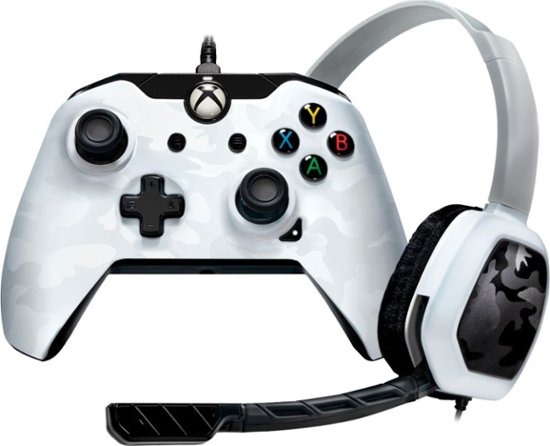
A joystick / headset combo.

3. Sit comfortably, if you can get a beanbag that would probably be awesome! (I don’t have one yet). 

Beanbag, the perfect gaming companion


4. Keep it fresh and exciting, I’ve reviewed a bunch of awesome games on this blog, and there are hundreds more that can be downloaded for free.

5. Have fun, don’t over think stuff, don’t force it either. Things are best when they occur naturally.

Final words

With these tweaks and tools, the gaming experience on Linux isn’t only possible, but actually rather enjoyable. There are plenty of titles to choose from and good times to spend with games.

Did you find your second wind before? What worked for you? Let me know in the comments section below.
Gimp templates gone or deleted fix

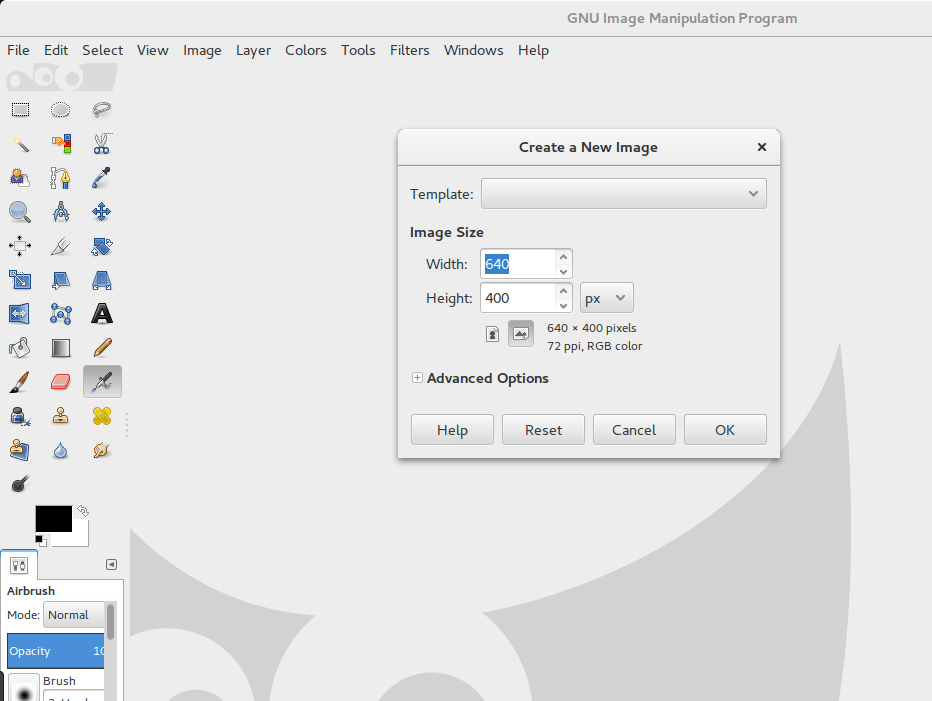
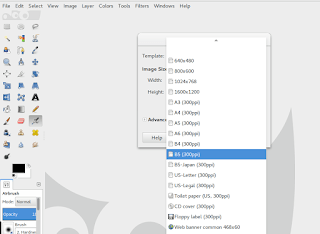
I ran into this issue on Ubuntu 16.04 and Gimp version 2.8.22, while trying to load the templates I couldn’t do that. They were grayed out and nothing I tried worked. In this post I’ll show you how to fix templates and get Gimp templates back running!

Nothing else worked

Needless to say that nothing I found online worked, hence me blogging about this issue, and while it’s a simple issue that doesn’t affect the program usability, it is indeed an annoying one!

Gimp templates not running

Fixes that include reinstalling Gimp and updating it or rolling it back were useless. 
Some suggested copying a file named “templaterc” from another computer, and it also didn’t work for me.

The fix

  • Navigate to home folder in Ubuntu and show hidden folders (click Ctrl + H if you are using Nautilus).

  • Look for a folder called .gimp-2.8.

  • Once inside the folder, delete the contents of the folder and restart Gimp if open. Please note that if you have any brushes or scripts added that you will lose them all, and I advise taking a backup copy of that folder if that’s the case.

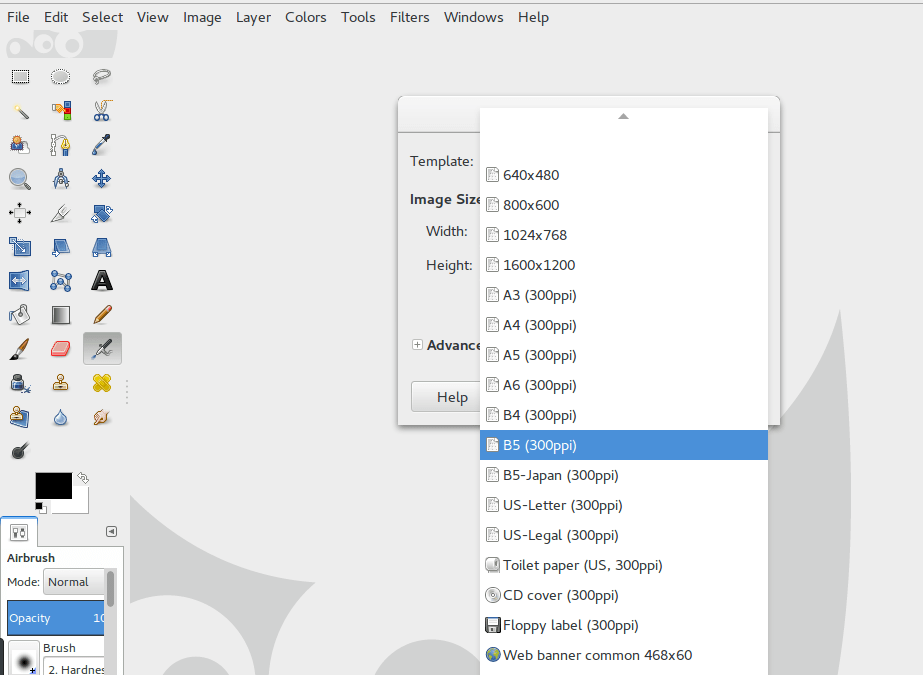
  • Run Gimp, you will have your templates like usual!


Gimp templates back running

Note: If you use Windows, go to the user folder to find these settings, not the program files installation folder. 

I hope you find this trick useful. Let me know what you think in the comments section below, and don’t forget to share this on social media. 

Introduction to wine on Ubuntu Linux

Wine stands for (Wine Is Not Emulator), and it’s a bunch of Mono libraries used to run windows programs on Linux.
As a Linux user you will cross paths with wine and in this post I’ll be talking about whether is it a good or a bad addition to your system.

Why wine?

If you play games then you will come across wine sooner or later, as we all know that Linux is not a gaming system by default. The last few years saw a rapid growth in Linux games thanks to Steam, and software that eases game installation like Lutris. However it’s far from Linux being a default system for developers and gamers alike. And that where wine comes to play.
You need all the help you can get playing on Linux, if you can have your collection of games running with Wine, that’s a win (no pun intended).

A starting point

Any beginner taking the first steps in the world of Linux will have to use Wine to ease the transition from MS to Linux. (No! I don’t mean drink the pain away!!) In fact some distributions aimed at beginner users have it installed by default like Zorin.

Wine because wine exists

Many game developers won’t port games to Linux and instead direct users to “Wine” for games to run on Linux. As for older games that are already out there, good luck with those!  The only way to be able to enjoy them on your system is to have Wine installed.

Wine is better than other solutions

Using wine is much safer than having a dual boot setup, if you mess up the installation procedure then it’s good bye files! (Always have a backup and even make an image of your hard drive).

What programs and games Wine runs?

There are thousands of games and programs that run on Linux using Wine, and with every update that list grows more in size. The best way to know is to try of course and see how things work out.

How does it work?

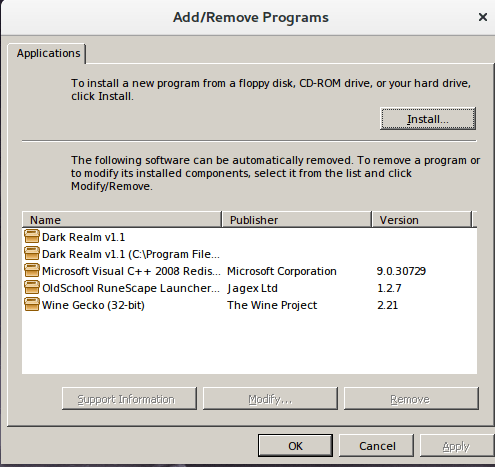
If you have portable programs, just double click them to work. If they require an installation then follow the steps as you would on a MS system. You can remove them later from “Uninstall Wine programs”.

Uninstall wine programs from here

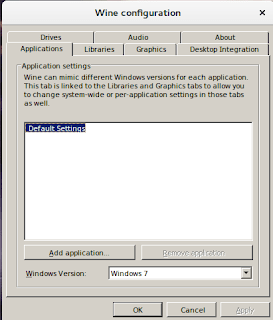
 And you can edit several settings from the applet configure wine, including what version of windows does it work like for compatibility.

If you already have it, Wine it!

Many free and open source games (I’ve reviewed several on this blog) run on Linux and Windows. So if you have the game for Windows and you have Wine installed, there is no need to download the game again, here wine helps you save some data!

Installation 

Please refer to the manual on the official website, there are steps that needs to be done in order to get the 32 bit and 64 bit programs to run without an issue on Ubuntu. I recommend using the development branch to get the latest version possible.

Final words

Wine is not a perfect solution, it has its flaws like any software, but it came a long way in running your games and software on Linux. Having it run with Lutris really enhances your gaming experience and widens your game options by a whole lot!

Just remember to use with moderation, native is always better.

Do you use Wine on your Linux machine? How is your experience?  Leave a comment below and let me know what do you think?

I wrote an Arabic post a few years ago that roughly mentions wine, take a look at it from here.

How to read more books?

Reading is an excellent hobby. What better way to learn and have fun than to lose yourself in the midst of a good book? However a lot of people – myself included – struggle to read more often due to the complexity of modern life and the pressure of a full time job.  
These tips aim to help you read more without compromising any of your responsibilities..


 1. Read when you are waiting

There are times in life where you aren’t doing anything, either commuting from work to home (assuming that you aren’t driving), or waiting for service in a bank or a public office. It would be a great chance to catch up on some reading.

    2. Always keep a book nearby

Whether it was a physical book that you keep in your bag or an e-book on your smartphone or tablet, always have some reading material nearby. You never know when is the next chance to finish a chapter or a few pages.

    3. Read 10 pages each day

When you read 10 pages each day, that totals up to 300 pages per month (on average), and 10 – 12 complete books per year at bite sized chunks!

    4. Make reading a habit

If you read daily for a few weeks, reading will become a habit for you. However if you struggle with consistency there are some tried tricks that you can try:
        1. Link it to an existing habit like your morning cup of coffee.
        2. Use a habit building method such as “Don’t break the chain”.
        3. Set a daily reminder to read.
       No matter what is the method that you find more natural, you can make reading a daily habit of yours.

    5. Audio books for the busy hands

If you drive, listen to books. There are many services online that provide audio books, and some are even read by volunteers and posted on Youtube for free (quality may vary), your daily commute will give you something new each day.

    6. Savor the weekend

The weekend is a great opportunity to catch up on reading. Eliminate all distractions and sit down with a good book!

    7. Don’t read alone, join a community like Goodreads

There are millions of readers sharing their updates and challenging themselves to read more each year. If you aren’t a member already, join now and get inspired!

    8. Many birds with one stone!

Read a book before bed. There are scientific studies that prove this habit helps you fall asleep better and reduces your stress levels by 39%, increases your creativity and helps prevent Alzheimer disease, (source).

These are my tips for you to read more. Do you have other ways you can add? Which one caught your attention? Please share them with me in the comments section below.

And until then, read more.

« Older posts Newer posts »