
Month: February 2019 (Page 1 of 2)

قوائم المهمات

قوائم المهمات من أكثر طرق الانتاجية شيوعا وفاعلية، يستخدمها الجميع في شتى الوظائف ومناحي الحياة لتحقيق أكبر قدر ممكن من الانتاجية، هذه التدوينة تطرح طرقًا لتحسين مهارة إعداد القوائم وكيفية الاستفادة منها بالشكل اﻷمثل.
قائمة المهام هي وثيقة مرجعية لانتاجية اليوم كله (أو الفترة الزمنية المستهدفة) لذلك يجب أن تكون مرتبة بشكل جيد ومكتوبة بلغة مفهومة وقابلة للتفسير بشكل واضح وسليم.


متى توضع القائمة؟

وضع القائمة يجب أن يكون من مساء اليوم السابق، أو في الصباح الباكر على أقل تقدير.

بماذا تبدأ؟

في البداية يجب وضع مهمة سهلة وحركية لتعزيز النشاط والشعور بالانجاز المبدئي، كشراء بعض الحاجيات من المتجر، أو تنظيف الحجرة (تعتبر من أفضل نصائح الانتاجية وتعطي شعورا بالنظام والنظافة طول اليوم). وربما بعض التمارين الرياضية.

فرّق تسد

  • تقسيم المهمات كبيرة الحجم إلى مهمات صغيرة قابلة للقياس، لأن تنفيذها ومتابعتها يكون أسهل.
  • كتابة المهمات بشكل سهل وواضح: مثلا اكتب: اشتري الحليب من المتجر، بدلا من: حليب.

ضع اﻷشياء المتشابهة معا

ترتيب المهمات المتشابهة معا فمثلا وضع كل الاتصالات الهاتفية معا ليتم الاتصال في فترة متقاربة، وإرسال كل الرسائل والبريد الالكتروني على شكل دفعات.

التحكم في العدد

ضع رقما أقصى لعدد المهمات اليومية ولا تتعداه، مثلا خمس مهمات ولا تزد على ذلك، إلا لو وجدت نفسك نشيطا وقادرا على العمل، فالارهاق يؤدي لنتائج عكسية تضر بانتاجيتك (كانت ادارة الارهاق موضوع دورة كاملة اخذتها في شركة شلمبرجير).

اسكب كل ما يجب فعله على الورق، هذه التقنية مأخوذة من انتاجية انجاز اﻷعمال GTD ثم قسمه الى ما يجب عمله فورا وما يمكن ترحيله لأشخاص أخرين.

في حالة أن بعض المهمات يمكن تكليف أشخاص أخرين بها يجب فعل ذلك وعدم ارهاق نفسك بمحاولة فعل كل شيء.

ترحيل المهمات التي لم يمكن انجازها: على سبيل المثال ذهبت لانجاز معاملة حكومية وطلب منك الموظف العودة في اليوم التالي (هذا يحدث غالبا)، فيجب عليك ترحيل المهمة للغد، شطبها نصف شطب، فأنت هنا قمت بالمهمة ولكنك لم تنجزها.

لا تعض أكثر مما تستطيع مضغه

عند صياغة المهمات اترك سقف التوقعات عاديا، فمثلا كتابة سطر مثل: قراءة عشر كتب” هو أمر غير واقعي لن يورثك سوى الاحباط! لكن كتابة شيء مثل: “قراءة عشر صفحات من كتاب ما” أكثر واقعية وقابل للتحقق. المهمات الكبيرة الغير ممكنة سبب من أسباب التسويف.


قسم المهام لمهمات أصغر وقابلة للادارة بشكل افضل

مهمة مثل تنظيف البيت كاملا ستكون صعبة على شخص واحد لينجزها في يوم واحد وثم تتبقى له طاقة لفعل شيء أخر، لذلك من الواقعي تقسيم المهمات على مدار اﻷسبوع: مثلا تنظيف الحمامات يوم السبت، وتنظيف غرف النوم يوم الاثنين، ومسح الغبار يوم الثلاثاء، ويوم اﻷربعاء 🙂

هذا مجرد مثال، أعلم جيدا أهمية تنظيف البيت بشكل دوري كل يوم.

حارب التسويف

عندما تكون مهماتك ذات حجم مناسب وذات أولوية صحيحة، لن يبقى للتسويف مكان في حياتك وستنجز ولو شيئًا بسيطًا كل يوم، تذكر أن طريق اﻷلف ميل يبدأ بخطوة.

لا للمهمات العشوائية

تصفح الانترنت هو أفضل مثال على المهمات العشوائية! سأزور تلك الصفحة، سأرى هذا الفيديو، سأحمل هذا البرنامج. التنفيذ بهذا الشكل لن ينجز شيئًا، ولو أنجز شيئًا لن يكون ذا قيمة.

ربط تنفيذ المهمات بتوقيت معين لكي لا تلتهم اليوم بكامله، ويمكن العودة إليها بعد إنتهاء باقي المهام وتوافر وقت فراغ.

ماهو وقتك اﻷفضل؟

بعض الناس ينتجون بشكل أفضل في الصباح الباكر، البعض اﻷخر يفضل الليل ليعمل فيه، استكشف وقتك الخاص واجعله لكّ!

هناك بعض اﻷيام لن تستطيع أن تنجز الكثير، فلا تقسو على نفسك، كل شخص له دورة انتاجية خاصة، تعرف على دورتك واستفد من مواطن القوة فيها ولتكن مواطن الضعف وقتا للراحة وشحن البطاريات.

أدوات تساعد على الانتاجية

في هذه المدونة عدة مواضيع حول أدوات تساعد على مراقبة المهام لمختلف أنظمة التشغيل:

هذا تطبيق لويندوز Total organizer

هذا تطبيق لينكس Tasque

هذا تطبيق لأندرويد

ورقة وقلم للناس الكلاسيكية

وطبعا زيم ويكي به خصائص ادارة وقت وانتاجية ممتازة جدا وتغني عن العديد من التطبيقات، مثالي لمن يحب التقليل من التطبيقات على جهازه مثلي أنا.

ختامَا

ما هي نصائحك في الانتاجية؟ هل لديك وقت خاص تعمل فيه؟ كيف تكتب قوائمك؟ هل تستعمل القوائم أصلا؟ شاركني في قسم التعليقات.
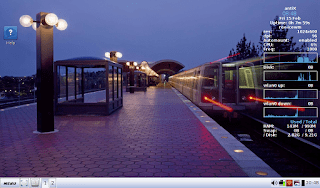
Antix Linux on my Netbook

Antix Linux is a free and open source operating system that focuses on a light weight desktop experience and ease of use, one of it’s main goals is to promote a “system-md” free approach to Linux.
Based on Debian, it provides both a rich repository of software, and a sense of reliability.

Debian origins

The fact it’s based on Debian is a huge plus, a lot of the software I use is in .deb form, and I fully understand how to work with repositories to add and remove software, it was a pleasant surprise to find that Synaptic was shipped by default with Antix.

Light weight

When it boots into GUI, it’s using less than 100 MB, that’s an impressive feat for a modern operating system.
  • Even lightweight flavors of Ubuntu (Xubuntu and Lubuntu) can’t reach that level of lightness.
  • Low minimum system requirements, needs about 256MB of RAM and a Pentium 3 processor to work.
That makes it perfect for older computers, and Netbooks.

Why Antix on my Netbook

I found that my Netbook had a performance issue, even when choosing a lighter interface i.e: XFCE. And trying to browse the web with an updated version of Firefox was impossible.
Ubuntu 14.04 is nearing End of Life, I’ve used it on and off since it’s release in 2014, but it’s time to say goodbye. 
Seeking a lightweight alternative that was both easy to use and somewhat familiar led me to using Antix.

Antix Linux Pros

  • Looks good, has a bottom bar and a menu similar to the start menu, not alien.
  • Download size was small, less than 700MB (for the base version), can be put easily on a CD, something Ubuntu can’t achieve anymore.
  • Low hardware requirements, would work on most computers old and new.

Antix Linux cons

  • It can be confusing at first, the window manager used is clumsy and like nothing I ever used. (You can toggle between them by pressing F1 on the login screen).
  • Customization isn’t easy,, won’t be everyone’s cup of tea.

An update

Updating the system changed the default file manager to Spaceman FM, which is more customizable and can access NTFS partitions with one command, a much welcomed update!  

I was able to add items to startup by editing the config file found under: Control Center Session User desktop session.  
Same goes for adding the terminal shortcut, it was under Control Center Desktop  
And from there I added the lxterminal to the key combination: Ctrl + Alt + t.

    Final words

    With a mix of lightweight performance and a sense of aesthetics, this unique distro made it’s way to my Netbook as the first non-Ubuntu distro I ever use. 
    For more feel free to visit the project’s website at https://antixlinux.com/

    Lutris, a game management software for Ubuntu

    I’ve been into gaming for as long as I could remember, and I’ve devoted a lot of posts on this blog to talk about games that I like. My taste varies between retro games and free / open source games. Sadly I can’t get much gaming done and my style is close to short random bursts followed by ever-long hiatuses. Well today I present a software that I think will have a pivotal role in my future gaming habits. Lutris..

    But before that, lets take a look at the origin of the issue

    I’ve slowly fallen out of favor with games, from being someone who played anywhere from 4 – 6 hours a day to someone who plays once every blue moon. I know that growing up and finding a steady job changes a person, however I don’t want to drop video games out of my life altogether, I hate to think of how my life would’ve been without video games!

    Failed attempts

    I’ve tried different things to rekindle my passion for gaming, buying a gaming keyboard was the latest attempt but so far to no avail. I still forget to play games even when I spend a long time on the computer. I blame social media and Reddit. They are too attractive!

    Trying to allocate a time for gaming and putting that on a To-Do list feels so forced and takes the joy out of something that used to be spontaneous and joyful.

    I think my problem is that I don’t know exactly what games I have, more specifically I forget my game progress and anything else done. In my previous attempts I tried making a folder and placing game shortcuts in it, or a dock like plank and putting game shortcuts on it, but that never worked.

    Linux not for gamers

    I love Linux, however it’s not a system for gamers, the games are little and not so good, beggars can’t be wishers I suppose.

    I’ve searched repeatedly for a software that could be a game hub, one place for all my games, and until yesterday I thought something like that cannot exist, until I met Lutris!

    Lutris, the game collection software

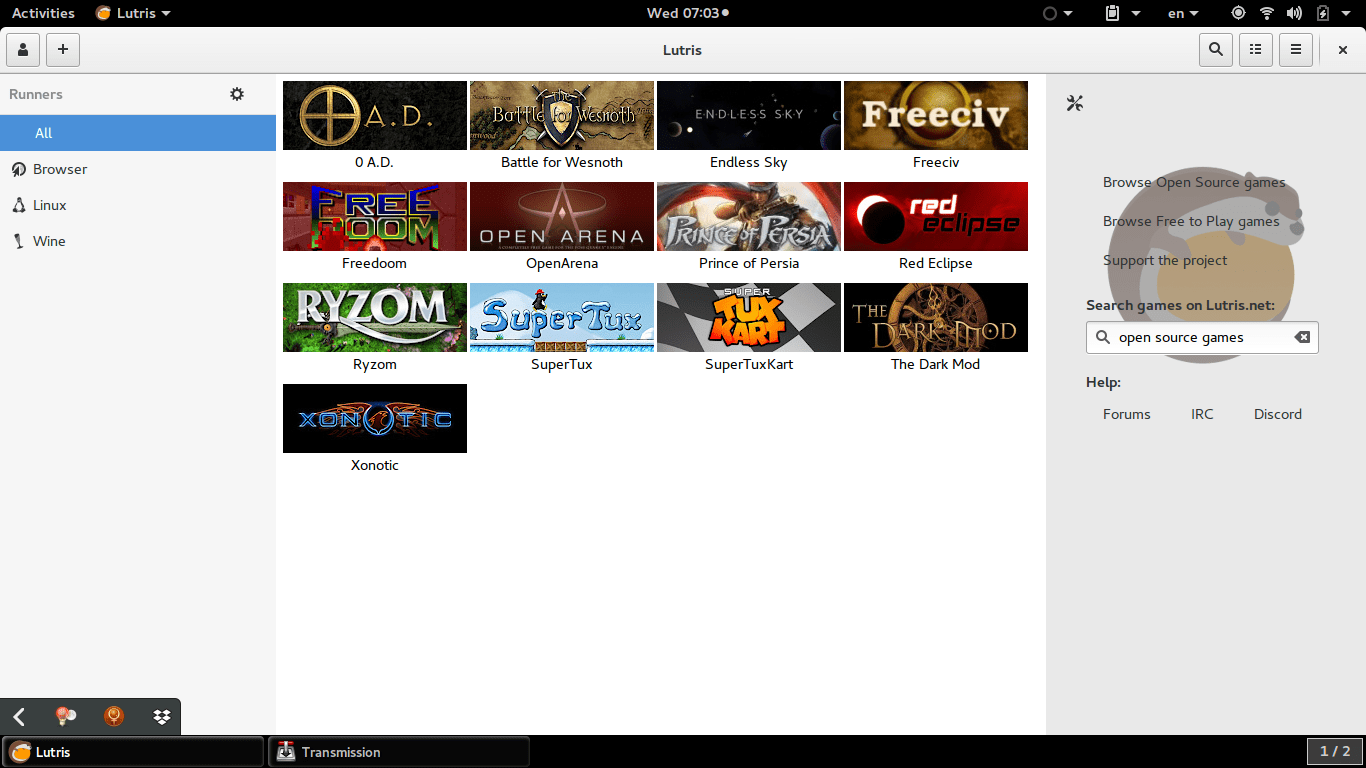
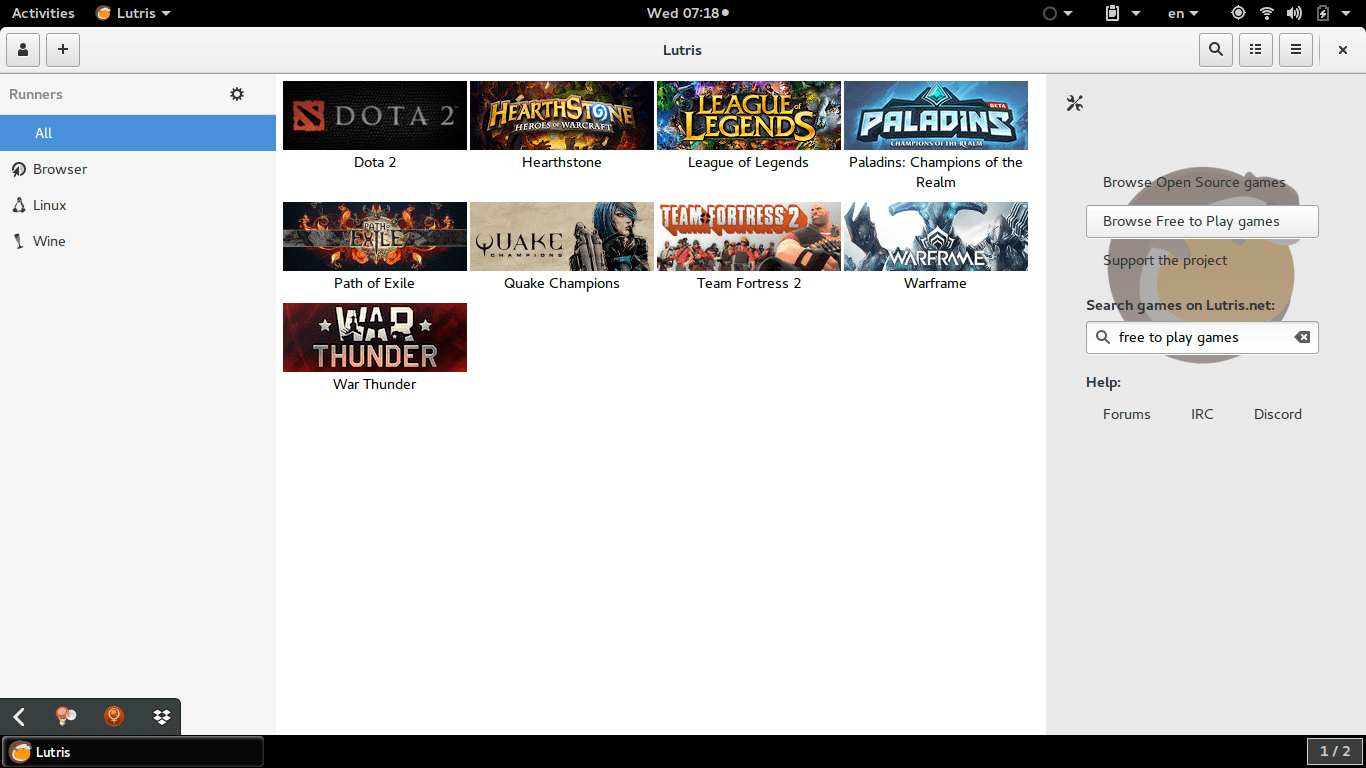
    Lutris is a free and open source game library that puts all your games in one place inside one interface, each game would have information and a picture that help you easily choose a game from the list.
    Lutris is very easy to use, and is incredibly useful. I managed to collect the games installed on the system, with the archives downloaded in tar.gz (making icons for these is a hassle in Linux), and even games from my old windows collection using wine. To me this is a dream come true.
    A sense of order in a rather chaotic collection, and for the first time Linux feels like a system that could do gaming. 


    Pros of Lutris

    • I really like the statistics in Lutris, tells you when did you play a game last, and how much time did you spend on that game.


    • I also appreciate the extensive settings it has, such as forcing the keyboard language to be English during playing, and setting the screen resolution back to original after closing a game. (Especially useful with Wine games).


    • Can easily import all of your installed games with one click. Be careful as importing games after that using this method will result in duplicates.


    • The settings are powerful and wonderful, give more control over the gaming experience as whole.


    Cons of Lutris

    • Lutris isn’t without faults, it hangs a lot (during game downloads mostly) and still in early releases judging by the performance.


    •  I also don’t like the icon very much, however if you design a tool this awesome, you get to choose whatever you want as a mascot.


    • I also wasn’t able to play any game I downloaded from the online collection, all had mistakes and I had to remove them. I don’t know what’s the problem and it’s not really an issue to me. I just want a place to gather my games.
    • having to add pictures manually to games rather than the default Lutris icon, which is super easy to use by the way, but can be a tedious process if you own a lot of games.


    • Importing the library over and over will result in duplicates, so you have to be careful when importing and deleting games, especially when you check the choice of removing the game from the system all together! (This was later fixed in version 0.5.2).


    How to install Lutris on Ubuntu

    Enter these commands one by one into a terminal, and after some time it will be installed on your system, download size around 118 MB


    sudo add-apt-repository ppa:lutris-team/lutris

    sudo apt-get update

    sudo apt-get install lutris


    D9VK

    D9kx frame work aiming to improve the Linux gaming experience using Lutris. Can be downloaded from GitHub and installed via this tutorial on YouTube.

    Final words

    I think Lutris is the best game library I’ve seen for Linux, it’s sleek and feature packed. I think I’ll do more gaming since installing Lutris, only time could tell.

    لماذا نوفر النقود؟

    هذا سؤال بديهي قليلا، لكن الإجابة عليه تبدو مهمة لوضع النقاط على الحروف.

    لكل منا دخل محدود، كل شيء في هذه الحياة محدود: الطاقة، وموارد اﻷرض، وأعمار البشر، والمال كذلك (محور هذه التدوينة) هو مصدر محدود بمقدار دخلك وإنفاقك. لذلك يمكننا تعريف التوفير بأنه: إنفاق مقدار أقل على نفس الخدمات والسلع، لتوفير الفارق، هذا الفارق يمكن توظيفه في وجه إنفاق آخر أو تخزينه حتى وقت الحاجة إليه.

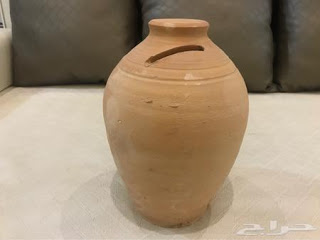
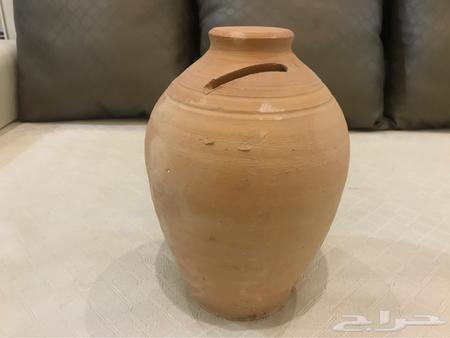
    حصالة فخارية (شقاقة)

     على سبيل المثال:

    عندما تتوقف عن التدخين (إن كنت مدخنا) ستوفر ثمن علبة في اليوم * 30 يوما في الشهر * 12 يوما في السنة. يمكنك ادخار هذا المبلغ وشراء بذلة رياضية وحذاء للجري، أو الاستمتاع بالصحة الجيدة بعد توقفك عن شراء التبغ كل يوم.

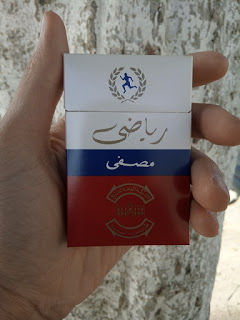
    دخان رياضي
    علبة دخان رياضي من انتاج مصنع التبغ بمنطقة قرجي

    هذه بعض اﻷسباب لتوفير النقود

    الكعبة المشرفة زادها الله تشريفا ومتعنا بالنظر اليها عن قريب يا رب

    بدون خطة لتوفير النفقات، تبدو كل هذه المتطلبات بعيدة التحقيق ومستحيلة حتى!

    تدوين المصاريف وتقييد كل شيء أولا بأول ليس شيئًا محببا للنفس، وكثيرون لن يستمروا في فعل ذلك لأكثر من أسبوع (فشلت عدة محاولات سابقة لي قبل أن أنجح في هذا اﻷمر والحمد لله) تضمنت الورقة والقلم، وكشوفات باستخدام برنامج  ليبر أوفيس كالك.

    أفكار جربتها لتوفير النقود

    • اضطررت للتوقف عن استعمال الهاتف الذكي الخاص بي في العمل الجديد وكنت على وشك شراء ساعة ذكية بمبلغ لا بأس به، ولكنني ركبت ساعة خاصة بي بدمج ساعتين (حزام ساعة الانتر + ساعة كاسيو اشتريتها بالقرب من المصرف بشكل عشوائي منذ عدة سنوات)، ووفرت ثمن الساعة! لأنني لم أكن محتاجا سوى لمعرفة الوقت ووظيفة ساعة التوقف.

    ثمن الرفاهية

    • ذهابك للمطعم لتناول وجبة جاهزة يكلف المال بكل تأكيد، لكنه ثمن تدفعه في مقابل أن يأتيك الطعام على طبق دون أن تتعب في تحضيره أو أن تحترق يداك أثناء الطبخ، وطبعا لن تقوم بغسيل اﻷطباق بعد اﻷكل. أوجه تحية خاصة لكل من يتعب في المطبخ لتوفير وجبة دسمة للأسرة كل يوم (شكرا أمي).

    يمكن قياس نفس اﻷمر على إصلاح سيارتك بنفسك عندما تتعطل، وخياطة ثوب عندما يتمزق. هنا السؤال:

     متى يكون التوفير سيئًا؟

    • اذا قمت بعمل أسوأ مما يقوم به المهني (الخياط – الحلاقالميكانيكي)، في تلك الحالة لا تفعل ذلك بنفسك!
    • عندما توفر المال وتضيع الوقت، الوقت الذي كان بإمكانك عمل شيء يجني لك المال (أكثر مما كنت لتنفق)، هذا يعني أن اﻷمر لا يستحق فعله ويجب أن توكله لشخص آخر وأن تدفع له مقابل عمله.

    توفير بعض النقود من هنا وهناك أمر جيد، لكن أحيانا اﻷفضل ترك الأمر للمختصين.. خاصة لو أتلفت شيئًا وتكلف إصلاحه أضعاف ثمن التوفير اﻷصلي (درس تعلمته بالطريقة الصعبة للأسف!)

    في الختام

    توفير النقود لا تعني أن تتحول لعم دهب من شخصيات ديزني (البط العجوز البخيل الذي يسبح في خزانته المليئة بالذهب)، بل هو ببساطة التحكم في مورد مالي وضبط إنفاقه، تماما كما تضبط الحنفية كي لا تغرق أرضية الحمام وتهدر المياه.

    العم دهب وهو يغطس في خزانة الذهب الخاصة به

    توفير المال ليس شيئًا مريحًا، انه يتضمن الكثير من التضحيات، وفي كثير من اﻷحيان خيارات أقل من أجل تحقيق هدف منشود.

    ما هي اﻷمور التي تقوم بالتوفير فيها؟ هل هناك أشياء يمكنك فعلها وتوفير مبلغ جيد من المال؟

    شاركني بطرقك ونصائحك في قسم التعليقات عزيزي القارئ، وشكرا لك على المطالعة.

    « Older posts